
Give the agent permission to edit a draft in a test CMS and keep the publish decision with the reviewer. Saving, previewing and publishing each change something different. A private preview can render correctly while the underlying post is still a draft. This guide treats that separation as an observable result.
Prepare a source the CMS can map
Provide an approved title, excerpt, section headings, one checked URL and the asset with its intended alternative text. Markdown heading levels map to Heading blocks, paragraphs to Paragraph blocks and linked text to the visible anchor plus its destination. Avoid pasting a rich-text document as the only source, because formatting can change during paste. Keep the source alongside the handoff so the reviewer can check missing footnotes, links or images.
| Markdown | WordPress |
|---|---|
| H2 | Heading block |
| text | Paragraph + anchor |
| alt | Image alternative text |
Limit the write before opening the editor
Use a test environment and an account that can edit its own drafts. Verify the origin and intended post before writing. If a draft ID already exists, reopen that record instead of creating another. Set a stop condition before changes begin: save draft and open its preview; stop at Publish, Submit for Review, permissions changes or any unexpected dialog.
WordPress · Roles and capabilities
Save, reload and check the actual preview
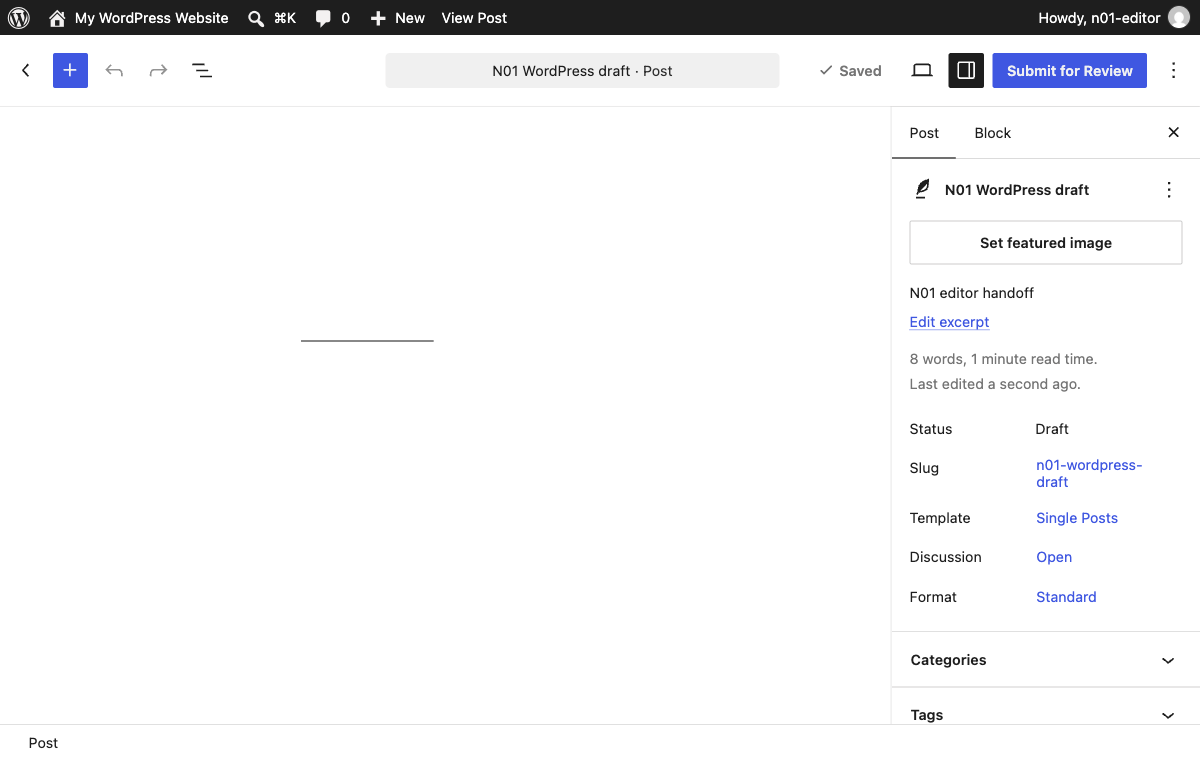
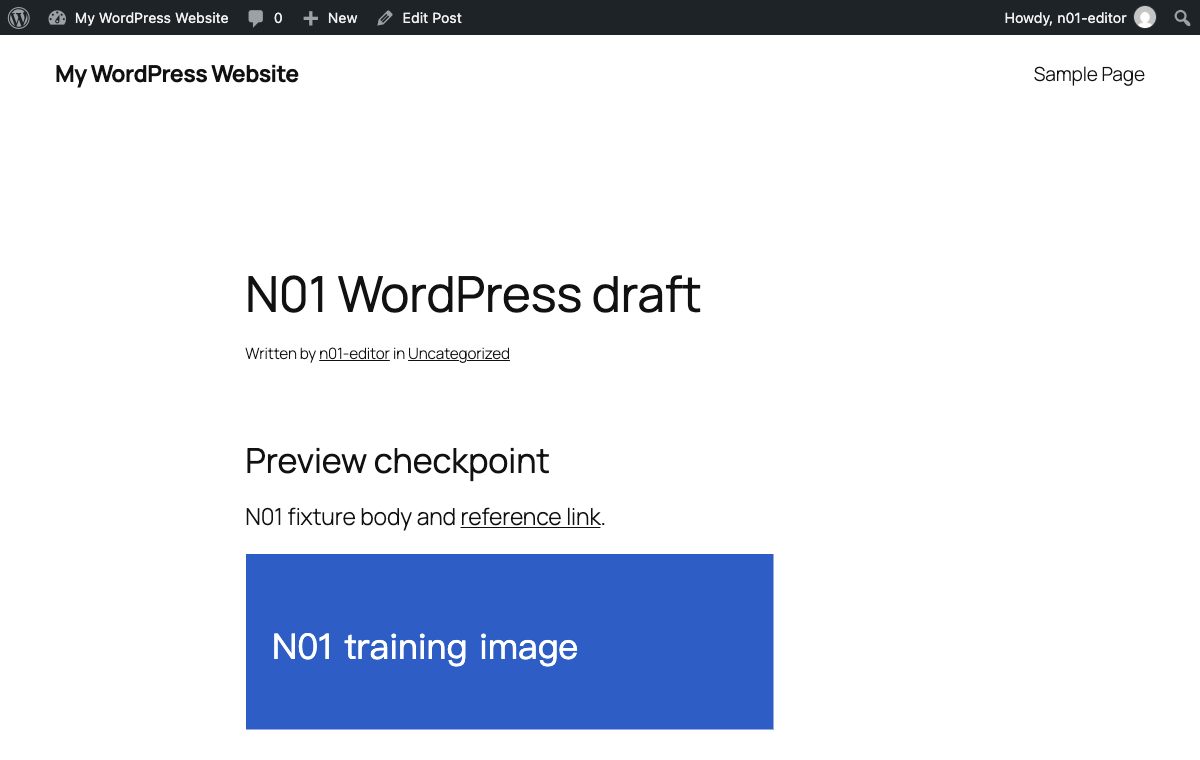
Enter the content, select Save draft and wait for the editor to settle. Record the post ID and read its status again after a reload. Open the authorized preview and verify the title, heading level, link destination and that the image actually loads with the intended alt text. Repeat the visibility check anonymously without sending cookies. The editor URL and preview URL can refer to the same post, but neither substitutes for the saved status.
We ran WordPress Playground CLI 3.1.62 on loopback with synthetic content and a dedicated role without publish capability. The editor store entered the blocks, and Tabbit clicked Save draft. The saved record was read again after reloading. The authorized preview rendered the heading, link and a loaded image. The two cookie-free requests were checked independently. This single environment does not establish the behavior of a different CMS, plugin or authentication setup.
| Check | Observed |
|---|---|
| ID / status | 9 / draft |
| Authorized preview | HTTP 200 |
| Preview without cookies | HTTP 404, marker absent |
| Post URL without cookies | HTTP 404, marker absent |
| H2 / link / alt | Preview checkpoint / /?n01-reference=1 / Blue training marker |
Return a receipt the reviewer can use
Give the reviewer the environment, draft ID, saved status, editor link, authorized preview instructions, and specific checks or discrepancies. A preview link may require editor permission. If a reviewer receives Access Denied, use your CMS’s approved reviewer access process and verify the same draft again. For a retry, look up the existing ID and compare the latest saved revision before writing.
A WordPress user reported missing spaces, hyperlinks and footnote trouble after pasting from Word on a Mac. Another reported that colleagues received Access Denied for a draft preview. These are individual reports. Check the rendered blocks and reviewer access independently.
r/Wordpress · Word paste · r/Wordpress · Draft access
What if the workflow was interrupted?
Read the current editor state and saved record first. If the ID and draft exist, resume there. If the preview is stale, reload from that same saved record and compare content. If there is a mismatch between the editor and preview, record the discrepancy and stop for review.

FAQ
What should Markdown contain?
Provide an approved title, excerpt, section headings, one checked URL and the asset with its intended alternative text. Markdown heading levels map to Heading blocks, paragraphs to Paragraph blocks and linked text to the visible anchor plus its destination. Avoid pasting a rich-text document as the only source, because formatting can change during paste. Keep the source alongside the handoff so the reviewer can check missing footnotes, links or images.
What permissions should an agent have?
Use a test environment and an account that can edit its own drafts. Verify the origin and intended post before writing. If a draft ID already exists, reopen that record instead of creating another. Set a stop condition before changes begin: save draft and open its preview; stop at Publish, Submit for Review, permissions changes or any unexpected dialog.
How do I check a saved preview?
Enter the content, select Save draft and wait for the editor to settle. Record the post ID and read its status again after a reload. Open the authorized preview and verify the title, heading level, link destination and that the image actually loads with the intended alt text. Repeat the visibility check anonymously without sending cookies. The editor URL and preview URL can refer to the same post, but neither substitutes for the saved status.
What goes in a draft receipt?
Give the reviewer the environment, draft ID, saved status, editor link, authorized preview instructions, and specific checks or discrepancies. A preview link may require editor permission. If a reviewer receives Access Denied, use your CMS’s approved reviewer access process and verify the same draft again. For a retry, look up the existing ID and compare the latest saved revision before writing.
What if the workflow was interrupted?
Read the current editor state and saved record first. If the ID and draft exist, resume there. If the preview is stale, reload from that same saved record and compare content. If there is a mismatch between the editor and preview, record the discrepancy and stop for review.