
Qwen3.6-27B can help a local agent inspect a signed-in page only when the model host, agent runtime, and browser tool are wired together. The checkpoint is an open-weight 27B dense model; it is not the 35B-A3B mixture-of-experts model and not Alibaba’s hosted Qwen3.6 Flash API. For a read-only permissions check, serve the exact checkpoint in a tool-capable runtime, select it in a local agent client, then let Tabbit Browser expose the signed-in page through Tabbit CLI. A LocalLLaMA commenter immediately asked, “What's the hardware requirements”; that is a useful reminder that a local checkpoint adds a machine and serving layer before the browser task even starts. Read the discussion.
Key takeaways
The official repository identifies Qwen3.6-27B as a 27-billion-parameter checkpoint and lists Apache-2.0 licensing. It is a dense model, distinct from Qwen3.6-35B-A3B.
Tool calling needs both model formatting and runtime support. Qwen’s serving guidance names vLLM and SGLang tool parsers; a compatible endpoint alone does not grant browser access.
Qwen3.6 Flash is a hosted API route. Do not use its ID or availability as proof that local weights or your chosen client work.
Test with a harmless page first. Read the title, status and exact URL, then stop before editing or submitting anything.
Check each layer before a browser run
| Layer | Verify | What a pass does not prove |
|---|---|---|
| Weights | Exact Qwen/Qwen3.6-27B repository, license and checkpoint | Enough memory or a working inference server |
| Serving | Current vLLM/SGLang version and Qwen tool-call parser | The client can select this endpoint |
| Agent client | Local client selects your endpoint and grants local tools | Tabbit skill discovery or site login |
| Browser bridge | /tabbit or the client’s actual /skills entry; local launcher starts | Correct browser instance or logged-in target site |
| Page | Expected account, URL, title and visible status | Permission to change the page |
Qwen lists the 27B checkpoint separately from Qwen3.6-35B-A3B. The first is dense; the latter is a sparse MoE checkpoint with 35B total parameters and about 3B active per token. Alibaba Cloud also publishes a hosted qwen3.6-flash route. These are separate deployment choices, with different resource, serving and access conditions. The model card shows tool-use launch options for vLLM and SGLang; it does not say that the model itself controls a desktop browser. Check the Qwen model card, Qwen3.6-35B-A3B card, and Qwen Cloud model list before choosing a route.
Diagnose a failed signed-in page in order
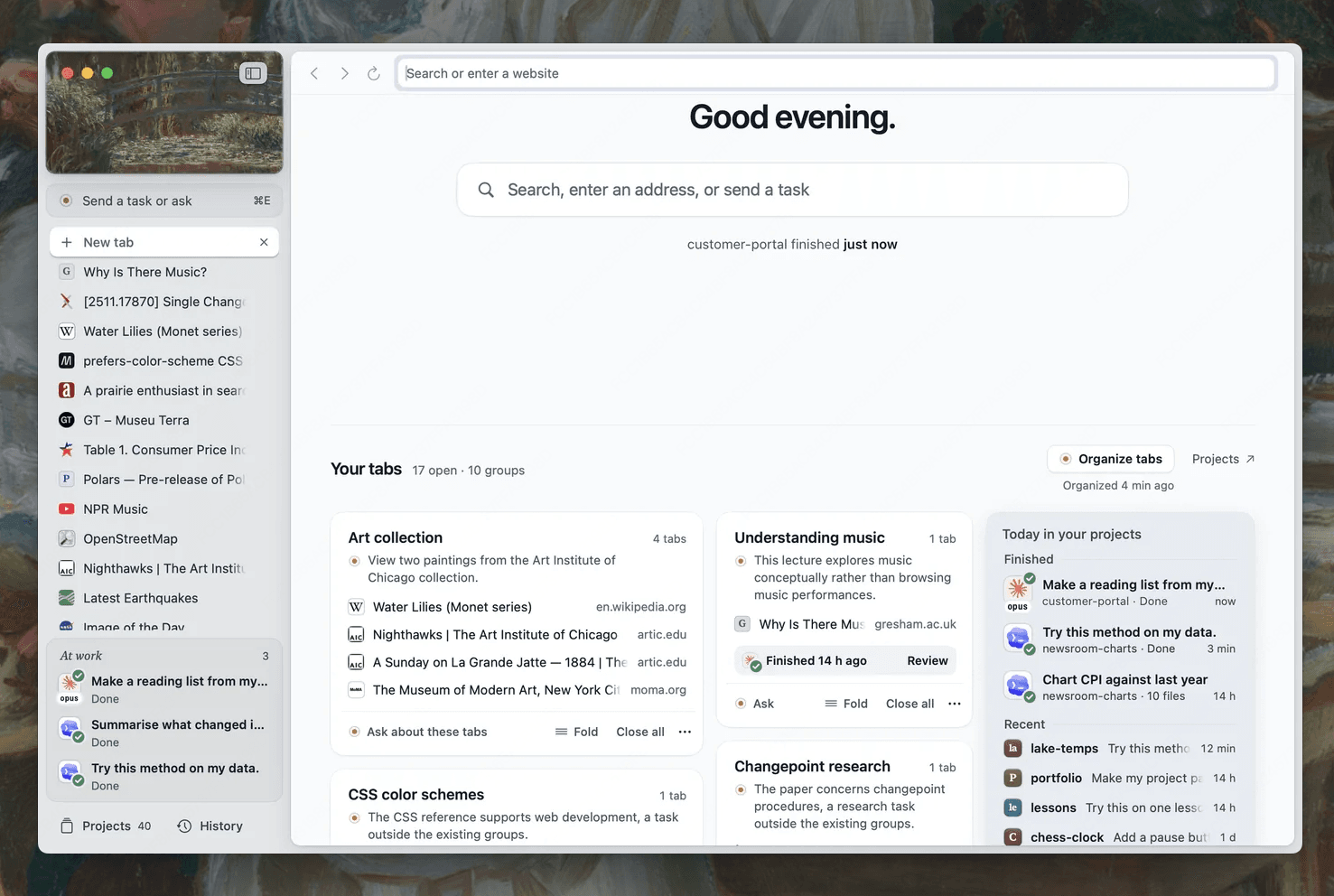
Install Tabbit Browser, sign into the target site yourself, and set up the local CLI skill in a supported local agent. In clients that expose named skills, check /tabbit; some clients instead show /skills or discover the skill automatically. Skill discovery only means the instructions loaded. Separately confirm the CLI launcher runs, the agent uses the intended model endpoint, and the browser is the Tabbit instance with the right account. This is the same separation used in the Codex setup guide.
Start with a page you are authorized to read. Ask for its title, URL and visible status, then verify those values in the task tab. If the page shows a login screen, sign in in Tabbit yourself. If the server returns a tool-call-shaped answer instead of a browser action, inspect the serving parser and client tool loop. If the model endpoint is reachable but the CLI is not, fix the launcher or local permissions; do not reinstall weights to solve a browser bridge problem. The troubleshooting checklist and local-versus-cloud guide help isolate these layers.
Use a local task tab for a read-only permissions check
A parent-run localhost fixture check recorded a protected page returning 401 before a short-lived test cookie, then a second named Tabbit CLI task reading the page title and fixture record after the cookie was set. That demonstrates CLI session reuse in that test environment. It does not test Qwen3.6-27B, an inference host, an external site, or a model-to-browser integration. In Tabbit, a named task uses its own tab so you can continue work elsewhere; the session reuse guide explains the boundary.
A Reddit user comparing Qwen3.6-27B and 35B reported better quality and speed from 35B in two Apple Silicon setups and coding/research workflows. That is one person’s hardware-dependent report, not a general performance result. See the comparison thread.
| Observed result | Likely layer | Next safe check |
|---|---|---|
| Model not found | Route or provider | Confirm exact checkpoint/endpoint and client configuration |
| Tool call appears as text | Runtime parser or agent loop | Enable the documented Qwen parser and inspect client tool support |
/tabbit missing | Skill discovery | Check the client’s supported skill directory and reload it |
| CLI cannot connect | Local bridge | Run Tabbit CLI diagnostics and confirm browser instance |
| 401 or sign-in screen | Site session/account | Sign in manually in the target Tabbit profile |
| Title/status differs | Page state or wrong account | Stop, reload and compare the exact URL and account |
Use this prompt with a local agent that already has the Tabbit skill. It creates a draft handoff rather than changing the site:
Use the Tabbit skill from this local agent session. The selected model route is Qwen3.6-27B; do not claim that the model itself has browser access.
In the signed-in Tabbit Browser, open only the preview URL I provide. Read its page title, exact URL, visible status, and account/workspace label if shown. Do not edit, submit, publish, or navigate to unrelated pages.
Create a local draft named "Qwen 27B preview permission check — draft 01" containing: observed values, one source URL per value, mismatches, and unknowns. If the page is logged out, stop and ask me to sign in. Show me the draft and stop for review.
The prompt is a suggested workflow, not a tested Qwen integration. The existing first-task checklist, MCP versus CLI explainer, browser agent CLI tutorial, and CLI guide cover the adjacent setup details. Start with a read-only test page, then review every value before allowing a change.

FAQ
Is Qwen3.6-27B open source?
The official Hugging Face repository lists Apache-2.0 for Qwen3.6-27B. Check the current model card and license before redistribution or deployment.
Is Qwen3.6-27B the same as Qwen3.6-35B-A3B?
No. Qwen describes 27B as a dense checkpoint and 35B-A3B as a separate mixture-of-experts model. Their memory and serving requirements differ.
Can Qwen3.6-27B call Tabbit CLI directly?
The model does not itself own a local browser session. A local agent client and serving runtime must support tool calls and execute Tabbit CLI.
Is Qwen3.6 Flash the hosted version of these exact weights?
It is a separate hosted model route. Do not assume exact weight parity or identical behavior unless the provider documents it.
Why does the agent return tool-call text instead of opening a page?
Check the serving parser and the client tool loop. Qwen’s deployment notes specify tool-call parser settings for supported runtimes.
Can the agent submit the page after checking it?
Keep the first run read-only. Review the page and named draft yourself before authorizing any external change.