
Tabbit CLI gives a supported local agent a way to operate a running Tabbit browser. Install the official desktop app, load the tabbit skill if your agent supports it, and confirm the launcher can reach the intended browser. Then run one browser task and read its receipt.
Install and verify the official launcher
Get the desktop app from the official Tabbit site, open it once, and restart the agent so it can load the installed skill. The macOS launcher is at $HOME/.local/bin/tabbit-cli. The official Windows quick start identifies the current-user skill folder. In PowerShell the documented launcher is under LocalAppData at Tabbit/LocalAgent/bin/tabbit-cli.exe. Start with diagnose and confirm the intended edition is running.
If multiple instances are running, set TABBIT_PLAYWRIGHT_INSTANCE to the ID reported by the launcher for the intended browser. Keep it throughout the task.
launcher="$HOME/.local/bin/tabbit-cli"
"$launcher" diagnose
Official installation guide · Install Tabbit · Tabbit browser overview
What the agent needs
The agent needs a shell or supported integration that can run on a host with access to the Tabbit runtime. It also needs the ability to use the installed skill or follow the documented launcher workflow. Seeing the skill is one check. Reaching the intended browser and reading a result are separate checks. In a cloud-only environment, confirm the connection before assigning a desktop task.
Browser for agents · Browser agents
Create one named task
Use a clear task name and keep it through navigation, action and verification. Start with an account-free page. The first call opens the practice page and reads its title and the closed details state. Use a fresh request ID for each call. Keep the ID of an action so you can retrieve the result if the response is interrupted.
Use the link below to replace the URL for your edition if needed. Start a new practice run with a new task name and request IDs.
"$launcher" nodejs --task "CLI practice" --request-id cli-practice-open <<'JS'
await page.goto('https://go.tabbit.ai/blog/tabbit-cli-complete-guide/fixture.html');
return { title: await page.title(), visible: await page.locator('#source').isVisible() };
JS
Open the practice page · Browser automation · Let an AI agent control a browser
Recover a result from the receipt
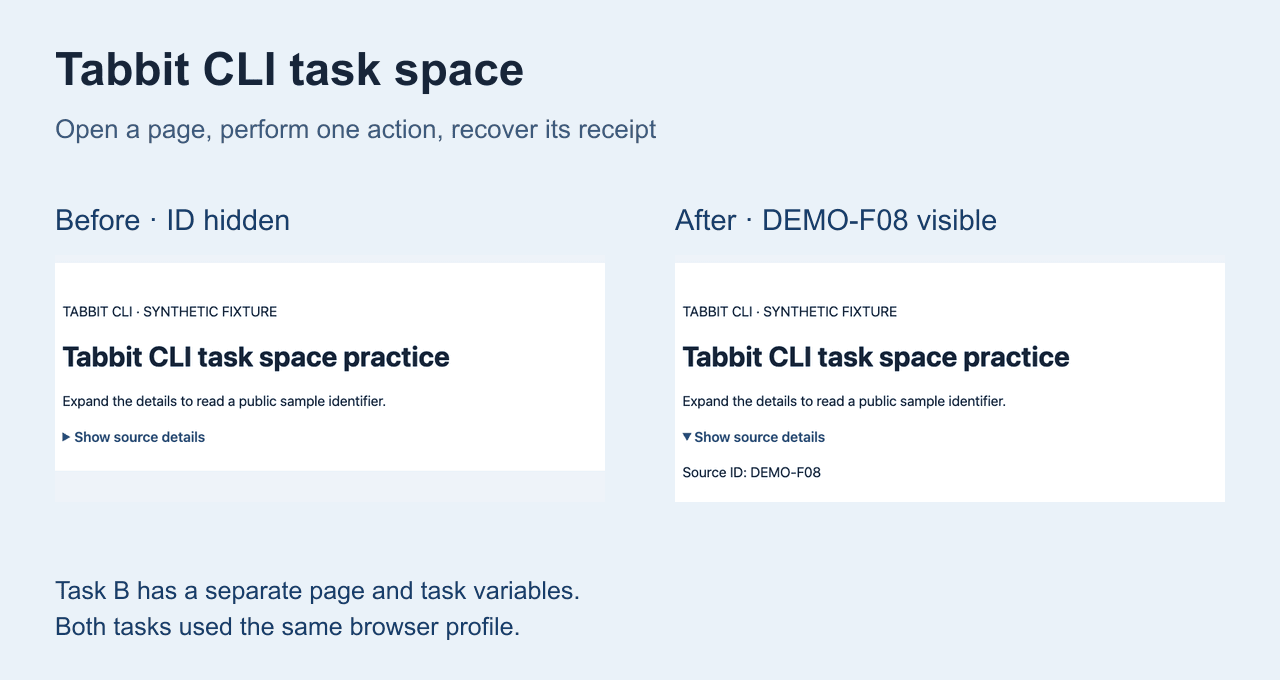
Reuse the task name and open Show source details once. Return the visible source ID. If the response is lost, query the existing request ID with receipt. This gives you the original request outcome without clicking again. Check the actual page state before retrying an action that may already have completed.
"$launcher" nodejs --task "CLI practice" --request-id cli-practice-click <<'JS'
await page.getByText('Show source details', { exact: true }).click();
return await page.locator('#source').innerText();
JS
"$launcher" receipt --task "CLI practice" --request-id cli-practice-clickWhat two tasks share
In our test on stable Tabbit 1.21.21.0, task A revealed DEMO-F08 and held a task-local script variable. Task B opened its own page, where details were still closed and that variable was absent. It could read a synthetic same-origin storage marker created by task A. A task name separates owned pages and task state. Browser storage and login state depend on the selected profile.
| Check | Task A | Task B |
|---|---|---|
| Details | Open · DEMO-F08 | Closed |
| Task variable | TASK-A-ONLY | Absent |
| Origin storage | ORIGIN-F08 | Read marker |
Compatibility and cleanup
The linked Codex case ran a fresh local Codex session through Tabbit CLI. The DeepSeek Harness example tested its own native adapter with a real Tabbit result. Other agents named in the official quick start are documented setups. The test here used the macOS launcher. Export receipts before finish, and close only task-owned tabs you created for the practice.
"$launcher" finish --task "CLI practice"| Problem | First check |
|---|---|
| Skill missing | Restart the agent and check its skill folder |
| Runtime unreachable | Open the intended Tabbit edition and run diagnose |
| Result missing | Look up the previous request before retrying |
Codex setup · DeepSeek Harness adapter · Tabbit CLI benchmark
Two self-published Tabbit Browser posts described opening work tabs and extracting discussion points. They describe browser use. For the CLI, use the separate task and receipt checks here. Reddit 1 · Reddit 2

FAQ
Where do I get Tabbit CLI?
Install and launch the official desktop Tabbit app and follow its quick start for the installed launcher and skill.
How do I check that the CLI reaches Tabbit?
Run diagnose using the installed launcher, then check the expected title and visible value in a real task.
Does a separate task have separate logins?
A task isolates owned pages and task state. Tasks in the same selected browser profile can share site storage and login state.
What should I do if a response is interrupted?
Retrieve the existing receipt by task name and request ID. Check the page state before repeating any action.
Does every agent work with Tabbit CLI?
Check whether the client can load the skill or run the supported launcher with access to the Tabbit runtime.
What happens when I finish a task?
Finish releases task ownership. Save evidence first, then close only task-owned practice tabs when you are done.