
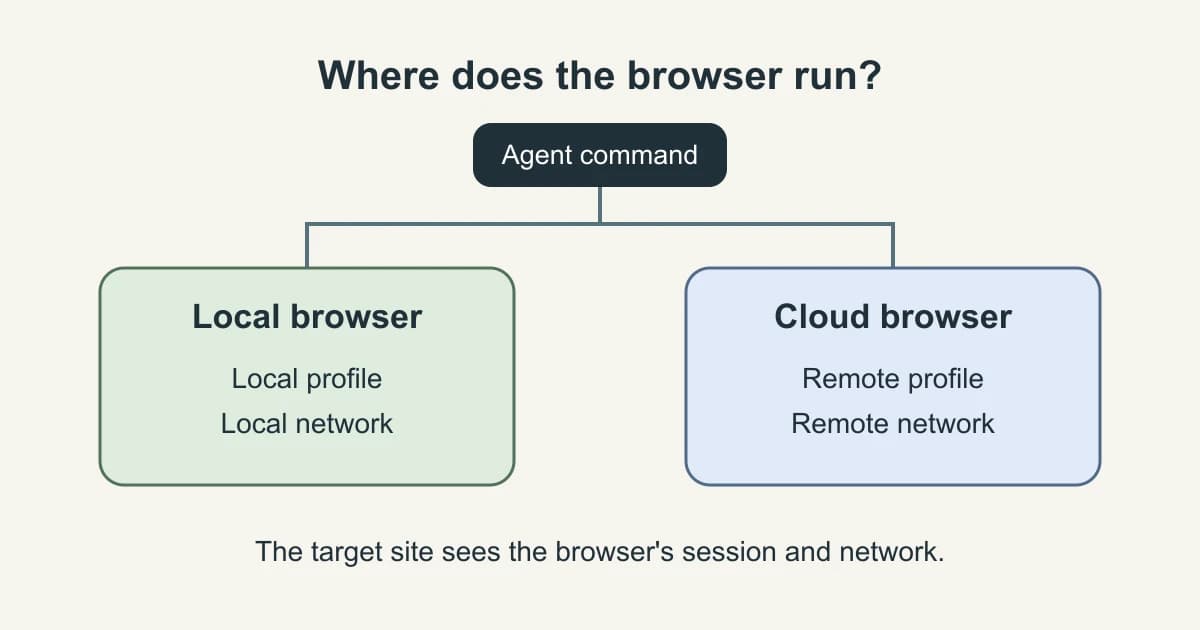
Choose where the browser runs based on what the task needs to reach and who must supervise it. A local browser can use a dedicated or already authorized profile. A cloud browser runs on a remote host with its own network and profile. The model can run somewhere else in either design. Check the browser location separately from where the agent thinks or where you send its command.
One r/hermesagent user running an agent on a VPS described preserving a hosted browser session across processes. The task still required integrating that session into the agent. Tabbit Browser is one example for the supervised desktop side of this decision. Original Reddit thread
Key takeaways
Keep the browser local when it needs an approved laptop-only network or when someone must regularly take over in the same window.
Choose a remote browser for unattended work after verifying that it can reach the destination and obtain its own approved session.
Reusing a profile and preserving a cloud session are separate choices. The browser must open the expected account and workspace before it proceeds.
Set concurrency against browser capacity, account isolation and the site's rate limits. More sessions can increase retries when they share a bottleneck.
Compare total cost per verified result, including failed attempts, session setup and human intervention.
Local and cloud browsers at a glance
| Decision factor | Local browser | Cloud browser |
|---|---|---|
| Browser profile | Dedicated local profile or explicitly attached signed-in profile | Fresh remote session or an explicitly provisioned persistent profile |
| Network path | The desktop's permitted routes, VPN and local services | The remote host's permitted routes, DNS and egress |
| Parallel jobs | Constrained by the host and profile isolation | Constrained by provider quotas, account isolation and the destination |
| Operating cost | Hardware, uptime, maintenance and operator time | Plan or runtime, network and storage as applicable, plus operator time |
| Typical handoff | Person reviews or takes over in a desktop window | Worker resumes a job from an approved remote session or queue |
Start with authentication and network reach
A local browser can reach its own localhost and networks that the laptop is allowed to access. It can reuse an authorized profile if the tool attaches to that exact profile. A cloud session usually begins with a fresh profile unless a provider supports and you configure persistence. Use a scoped test account or approved authentication flow. Check the origin and a visible workspace marker. Copying browser state across a boundary can also copy sensitive session data.
Browser Use documents attaching to an existing profile, while Browserbase documents restoring a saved context. Those are different access paths. Before using Can an AI Agent Use Your Existing Browser Tabs?, decide whether the task actually needs an existing session. If it needs a particular tenant or workspace, use the signed-in check in Can Codex Read a Dashboard You Already Signed Into?. Put automation in a separate work profile when personal tabs and saved accounts would otherwise be in scope. Browser Use real browser docs · Browserbase context docs · Browser Profiles vs Workspaces vs Tab Groups: How to Separate Work and Personal Browsing
Start with the URL as seen from the browser host. If a dev service is bound to your laptop's loopback interface, a remote browser requesting that same address goes to its own host. An approved staging endpoint can make the same service reachable without opening a laptop port. For private DNS or VPN-only access, get a supported network path before choosing a remote runner. A browser and the process issuing its commands may be on different machines. Why Codex Cloud Can't Open Your Computer's Localhost · Virtual browser
Estimate capacity and failure recovery
Local concurrency depends on available CPU, memory, profile isolation and whether work needs an operator. A remote service can provide parallel sessions, but provider limits and the target website’s rate limits still apply. Use one job per isolated context when shared state would cause conflicts. Record whether the browser can be restarted safely after a disconnect and how you will check that a write did not already happen.
A quota is an upper bound on browser sessions. An account that permits only one active writer can still make a batch effectively serial. Keep concurrent jobs in separate contexts and separate accounts where the target site requires that. Playwright explicitly recommends different accounts for parallel workers when tests modify server-side state, and warns that saved authentication state can contain material that impersonates an account. OpenClaw's docs distinguish its managed browser from existing-profile use. Playwright authentication · OpenClaw browser docs · OpenClaw Browser Setup: Managed or Signed-In Profile?
Calculate cost per verified success
Add browser runtime, model calls, retries, storage or network charges, and operator time over a comparable batch. Divide by verified successful tasks. Include failed attempts in the numerator. When no task succeeds, report total spend and zero successes instead of a cost per success. Keep time-to-first-result and human intervention counts as separate fields. Use the same success criteria and comparable traffic for both environments.
Cost per verified success = total batch cost / verified successesRead the bill in its actual units. Browserbase's pricing page lists browser hours, concurrent sessions and proxy traffic separately. A concurrency allowance determines how many jobs can run at once. Browser runtime and network usage can still accumulate while a job waits or retries, depending on the plan. Compare the same batch and amortize local hardware and maintenance over the same period. Give time spent on reauthentication a line item even when both runners use the same model. Browserbase pricing
A supervised desktop task in Tabbit Browser
A teammate asks you to read a few already open work pages and draft a summary. In Tabbit Browser, use Agent Mode with the intended pages and keep the browser window available for review. Give it the page scope, the fields to extract and a stopping point before any write. The diagram above explains why the profile and network of that desktop still matter even if the model runs elsewhere.
If the page changes to an identity prompt, pause and let the authorized operator handle sign-in. A Reddit commenter described using revocable, scoped credentials for agent tasks. That is one person's setup and illustrates why the account's permissions belong in the deployment decision. r/hermesagent discussion
A report scheduled after the laptop shuts down needs an execution host that stays available. If the report can use a narrowly scoped remote session and an approved route, put the recurring job there. For the scheduling distinction, see Background browser automation.
Decide when to move
| Workload | Start with | What would change the choice |
|---|---|---|
| VPN-only report with an analyst present | Local desktop | Remote private access and an approved service identity become available |
| Nightly reads across public sites | Cloud worker | The site restricts remote egress or cannot support concurrent jobs |
| Reviewed writes to an authenticated dashboard | Supervised local profile | Remote approval and duplicate-write detection are in place |
| A growing queue that already runs unattended | Cloud when browser capacity is the bottleneck | The target's account or request quota remains the limiting factor |
Pick one representative task and write its verification rule before selecting a runner. An expected workspace name, an exported file with the right fields or a confirmed write receipt makes the outcome countable. Use How to Test Your Browser Agent Setup to turn the rule into a run checklist. For work you can supervise on existing tabs, Tabbit Browser gives you a desktop starting point.

FAQ
Does a cloud browser inherit my local login?
Usually the remote session has its own profile. Use an approved login or persistence feature, then verify the destination and expected signed-in state.
What controls local concurrency?
Local concurrency depends on available CPU, memory, profile isolation and whether work needs an operator. A remote service can provide parallel sessions, but provider limits and the target website’s rate limits still apply. Use one job per isolated context when shared state would cause conflicts. Record whether the browser can be restarted safely after a disconnect and how you will check that a write did not already happen.
How do I calculate cost per success?
Add browser runtime, model calls, retries, storage or network charges, and operator time over a comparable batch. Divide by verified successful tasks. Include failed attempts in the numerator. When no task succeeds, report total spend and zero successes instead of a cost per success. Keep time-to-first-result and human intervention counts as separate fields. Use the same success criteria and comparable traffic for both environments.
How do I compare local and cloud?
Use an approved test account and a page with a stable marker. Match the task, input, expected result, and allowed actions. On each run, record browser location, network route, profile setup, wall time, retries and verified result. Do not compare a warm signed-in browser with a fresh remote profile unless the purpose is to measure setup cost. Use repeated runs to separate startup from steady-state behavior.
When should I move to the cloud?
Move to a cloud runner when an approved network path and remote account are available and the task needs to run while the desktop is unavailable or needs more browser capacity. Confirm how the job resumes and how it verifies its result before moving scheduled work.
Can a cloud browser reach my laptop's localhost?
Loopback points to the machine running the browser. Use an approved staging address or an authorized private connection if the remote host needs to reach a service on your machine.