
Perplexity Teammates are built for work that should continue after you send the first prompt: monitor a connected tool, plan follow-up tasks, and return a result for your review. The main choice is whether that ongoing responsibility is useful enough to justify the Max research preview and its credit use. The Mac app makes Teammates available from another client, but it does not turn each teammate into a local agent using your Mac’s everyday browser session. The Mac app rollout for Max subscribers was reported by 9to5Mac on November 13.
That distinction matters. The Perplexity Help Center says each teammate has its own desktop and browser, with browsing sessions and local cookies limited to that teammate. The same guide tells users to review connector permissions before approving them. So the practical question is not simply “web or Mac?” It is “what ongoing job, which connected sources, and what authority should this teammate have?”
In a Reddit discussion about whether Teammates are worth Max, one user said their work was “more organized with the always-on team.” Another warned that teammate usage is not unlimited. Both describe individual experiences, but together they point to the two decisions readers need to make: persistent responsibility and credit limits.
Key takeaways
Teammates are agents for ongoing work, not just a series of one-off answers.
Perplexity documented the setup flow on the web. It announced Mac app availability for Max subscribers on November 13, 2026.
Each teammate gets its own isolated desktop and browser. Do not assume it can use your local browser’s current tabs or cookies.
Teammates can monitor connected tools and use their granted permissions. Review connector and project access before assigning a role.
Max includes monthly credits. Complex and parallel tasks can use more; check actual usage rather than assuming an always-on teammate is unlimited.
Perplexity Teammates at a glance
| Workflow | What is documented | What it does not establish |
|---|---|---|
| Create and configure on the web | Help Center documents naming a teammate, assigning a role, adding a schedule, connecting tools and adjusting instructions | That every control is identical in the Mac app |
| Open Teammates from the Mac app | Perplexity announced availability for Max subscribers on Nov 13, 2026 | That the teammate runs on the Mac or inherits its browser profile |
| Give work to a teammate | Teammates can own ongoing roles, plan tasks, monitor connected tools, coordinate agents and retain context | Unlimited execution or success without review |
| Let it use a website | Each teammate has its own desktop and browser, including sites without a connector | Access to the tabs and cookies in your personal browser |
| Connect an app | The account owner approves connector permissions; the teammate uses those granted permissions | Broad access being safe for every project |
The distinction between the client app and the work environment is easy to miss. Perplexity’s Mac announcement is about where a subscriber can access Teammates. The Help Center separately says each teammate has an isolated computer and its own browser session. This is also different from Perplexity Computer’s separate local mode on Mac, which the Perplexity changelog describes separately; the products should not be treated as one runtime.
What an ongoing responsibility looks like
A normal chat waits for the next prompt. A teammate keeps a role. In Perplexity’s documented examples, a teammate can watch a Slack channel, monitor Linear, track metrics or research a market. It can start work when connected tools change, break a large goal into smaller tasks, add agents, and bring the result back for review.
That model suits work with a source, a trigger, a repeated action and a defined audience. For example, “watch this repository for review comments and prepare a response” is more concrete than “help with engineering.” The official setup guide recommends specifying the work source, expected output, schedule or trigger, and who should receive the result.
The operating pattern is:
Role → connected source or trigger → bounded actions → reviewable resultStart with one responsibility and one connected source. Add a second source after you can inspect the first results and permissions. A teammate that monitors Slack, reads a repository, sends messages, edits tickets and starts follow-up work has a much larger failure radius than one that summarizes a single channel.
Web access and Mac app access are different questions
The Help Center’s step-by-step setup guide is web-focused and was last modified November 5, 2026. On November 13, 9to5Mac reported that Teammates had reached the Perplexity Mac app for Max subscribers, quoting an official Perplexity announcement. That makes the Mac app an available entry point as of that report, but the help article did not yet describe parity for every setup control.
More importantly, “available in the Mac app” does not mean “runs in my Mac browser.” Perplexity’s own help page states each teammate uses an isolated desktop and browser, with its browsing session and cookies limited to that teammate. The available source does not say it can borrow cookies from Safari, Chrome, or a local Tabbit profile. Do not promise local-file access, local browser reuse, or fully on-device execution for Teammates based on the Mac client alone.
This boundary is useful when comparing products. Local and cloud browser agents explains why the place you open an agent is not always where its browser task runs. If your task requires a signed-in browser tab, check how to connect an agent to an existing browser and confirm the selected profile and permissions before acting.
Permissions and credits need their own review
Teammates use the connectors, skills and project permissions that the account owner grants. Perplexity’s setup instructions say to review requested scopes and, for GitHub, select only the repositories the teammate needs. That is good default practice for any connected source:
Pick one source and one responsibility.
Grant the narrowest useful access, such as a specific repository or channel.
Specify whether the teammate may draft, comment, send, edit or only report.
Require review before public or hard-to-reverse actions.
Check the result and the connected source after each early run.
Teammates also use a monthly credit allocation included with Max. Perplexity warns that complex projects can consume more credits, especially when agents work in parallel, handle large files or codebases, or run frequent automations. The Reddit thread includes a user’s report that their usage allowance had dropped during use. That is a useful reminder to inspect the account’s Usage page, not a universal estimate of how quickly credits run out.
One commenter in that thread advised against upgrading just for Teammates. That is subjective advice, but a sensible purchase test is straightforward: do you already want Max, and will the ongoing work save enough review time to justify its usage? Do not assign a large recurring workload until you understand the credit behavior in your own account.
A local browser for a bounded task: Tabbit Browser
Teammates fit continuing work across connected sources. A different problem is one website task you want to start yourself, in a browser profile you control. If an agent connector explicitly supports that local browser session, Tabbit Browser can be an option for bounded browser work. It is not a substitute for Teammates’ persistent role, monitoring triggers or credit-managed orchestration.
For a task such as checking a supplier portal once, first confirm the domain, account and page. Then ask for one limited action and review the result before any submission. The browser-agent first-task checklist starts with a harmless test. The Tabbit CLI guide covers task ownership and completion receipts.
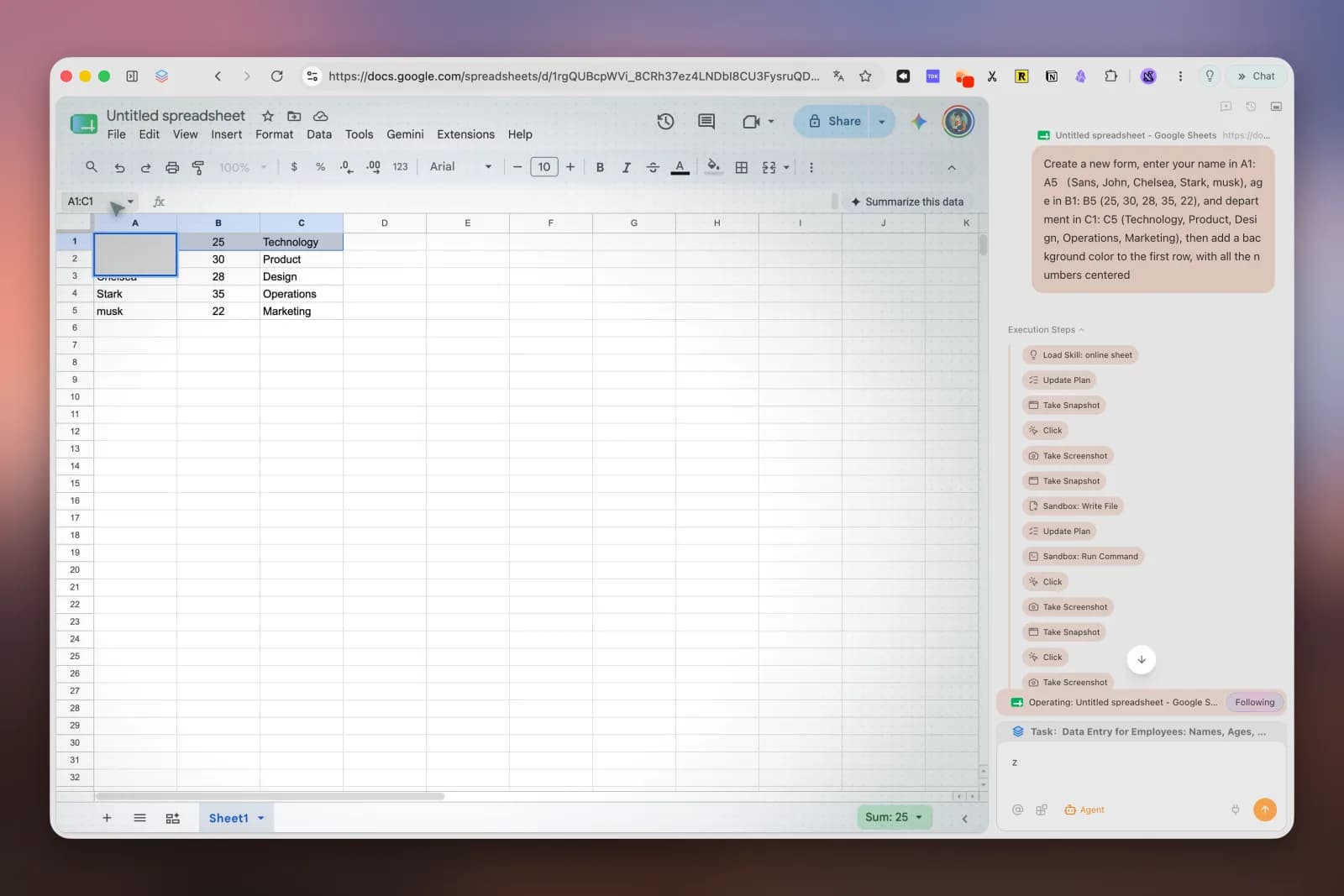
This image shows a Tabbit browser task, not Perplexity Teammates. The Codex browser login checklist explains how to verify a selected account. Choose between Browser MCP and CLI based on the connector you have. Web search and browser control are different capabilities; neither a search result nor a Mac app icon proves access to a signed-in account. Review browser-agent security risks before granting access to sensitive systems.
Which workflow should you choose?
| Your work pattern | Better starting point | Why | Before you delegate |
|---|---|---|---|
| A source changes often and someone should keep following up | Perplexity Teammates | It is designed to retain responsibility and monitor connected tools | Limit connector scope; define the output and review point |
| You want to create a role from the documented setup flow | Perplexity on the web | The Help Center gives web setup steps; the Mac app rollout is newer | Check the actual controls in your account; do not assume parity |
| You prefer using Perplexity from the Mac app | Perplexity Teammates on Mac | Mac availability was announced Nov 13 for Max subscribers | This says where you can access it, not where its browser runs |
| You need an existing local browser session for one site | Supported local browser agent | A bounded browser task may use an explicitly supported profile | Confirm browser, account, domain and action before proceeding |
| The job is one-off and needs no monitoring | A user-started browser task | Persistent ownership may add more scope than the task needs | Keep the action narrow and verify the result |
| You are considering Max only for Teammates | Compare the workload with included credits first | Usage is not described as unlimited | Check your Usage page and test a small responsibility |
Verdict
Perplexity Teammates make sense when work has to stay owned: watch a connected source, follow up on changes, coordinate tasks and return results for your review. Web is the clearly documented setup path. The Mac app is another access point, announced for Max subscribers on November 13, but it does not establish local-browser or local-file access for each teammate.
Give a teammate a narrow role, only the connector access it needs, and a clear review boundary. Check credits before making that role continuous. If you only need to act on one website in an existing local session, use a browser workflow that explicitly supports that session instead. The first setup step is to write down the source, trigger, allowed actions and result you want to review.

FAQ
What are Perplexity Teammates?
Perplexity Teammates are agents that keep responsibility for ongoing work, such as monitoring a connected tool, planning tasks, and following a project through to review. They can coordinate additional agents and retain role context between conversations.
Are Perplexity Teammates available in the Mac app?
Perplexity announced Mac app availability for Max subscribers on November 13, 2026. Its Help Center setup guide, last modified November 5, still documents the web setup flow, so check your account’s current interface for the exact Mac controls.
Does a teammate use my Mac’s existing browser cookies?
The Help Center says each teammate has its own isolated desktop and browser, and its browser cookies are limited to that teammate. The Mac app announcement does not mean Teammates inherit cookies from your everyday local browser.
Do Teammates require Max, and is usage unlimited?
The initial research preview requires an individual Max subscription, and Max includes a monthly credit allocation. Perplexity says complex or parallel work can use more credits, so check your Usage page before assigning a large recurring job.
Should I use a teammate or a local browser agent for one task?
A teammate fits work that should continue monitoring connected sources and follow up over time. A local browser agent can fit a bounded, user-started task in a supported browser session, but it does not automatically provide a persistent role or monitoring loop.