
The warning hands you a threat and no instructions. One r/techsupport poster put it plainly: a streaming site he had used for years suddenly redirected him to a "Your connection is not private" page, and he asked the forum whether his PC was already compromised just from seeing the warning, or whether he was still safe because he had not clicked through. Both possibilities sounded plausible to him. Nothing on the screen helped him choose.
Then there is the version that eats a working day. A UK student found the Student Finance login blocked by the same warning: a government account he needed, behind a page telling him attackers might be trying to steal his passwords. That thread stayed alive for months. Users reported the site working on a phone but failing on a laptop, failing in Chrome but loading in Edge, and loading in incognito when the normal window refused. Nobody in it was doing anything wrong.
Neither reader needed the answer the warning was giving. "Your connection is not private" means your browser could not verify that the site is who it claims to be. The certificate the site sent was missing, expired, issued for a different name, signed by an authority your browser does not trust, or impossible to check. Often the cause is ordinary: somebody forgot to renew, your device clock is off, or a work proxy is intercepting the connection.
The warning talks about attackers. The failure it is describing is about verification, which is a much smaller claim. That gap is why the message reads as an accusation when the usual explanation is a lapsed renewal. Below: what each error code points at, how to tell a site problem from a machine problem, when "Proceed" is defensible, and the order of fixes that wastes the least time. When the fix turns out to be "I need a second, clean browser to compare against," we will walk through that with Tabbit Browser as the example.
Key takeaways
The message is a verification failure, not a detection of malware. Your browser refused to confirm the site's identity, and refusing is the correct default.
The error code is the useful part of the page.
NET::ERR_CERT_DATE_INVALID,NET::ERR_CERT_AUTHORITY_INVALID, andERR_CERT_COMMON_NAME_INVALIDpoint at three different causes and three different first moves.Whether one site fails or all of them fail is the fastest way to divide the problem. One site means the site. Every site means you, your network, or something sitting between them.
Chrome's official troubleshooting names corporate HTTPS interception tools explicitly. If you are on a work machine behind Zscaler, Palo Alto Networks, or Fortinet, the documented answer is to contact your administrator rather than install anything yourself.
Certificate lifetimes become shorter on a fixed schedule, which will make expiry-driven warnings more frequent. Chrome's own SSL warnings have historically been easy to click past, so the habit of reading the code matters more than ever.
What the warning is actually saying
A browser only agrees to a secure connection after four things line up. The server presents a certificate. The certificate names the hostname you asked for. A certificate authority your browser already trusts signed it. And the certificate is inside its validity window. Break any one of those and you get the interstitial.
Cloudflare's explainer lists the same set from the server side: the certificate may be missing entirely, expired, not issued by a legitimate authority, or issued for a different name. Their analogy is a cashier asking for ID and getting a handwritten note instead. The cashier is right to stop the transaction, and the note might still be honest. That is exactly the position your browser is in.
Two details follow from this, and both matter for what you do next.
The first is that the warning appears before the page loads. Nothing from the site has run on your machine yet. The scary sentence about attackers stealing your passwords describes what becomes possible if you continue on an unverified connection, not something that has already happened.
The second is that your browser cannot tell the difference between "this site is broken" and "this site is malicious." Both look identical from the outside. So it shows the same page for both, which is why the wording feels disproportionate when the real cause is a lapsed renewal.
The error codes, and what each one points at
The line of small grey text under the headline is the only genuinely technical information on the page, and it is the part everyone skips. Each code maps to a different cause and a different first check.
| Error code on the page | What it means | Check this first |
|---|---|---|
NET::ERR_CERT_DATE_INVALID, or "Your clock is behind / ahead" | The certificate is outside its validity window, or your device believes it is | Your device's date, time, and time zone. Set them to automatic, then reload |
NET::ERR_CERT_AUTHORITY_INVALID | The issuer is not in your browser's list of trusted authorities | Whether a work proxy, antivirus HTTPS scanner, or VPN is intercepting the connection |
ERR_CERT_COMMON_NAME_INVALID | The certificate is real but was not issued for the name you typed | Whether the site works with or without www., or on a different subdomain |
NET::ERR_CERT_WEAK_SIGNATURE_ALGORITHM | The signing algorithm no longer meets current rules | Nothing on your side. The site has to reissue the certificate |
ERR_CERTIFICATE_TRANSPARENCY_REQUIRED | The certificate is not recorded in a public transparency log | Nothing on your side. This is a server configuration problem |
| A "Not secure" label with no full-page warning | The page loaded over plain HTTP instead of HTTPS | Whether the site offers an https:// address at all |
Google's Chrome Help lists these codes together and adds a step most fix-it articles skip. On a work computer whose proxy performs HTTPS interception, Chrome names Zscaler, Palo Alto Networks, and Fortinet, you will see NET::ERR_CERT_AUTHORITY_INVALID. That usually means the proxy's certificate is missing from your system. The documented instruction is to contact your administrator, and specifically not to install a certificate yourself. It also separates the clock problem into its own error, "Your clock is behind," which is worth remembering the next time a device that has been asleep for a week starts refusing half the web.
Why a site with a working certificate still trips the warning
Not every warning means the certificate is bad. One widely shared post from August 2026 described a government site handling citizen data showing the warning while its certificate was still valid until October of that year. The reported cause was not expiry but coverage: the certificate had been issued for the parent domain and did not include the subdomain people were actually visiting. Valid certificate, wrong name, blocked page.
That is the ERR_CERT_COMMON_NAME_INVALID case, one of four server-side situations you cannot fix from your side of the connection. The certificate may simply be past its end date, in which case nothing about your machine is involved. It may cover example.com while you asked for www.example.com, which usually means a hostname was added after the certificate was issued. It may be genuine but signed by an authority your browser no longer accepts, or by a private one it never accepted. And on a shared server, where many sites sit behind one IP address, the server can present the wrong certificate for the hostname you asked for even though a correct one exists on the same machine.
There is also a fifth cause that is spreading slowly enough to be easy to miss. Certificate lifetimes are being cut by industry rule. Under the CA/Browser Forum schedule, the maximum lifetime for a publicly trusted TLS certificate is 398 days until March 15, 2026, then 200 days, then 100 days from March 15, 2027, and 47 days from March 15, 2029. Domain validation data has to be refreshed on a similar cadence, with a 10-day reuse limit arriving in 2029.
Certificates have not become less trustworthy. What changes is that a site renewing by hand gets more chances to be late every year, so expiry-driven warnings will become an ordinary feature of the web instead of a rare event. Knowing which code you are looking at is worth more as that happens.
Is it my machine or the site?
This is the question the warning never answers and the one that decides what you do next. Two observations narrow it down faster than any tool.
The first is scope. Try two or three unrelated sites. If one fails and the rest are fine, the problem is on that site. If everything fails, the problem is on your side, in your network, or in something between you and the internet.
The second is consistency across browsers. If the same site fails in two different browser engines with the same error code, your browser is not the variable.
| What you see | What it points to | First move |
|---|---|---|
| One site fails, everything else is fine | A problem on that site: expired, misnamed, or misconfigured certificate | Wait a few hours and retry, then use the site's own status page or support channel. A Chromium-only lookup helps here. See the Cloudflare loop fix for how these walls present |
| Every site fails, including the ones you used this morning | Your device, your network, or a captive portal | Check the date and time is set to automatic, then open a plain http:// page to see whether a Wi-Fi sign-in page appears |
| It fails only in your normal profile, but works in a private window | Something local to your profile or extensions | Disable extensions one at a time rather than clearing everything at once |
| It fails only on a work laptop or a corporate VPN | HTTPS interception by a managed proxy | Contact IT. Chrome's own documentation says this is an administrator-side fix |
| It fails on a device that recently woke from a long sleep | A clock that drifted | Turn on automatic date and time, reload, and re-test |
| It fails right after an operating system update | A changed trust store or a partially applied update | Read what to do when an update breaks a site, then check the code again |
| The page loads but the address bar says "Not secure" | Plain HTTP, no certificate at all | Do not enter anything. Look for the site's https:// version first |
A useful repair for the profile question is a second browser profile. Browser profiles keep history, cookies, passwords, and extensions isolated from each other, so a fresh profile is a clean experiment that leaves your working setup untouched. What profiles, workspaces, and tab groups each do is worth ten minutes if you have never used one deliberately.
The temptation in the "all sites fail" row is to switch browsers and call it fixed. That rarely helps, because a second browser on the same machine inherits the same clock, the same network, and the same system proxy settings. What it does tell you is whether your extensions or profile were involved. Treat it as a test, not a cure.
Should you click "Proceed"?
Sometimes, and the line is easier to draw than the advice online suggests.
It is defensible on a page that only serves public information, such as a restaurant menu or a transit schedule, where nothing is submitted and nothing is downloaded. The worst outcome is that someone reads what you read.
It is not defensible anywhere that handles credentials, payment details, identity documents, health records, or your employer's systems. The check you are overriding exists to answer one question: is this server the one it says it is? On a banking site, a payroll portal, or a government login, that question is the only thing standing between your password and whoever is on the other end.
The research on whether these warnings work is not encouraging. A field study of more than 25 million warning impressions across Firefox and Chrome found users continued through about a third of Firefox's SSL warnings and 70.2% of Chrome's SSL warnings, far higher than the rates for malware and phishing warnings in the same study. Those numbers come from USENIX Security 2013 and describe the browser versions of that era, so they are not a 2026 measurement. They remain the clearest public evidence that a warning with no diagnosis attached gets clicked past, which is the argument for reading the code rather than the headline.
A practical option when the site you need is the one that breaks
The hard part of this problem is not finding fixes. It is trying them without taking apart the browser you work in all day. An infrastructure engineer posing a Monday-morning scenario, users locked out and NET::ERR_CERT_DATE_INVALID on screen while the server and firewall are both fine, still has to ask the room what to check first. Running that investigation inside the browser holding your logged-in sessions is a risk of its own.
That is the gap Tabbit Browser fits into, and it is worth being precise about what it does and does not change here.
Tabbit runs on Chromium, so its certificate handling is the same as Chrome's and Edge's. It does not skip verification, does not override the warning, and does not offer a "continue anyway" that other browsers hide. If a certificate is bad, Tabbit blocks the page too. That is the point: you get the same security model with a different environment around it, which is what a controlled comparison needs.
Three things make that comparison cheap.
First, the setup cost. Tabbit is free on macOS and Windows and imports bookmarks, history, extensions, and saved passwords from your existing browser during first launch. Trying it does not mean rebuilding the environment you depend on, and if the diagnosis turns out to be "my main profile is the problem," you already have the clean profile you need. If you have been meaning to take a backup before any of this, do that first.

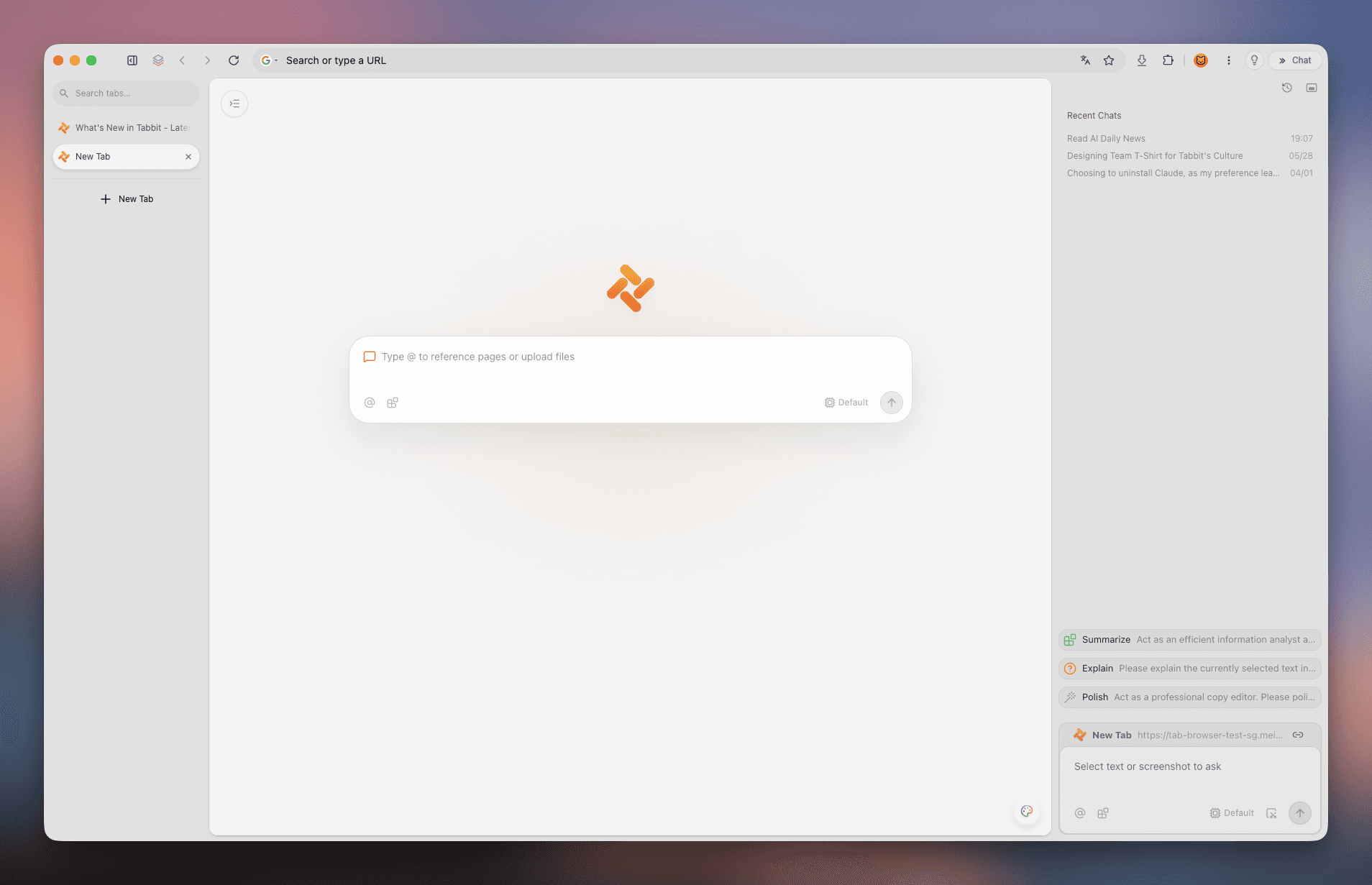
Second, the part where you need to understand a message. Tabbit's side panel reads the page you have open and answers questions about it, and the input box accepts @ references to a tab, a screenshot, or a local file. When the fix depends on reading a site's status page, an IT notice, or a vendor's renewal instructions, you can ask about the page in place instead of pasting error text into a search box and sorting through listicles.

Third, keeping the investigation away from everything else. Agent Mode runs delegated tasks in their own tab group, so a job that walks through a site's forms or checks a list of hosts does not take over the window you are working in. When a warning appears in the middle of that task, it lands in that task's group and waits for you.

The limits matter here. Tabbit cannot tell you whether a certificate is trustworthy; that judgement belongs to the certificate rules and your browser's trust store, not to a reading assistant. It cannot repair a server. It does not make a warning go away, and it should not. A browser that suppressed certificate errors without telling you would be a security problem rather than a feature. If you are on a managed machine behind an HTTPS-inspecting proxy, the fix is still your administrator. What Tabbit changes is where the diagnosis happens and how much of your working setup you have to disturb to run the test.
What to do next time, in order
Read the code, not the headline. It is the only diagnostic information on the page.
Test the scope. Try two or three unrelated sites. One failure means the site; all of them failing means you.
Set date and time to automatic. It takes thirty seconds and it is the most common client-side cause of
NET::ERR_CERT_DATE_INVALID.Open a plain
http://page to see whether a Wi-Fi sign-in portal is waiting. Hotels, airports, and cafés produce this warning constantly.Try a private window. If the site loads there, an extension or your profile is the difference. Privacy and tracking protections break sites this way more often than most people expect.
Check the hostname form. Try the site with
www.and without it. A name mismatch is the second most common server-side cause.On a work machine, stop and ask IT. Chrome documents that HTTPS interception by a managed proxy produces
NET::ERR_CERT_AUTHORITY_INVALIDand requires an administrator to install the proxy certificate. Do not install one yourself.If the site is genuinely broken, tell the site. Expired certificates on services you depend on get fixed faster when users report them. Chrome's own guidance ends the same way: if the error persists, contact the website owner.
Never bypass a warning for credentials. Wait, use the app, or call. This is the one step that does not change with the situation.
If the site you cannot reach is one that only ever worked in Chrome, that is a different investigation with a different set of causes. Patient portals are the clearest example. And if the warning arrived alongside a page that will not install as an app or a feature that vanished, the problem may not be the certificate at all: sites that refuse to install as apps and how to choose a browser when the current one keeps failing cover those branches.
The short answer
"Your connection is not private" means your browser could not confirm that the site is who it claims to be. In the overwhelming majority of cases that is a lapsed renewal, a clock that drifted, a hostname that does not match the certificate, or a proxy doing its job badly. It is not evidence that you have been attacked.
So treat it as a diagnosis problem rather than a danger to be dismissed. Read the code, test whether one site or all of them fail, set your clock to automatic, and only then start changing settings. The warning is doing what it was designed to do; the part that failed you is that it never told you which fix applies.
And keep the exception narrow. Continuing past the warning is a small risk on a page of public information and an unnecessary one on any page that asks who you are. A browser that leaves the judgement with the certificate rules is more useful here than one that promises to make the warning disappear.
Get Tabbit and keep the warning meaningful
Tabbit Browser is free on macOS 12 Monterey or later and on 64-bit Windows 10 or later, and it imports your bookmarks, history, extensions, and saved passwords during first launch. The installer is at tabbit.ai/download.
Set expectations before you install. Tabbit will not clear a certificate warning for you, and it is not built to try. It runs the same verification Chrome does, so a bad certificate blocks the page here too. What it gives you on this particular problem is a second environment you can stand up in a minute, a place to ask what a page is telling you, and a task model where delegated work stays out of your reading tabs. The judgement about who is on the other end of the connection still belongs to the certificate rules, and to you.

FAQ
Does seeing "Your connection is not private" mean my computer is already infected?
No. The warning appears before any content loads, and it is generated by your own browser, not by the site. Landing on the warning page does not install anything. The risk starts only if you click through and then enter credentials or download a file on a connection your browser could not verify.
Why does only one website show this warning when every other site works fine?
A single failing site points at that site rather than at your machine. The usual causes are an expired certificate, a certificate that does not cover the exact hostname you typed, or a server serving the wrong certificate for that domain. Your browser is behaving correctly by refusing to guess.
Why does the site open on my phone but not on my computer?
The two devices differ in ways that affect certificate checking. They may trust different root certificates, may be on different networks, and may have different dates and times. Chrome documents that an inaccurate clock produces NET::ERR_CERT_DATE_INVALID, which makes a stale device look like a broken website.
Is it ever safe to click "Proceed" anyway?
Sometimes, on a low-stakes page that only serves public information and asks for no login. It is not safe when the site handles passwords, payments, identity documents, or work systems, because the whole point of the check you are overriding is to confirm who receives that data.
Will switching to another browser fix the error?
Only if the cause was local to your browser, such as an extension interfering with the certificate check or a corrupted profile. A second browser is a diagnostic test, not a repair. If the site fails in two engines with the same error code, the problem is on the site or on your network.
Why do these certificate warnings seem more common now?
Certificate lifetimes are shrinking by industry rule. The CA/Browser Forum schedule sets a 200-day maximum from March 15, 2026, dropping to 100 days in 2027 and 47 days in 2029. Shorter lifetimes mean every site that renews by hand has more chances to forget.