
You open an email from your doctor's office, click the link to check your latest blood test results, and hit a full-screen roadblock: "Your browser is not supported. Please download and install Google Chrome to access your patient portal."
A user in the Firefox community described this exact frustration in a candid post on Reddit, noting how their doctor's website did not just suggest Chrome—it offered a multi-page PDF tutorial instructing patients on how to install Chrome and make it their default browser. Yet once they bypassed the superficial warning, the portal loaded perfectly fine.
Why do healthcare providers, hospitals, and telehealth services insist so aggressively on Google Chrome? Is Firefox genuinely incapable of running a medical portal, or is this another case of lazy enterprise web development?
Below, we break down the five technical reasons healthcare IT forces Chrome, provide a step-by-step troubleshooting checklist for Firefox users, and examine how Tabbit Browser offers a clean, zero-bloat Chromium alternative with built-in AI tools to help you interpret complex lab results.
Key takeaways
Medical portal restrictions are rarely driven by actual browser engine limitations; they stem from single-browser QA certification, commercial support liability, and lazy User-Agent sniffing.
Firefox features like Total Cookie Protection and Enhanced Tracking Protection (ETP) frequently block hospital Single Sign-On (SSO) redirects and embedded portal iframes.
Telehealth video visits often hitch or fail due to proprietary WebRTC negotiation quirks and hardware device permission differences between Gecko and Blink.
Firefox users can resolve over 90% of portal lockouts in seconds by disabling ETP for the domain, switching their User-Agent to Chrome, or clearing partitioned session storage.
When an EHR platform strictly requires Chromium standards (such as WebUSB medical peripherals or specific WebRTC codecs), Tabbit Browser provides 100% compatibility without Google Chrome's promotional bloat.
Patient portal browser compatibility at a glance
| Symptom | Primary trigger | Technical root cause | Immediate fix |
|---|---|---|---|
| "Unsupported browser" modal | Client-side User-Agent sniffing | Frontend regex checks navigator.userAgent and rejects non-Chrome strings | Use a User-Agent switcher extension to spoof Chrome |
| Endless login loop / Blank page | Cookie partitioning & ETP | Total Cookie Protection isolates third-party SAML/OAuth session tokens | Disable Enhanced Tracking Protection on the portal domain |
| Telehealth video won't connect | WebRTC negotiation & codec mismatch | Video stream fails ICE candidate exchange or audio device enumeration | Grant explicit camera/mic permissions; test in a clean profile |
| E-Signature canvas won't save | Anti-fingerprinting canvas noise | Random mathematical noise injected into <canvas> blocks Base64 export | Turn off strict anti-fingerprinting / privacy shields for the clinic site |
| Broken embedded MyChart view | Cross-origin iframe blocking | Parent hospital site embeds portal in an iframe with blocked storage access | Open the standalone direct MyChart subdomain in a new tab |
The 5 technical reasons medical portals push Google Chrome
To understand why healthcare websites behave like it is 2005, you have to look at the intersection of enterprise healthcare compliance, liability management, and modern browser architectures.
<Callout type="warning">
Do not permanently lower your global browser security just to access a single clinic site. Always apply compatibility exceptions on a per-site basis.
</Callout>
1. Vendor certification and single-browser QA monoculture
Electronic Health Record (EHR) and Electronic Medical Record (EMR) systems—such as Epic Systems (MyChart), Oracle Health (formerly Cerner), Athenahealth, and Meditech—are massive, heavily regulated software platforms. Healthcare IT vendors must meet stringent HIPAA, SOC 2, and FDA data security standards.
Running full automated and manual regression test suites across multiple distinct browser rendering engines (Chromium, Gecko, WebKit) on every patch cycle costs millions of dollars. As one healthcare IT engineer noted in the Reddit discussion, vendor support contracts explicitly stipulate that their software is certified only on Google Chrome (and occasionally Microsoft Edge). If a hospital clinic reports a bug while the user is on Firefox, vendor support immediately closes the ticket as "unsupported environment." To protect their internal support teams from handling tickets they cannot escalate, clinic webmasters place aggressive warning banners at the gate.
2. Lazy client-side User-Agent sniffing
In an ideal world, web developers write feature detection code (e.g., if ('mediaDevices' in navigator)). In enterprise healthcare portals, developers frequently rely on outdated User-Agent sniffing.
A simple regular expression checks whether the incoming browser string contains Chrome/ or Edg/. If the script detects Firefox/ or Version/ (Safari), it halts DOM execution and mounts a blocking modal dialog. In dozens of tested healthcare portals, the underlying JavaScript, CSS grid layouts, and API endpoints are completely standard—the site is artificially crippled solely by an arbitrary string filter.
3. Third-party iframe embedding and cookie partitioning
Many regional clinics, specialist practices, and diagnostic labs do not build custom portals from scratch. Instead, they embed an enterprise portal (like Epic MyChart or AthenaHealth) inside an <iframe> on their primary website (e.g., clinic.example.com embedding mychart.regionalhospital.org).
Modern privacy-focused browsers implement strict storage isolation. Firefox's Total Cookie Protection isolates cookies, localStorage, and IndexedDB into per-domain jars. When an embedded iframe attempts to read an authentication cookie set by the parent domain or complete a federated Single Sign-On (SSO) handshake, Firefox blocks cross-site storage access. The embedded portal fails to recognize your session, trapping you in a frustrating authentication or verification loop.
4. WebRTC media codecs in telehealth and video visits
Telehealth exploded during the remote-care transition, and platforms like Doxy.me, Twilio WebRTC, Zoom for Healthcare, and Amwell became clinical staples. Real-time patient-doctor video visits rely heavily on the WebRTC protocol.
While WebRTC is an open W3C standard, real-world implementations diverge:
Echo cancellation and audio processing: Chromium and Gecko handle native hardware audio buffers and Web Audio API constraints with subtle timing variations.
Video codec prioritization: Certain healthcare video bridges mandate specific H.264 profiles or VP9 parameter sets that hardware video decoders on Chromium handle more predictably across diverse Windows and Mac chipsets.
Camera/Microphone enumeration: When a browser asks for media permissions, differences in how devices are labeled and released can cause telehealth portals to report "No camera found."
When telehealth platforms encounter unexpected stream negotiation errors, developers often take the path of least resistance: requiring patients to switch to Chrome rather than debugging Gecko edge cases.
5. Canvas anti-fingerprinting noise and e-signature forms
Before you can see a doctor or review diagnostic test results, portals require you to sign digital intake forms, HIPAA disclosure agreements, and billing consent documents. These forms use HTML5 <canvas> elements for handwriting electronic signatures.
If you use Firefox with strict privacy settings (privacy.resistFingerprinting = true) or run aggressive anti-tracking extensions, the browser injects microscopic mathematical noise into canvas pixel readouts (toDataURL() or getImageData()) to prevent data brokers from generating a unique hardware fingerprint. However, medical portal signature validators check for clean image hashes. The anti-fingerprinting noise corrupts the signature image data, causing the "Submit" button to throw validation errors or silently fail.
Similar conflicts often occur when aggressive blockers disrupt privacy-focused browsing across complex web tools.
How to fix patient portal errors in Firefox (Step-by-step)
If you rely on Firefox for your daily workflow, you do not have to surrender immediately. Follow this 5-step diagnostic process to bypass portal lockouts and restore full functionality.
<Callout type="info">
Test these steps sequentially. Most users resolve their portal issues after completing Steps 1 and 2.
</Callout>
Step 1: Disable Enhanced Tracking Protection (ETP) for the portal domain
Firefox's Enhanced Tracking Protection often flags healthcare analytics, federated login endpoints, and session beacons as third-party trackers.
Navigate to your clinic's patient portal login URL.
Click the Shield icon located on the left side of the address bar (Omnibox).
Toggle the switch to turn Enhanced Tracking Protection OFF for this specific site.
The page will reload automatically. Check if the login screen or test results render normally.
Step 2: Spoof a Chrome User-Agent string
If the portal is blocking you with a hard warning banner, test whether the restriction is just superficial browser sniffing:
Install a reputable User-Agent switcher extension (such as User-Agent Switcher and Manager from Firefox Add-ons).
Set your User-Agent profile for the current hospital domain to a modern Chrome string (e.g.,
Mozilla/5.0 (Windows NT 10.0; Win64; x64) AppleWebKit/537.36 (KHTML, like Gecko) Chrome/130.0.0.0 Safari/537.36).Refresh the page. If the warning banner disappears and all portal menus function normally, the restriction was purely cosmetic.
Step 3: Verify WebRTC and microphone/camera device permissions
For failed telehealth appointments and video doctor visits:
Click the Padlock / Permissions icon in the address bar.
Ensure Camera, Microphone, and Autoplay are explicitly set to Allow.
In Firefox settings (
about:preferences#privacy), scroll to Permissions > Camera > Settings and ensure "Block new requests" is unchecked.If you have modified advanced flags in
about:config, verify thatmedia.peerconnection.enabledis set totrue.
Step 4: Clear partitioned site cookies and local storage
Stale, corrupted session tokens from previous failed login attempts can cause persistent white screens:
In Firefox, click the padlock icon next to the URL > Clear cookies and site data.
Close all open tabs for that medical provider.
If you frequently migrate between tools, learn how to back up browser data before clearing caches broadly.
Reopen the portal and sign in fresh.
Step 5: Test in a clean Firefox container or audit conflicting extensions
Ad blockers, script filters, and privacy shields often collide with portal scripts. If an extension stopped working after an update or is intercepting API requests, open an Incognito window (Ctrl+Shift+P / Cmd+Shift+P) with all extensions disabled to confirm if a third-party add-on is the culprit.
A practical option: Tabbit Browser for healthcare research and seamless portal access
While Firefox workarounds resolve many superficial roadblocks, certain healthcare workflows—such as proprietary telehealth WebRTC implementations, WebAuthn hardware keys, or complex enterprise EMR clients—genuinely demand standard Chromium engine execution.
Many users dislike switching back to Google Chrome because of aggressive commercial tracking, browser bloat, and sponsored clutter on the start page.
<Callout type="tip">
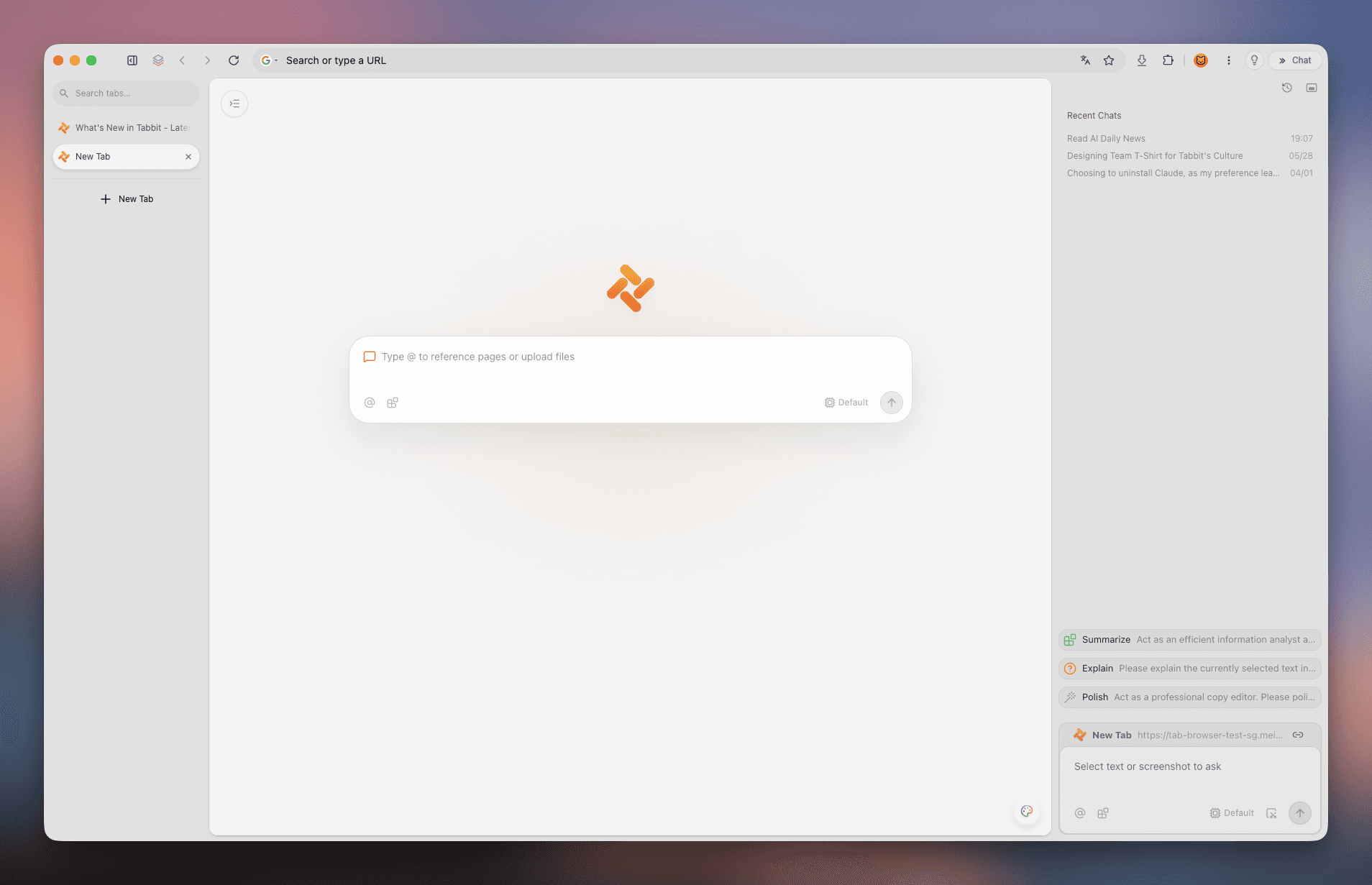
Tabbit Browser combines the 100% compatibility of a modern Chromium engine with a clean, privacy-respecting workspace and native AI research capabilities.
</Callout>
Here is why Tabbit is a compelling desktop solution for healthcare management:
Native Chromium rendering fidelity: Tabbit runs on a high-performance Chromium core. It opens Epic MyChart, Cerner, Athenahealth, Quest Diagnostics, and telehealth video calls natively with zero configuration, zero User-Agent spoofing, and zero broken iframes on a fast browser.
Distraction-free, zero-bloat environment: Tabbit strips away promotional news feeds, sponsored shopping widgets, and commercial data telemetry out of the box. You get a clean canvas designed for focused productivity.
On-page AI assistance for medical reports (Chat with Page): When you download a 12-page blood panel, an ultrasound summary, or post-surgical discharge instructions, the medical jargon can be overwhelming. With Tabbit's native Chat with Page and Agent Mode, you can ask questions like: "Summarize my lipid panel values compared to standard reference ranges" or "What questions should I ask my doctor based on these abnormal liver enzyme notes?"
Enhanced health data privacy: Unlike third-party AI browser extensions that inject untrusted scripts and send your clipboard contents to unknown cloud servers, Tabbit's AI tools are deeply integrated into the browser shell, providing a secure, sandboxed environment for your personal research on a best private browser.
Smart tab organization for complex health records: Managing multiple appointments, specialist referrals, insurance claim portals, and pharmacy orders quickly leads to too many browser tabs. Tabbit's Smart Tab Organization groups your medical research into clean, isolated workspaces so you never lose an important health document.

Deep breakdown: Portal features vs. browser engine capabilities
The table below illustrates why certain healthcare components work seamlessly on Chromium while requiring manual adjustments on Firefox:
| Healthcare Portal Feature | Underlying Web Standard | Chromium Engine (Blink) | Firefox Engine (Gecko) | Recommended Workaround |
|---|---|---|---|---|
| Direct Portal Login & Navigation | Standard HTML5 / React / Vue | Native full support | Native full support | Spoof Chrome User-Agent if blocked by superficial sniffing |
| Hospital Embedded Iframe Login | Cross-Origin Storage & SAML SSO | Partitioned storage with standard credential sharing | Total Cookie Protection isolates iframe storage | Whitelist domain in Enhanced Tracking Protection |
| Telehealth HD Video & Audio | WebRTC (getUserMedia, RTCPeerConnection) | Universal hardware acceleration & codec negotiation | Standard WebRTC supported; occasional audio-driver quirks | Grant explicit permissions; avoid aggressive script blocking |
| Electronic Consent Form Signatures | HTML5 <canvas> Base64 serialization | Unmodified pixel rasterization | Anti-fingerprinting flags inject mathematical noise | Disable privacy.resistFingerprinting for medical domains |
| Prescription & Lab PDF Viewing | Native PDF viewer & WebAssembly | Sandboxed PDFium rendering engine | Built-in PDF.js viewer | Fully supported on both; download PDF directly if viewer fails |
| Medical Imaging & DICOM Viewers | WebGL 2.0 / WebAssembly / SharedArrayBuffer | High-performance GPU shader pipeline | Supported; requires hardware acceleration enabled | Ensure GPU acceleration is active in browser settings |
If you are evaluating different browser architectures for your daily research and administrative work, explore our detailed Tabbit vs Chrome comparison or check out our guide on how to choose the right browser for a browser for productivity.
Final verdict: Reliable access without browser bloat
Being locked out of your own medical records or missing an urgent telehealth consultation because of an arbitrary browser policy is deeply frustrating. However, the solution is not to surrender your privacy or permanently compromise your browser security.
For your immediate needs:
Try toggling off Firefox's Enhanced Tracking Protection on your hospital's portal domain.
Use a User-Agent switcher if the portal is merely checking for the word "Chrome".
Clear site-specific cookies if you are stuck in an endless authentication loop.
When you need a permanent, rock-solid solution that handles every medical portal, telehealth video call, and insurance dashboard effortlessly—without subjecting you to commercial ads, promotional feeds, or heavy memory drain—consider Tabbit Browser.
Download Tabbit Browser today to experience effortless web compatibility paired with powerful, private AI research tools built right into your desktop workflow.

FAQ
Why does my doctor's patient portal say my browser is unsupported?
Most hospital systems and electronic health record (EHR) vendors only run formal compliance and quality assurance testing on Chromium-based engines. To reduce technical support overhead, their web developers place lazy client-side User-Agent detection scripts that block Firefox and Safari, even when the portal would otherwise render normally.
Is it safe to disable Firefox Enhanced Tracking Protection for a medical portal?
Yes, toggling Enhanced Tracking Protection off specifically for your hospital portal domain is safe. Medical portals often use third-party authentication redirects, SAML single sign-on tokens, or embedded iframes that Firefox mistakes for cross-site advertising trackers. Disabling protection on that single domain restores functionality while keeping your global browsing protected.
Why do telehealth video visits fail in Firefox even when my camera works?
Telehealth platforms like Doxy.me, Twilio WebRTC, and Epic MyChart rely on specific WebRTC media negotiation codecs, ICE candidate handling, and strict device permission flows. Differences in how Gecko and Chromium manage background audio-video streams or device enumeration can cause video appointments to stall or drop.
Can using a User-Agent switcher break my patient portal security?
No. A User-Agent switcher only changes the text string your browser sends in the HTTP request header to identify itself. It does not alter your encryption, session cookies, password security, or data transmission integrity. If a portal only uses superficial browser sniffing, spoofing Chrome bypasses the warning banner immediately.
Why does Tabbit Browser work seamlessly with patient portals while avoiding Chrome bloat?
Tabbit is built on a standard modern Chromium engine, ensuring 100% native compatibility with Epic MyChart, Cerner, Athenahealth, WebRTC video visits, and e-signature canvas widgets. Unlike default Chrome, Tabbit eliminates promotional start-page clutter, commercial ad tracking, and unnecessary background bloat.
How can I use AI to understand my lab test results without risking health privacy?
Instead of copying sensitive diagnostic numbers, MRI radiology reports, or clinical notes into untrusted third-party web tools, Tabbit provides a built-in native AI sidebar (Chat with Page). It analyzes the medical report directly within your active authenticated tab session without passing your private data through external browser extensions.