
DeepSeek Harness can control a real browser, but the local DSH Web UI is not the browser controller. It needs a plugin and a browser runtime. Tabbit publishes an open-source DSH bundle that loads a tabbit-browser Skill and lets the agent operate a local Tabbit Browser through tabbit-cli.
The demand is already visible around the new ecosystem. In a current r/DeepSeek thread, one developer wrote, “I have created so many plugins, that's crazy,” then listed Git, planning, worktree, notification, and interface additions. Browser control fits the same model: add an environment capability without rebuilding the agent loop. Read the original Reddit comment.
This guide explains what the Tabbit plugin actually connects, how to install it, which tasks fit, and where it stops. For the wider category, start with the distinction between browser automation and an answer-only assistant.
Key takeaways
DeepSeek Harness is an open-source, developer-preview agent harness from DeepSeek AI. Its defining architecture is “everything is a plugin.”
Tabbit's plugin packages a DSH Skill. The Skill calls the local
tabbit-cli, which talks to Tabbit's Browser-owned Runtime Service.The current requirement is a stable domestic or international Tabbit Browser at version
1.9.0or newer, running on the same host as the DSH shell.A named task space keeps one agent task's pages, state, and receipts separate from another task. Existing website sessions can be reused within the selected non-incognito profile.
This is powerful access, not a permission bypass. Prefer APIs when available, start with read-only tasks, confirm irreversible actions, and stop at CAPTCHAs or site restrictions.
DeepSeek Harness browser control at a glance
| Component | Responsibility | Where it runs | Important boundary |
|---|---|---|---|
DeepSeek Harness (dsh) | Runs the agent loop, model, tools, permissions, sessions, and plugin composition | Local DSH process | The Web UI being open in a browser does not mean the agent controls that browser |
| Tabbit DSH bundle | Registers the bundled tabbit-browser Skill and installer checks | DSH plugin profile | It does not expose a generic native tabbit_browser_evaluate tool |
tabbit-browser Skill | Tells the model how to check the environment and use the browser safely | Loaded into the DSH agent | Instructions still depend on a reachable local runtime |
tabbit-cli | Executes Playwright-style operations in a named task space | Host shell, using Tabbit's launcher | Every invocation must use the documented platform launcher and stable task name |
| Browser-owned Runtime Service | Owns pages, profile state, task isolation, receipts, and the browser connection | Tabbit Browser host | A missing runtime usually requires restarting Tabbit once; DSH should not replace it with another backend |
The formula is:
DSH agent + Tabbit Skill + tabbit-cli + local Tabbit runtime = browser actionsThat makes the plugin a bridge between an agent harness and a browser environment. It does not make the model itself a browser agent, and it does not turn a remote shell into a local desktop.
What DeepSeek Harness is—and what it is not
DeepSeek's official launch page defines a harness as the layer that helps a model understand its environment, use tools, and keep working in real-world settings. DSH runs on Cordis, where models, tools, skills, sessions, sandboxes, storage, loops, scheduling, and even the UI can be mounted as plugins.
The official quick start is:
npx @deepseek-ai/dsh webThat command launches a local Web UI, currently documented at http://127.0.0.1:3080. The interface is a control surface for the agent. It is not evidence that DSH can click the pages in your everyday browser.
This distinction matters because “browser” appears in three different meanings:
Browser-based interface: you open the DSH application in a web page.
Web retrieval tool: an agent searches or fetches public web content.
Browser control: an agent navigates, reads, clicks, fills, and verifies a live page in a browser session.
The Tabbit bundle addresses the third meaning. That puts it alongside the broader family of browser agents, while keeping DSH as the orchestration layer.
DSH remains in developer preview. Its official repository explicitly warns that compatibility-breaking changes will happen. A Reddit early adopter made the same practical point more bluntly: “DSH is still pretty rough in a lot of places.” That comment is an individual opinion, but the preview status is an official fact. See the comment in context.
How the Tabbit plugin works
The public Tabbit-Browser/dsh-plugin repository contains a Cordis bundle, an installer tool, and the complete tabbit-browser Skill. Installing the bundle makes the Skill discoverable; the model can load it with skill({ name: "tabbit-browser" }) or /tabbit-browser.
The first browser task begins with an environment check. The plugin looks for the stable international app named Tabbit and the stable domestic app named Tabbit Browser. At least one must be version 1.9.0 or newer. Development builds are intentionally ignored.
If the browser is missing or outdated, DSH creates a background download job. The installer selects the domestic build for mainland China and the international build elsewhere or when the region is unknown. It saves the package to Downloads and reports its path. It does not open the .dmg or .exe, so the user still completes the native installation.
If a supported browser is present but the Browser-owned Runtime Service is absent, the Skill asks the user to restart Tabbit once. It does not silently fall back to Chrome, a cloud browser, raw CDP, or another control layer. This single-backend rule prevents a task from unexpectedly switching profiles or permissions.
Once ready, tabbit-cli runs code in a named task space. The first call creates an isolated Playwright environment in the selected non-incognito profile. Later calls with the same task name reuse pages, JavaScript globals, receipts, and login state for the current browser generation. This is the practical difference between a durable browser automation agent and a series of unrelated page fetches.
On the supplied source checkout, npm test passed all 15 unit tests and npm pack --dry-run completed with the expected Skill and reference files. That verifies package logic and packaging on that commit. It is not an end-to-end claim that every website or DSH version has been tested.
Install the Tabbit browser plugin in DSH
Use the current official DSH documentation for Node.js and package requirements; the project is moving quickly. Then follow this sequence.
1. Confirm the DSH command
dsh --versionIf it is missing, install DSH through the official quick-start documentation. Do not install an unrelated package that happens to use the phrase “deepseek harness.”
2. Add the Tabbit bundle to the Web profile
dsh plugin --profile web add github:Tabbit-Browser/dsh-pluginThis installs the repository as a DSH plugin bundle. The current public package is named tabbit-browser.
3. Start the DSH Web UI
dsh webIf DSH was already running, restart it and refresh the page so the profile loads the new bundle.
4. Keep Tabbit on the same machine
Install and launch a stable Tabbit 1.9.0+ edition on the host where the DSH shell runs. If the environment check reports that the runtime is not running, restart Tabbit once, then retry the task.
On Windows, restricted DSH sandbox modes can block access to the runtime's named pipe. The current plugin only asks for Full Permission after it detects the browser, launcher, and runtime process but still receives BROWSER_RUNTIME_UNAVAILABLE. Full Permission should not be the default starting point.
5. Begin with a bounded prompt
Use the tabbit-browser skill. Open the public GitHub repository for this project,
read the README, and return a table with the install command, minimum Tabbit version,
and documented limitations. Do not sign in, submit forms, or close my existing tabs.
This prompt gives the agent a source, output schema, and explicit non-goals. It is a safer first check than asking it to “use my browser and do everything.”
What DSH can do through Tabbit
The Skill exposes a Playwright-style browser workflow through the CLI. It can navigate pages, inspect visible state, click and fill controls, handle multiple pages, extract structured data, take screenshots, work with downloads, and verify the result. The exact helpers are documented inside the repository rather than copied into the DSH core.
The recommended loop is simple:
inspect relevant state → perform one coherent action group → verify the resultFor extraction, the agent should filter, deduplicate, paginate with bounds, and return only the fields needed. For actions, a resolved click is not proof; the next state must show that navigation, data, or UI actually changed.
This is browser-level access, so it can support workflows described in browser-with-AI-agent automation: gathering public research, checking a dashboard, moving structured information into a document, or completing a repetitive sequence under supervision.
It also has hard boundaries:
DSH must reach the browser host's Runtime Service. Installing the bundle in E2B or a remote container does not bridge back to a laptop automatically.
The Skill does not detect development editions of Tabbit.
It does not start or restart the Runtime Service on its own.
The installer downloads an official package but does not run it.
A real browser session can still face login expiration, changed page layouts, permissions, CAPTCHAs, and site policies.
Browser state persists within the task/profile boundary; that makes work convenient and increases the impact of a mistaken action.
If this is your first exposure to the product, what Tabbit Browser is explains the browser itself, while the full Tabbit AI browser guide covers its native user-facing features.
Putting DSH browser control into practice with Tabbit
Consider a low-risk research task: inspect three public project pages, collect the latest release tag and documented system requirements, and return a cited table.
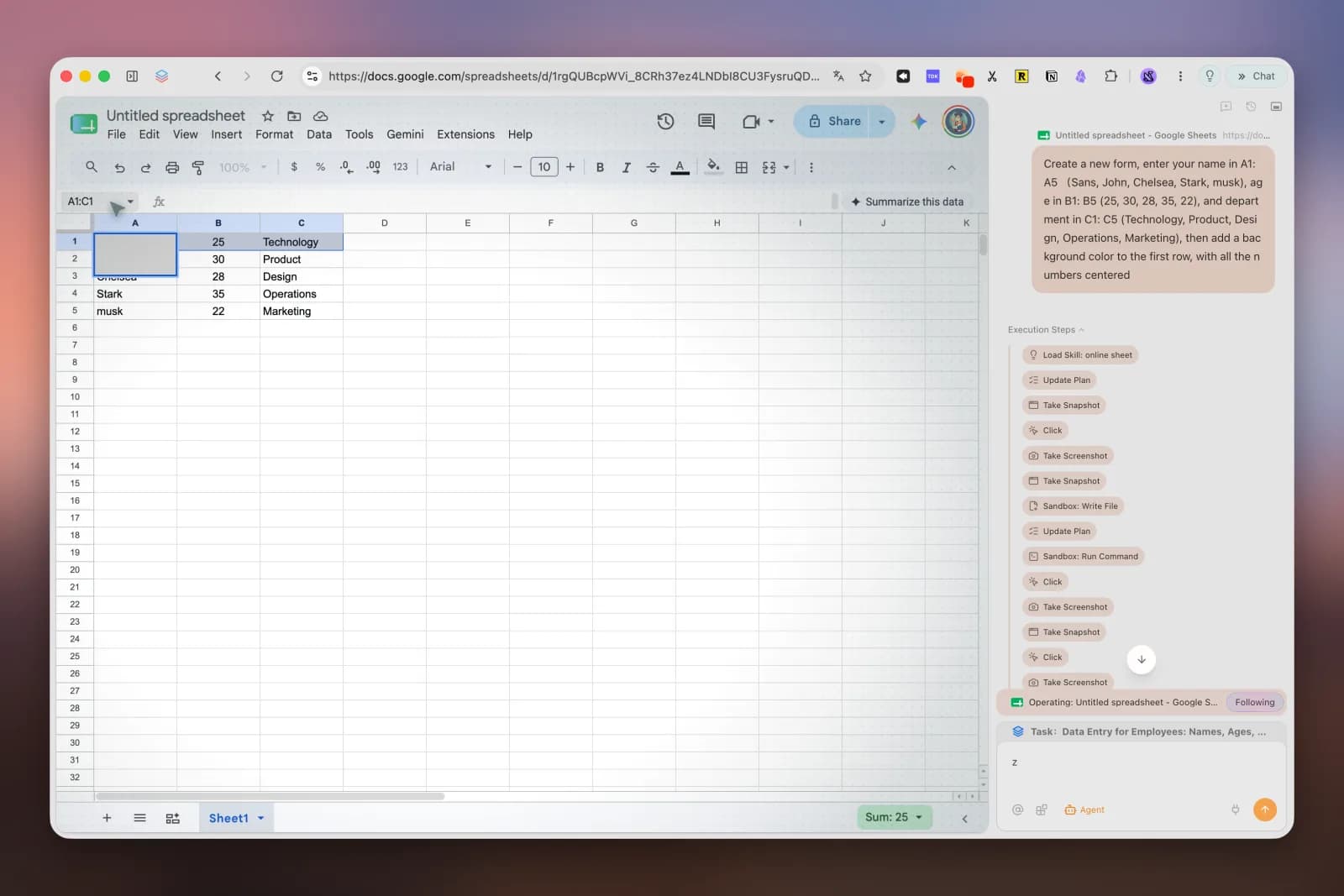
DSH owns the goal, model conversation, permission mode, and final answer. The Tabbit Skill establishes the browser environment. tabbit-cli opens the sources in one named task space, reads the visible content, and keeps the pages together. The agent then verifies each row against the source before finishing the task.
The same architecture can extend to signed-in pages, but the risk changes. A community member asking about an agent for routine web and ERP work was advised to use APIs first, keep browser automation as a tool, and put human approval before submit, pay, or delete actions. The original Reddit discussion is useful because it separates capability from safe deployment.
For research, keep the task read-only and require source URLs. For an internal dashboard, prefer an official API or MCP server when one exists. For a form, ask the agent to prepare fields and stop before submission. These patterns make an AI browser for researchers useful without pretending verification is optional.
Choose the browser backend by task
| Task or constraint | Best starting backend | Why | Trade-off |
|---|---|---|---|
| Use an existing Tabbit profile on the same host | Tabbit DSH plugin | Browser-owned runtime, task spaces, existing profile context, no separate Chrome bridge | Requires stable Tabbit 1.9.0+ and a reachable local runtime |
| Use an existing Chrome or Edge session through Kimi WebBridge | dsh-better-browser or a comparable bridge plugin | Its public README documents 13 DSH tools for a signed-in browser | Requires a separate daemon and extension; follow that product's trust model |
| Run isolated scraping or repeatable server jobs | Remote/headless browser service | Easier to scale, reset, and isolate | Login state, anti-bot systems, and browser fingerprints can be harder |
| Work with a system that has a stable API or MCP server | API/MCP integration | More structured, reliable, and auditable than clicking UI | May not cover every page-only workflow |
| Perform payment, deletion, publishing, or account changes | Human-led flow with agent preparation | Keeps irreversible authority with the user | Less autonomous by design |
The alternative dsh-better-browser project is not a fake duplicate. Its public repository documents a different architecture: a DSH adapter for Kimi WebBridge with navigation, snapshots, interaction, screenshots, network inspection, upload, PDF, and tab-management tools. Choose based on the browser environment you intend to operate, not the number of tool names.
The local-real-browser route also has a pragmatic advantage and a cost. In a Reddit discussion about cloud agents encountering anti-bot systems, one commenter said the most reliable approach they found was “a real machine with a real browser session,” while immediately noting the loss of scalability and the burden of managing hardware. Read the original comment. That is a personal experience, not permission to evade detection. If a site presents a CAPTCHA or refuses automation, stop and hand control back to the user.
Security boundaries that matter
A useful trust model has four layers:
DSH permissions: start with read-only or workspace-scoped access. Escalate only for a specific need.
Plugin scope: know whether the bundle provides a Skill, model tools, a daemon bridge, or remote service.
Browser session: a signed-in profile can read and change real accounts. Use the least privileged profile that can do the task.
Website action: distinguish reading, preparing, and submitting. Submission is a separate decision.
Do not put passwords, API keys, payment data, or unrelated private tabs into prompts. Do not ask the model to extract cookies or browser storage. Require confirmation immediately before sending a message, submitting a form, uploading sensitive files, changing permissions, buying something, or deleting data.
For a production workflow, keep an audit trail: prompt, source URL, action, result, and confirmation. Use a reversible sandbox or test account before a live account. Treat generated JavaScript as code, because it can read or change the active page.
These rules apply to every agentic AI browser, not only Tabbit. The more useful the session context becomes, the more deliberate its authority must be.
Should you install the Tabbit plugin?
Install it if you already use or can run Tabbit on the same machine as DSH, need a real browser rather than public web retrieval, and can supervise the actions. It is especially relevant to developers exploring DSH's plugin model and to teams building bounded, repeatable browser workflows.
Wait or choose another backend if your agent runs only in a remote container, you need a production-stable API today, you depend on Linux or mobile, or the task has a reliable direct integration. DSH is a developer preview, and the plugin's compatibility surface can move with it.
The practical next step is small: install the bundle from the public repository, use a separate low-risk profile, and ask DSH to read one public page and return a cited result. If the environment check, browser action, and verification all remain understandable, expand one workflow at a time. That is the useful promise of an AI browser: not unrestricted clicking, but a visible path from intent to checked action.

FAQ
Can DeepSeek Harness control a browser?
DeepSeek Harness can control a browser when a compatible plugin and browser runtime provide that capability. Tabbit's plugin connects DSH to a local Tabbit Browser through tabbit-cli; the default DSH Web UI by itself is not browser control.
How do I install the Tabbit plugin for DeepSeek Harness?
After installing DSH, run dsh plugin --profile web add github:Tabbit-Browser/dsh-plugin, then start or restart dsh web. Keep a supported Tabbit Browser installed and running on the same host so the bundled Skill can reach its runtime.
Does the Tabbit DSH plugin reuse logged-in browser sessions?
It operates through a non-incognito Tabbit profile selected by the browser runtime, so tasks can use that profile's existing website sessions. Treat this as real account access: supervise sensitive actions and do not assume every site will allow automation.
Which Tabbit version does the DSH plugin require?
The current plugin documentation requires a stable domestic or international Tabbit Browser version 1.9.0 or newer. Development builds are not detected, and the requirement may change while DSH and the plugin continue to evolve.
Can the plugin control Tabbit from E2B or a remote container?
Not by itself. The DSH shell must run on a host that can reach Tabbit's Browser-owned Runtime Service; a remote container or sandbox without access to the local GUI browser will not gain that connection simply by installing the plugin.
Is it safe to let DeepSeek Harness submit forms or make account changes?
Browser automation has the permissions of the active browser session, so read-only work should come first and irreversible actions should require human confirmation. Prefer an API or MCP integration when available, and never use the plugin to bypass CAPTCHAs, site controls, or account policies.