
Key takeaways
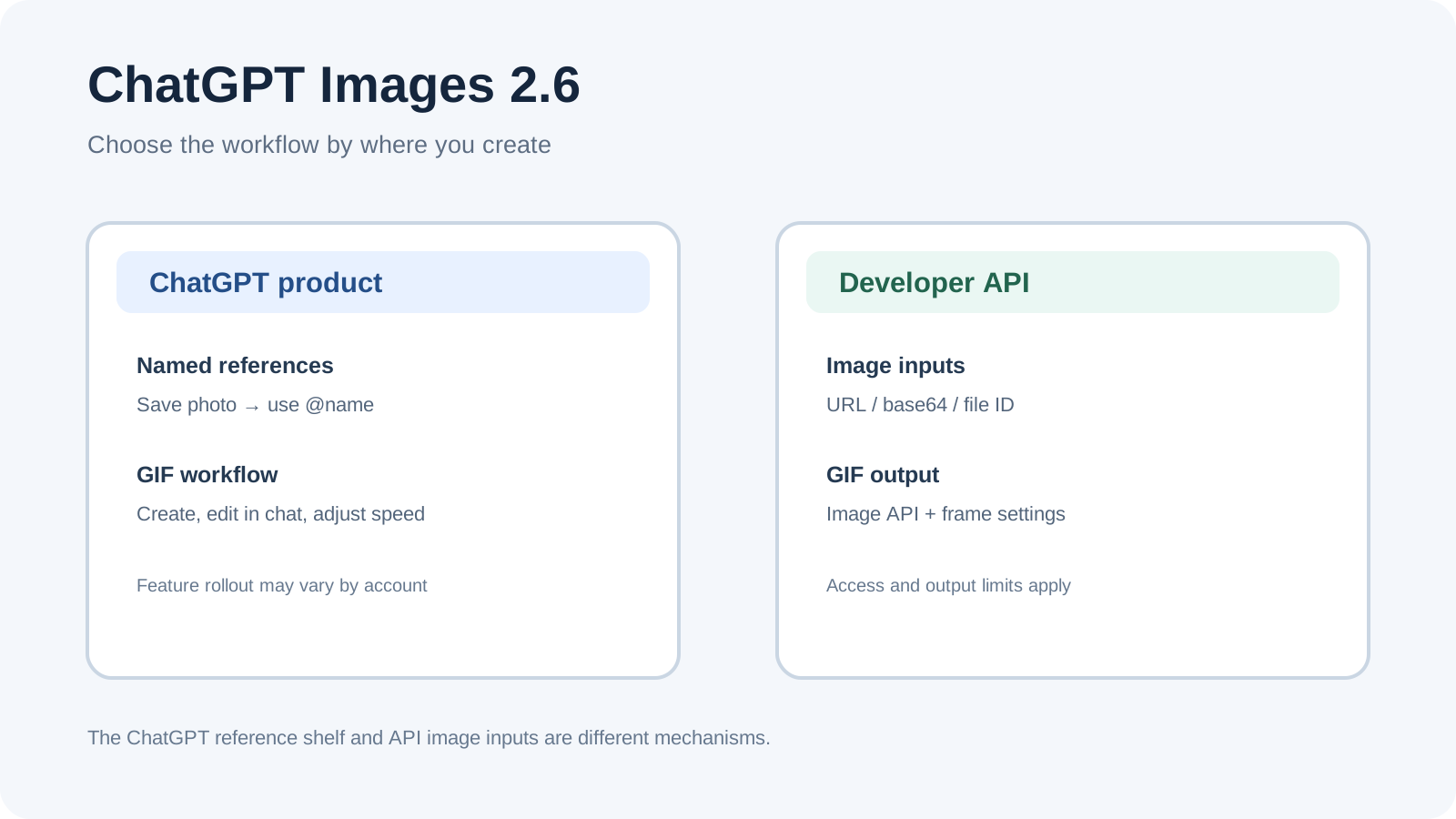
ChatGPT Images is the product workflow. GPT-Image-2.6 Flare and Sunburst are API model choices. They are related, but their controls and setup are different.
In ChatGPT, you can ask for a looping GIF, animate a still image, adjust a generated GIF’s playback speed, and save a named reference photo for later use with
@name.In the API, the documented GIF workflow uses the Image API with
output_format=gifand frame settings. API reference inputs are passed as image URLs, base64 data URLs, or Files API IDs; they are not the same as ChatGPT’s named reference-photo shelf.GIF creation is rolling out in ChatGPT. API GIF output requires access to the selected model’s GIF preview and has its own limits.
ChatGPT Images 2.6 at a glance
| Workflow | Where | Reference image method | GIF method | Choose it when |
|---|---|---|---|---|
| ChatGPT Images | ChatGPT web, iOS, Android | Save a named photo, then call it with @name | Ask for a looping GIF or animate a still; adjust playback speed in ChatGPT | You want a conversational tool without building an app. |
| GPT-Image-2.6 API | Image API or Responses API | Supply input images using a supported URL, base64 data URL, or file ID | Image API output with output_format=gif, frame count and duration | You need image generation or editing inside a product workflow. |
The product help page says ChatGPT Images is available on all tiers and web, iOS, and Android. It also says GIF creation is rolling out, so the feature may not appear for every account yet. The system card describes the November 4, 2026 release of ChatGPT Images 2.6 and the updated Sunburst and Flare models.
One Reddit user said their reference-image edits “butchers reference images.” That is one person’s reaction, not a quality measurement. It does point to a useful check: decide which details must survive an edit, then inspect your own result rather than assuming every reference will stay exact.
Use GIFs and reference photos in ChatGPT
To create an image, describe it in a conversation or open More → Images and enter a prompt. To edit an image, select one generated by ChatGPT Images or upload a still image, then describe the change. The Help Center also documents a selection tool for marking an area; it warns that a selection is not always precise and edits can extend beyond it.
For a GIF, ask for a looping animation and describe the motion, or upload a still image and ask ChatGPT to animate it. After ChatGPT creates a GIF, you can ask for changes in the conversation, open it to adjust playback speed, then save or share it. ChatGPT cannot edit an animated GIF that you upload; start with a still image or a GIF ChatGPT created.
To reuse a photo, upload it and ask ChatGPT to save it as a reference. Give it a name, then mention that name with @ in a later prompt. For example, save a pet photo as Pepper and use @Pepper in a new image request. This is a product feature documented for ChatGPT; it is not an API parameter.
When to use the API instead
OpenAI documents two API models: gpt-image-2.6-sunburst for detailed visual work and gpt-image-2.6-flare for faster iteration. Both accept text and image inputs. The API guide recommends the Image API for a single generation or edit and the Responses API for conversational, multi-step image workflows.
The exact API shape differs from ChatGPT’s interface. For a GIF, the Image API generation reference documents output_format=gif. frame_count accepts 2–16 and defaults to 9; frame_duration_ms defaults to 200. The selected model must have GIF preview access. The reference says GIF output does not support streaming, partial images, masks, or custom output compression. These are API response settings; they do not describe the playback controls in ChatGPT.
For image references, the Image API edit reference accepts up to 16 input images. The API guide also shows image references in Responses API requests using an image URL, base64 data URL, or Files API ID. A developer has to supply or manage those references in the app. OpenAI’s API documentation does not describe the same named @photo library that the ChatGPT help page documents.
The API guide says both 2.6 models support GIF output through the Image API and markup-guided edits. The endpoint schema’s current markup parameter description still names GPT Image 2.5. If you need markup on 2.6, check the live endpoint schema and project access before depending on it; this guide does not provide a 2.6 markup request example.
| Your need | Use this surface | Next step |
|---|---|---|
| Make a GIF from a prompt or animate one still image | ChatGPT Images | Check whether GIF creation has rolled out to your account; ask for a looping motion. |
| Reuse a named photo such as a person, pet, or character in later chats | ChatGPT Images | Save the uploaded photo as a reference and invoke it with @name. |
| Generate or edit images inside your own product | GPT-Image-2.6 API | Choose Flare or Sunburst, then use the Image API or Responses API to match your flow. |
| Set programmatic GIF frame count or frame delay | Image API | Request output_format=gif; verify GIF preview access and the documented limitations. |
| Reuse reference images in an API workflow | Image API / Responses API | Supply image URLs, base64 data URLs, or file IDs; manage persistent references in your application. |
What early user comments can and can’t tell you
A commenter in the same Reddit discussion reported a noticeable difference between image generation in ChatGPT Work and API Sunburst. Another user disagreed with the thread’s claim about where Sunburst could be used. Those comments show why people need to distinguish product surfaces, but they do not establish model routing, account access, or a general quality difference. Use the official ChatGPT instructions and the current API docs for those facts.
Keep the product and API steps organized with Tabbit
When comparing ChatGPT UI steps with developer API options, Tabbit Browser can keep the official Help Center, system card, model pages, and API references open together. You can record one row for “ChatGPT user task” and another for “API implementation,” with the source URL beside each decision. The browser research workflow explains how to keep conclusions tied to source pages.
Tabbit does not generate images, save ChatGPT named references, or make an API feature appear in a user account. Use it only to review the docs and plan a workflow. For a repeatable review, see the first browser-agent checklist, prompt template guide, and browser automation options. Keep browser permissions narrow with the local versus cloud browser guide, browser permission guide, safe login-session guide, and existing browser connection guide. The Tabbit CLI guide covers a local browser workflow.
Decision: ChatGPT Images or GPT-Image API?
Use ChatGPT Images if you want to prompt and refine images directly in ChatGPT, use saved named references, or adjust a generated GIF there. Choose the API if you are building image generation or editing into software and want request-level control. Before coding, verify the exact endpoint, selected model’s preview access, and current schema. Do not assume the product’s @name reference feature maps to an API parameter.
Frequently asked questions
Use these checks before choosing a workflow.

FAQ
How do I make a GIF with ChatGPT Images 2.6?
Ask ChatGPT for a looping GIF and describe the motion, or upload a still image and ask it to animate the image. GIF creation is rolling out, so availability can vary by account.
Can ChatGPT Images save reference photos for later?
Yes. Ask ChatGPT to save an uploaded photo as a named reference, then use `@name` in a later prompt. This is a ChatGPT product feature, not a documented API parameter.
What are the GPT-Image-2.6 API model IDs?
The documented IDs are `gpt-image-2.6-sunburst` and `gpt-image-2.6-flare`. OpenAI positions Sunburst for detailed visual work and Flare for faster iteration.
Can I generate a GIF through the OpenAI API?
Yes. The API reference documents GIF output through the Image API using `output_format=gif`, with frame controls. The selected model must have GIF preview access, and GIF output has limitations such as no streaming.
Can an API reuse the ChatGPT `@name` reference library?
The OpenAI API docs describe image URLs, base64 data URLs, or Files API IDs as inputs; they do not document the ChatGPT named `@photo` shelf for API apps. An application should manage and pass its own image references.
Can ChatGPT edit an animated GIF that I upload?
The Help Center says ChatGPT cannot edit an uploaded animated GIF. Upload a still image to animate, or edit a GIF that ChatGPT created.