
Use a supported API when it covers the required fields, operation, and permissions. Use the browser when an authorized workflow needs the page itself, such as a UI-only control or visual check. A connector can expose either route to an agent. Define the final business state before choosing the tool.
Start with the required outcome
Write down the record ID, the state you expect, the authority to change it, and the evidence you can read afterward. Our fixture marks one order reviewed at a time. A success requires the intended order, status reviewed, and revision 2. A plausible status message or an HTTP response alone cannot confirm all three.
Web search and browser control · Browser for agents
Choose the interface and its permissions
A documented API gives the client a supported request and response contract. A browser route uses the rendered controls available to an authorized session. MCP describes a way for an agent to discover and call a named tool. Inspect what the tool calls underneath and which account or service authority it uses. Approve an irreversible write against the exact record and requested change.
| Route | Fits when | Prerequisite | Independent check |
|---|---|---|---|
| API | Documented operation | Account or service scope | Read record and revision |
| MCP | Tool exposes the needed operation | Named tool contract · Tool approval and downstream scope | Check the underlying record |
| Browser | Page-only operation or visual proof | Authorized browser session | Reload and read visible state |
MCP Tools · Playwright MCP setup · Browser agents
Compare the same requirement in both routes
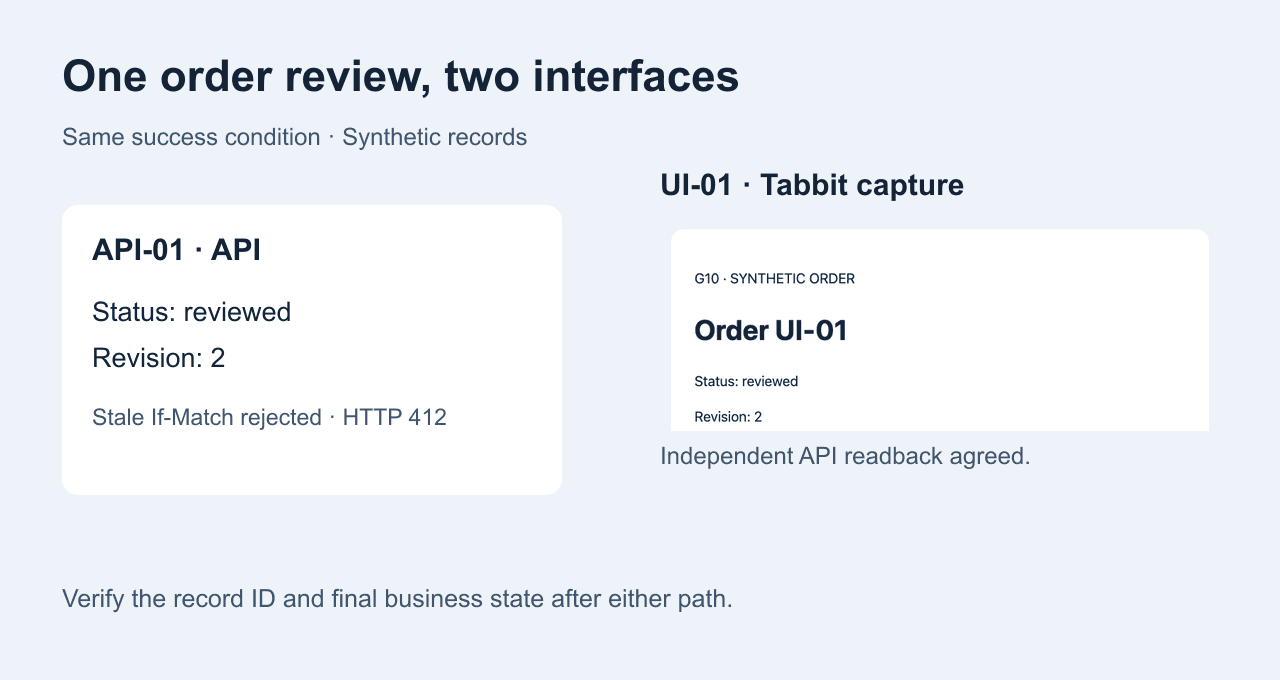
In the API trial, we read API-01 and its ETag at revision 1, then sent a conditional update. The write returned 200. Repeating the original If-Match value returned 412 and an independent read still showed reviewed at revision 2. In the UI trial, Tabbit opened UI-01, clicked Mark reviewed once and reloaded the page. The visible result was reviewed at revision 2. These are controlled fixture results.
| Trial | Observed result |
|---|---|
| API write | API-01 · HTTP 200 · reviewed · r2 |
| Old If-Match | API-01 · HTTP 412 · reviewed · r2 |
| Tabbit action and reload | UI-01 · reviewed · r2 |
| Independent API read | UI-01 · reviewed · r2 |
RFC 9110 If-Match · Browser automation · UI testing
Design a hybrid workflow
Use an API for eligible bulk reads or for checking a final record. Send only the UI-only step to the browser and carry the exact record ID into that step. In our fixture an independent API read of UI-01 agreed with the reloaded browser result. If the system lacks any approved read API, reopen the record in the authorized UI and verify its state there.
Playwright API testing · Let an AI agent control a browser · Connect to an existing browser
Plan for changes and errors
The API path depends on its documented schema, authorization, and concurrency rules. The UI path depends on navigation, controls, and session state. For either route, check whether a timeout happened before or after the action was accepted. Read the record before retrying. A stale precondition is a signal to reload and assess the new state. A changed or missing button is a reason to stop.
One QA participant described browser actions with API assertions. An n8n user described wrapping a browser script when no API was available. A callable wrapper can make an action easier to invoke while keeping its dependence on the page. Reddit QA · Reddit n8n
Decide what counts as done
Return the target ID, route, final state, and an independent readback if available. Save the relevant receipt before releasing the session. Keep any credentials and personal data out of logs. If the final state cannot be verified, report it as unresolved and leave consequential changes for review.
Browser agent first-task checklist

FAQ
Which route should I choose first?
Choose a supported API when its scope covers the authorized operation and final state. Use the UI for a required page-only step.
Is an MCP connector always an API?
MCP exposes tools to a client. A tool can wrap a service API, a browser operation, or another implementation.
Can I mix API and browser steps?
Yes. Pass a stable record ID between the steps and independently check the final state.
Can I automate a system with only a Web UI?
Use its authorized controls and an approved account. Specify the expected state and stop at access barriers.
Is an HTTP 200 proof the workflow finished?
Verify the intended record and business state in a separate read when the system allows it.
What should I do after a stale update or timeout?
Read the current state and confirm what changed before considering another write.