
GPT-6.1 Terra is a strong candidate for the screen work that consumes a workday: reading a document, finding the matching record, filling fields, and checking the result. Its appeal for browser use is practical. OpenAI built it around visual reasoning and computer actions, with lower token prices than Sol. The browser and desktop tools still have to be connected. OpenAI's model card establishes those capabilities and requirements.
The number to remember is more than 3×. OpenAI reports that Terra completes tasks on Agents' Last Exam more than three times faster than GPT-6.1 Sol and GPT-6 Astra. Its Standard API input and output token rates are half Sol's. These are different measurements, checked October 27, 2026. They support trying Terra for routine computer work, not a promise of a sixfold saving or universal speed advantage. Official launch.
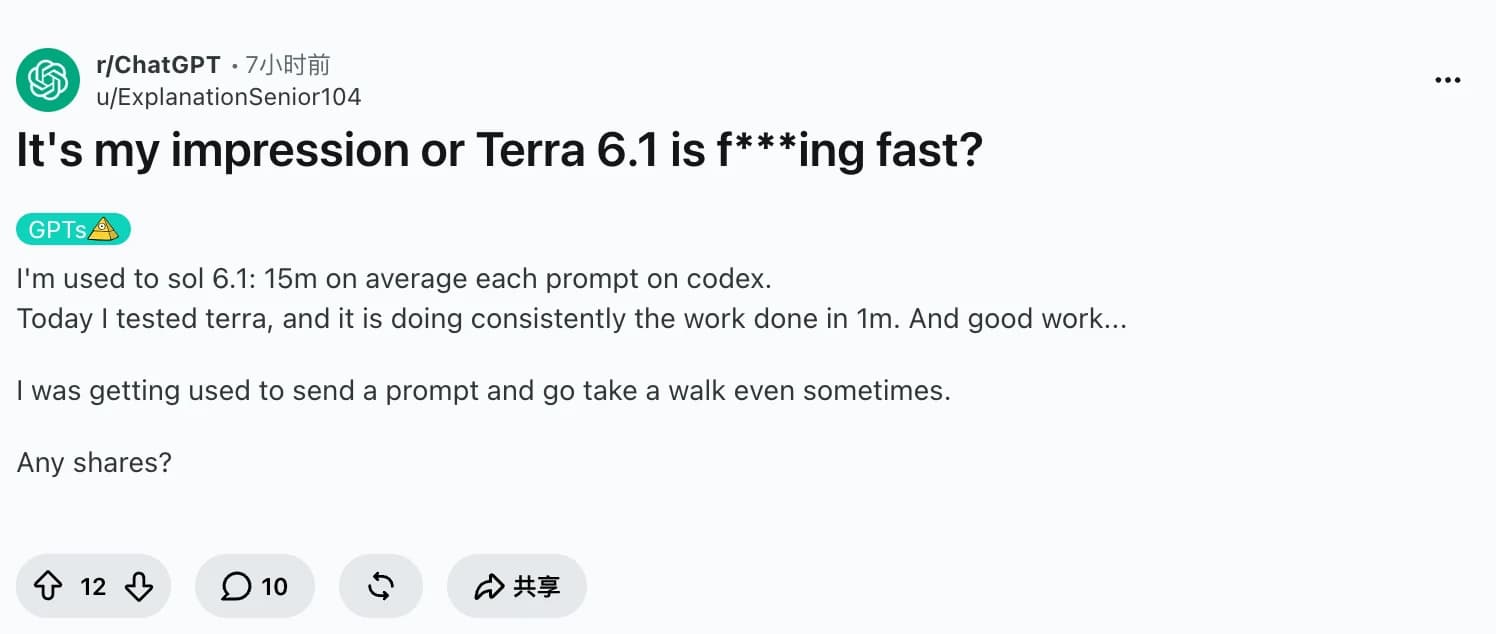
Early users noticed shorter waits too. In a Codex discussion, u/ExplanationSenior104 describes work finishing in roughly a minute. That is a personal observation without matched tasks or effort settings. Below, we separate the evidence from a repeatable browser test and explain where Tabbit Browser fits. The broader Terra review and pricing guide cover the adjacent decisions.
Key takeaways
Terra combines image understanding with tools that can act on browser and desktop interfaces.
OpenAI's reported speed advantage concerns complete benchmark tasks, rather than text generation alone.
Standard short-context API rates are $1 input, $0.05 cached input, and $5 output per million tokens. These are not subscription prices.
Start with bounded jobs whose result you can inspect, such as matching a product photo to a catalog entry or preparing form fields.
There is no verified human speed comparison in this article. The checked Tabbit account also lacked Terra, so its in-client task test remains outstanding.
What GPT-6.1 Terra browser use actually means
Browser use means working inside a website: reading fields, opening records, navigating tabs, and acting on what the page shows. Computer use also covers graphical desktop apps. Neither capability means the model independently owns a browser or can enter your signed-in accounts without a connected environment.
OpenAI's computer-use guide describes two useful routes. BrowserToolset exposes selected page and tab operations as function tools. ComputerToolset uses screenshots and mouse or keyboard actions. A browser workflow can use either route. That distinction matters more than the word “agent” in a product description. Our agentic browser explanation covers the product layer, while browser agents explains how task execution differs from a chat answer.
| Task | Useful tool route | Result to check |
|---|---|---|
| Read a product listing and extract four fields | Browser page text and controls | Each field matches the page |
| Match a supplier image to a catalog record | Image understanding plus browser controls | Correct item, variant, and record |
| Use a graphical app with no suitable structured integration | Screenshots and computer actions | Visible change and saved artifact |
| Find public facts without interacting with a page | Web search | Sources support the answer |
These are suggested task designs, not results measured for this article. For the implementation choices, see agentic browsing versus browser automation.
The speed advantage that makes Terra interesting
In a long sequence of small actions, waiting between steps can dominate the experience. Terra's reported advantage is relevant because Agents' Last Exam tests professional software tasks, including building a 3D model from drawings and producing time-coded animation notes. It is closer to completing work than to answering a trivia question.
That still leaves an important question: faster than whom? The published comparison is against Sol and Astra. It does not establish that Terra beats a person on your supplier portal, spreadsheet, or booking flow. A practiced operator may finish a short familiar task before an agent loads its tools. A repetitive batch may favor automation. Both are possibilities to measure.
End-to-end time = setup + actions + waits + retries + review and corrections
Speed ratio = human time / agent time, for the same accepted result
Start and stop the clock at the same boundaries. Count a wrongly saved record as a failure, not a fast completion. Record whether the human or agent already had the page open. If browser timeouts dominate, a faster model may barely change the result. Our browser automation guide gives additional workflow context.
"Today I tested terra, and it is doing consistently the work done in 1m."
u/ExplanationSenior104, October 26 UTC, describing Codex work. The report supports enthusiasm about waiting less; it is not a controlled browser benchmark.
What the computer-use evidence supports
The clearest practical starting point is an input you can inspect and an output you can verify. OpenAI's launch example is reading invoices and entering their details into accounting software. Its model card also describes matching product photos to catalog entries. Those examples combine visual interpretation with application actions, which is precisely why Terra is relevant to browser work.
Use that pattern to choose a test before studying scores. Supply one sample invoice and a staging form. Check vendor, invoice number, currency, and total. Then test a product image against a small catalog with a known correct match. These are proposed evaluations, not a claim that this article ran them.
| Official evidence | Reported Terra result | Decision it informs |
|---|---|---|
| Agents' Last Exam, medium effort, versus GPT-5.6 Terra | 15 percentage points higher, about one-third the task cost | Whether to retest a predecessor's workflow |
| Agents' Last Exam, comparison with Astra | Comparable performance at one-tenth its token price | Whether a flagship is necessary for the evaluated work |
| Agents' Last Exam, task completion time | More than 3× faster than Astra and GPT-6.1 Sol | Whether shorter waits justify a trial |
| OSWorld 2.1, medium effort | Exceeds GPT-5.6 Terra's best score | Desktop application tasks worth evaluating |
Source: OpenAI's October 26 launch, checked October 27. These are vendor-reported results with different comparisons and settings. The table does not supply an independent reproduction, a browser-only success rate, or a human baseline. Do not combine the rows into a single cost or quality ratio.
Seeing a screen and then doing something with it
The useful improvement is the connection between interpreting an image and choosing an action. A catalog task needs more than an image description: it needs the correct record and variant. Terra's image input and computer tools make that workflow possible in a suitable application. Whether it identifies your near-identical products reliably still needs a test.
Using page controls when the task allows it
For structured pages, a driver that exposes text and controls can make the task easier to inspect. Screenshot actions remain useful for visual layouts and apps without suitable controls. The official tool guide documents both approaches. Browser use is not restricted to repeatedly guessing mouse coordinates from screenshots.
Keeping repeated work affordable
At Standard short-context rates, an illustrative request with 20,000 uncached input tokens and 2,000 output tokens costs $0.03 in model tokens. At Sol's $2/$10 rates, the same token quantities cost $0.06. This is arithmetic, not an observed session bill.
Terra token budget = 20,000 / 1,000,000 × $1
                   + 2,000 / 1,000,000 × $5 = $0.03
The model card lists the rates and adjustments. Count screenshots as image input, include reasoning output, and add retries, tools, cache writes, and environment costs where applicable. Inputs above 272K tokens change the rates for the full request. Cheap tokens help most when the workflow reaches an accepted result without repeated repair.
Where fast and inexpensive still needs checking
Visual detail and long-task completion
One engineering-drawing report from u/Used_Growth_4068 describes a mixed experience:
"it is noticeably worse then sol 6.1 , but 3 times faster"
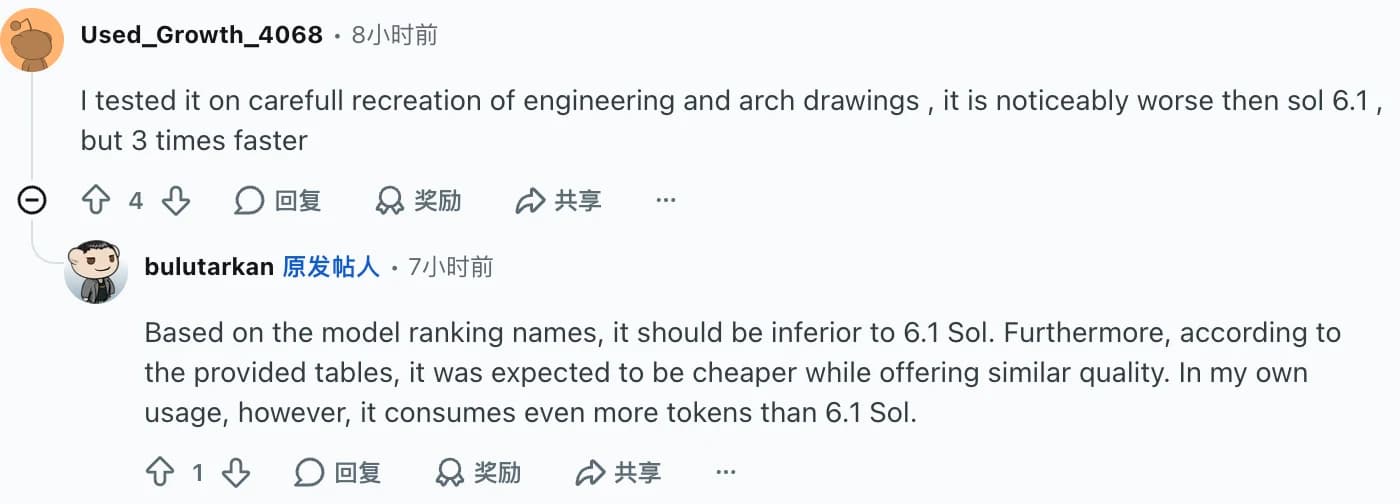
That matters for browser work with nearly identical images or subtle layout requirements. Check the actual selection or saved output. Speed alone cannot tell you whether the details survived.
In a separate PDF indexing workflow, u/NewConfusion9480 reports repeated stops and says Sol completed the job:
"Every time, 6.1 Terra would just stop without giving any reason."
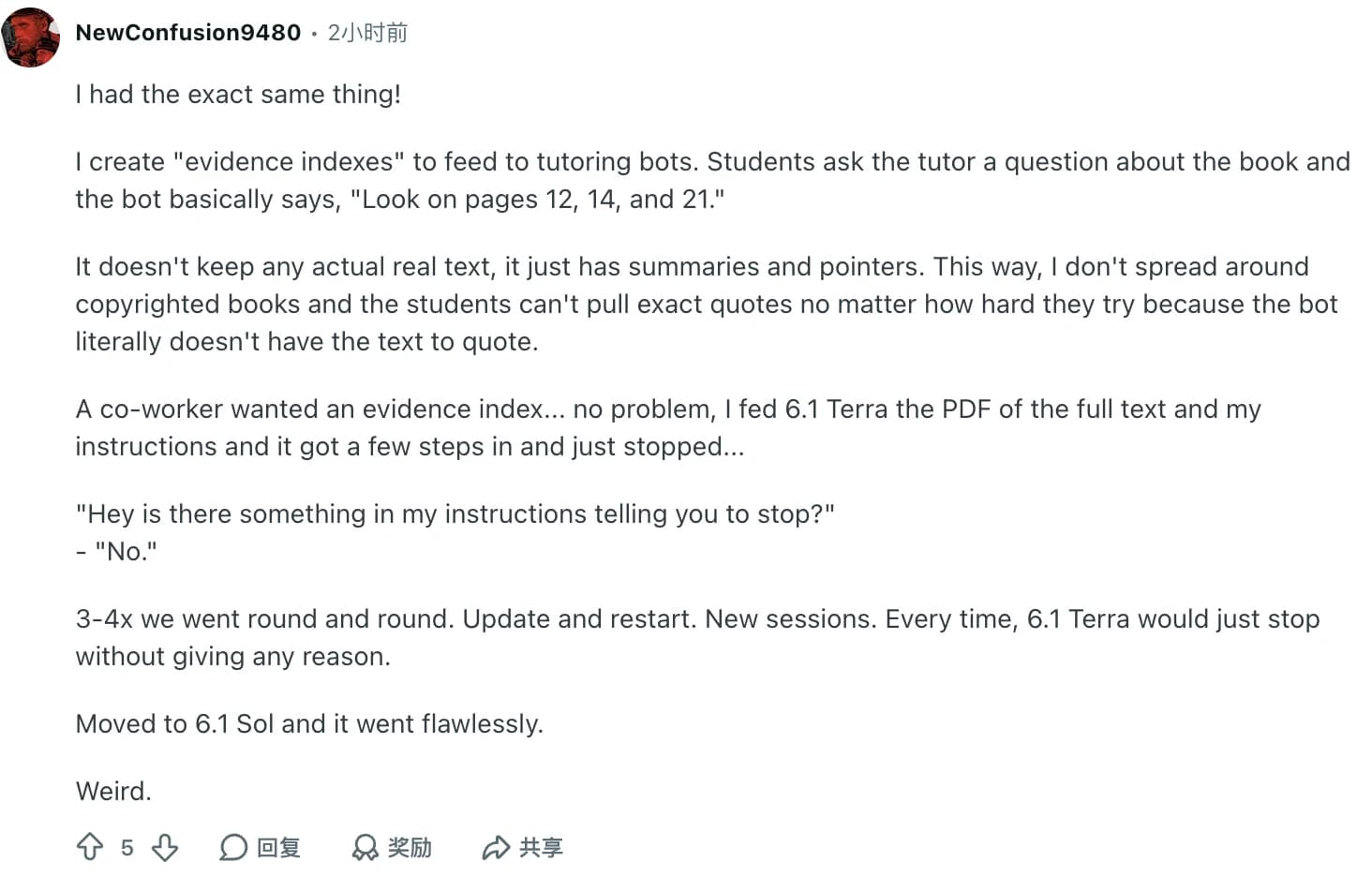
Neither report establishes a general failure rate. They identify useful acceptance checks: did the task finish, did it preserve detail, and does the saved artifact match the request? For especially demanding work, the Astra review covers another option to compare.
Subscription usage and API prices are separate
u/bulutarkan reports a 10-point allowance drop after two project prompts at xhigh:
"5 hours limit was 100% and dropped down to 90% in less than 2 minutes.."
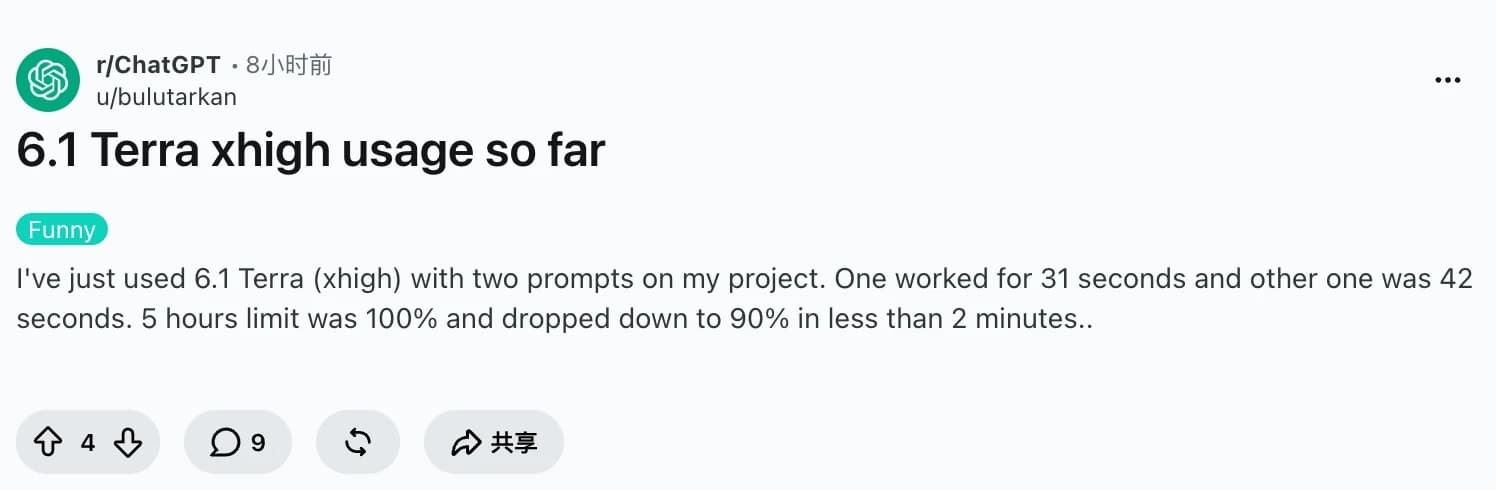
The positive comments focus on shorter waits; the concerns focus on detail, completion, and allowance use. That is a useful distinction when testing a browser agent. Compare accepted work and total supervision, rather than choosing the fastest-looking response. These four examples are launch-day anecdotes, not a representative survey.
How to start a Terra browser task
Check access. In supported ChatGPT Work or Codex experiences, open Advanced and look for GPT-6.1 Terra. OpenAI lists eligible paid plans and workspace conditions in its release notes. Ordinary Chat is a separate experience.
Connect the right environment. Use the built-in browser for websites, a supported extension for an existing browser profile, or the desktop Computer Use plugin for app interfaces. The browser documentation and desktop setup explain the separate permissions. Browser access does not automatically import every signed-in session.
Give one task and a completion check. Start with a test record or a read-only extraction. Specify the source, fields, destination, and what counts as success.
Inspect the result. Ask for the source URL and missing fields. For a prepared form, compare the visible values with the source before submitting.
A useful first prompt is deliberately narrow:
Open the product page I provide. Return a table with product name,
variant, displayed price, and source URL. Mark missing values as unknown.
If I provide a staging form, prepare those fields without submitting it.
Check each filled value against the source and report any mismatch.
This is a proposed input, not a captured Terra output. Once that task passes, add a second page or a batch of records. For API development, use gpt-6.1-terra with Responses for tool calling. The application supplies the browser driver, action limits, permissions, and verification. A model name alone does not implement an automation system.
Trying the workflow in Tabbit Browser
Tabbit's browser workflow brings page, screenshot, and file context into an agent task. Its official site describes those inputs. That makes it a relevant place to evaluate document-to-page work when your required model is available.
There is a concrete availability limit here. On October 27, the checked international account's selector loaded 16 model options and did not include GPT-6.1 Terra. No Terra request was submitted. The Terra resource page is reference material, not proof of access. This article therefore has no Terra-in-Tabbit completion time, success rate, or bill to report.
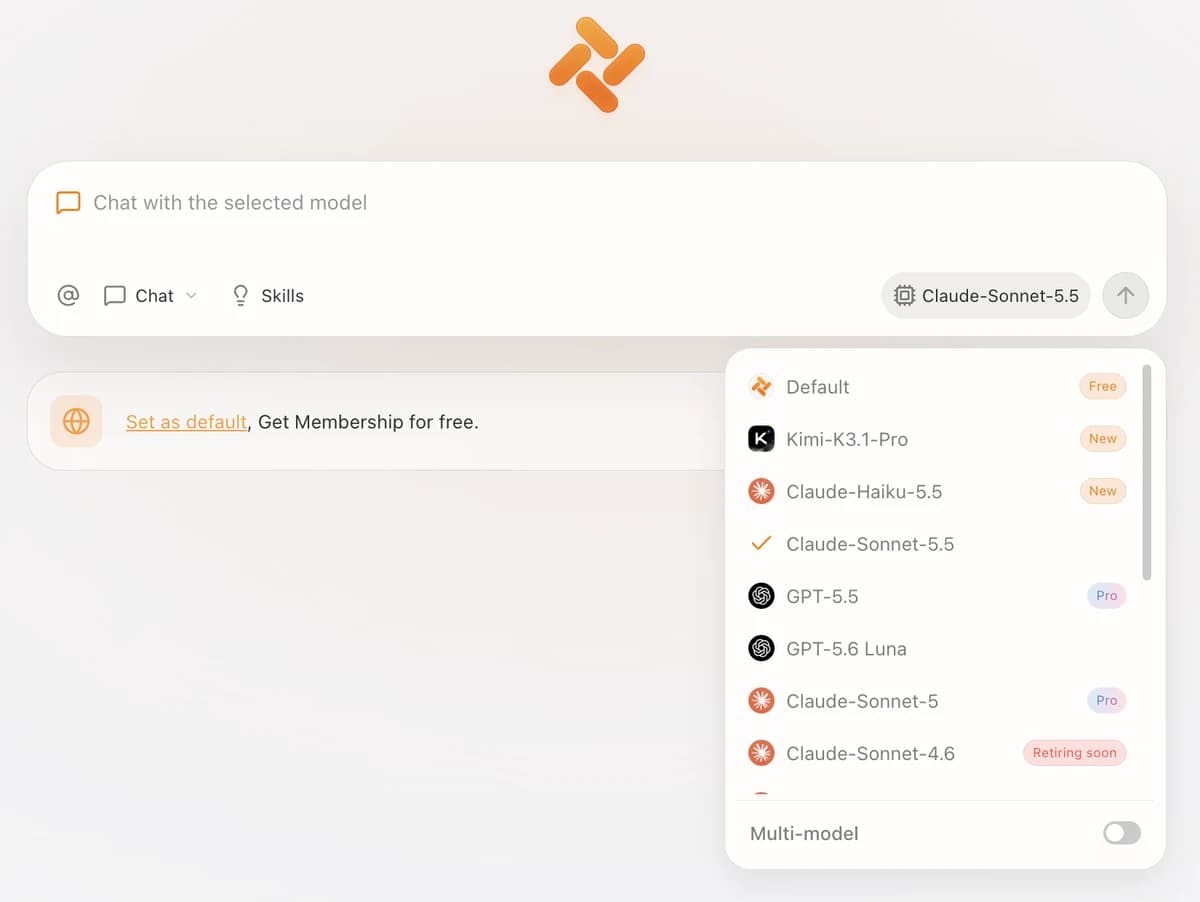
When Terra appears in your selector, test the same four-field extraction above. Record the model display name, effort if exposed, tool activity, source page, output, and any manual correction. Keep the expected values before starting. A second test can compare two listings; a third can prepare a staging form. Do not count a resource page or a different model's answer as a Terra test.
If the model you need is unavailable, choose an environment that exposes it. Our AI browser comparison can help assess the surrounding product workflow; each product's model access and fees require their own check.
The verdict by workload
| Your work | Recommended next step | What decides |
|---|---|---|
| Repeated forms and catalog records with clear source data | Trial Terra first | Correct fields, accepted records, total time |
| Visual matching or screenshot-based app work | Compare Terra with a stronger model | Preserved detail and saved output |
| Long, ambiguous workflows or complex software engineering | Compare Sol or Astra before switching | Completion and supervision required |
| A tiny task you already know how to finish | Time a manual run too | Setup can exceed the work itself |
| Browser work in Tabbit | Check the model selector, then run the fixed task | Actual model access and observable actions |
Terra's strongest case is useful computer work at a lower price, with shorter waits in OpenAI's published evaluation. That is enough to justify a focused trial. It is not enough to declare every workflow faster than a person. Start with one task you can inspect, and choose the setup that completes it correctly with the least total effort.
 Tabbit Browser
FAQ
Can GPT-6.1 Terra operate a browser?
Yes, when connected to browser or computer tools in a supported environment. Its model card lists computer use, function calling, and image input. The application must supply the session, permissions, and tools; selecting the model alone does not give it access to your tabs.
How is browser use different from computer use?
Browser use focuses on websites, page text, controls, and tabs. Computer use can operate graphical interfaces through screenshots and mouse or keyboard actions, including desktop apps. A browser task can use either approach, depending on the available tools.
Is Terra faster than Sol or a human?
OpenAI reports more than three times faster task completion than GPT-6.1 Sol and GPT-6 Astra on Agents' Last Exam. That does not establish a speed advantage on every website or against humans. A human comparison needs the same task, accepted output, and end-to-end timing.
What does GPT-6.1 Terra browser automation cost?
As checked October 27, 2026, Standard short-context API rates are $1 per million input tokens, $0.05 per million cached input tokens, and $5 per million output tokens. Screenshots, reasoning, retries, cache writes, tools, and a hosted environment can affect total cost. Subscription allowances are separate from API billing.
Where can I start using Terra?
OpenAI lists Terra in ChatGPT Work and Codex for eligible paid plans, subject to account and workspace access. Use Advanced to check the model selector, then configure the required browser or desktop tools. Developers can use gpt-6.1-terra through the Responses API for tool calling.
Is GPT-6.1 Terra available in Tabbit Browser?
The international Tabbit account checked for this article did not list Terra among its 16 loaded model options on October 27, 2026. Availability may differ by account or change later. This article does not claim a completed Terra run inside Tabbit.