
If Chrome, Edge, Brave, Vivaldi, Safari, Firefox, and a new AI browser all open the same page, what exactly is doing the work? The names make it sound as if you are choosing between completely different machines. Often you are choosing a different browser product around one of a few engines.
That distinction matters when a site breaks, when an iPhone behaves differently from a Mac, or when you are comparing a browser for privacy or daily work. A Reddit discussion put the practical version well: “The engine underneath is virtually the same, but that does not make browser choice meaningless.” The comment points to the part people miss: browsers with the same engine can still differ in telemetry, extension policy, and built-in features. The Chromium/Blink documentation gives the technical boundary. Blink renders the web platform; it is not the entire browser.
Tabbit Browser is a useful example of that boundary. It uses a Chromium-based web stack, then adds its own interface, context tools, and agent workflows. It can help you compare pages and keep research together, but it cannot turn Blink into WebKit or promise that every site will behave the same on every platform.
Key takeaways
A browser is a product. An engine is the software that implements the web platform inside it.
Chromium is an open-source browser project. Blink is its rendering engine, and V8 handles JavaScript and WebAssembly.
WebKit powers Safari and many Apple applications. Gecko is Mozilla’s engine, used by Firefox.
Engines affect compatibility, but the browser product, operating system, extensions, hardware, and site code affect the result too.
For a browser choice, start with your devices and must-use sites. Treat engine diversity as one consideration, not a complete privacy or performance verdict.
Browser engine, browser, and JavaScript engine at a glance
| Layer or name | What it does | Example or boundary |
|---|---|---|
| Browser product | Provides tabs, settings, storage, permissions, extensions, UI, and services | Chrome, Edge, Safari, Firefox, Tabbit Browser |
| Browser engine | Implements web-facing behavior and turns documents into a rendered page | Blink, WebKit, Gecko |
| JavaScript engine | Executes JavaScript and often WebAssembly | V8 in Chromium, SpiderMonkey in Firefox, JavaScriptCore in WebKit |
| Browser project | Supplies a larger codebase that can include an engine, browser processes, UI, and services | Chromium is a project, not a synonym for Blink |
The edges are not perfectly identical in every codebase. Modern browsers contain networking, graphics, storage, security, accessibility, and process-management code that crosses traditional textbook boundaries. The table is a map for making sense of names, not a claim that one repository has four clean boxes.
What a browser engine actually does
When you enter a URL, the browser fetches resources and creates a document. The engine parses HTML into a document tree, parses CSS, calculates styles and layout, paints content, and coordinates later updates when scripts or user input change the page. Chrome’s Blink explainer describes this sequence and notes that a scroll can skip some work when a new layout is not needed.
JavaScript is part of the story, not the whole story. A script can change the DOM, call browser APIs, start network requests, or schedule work. The rendering engine then has to reflect those changes. V8’s official overview calls V8 an open-source JavaScript and WebAssembly engine. That is why “Chrome uses V8” and “Chrome uses Blink” are both true, but they answer different questions.
The WHATWG HTML Standard defines browser behavior and APIs that engines implement. It does not ship a browser UI. A browser vendor still decides how permissions, profiles, downloads, extensions, and product services work around the standards implementation.
Chromium and Blink are related, not interchangeable
Chromium is the open-source browser project maintained by Google and contributors. Chrome is built on Chromium and adds Google product components, as the Chrome and Chromium guide explains. Blink is the rendering engine used by Chromium-based browsers, including Chrome, Edge, Opera, and Brave, according to Chrome’s Blink documentation. V8 runs JavaScript and WebAssembly in the Chromium stack.
This is why “Chromium browser” and “Blink browser” are useful shorthand but not exact synonyms. A product can use Chromium while changing the UI, services, defaults, or privacy layer. It can also carry patches and integrations that are not visible from the engine name.
For a developer, the shared engine often means a similar baseline for HTML, CSS, and browser APIs. It does not mean every extension, permission, media path, or enterprise policy will match. If a site fails after a browser update, our browser update troubleshooting guide has a more useful first step than immediately blaming the engine: isolate the browser version, extension, site, and account involved.
WebKit and Gecko answer different engineering questions
WebKit describes itself as an open-source web browser engine and lists Safari, Mail, the App Store, and other Apple software among its users. Safari’s product behavior is more than WebKit alone, but WebKit is the engine layer that interprets and displays web content.
MDN’s Gecko glossary entry describes Gecko as Mozilla’s layout engine and notes that the wider stack includes networking, graphics, layout, a JavaScript virtual machine, and porting layers. Firefox therefore gives readers a separate engine family from Chromium and WebKit, even though all three target the same open web standards.
The result is real variation. A CSS feature can be implemented at different times. An undocumented site assumption can work in one engine and fail in another. A browser can also choose to expose, restrict, or configure a feature differently. Standards reduce those differences; they do not erase every implementation detail.
What engine choice changes in daily use
Engine choice is most visible at the edges. The page that works in one browser may use a vendor-specific API, a media codec, a layout behavior, or an extension feature that another browser does not support. Before switching, test the sites that matter to you: work dashboards, video calls, banking, password managers, and any web app that handles files.
The platform can matter more than the logo. A Reddit user comparing devices wrote that Firefox and its forks worked on a desktop projection mode where Chromium browsers caused trouble, but also described one Gecko option as “Quite slow.” Another thread clarified a commonly repeated shortcut: macOS allows Blink and Gecko browsers, while iOS historically constrained third-party browsers to WebKit. These are user reports and community explanations, not universal benchmarks. For current platform rules, check the operating system vendor’s documentation before making a migration decision.
Privacy and performance need the same caution. The engine supplies code that renders and runs web content, but a browser product controls many surrounding choices: telemetry, tracking protection, update policy, process settings, extensions, and sync. Memory use also depends on tabs and pages; our guide to browser bloat and hardware acceleration covers those separate layers. Do not treat “uses Chromium” as a complete answer to “is it private?” or “is it fast?”
| If your priority is... | Inspect first | Trade-off to keep in view |
|---|---|---|
| A work site or extension | Required APIs, extension support, and the site’s supported browsers | A less common engine may need a second browser for one site |
| iPhone and iPad continuity | Platform rules, sync, and the browser’s iOS implementation | Desktop and mobile may not use the same engine family |
| Privacy | Product telemetry, tracker blocking, permissions, and company policy | Engine identity alone does not describe data handling |
| Graphics or video | Actual device, driver, codec, and browser version | A general “fastest engine” claim is not a personal test |
| A different AI workflow | How the browser handles context, tabs, permissions, and automation | AI features add a product layer; they do not remove site limits |
A practical option: using Tabbit Browser around the engine
If your problem is losing track of sources rather than choosing a different renderer, Tabbit Browser addresses a different layer. The page still needs a browser engine to load. The useful change is how you collect context and act on it.

Open a few official engine documents in separate tabs, then use the Omnibox to reference the pages and ask for a comparison. With Chat with Page, you can ask what a source actually claims instead of copying paragraphs into a separate chat. Smart Tab Organization helps keep Chromium, WebKit, and Gecko material in separate groups. If the task is repetitive, Agent Mode can work through a browser workflow that you describe, subject to the site’s permissions and controls.
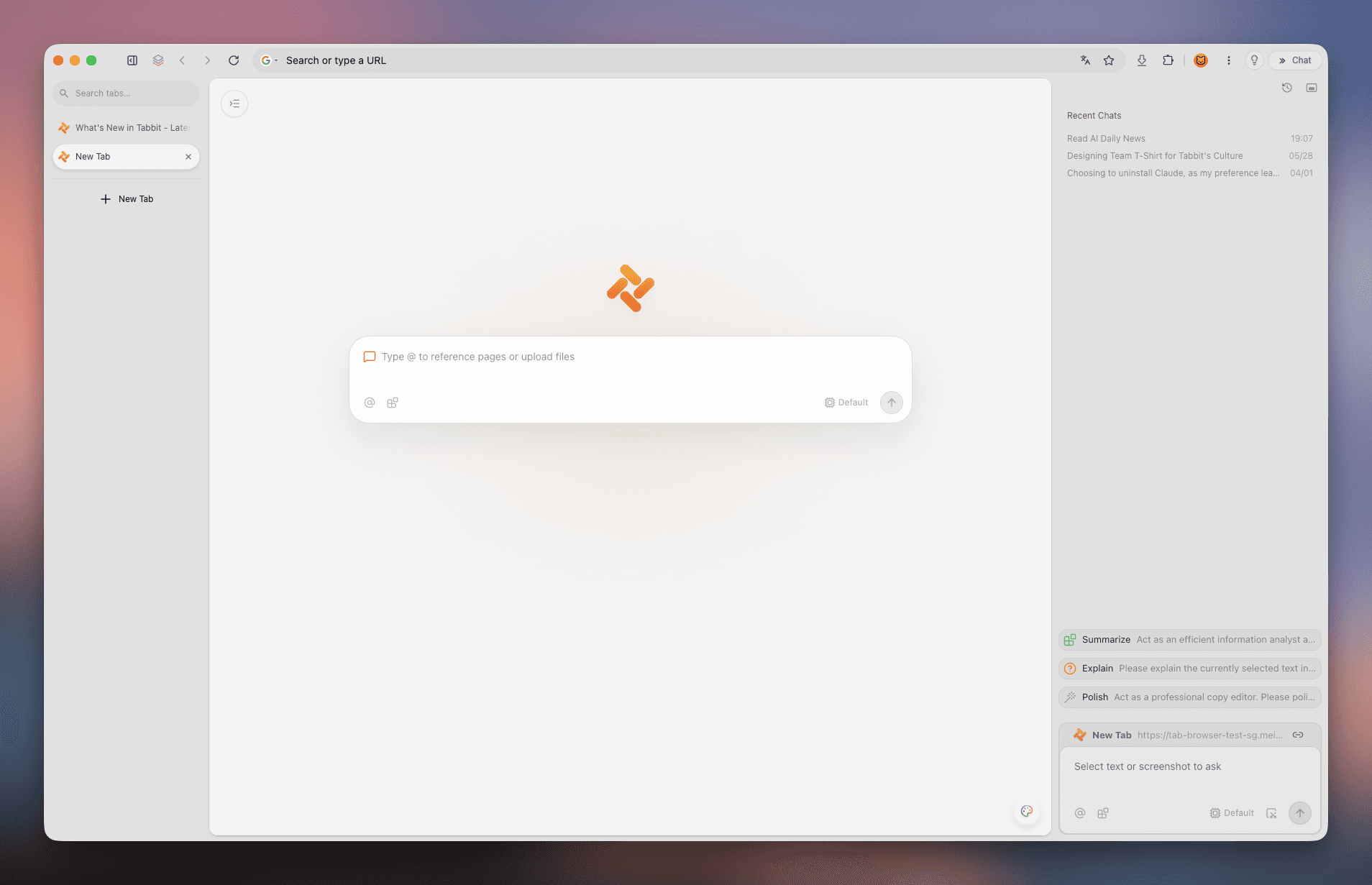
That is the honest positioning: Tabbit is a browser product with an AI workflow layer, not a fourth general-purpose engine. It does not make a WebKit-only iOS browser run Blink. It does not guarantee that a site’s undocumented behavior will work. It can make the investigation more manageable by keeping browser engine sources, notes, and pages in one working context.
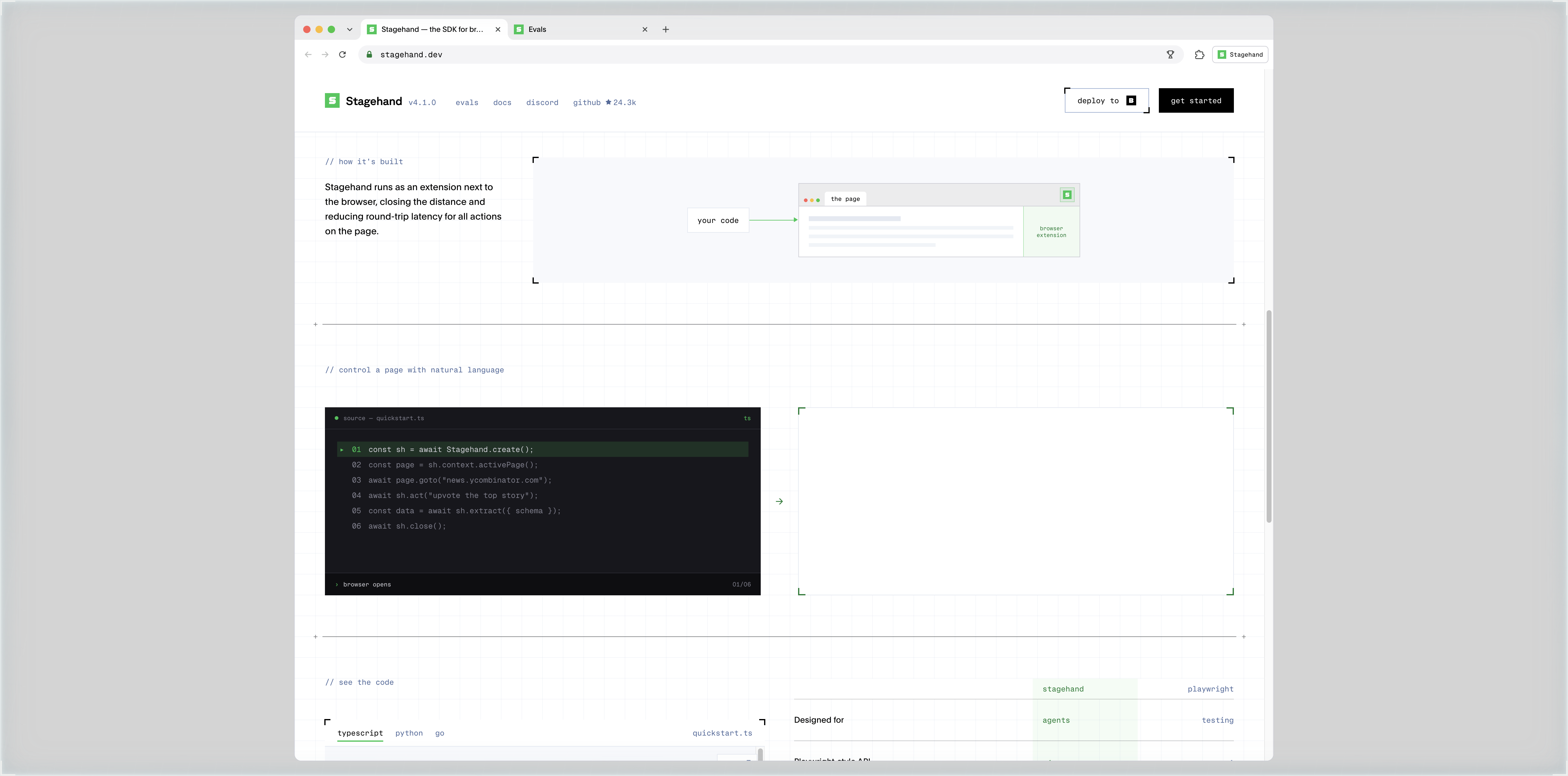
For an automation architecture visual, the Stagehand image in this article is intentionally illustrative. It shows a browser page, code, and an extension-style workflow. It is not a diagram of Tabbit’s internal implementation. That distinction matters when a product description sounds more precise than the evidence behind it.
Which browser should you choose?
Use this order:
List your must-use sites and devices.
Check whether a site or extension documents browser support.
Test the actual workflow, including sign-in, downloads, media, and permissions.
Compare the product layer: privacy controls, sync, interface, accessibility, and AI features.
Keep a second browser when one engine or platform constraint blocks a task.
If you want a conventional browser with the broadest Chromium compatibility, a Chromium-based product may be a practical fit, but the product around Blink still matters. If you need Firefox’s engine family or want to support independent engine development, Gecko is a deliberate choice with possible site-specific trade-offs. If your devices center on Apple’s platforms, WebKit and Apple’s platform rules become part of the decision. If your bottleneck is research, repetitive browser work, or too many open pages, compare the workflow layer too. Tab groups, a second browser, and agentic browsers solve different problems.
The short answer is simple: the engine tells you how a browser implements the web. It does not tell you everything about the browser you are using. Choose the product that fits your sites, devices, data preferences, and workflow. If you want to test an AI workflow around a Chromium-based browser, install Tabbit Browser and start with one real research task.
Frequently asked questions
What is a browser engine?
A browser engine turns web documents and resources into the page you see and use. It parses HTML and CSS, builds a document representation, runs scripts with a JavaScript engine, and performs layout, painting, and related browser work.
Is Chromium the same as Blink?
No. Chromium is an open-source browser project and codebase. Blink is the rendering engine used by Chromium-based browsers, while V8 is the JavaScript and WebAssembly engine used in Chromium.
What is the difference between a rendering engine and a JavaScript engine?
The rendering engine handles the web platform and turns document structure and styles into a usable page. A JavaScript engine executes JavaScript and WebAssembly; it is one part of the browser stack, not the whole browser.
Do Chrome, Edge, and Brave use the same browser engine?
They are Chromium-based and use Blink for rendering, but each product can add its own interface, services, settings, extensions, and privacy controls. Sharing an engine does not make the products identical.
Does the browser engine decide privacy or speed?
It influences web compatibility and some implementation behavior, but it does not decide the whole product. Privacy controls, telemetry, extensions, hardware, network conditions, and the site itself also affect what you experience.

FAQ
What is a browser engine?
A browser engine turns web documents and resources into the page you see and use. It parses HTML and CSS, builds a document representation, runs scripts with a JavaScript engine, and performs layout, painting, and related browser work.
Is Chromium the same as Blink?
No. Chromium is an open-source browser project and codebase. Blink is the rendering engine used by Chromium-based browsers, while V8 is the JavaScript and WebAssembly engine used in Chromium.
What is the difference between a rendering engine and a JavaScript engine?
The rendering engine handles the web platform and turns document structure and styles into a usable page. A JavaScript engine executes JavaScript and WebAssembly; it is one part of the browser stack, not the whole browser.
Do Chrome, Edge, and Brave use the same browser engine?
They are Chromium-based and use Blink for rendering, but each product can add its own interface, services, settings, extensions, and privacy controls. Sharing an engine does not make the products identical.
Does the browser engine decide privacy or speed?
It influences web compatibility and some implementation behavior, but it does not decide the whole product. Privacy controls, telemetry, extensions, hardware, network conditions, and the site itself also affect what you experience.