
You changed Chrome's homepage, restarted the browser, and nothing seemed to change. The page that opens at startup is still different. Or a new tab sends you to a search page you never chose. This usually means Chrome has three separate settings in play, not one broken homepage switch.
Google's Chrome Help guide separates the Home button from startup pages. That distinction is the whole fix. I will show the desktop and Android paths, explain the iPhone and iPad boundary, and then cover extensions and company policies. If the work you do after a page opens is the bigger problem, Tabbit Browser is a separate desktop option to consider.
Key takeaways
The Home button page is set under Settings > Appearance.
Startup behavior is set under Settings > On startup.
The New Tab page is a separate Chrome surface; a normal homepage setting does not replace it.
The default search engine controls searches from the address bar, not the Home button.
An extension or managed policy can override what you select.
Homepage, startup page, New Tab, and search engine at a glance
| Surface | Where to change it | What it controls | What it does not control |
|---|---|---|---|
| Home button | Settings > Appearance > Show home button | The page opened by the Home icon | Startup tabs or address-bar searches |
| Startup pages | Settings > On startup | Pages shown when Chrome launches | A click on the Home icon |
| New Tab page | New-tab settings or an extension | The page shown in a new tab | The Home button by itself |
| Search engine | Settings > Search engine | Searches typed in the address bar | Which page opens at launch |
That is why “I set my homepage” can be true while Chrome still opens another page. The settings answer different events.
Set the Home button page on a Windows, Mac, or Linux computer
Open Chrome and select the three-dot menu.
Choose Settings, then Appearance.
Turn on Show home button.
Select Use the New Tab page, or enter a custom web address.
Click the Home icon to confirm the result.
Use a complete address, such as https://example.com. If Chrome opens the right page when you click Home, this setting works. A different page at launch points to the On startup section below, not to a failed Home button setting.
Choose what opens when Chrome starts
Open Settings > On startup. Chrome gives you three practical choices:
Open the New Tab page.
Continue where you left off.
Open a specific page or set of pages.
For a custom launch page, choose Open a specific page or set of pages, then add the address. Remove entries you do not recognize. If several tabs appear, Chrome is following a list, not treating the first page as its homepage.
Startup pages are useful for a fixed work dashboard, but they can become annoying when an old product page or ad keeps returning. Keep the list short and test by fully quitting Chrome before starting it again.
Set a homepage in Chrome on Android
Google's Android route is separate from the desktop controls. In Chrome:
Tap More, then Settings.
Tap Homepage.
Turn the setting on.
Enter the web address you want, then return to Chrome and tap Home.
The exact labels can move between Chrome releases and phone makers. This setting changes the Home destination. It does not promise to change Android's default browser, another app's in-app viewer, or the New Tab page.
What about Chrome on iPhone and iPad?
Chrome for iOS and iPadOS does not expose the same desktop Home button and startup-page controls. Use bookmarks or shortcuts on the New Tab page for quick access. If your goal is to decide which app opens an ordinary link, use the iOS default-browser control instead; this default-browser guide covers that separate setting.
Why the New Tab page still looks wrong
The New Tab page is not the Home button page. Start with the obvious checks:
Open
chrome://extensionsand look for an extension that says it changes new tabs or search.Disable unfamiliar extensions one at a time.
Open a fresh tab after each change.
If a setting is greyed out or says it is managed, open
chrome://policy.
A redirect to Yahoo, Bing, or another unfamiliar search page is a reason to inspect extensions and policy, not to keep changing the homepage field. If address-bar suggestions are the issue instead, see why Chrome suggestions disappear.
When an extension or administrator controls the setting
Google publishes policies for homepage location, startup behavior, and extension settings. On a work or school computer, an administrator can set or lock these values. Chrome Enterprise documentation says to inspect chrome://policy after reloading policies.
If the browser is yours, remove extensions you do not need and check the homepage again. If the setting returns after every restart, check for a device management profile or security software. On a managed device, ask IT before changing registry files or deleting policy folders. For a suspicious extension, this malware-extension guide is a safer next read.
A practical desktop option: Tabbit Browser
Tabbit Browser is not a Chrome settings repair tool. It is a desktop Chromium browser for Windows and macOS. Its setup can import Chrome bookmarks and settings, which is useful when you want a separate work browser without abandoning the old profile. Back up browser data first if the data matters.
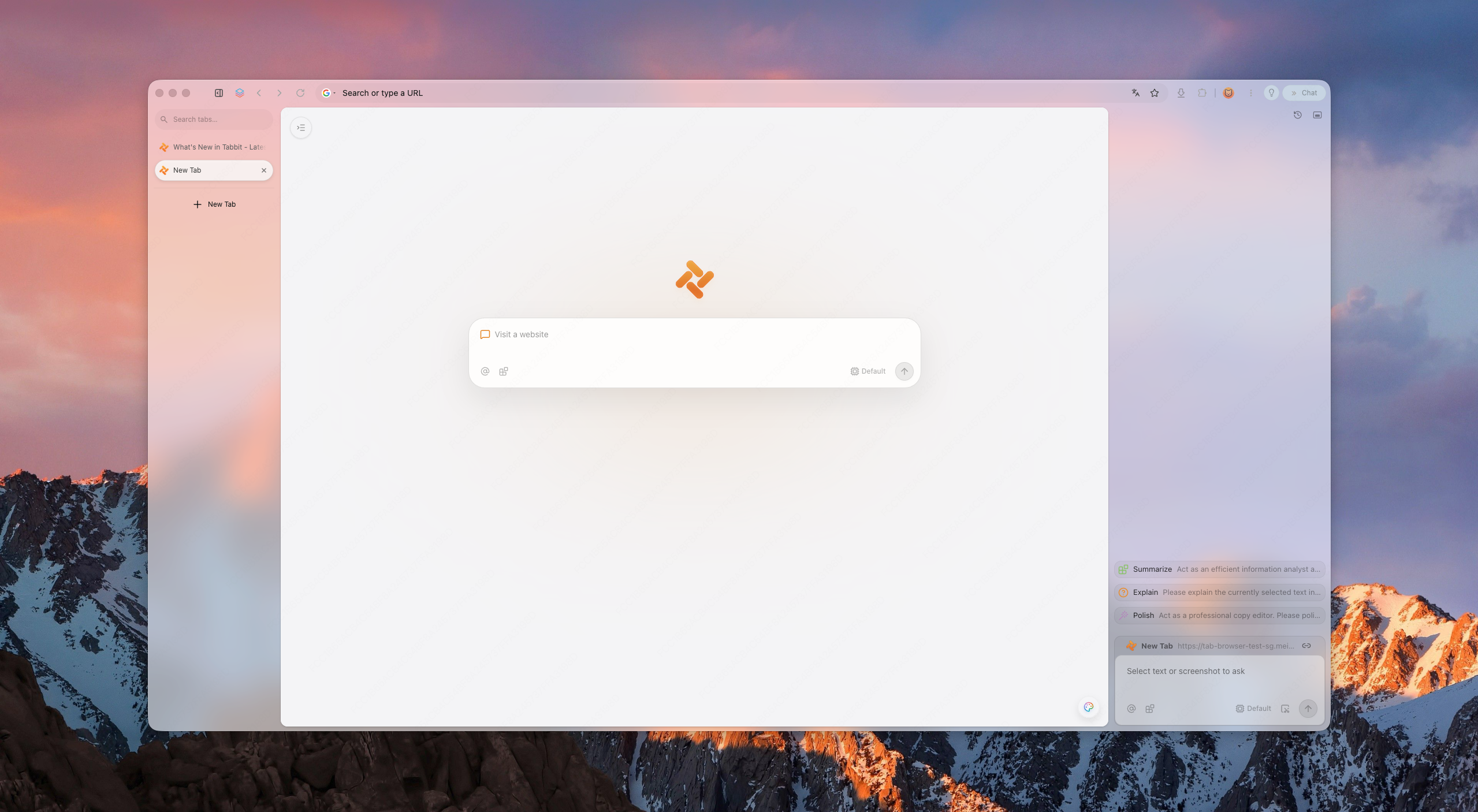
Once a page is open, Tabbit can use the page, selected text, screenshots, tab groups, bookmarks, and local files as context for AI work. Its Agent Mode can help with supervised browser tasks. It does not change Chrome's homepage, override a company's Chrome policy, or turn an iPhone or Android into a Tabbit browser.
That boundary is useful. Keep Chrome when you need its mobile sync, a corporate Chrome setup, or a site your team has only tested there. Try Tabbit when the pain is the work inside the browser: research, content tasks, or repeated website actions. Browser profiles can keep those contexts apart, and the AI browser guide explains the broader category.
Which fix fits the symptom?
| Symptom | First check | Likely boundary |
|---|---|---|
| Home icon opens the wrong page | Settings > Appearance | Home button setting |
| Correct Home icon, wrong launch tabs | Settings > On startup | Startup pages list |
| New tabs redirect | chrome://extensions | Extension or policy |
| Address-bar searches use the wrong provider | Settings > Search engine | Search engine setting |
| Setting is locked or returns | chrome://policy | Administrator or device management |
If you want a second browser for work, read how to use a second browser. If you are leaving Chrome completely, compare Chrome alternatives and make a backup first.
Frequently asked questions
Can the Home button and startup page be different?
Yes. Chrome stores them separately. The Home icon can open one address while startup opens a different page or restores the previous session.
Does changing the homepage change Google Search?
No. The search engine is a separate setting for address-bar searches. Changing it does not change the Home button or startup list.
Why does a new tab open a custom search page?
An extension, policy, or browser setting may be controlling the New Tab surface. Check extensions first, then chrome://policy if the setting is locked.
Will syncing Chrome copy the homepage to every device?
Do not assume that it will. The available controls and system boundaries differ between desktop, Android, and iOS. Check the setting on the device where the problem occurs.
Can Tabbit import my Chrome homepage?
Tabbit's setup can import Chrome bookmarks and settings, but it should not be treated as a guaranteed copy of every Chrome startup or extension rule. Verify the imported pages and logins yourself.
Should I remove an extension I do not recognize?
If you did not install or need it, disable it first and see whether the redirect stops. Remove it only after checking any saved workflow it supports, and ask an administrator if the browser is managed.

FAQ
How do I set the Home button page in Chrome on a computer?
Open Chrome Settings, choose Appearance, turn on Show home button, then choose either the New Tab page or a custom web address. The Home button destination is separate from the pages that open at startup.
Why does Chrome open a different page when it starts?
Open Settings > On startup and choose Open the New Tab page, Continue where you left off, or Open a specific page or set of pages. A startup choice does not change the Home button destination.
Can I change the New Tab page in Chrome?
Chrome's normal homepage setting does not replace the New Tab page. A new-tab extension or a managed policy may control it, so check chrome://extensions and chrome://policy if the page is unexpected.
How do I set a homepage in Chrome on Android?
In Chrome for Android, open More > Settings > Homepage, turn the setting on, and enter the address you want. Menu names can vary by Chrome version and device.
Can I set the same Chrome homepage on iPhone or iPad?
Chrome for iPhone and iPad does not expose the same desktop Home button and startup-page controls. You can use bookmarks or the New Tab shortcuts, while the default browser choice is a separate iOS setting.
What should I do if an extension keeps changing my homepage?
Open chrome://extensions, disable or remove extensions you do not recognize, and check Chrome Settings again. If the setting is locked, open chrome://policy and ask the device administrator; do not install a random cleanup tool.