
What GPT-6.1 Terra computer use actually does
GPT-6.1 Terra is a promising choice when an AI needs to operate software quickly and at a manageable cost. It interprets screens, decides what to do, and uses connected tools to click, type, scroll, and move through applications. OpenAI's examples include entering invoices, filling forms, editing video, and working from technical drawings. The useful output is a changed application or saved file, not just advice about where to click.
The number to remember is more than 3× faster task completion than GPT-6 Astra and GPT-6.1 Sol on Agents' Last Exam, according to OpenAI's launch report. Standard API input and output rates are also half Sol's. That combination makes Terra worth evaluating for repetitive computer work. It does not mean every task runs three times faster, or that Terra beats every human.
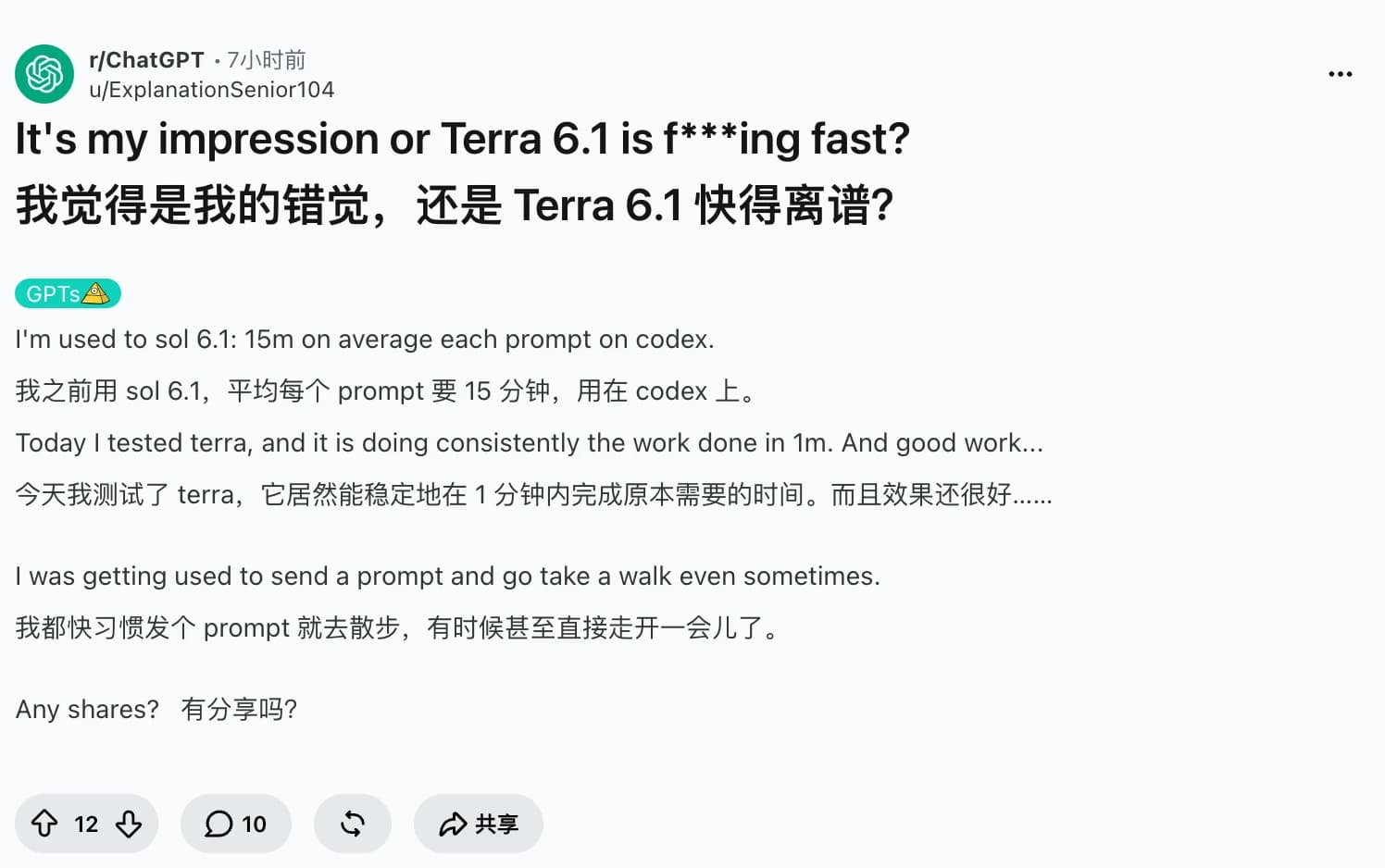
Early feedback captures the appeal. u/ExplanationSenior104 described Codex tasks finishing in about a minute, compared with much longer waits in their Sol sessions. This is a personal report with uncontrolled inputs. Later sections compare that excitement with reports of lower drawing quality and interrupted document work, then offer a browser evaluation using Tabbit Browser.
Key takeaways
Terra combines visual reasoning and action selection. A connected browser or desktop runtime performs the actions.
OpenAI's threefold speed claim compares models on professional computer tasks. It is not a human benchmark or a token-throughput measurement.
Standard short-context API rates are $1 input, $0.05 cached input, and $5 output per million tokens, checked October 27, 2026.
The strongest first use cases have a clear finish line, such as a checked table, saved draft, or reconciled set of fields.
Count human review and retries when deciding whether automation saves time.
For broader model selection, see the Terra review; billing details belong in the Terra pricing guide. This article focuses on operating software. The model resource page groups adjacent material.
The speed improvement that changes the decision
Waiting is a practical barrier to computer use. If an agent takes longer to fill a form than doing it yourself, delegating introduces overhead. Faster completion can make interactive help worthwhile as well as background automation.
The a16z interview linked by BestBlogs explains why OpenAI is pursuing that threshold. Ari Weinstein and James Sun discuss software operation through existing interfaces, including applications whose vendors never supplied an API. They describe faster-than-average-human operation and an ambition to exceed expert users. Their examples span calendar invitations, Sentry logs, procurement, and finance reconciliation.
There is a version boundary here. The conversation discusses GPT-6 Astra and OpenAI's computer-use products. It is useful context for Terra's direction, but it does not measure Terra against a human control group. BestBlogs provides an edited summary and transcript, with a link to the original a16z video. The video itself was inaccessible in this research session; the accessible BestBlogs text is the basis for this account.
The practical comparison is simple:
Total agent time = briefing + execution + review + correction
Time saved = manual completion time - total agent time
A fast cursor is useful only if the resulting work passes inspection. Include the time spent finding a missing file or correcting a wrong invoice total.
Computer-use evidence at a glance
All benchmark statements below come from OpenAI's October 26 launch report. They describe different comparisons and must not be multiplied into one universal saving.
| Evaluation or price | Reported result | What it helps decide |
|---|---|---|
| Agents' Last Exam, completion time | Terra completes tasks over 3× faster than Astra and Sol | Whether waiting time could make delegation practical |
| Agents' Last Exam, medium effort | 15 percentage points above GPT-5.6 Terra at about one-third the task cost | Whether to evaluate an upgrade from the previous Terra |
| Agents' Last Exam, medium effort versus Astra | Comparable performance at one-tenth the token price | Whether the workload needs Astra's broader capability |
| Agents' Last Exam, max effort versus Opus 5.5 | Approximately 9× lower task cost | A benchmark-specific cost comparison, not a general bill |
| OSWorld 2.1 | Terra medium exceeds the previous Terra's best score | Evidence of progress in multi-step desktop tasks |
| Standard short-context API | $1 input / $0.05 cached input / $5 output per million tokens | The base rates for your own cost calculation |
These are vendor evaluations, not this article's tests. Agents' Last Exam and OSWorld measure particular task sets with particular tools and settings. OpenAI does not establish a universal Terra-versus-human speed ratio in this report. A score also does not show whether the saved file in your application is correct. The previous Terra guide covers an older model and should not be used as the current specification.
Where the capability is useful
Reading a screen and acting on its contents
Invoice entry is a concrete example. The agent reads a document, locates the corresponding fields in accounting software, enters values, and checks the result. The same pattern applies to structured forms and administrative dashboards. OpenAI lists invoice processing as a target workload, not as a guarantee that every accounting interface is supported.
The distinction from ordinary chat matters. An AI agent needs tools, observations, and a way to verify progress. Terra supplies model capability; the surrounding application supplies access and execution.
Working in visual applications
The launch evaluation includes turning architectural drawings into 3D models and reviewing animation shot by shot to create timecoded repair notes. These tasks need spatial or visual interpretation alongside software operation. They explain why computer use is broader than opening websites or producing code.
The model card lists text and image input with text output. Editing a video through software does not mean the raw API accepts video as a native input or returns an edited video file by itself.
Repeating tasks at a workable price
Lower token rates matter when one task requires many observation and action turns. A workflow that is too expensive to run on every incoming item may become worth testing with Terra. Start with an explicit output specification and medium effort, the documented default, then raise effort only if your checks justify it.
For hard programming work, the choice differs. OpenAI still points users toward Sol or Astra. The Sol review and Astra review cover those broader tradeoffs.
What cheap computer use actually costs
For standard requests within the short-context threshold, a useful partial calculation is:
Token cost in USD = uncached input × 1 / 1,000,000
                  + cached input × 0.05 / 1,000,000
                  + output × 5 / 1,000,000
For example, 20,000 uncached input tokens and 4,000 output tokens cost $0.04 at these rates. This is an illustrative token calculation, not a measured computer-use task. It excludes cache writes, tools, execution infrastructure, and human review. If half the same input tokens are billed as cache reads, the token subtotal becomes $0.0305.
The model card lists additional adjustments, including requests above 272K input tokens and different service tiers. Screenshot-heavy work also increases input usage. ChatGPT Work, Codex allowances, and Tabbit membership are separate products; API rates cannot tell you how much of a subscription quota a task consumes.
The more useful operational metric is:
Cost per accepted result = total run and review cost / accepted resultsCount failed attempts in the numerator. A cheap attempt that needs a complete manual redo has delivered little value.
What users liked, and where it fell short
Speed is visible in actual workflows
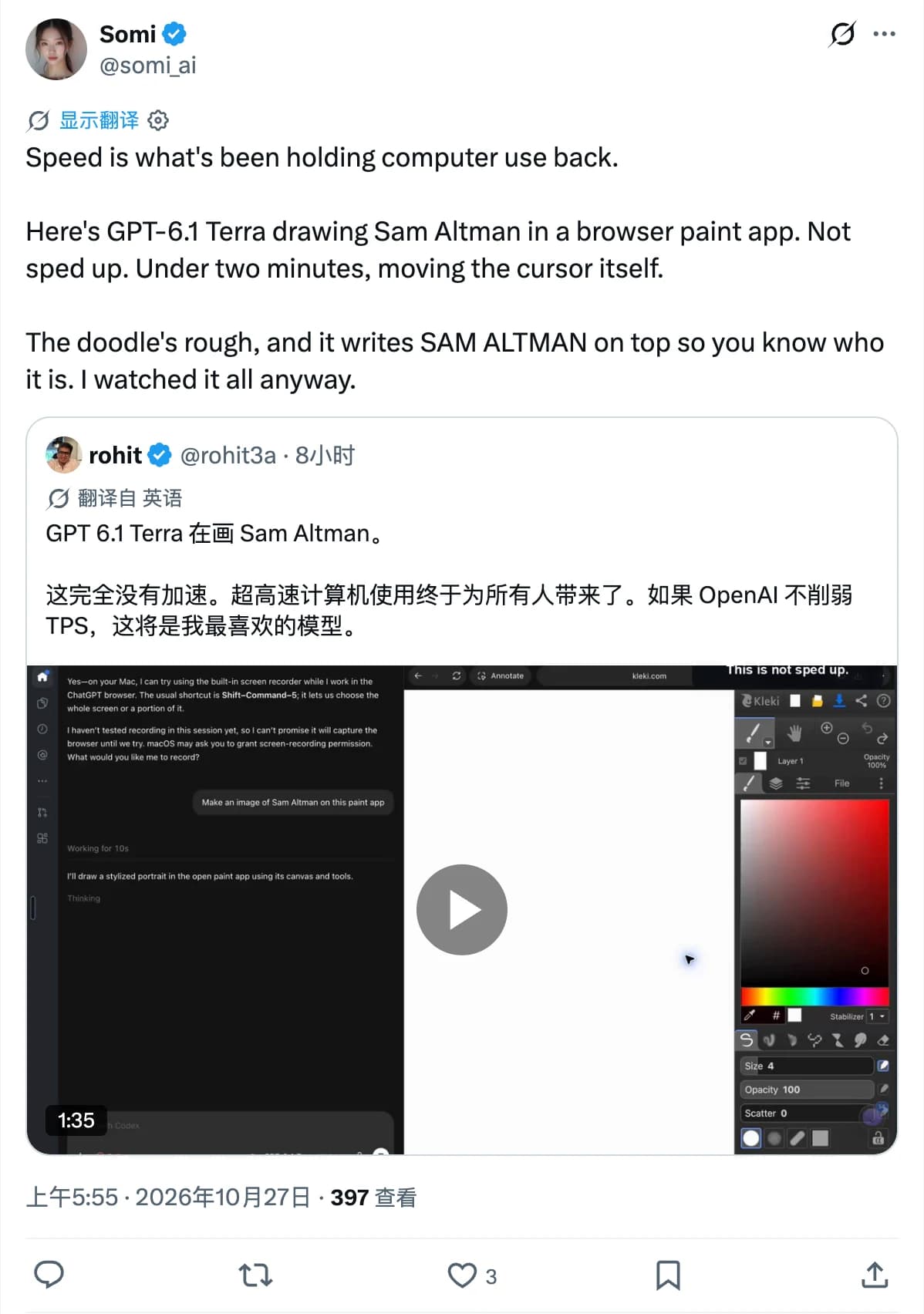
Somi on X shared rohit's browser-paint demonstration and described a rough portrait produced in under two minutes without speeding up the recording. The post is a visible example of software interaction, not an independently timed benchmark. This research checked the post and recording preview, not every frame of the video.
The Codex user mentioned earlier reported much shorter waits. Their inputs, reasoning settings, and acceptance criteria were not controlled, so the reported minute-long tasks cannot establish a general speed ratio.
Quality and persistence still need checks
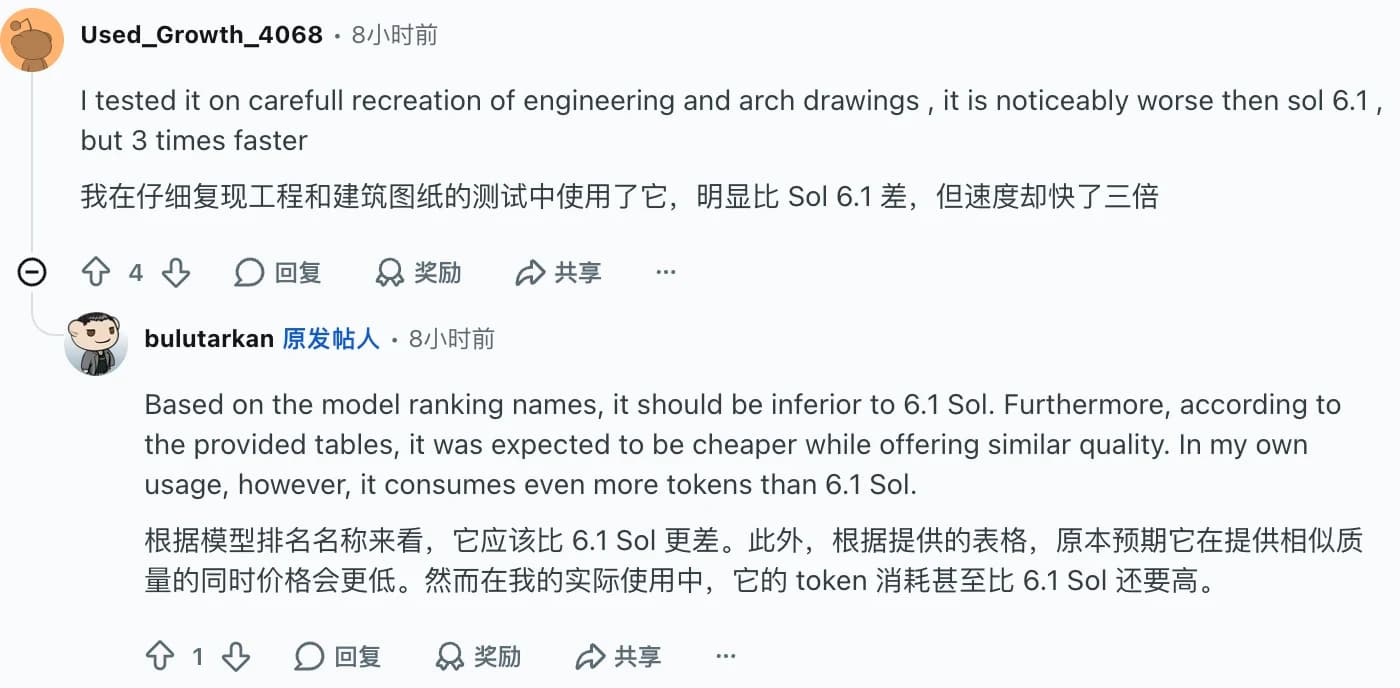
u/Used_Growth_4068 reported faster engineering and architectural drawing recreation but worse results than Sol. That is exactly the tradeoff a visual workflow should measure. Check dimensions, labels, and saved output rather than accepting a fast completion message.
u/NewConfusion9480 described a PDF evidence-index task that stopped repeatedly, then completed with Sol. The report does not isolate model behavior from Work's orchestration or session state. It is still a reason to test persistence on long workflows.
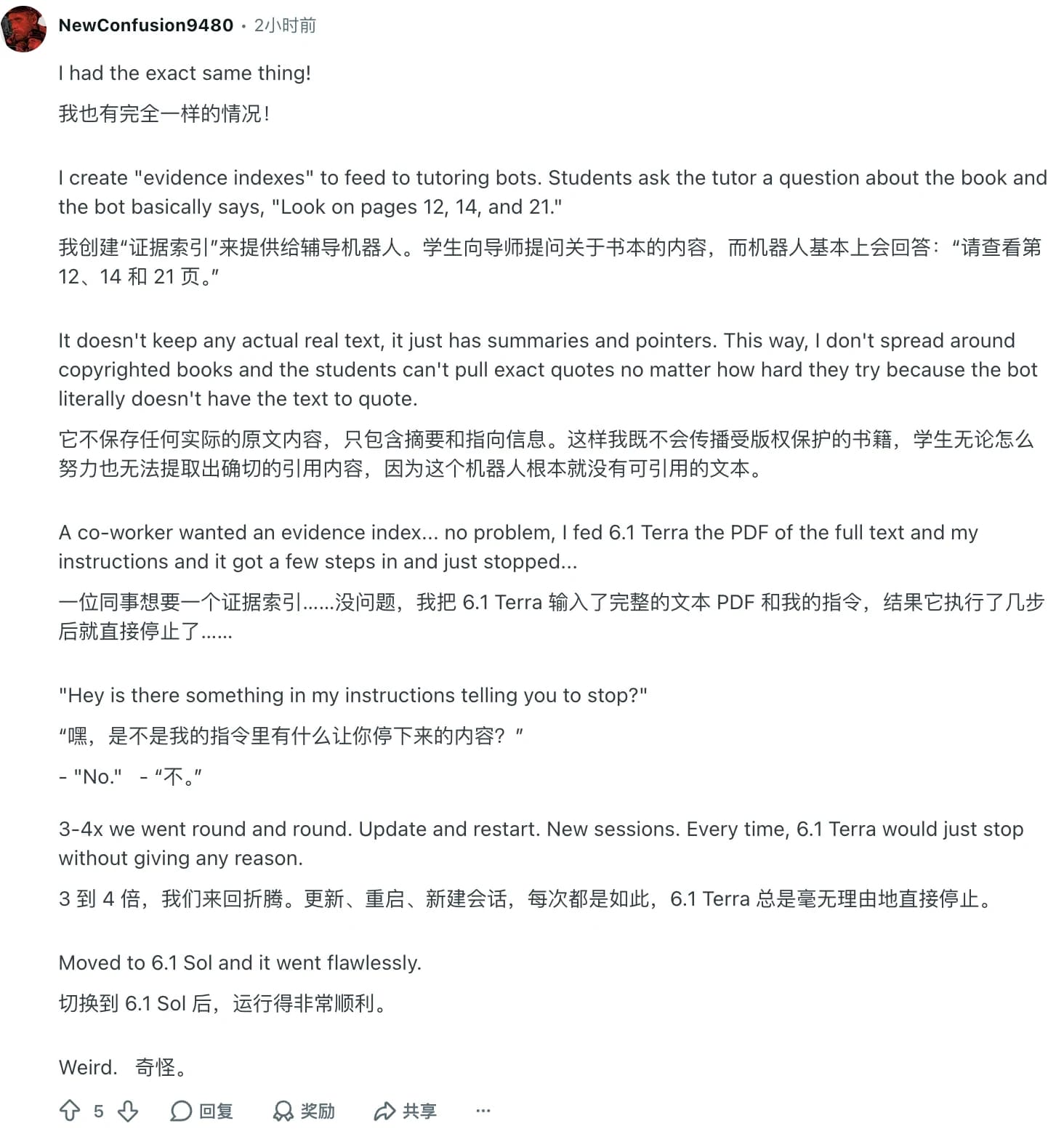
Original interruption comment.
A third limitation is access and control. The computer-use integration guide requires an execution environment, action handling, observations, and outcome verification. Calling the model does not grant desktop access. Pages can also contain malicious instructions, so application permissions and approval rules belong in the runtime.
A practical browser evaluation with Tabbit
Tabbit Browser is relevant when the work already lives in tabs. Its task workflows and page context let you define an output without building an entire browser integration. An agentic browser supplies a different product experience from a raw model API. The Tabbit workflow guide and usage examples explain that route.
First check whether your account offers GPT-6.1 Terra in the required task mode. This article has not verified a Terra-selected Tabbit run. The following is a proposed evaluation; it contains no claimed Terra latency, success rate, or Tabbit price.
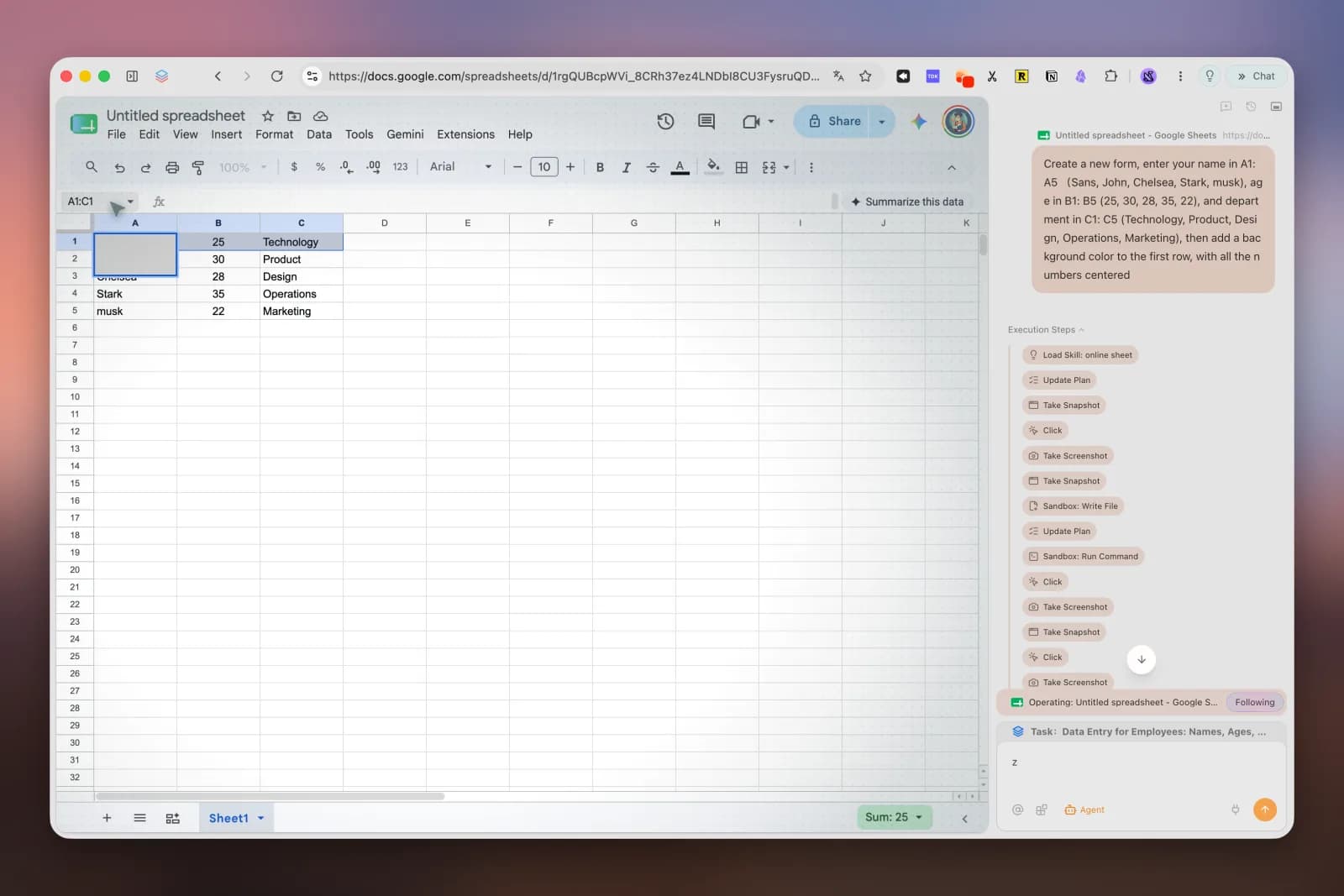
Use two fixed public pages with the same four fields and a blank local output table. Record the model display name, available tool mode, input pages, expected values, and result. Run each sample three times if access permits. Inspect every field and source link, and include review and correction in elapsed time.
Read these two supplied pages. Create one table with four columns:
product name, listed price, stated availability, and source URL.
Use only facts visible on those pages. Write "not stated" for missing facts.
Do not register, purchase, send messages, or submit forms.
Check every row against its source before reporting completion.
List any unfinished steps and save the result as a local draft.
The browser workflow keeps sources close to the output, but it does not establish native desktop application support or Terra availability in every region. Confirm the account's model and membership rules before adopting it.
The verdict by workload
| Your work | Starting choice | Check before relying on it |
|---|---|---|
| Repeated screen-to-form tasks with explicit fields | Evaluate Terra | Field accuracy, saved state, duplicate prevention |
| Draft visual work and timecoded review notes | Evaluate Terra | Output quality and the time needed to repair mistakes |
| Long workflows that cannot silently stop | Run a fixed trial before switching | Persistence, recovery, and unfinished-step reporting |
| The most complex coding or research | Start by comparing Sol or Astra | Quality on your actual acceptance criteria |
| Work across browser tabs without building a runtime | Evaluate Tabbit's task workflow | Model availability, permissions, and source verification |
Terra makes a convincing case for faster, lower-cost computer work. The evidence supports testing it on bounded visual tasks today. A claim that it universally outpaces humans goes beyond the available comparison. Time one real workflow, inspect the saved result, and keep the option that saves time after review.
 Tabbit Browser
FAQ
What can GPT-6.1 Terra computer use do?
It can interpret application screens and choose actions such as clicking, typing, scrolling, and dragging through a connected runtime. OpenAI describes tasks including invoice entry, form filling, video editing, and work with technical drawings. The model still needs tools and an execution environment to perform those actions.
Is GPT-6.1 Terra faster than a human?
OpenAI reports task completion more than three times faster than Astra and Sol on Agents' Last Exam. A separate interview describes OpenAI computer use as faster than average people and approaching expert speed. That interview does not establish a controlled Terra-versus-human result.
How much does Terra computer use cost?
As checked on October 27, 2026, standard short-context API rates are $1 per million uncached input tokens, $0.05 for cached input, and $5 for output. Tool, environment, cache-write, service-tier, and long-context charges can add to that. Consumer subscriptions and Tabbit membership follow separate rules.
Does calling the API give Terra access to my computer?
No. Your application must supply a browser or desktop runtime and execute permitted actions. OpenAI's model documentation says tool calling requires the Responses API.
Should I use Terra or Sol for automation?
Terra is a strong candidate for bounded visual workflows with clear acceptance checks. OpenAI still recommends Sol or Astra for the most complex coding work. Compare saved results, intervention time, and cost on the same tasks before switching.
Can I run GPT-6.1 Terra in Tabbit Browser?
Check the model picker and task-mode availability in your current account and region. This article has not verified a Terra-selected Tabbit run. Its browser workflow is a proposed evaluation, and its screenshot illustrates Tabbit rather than a Terra performance result.