
You boot up your computer, open Microsoft Edge to check your pinned Slack, WhatsApp, or Notion dock on the right side of the screen, and discover that the entire sidebar web apps list has vanished. Where you once had instant access to utility pages and custom chat tools, you now find only an immovable Copilot icon.
For desktop power users who relied on Edge specifically for side-by-side multitasking, the change feels less like a simplification and more like an eviction. When Microsoft began deprecating the ability to pin arbitrary web apps to the sidebar in recent Edge builds (including Version 149 and beyond), community members immediately organized pushback. As Reddit user u/EbbPast6735 posted on r/MicrosoftEdge:
When an essential workflow disappears overnight, searching for temporary flags, registry workarounds, or downgrade installers is the natural impulse. But fighting upstream Chromium removals is a losing battle. In this guide, we break down why Edge's sidebar apps were retired, why temporary bypasses always fail, how alternative browsers like Vivaldi and Zen handle web panels, and how moving to an AI-native environment like Tabbit Browser gives you a far more capable multitasking workspace.

Key takeaways
The sidebar app list was retired by design: Microsoft removed the custom web app pinning list to declutter Edge for mainstream users and secure prime screen space for Copilot.
Flags and shortcut parameters are dead ends: Command-line switches like
--disable-featuresonly work until the underlying C++ code is deleted from the Chromium codebase in subsequent releases.Downgrading creates critical security risks: Freezing your browser version blocks essential security patches and exposes your system to remote code execution exploits.
Conventional browsers offer solid static panels: Browsers like Vivaldi and Opera provide native web panels for pinning messaging apps and reference documents alongside your tabs.
AI-native browsers upgrade the entire paradigm: If you used the sidebar for research, notes, and AI assistants, moving to a modern productivity browser with built-in agent automation eliminates the friction of manual tab juggling.
Sidebar workflows across browsers at a glance
Before re-configuring your daily setup, look at how different modern browsers currently handle side panels, custom web apps, and AI integration.
| Browser | Custom Web App Support | AI Assistant Flexibility | Tab & Workspace System | Ideal Use Case |
|---|---|---|---|---|
| Microsoft Edge (Post-v149) | Removed (Copilot panel only) | Locked to Microsoft Copilot | Vertical tabs, Workspaces | Microsoft 365 enterprise environments |
| Vivaldi | Native Web Panels (Any URL, mobile/desktop view) | Basic optional built-in client | Advanced tab stacking & 2-level bar | Power users wanting granular custom panels |
| Opera / Opera One | Pre-selected messengers & custom shortcuts | Aria AI / Custom web prompt | Workspaces & Tab Islands | Casual users wanting quick social docks |
| Zen Browser | Web Panels via Firefox engine | None built-in (extension-based) | Native vertical tabs & split views | Open-source Firefox enthusiasts |
| Tabbit Browser | Native side-by-side workspace & tools | Multi-model (GPT, Claude, Gemini) | Smart vertical tabs & Agent groups | Knowledge workers, researchers & multi-taskers |
What happened to Microsoft Edge's sidebar apps?
The shift from general productivity to exclusive Copilot placement
When Microsoft introduced the Edge sidebar, it was marketed as a lightweight multitasking companion. You could hit the + button, paste any web URL—from Google Translate and Spotify to internal company portals—and keep it docked neatly beside your active web pages.
However, as tech publications like XDA Developers and Ghacks reported, Microsoft shifted its desktop strategy toward streamlining browser bloat. Internal telemetry indicated that mainstream users rarely customized their sidebar apps, while the interface footprint added maintenance overhead.
More importantly, the right-hand margin became the central anchor for Microsoft Copilot. By retiring third-party web app docking, Microsoft transformed what was once a versatile user canvas into a dedicated channel for its own AI ecosystem.
Why flags and shortcut switches won't save your setup
When the update rolls out, many users turn to Reddit or forums looking for temporary launch flags, such as modifying the Edge desktop shortcut with command-line switches or tweaking entries in edge://flags.
As we explored in our breakdown of browser UI updates and legacy flags, these workarounds carry a strict expiration date:
Flags are developer test switches, not settings: Chromium maintainers include feature flags solely for A/B testing and staged rollouts. Once a feature decision is finalized, the fallback rendering logic is completely stripped from the source code.
Shortcut switches break on external links: Adding
--disable-featuresto a desktop shortcut only applies when Edge is launched from that exact icon. Clicking a link in Discord, Slack, or an email client opens the default browser profile without flags.Downgrading compromises browser security: Halting browser updates leaves your machine vulnerable to active zero-day exploits in the V8 engine and can corrupt your local
Web Dataand SQLite profile databases.
Relying on hacks to preserve a discontinued interface creates constant friction. The sustainable path is migrating your workflow to a platform built for productivity.
What power users actually lost: the side-by-side web app workflow
The frustration surrounding the removal of the sidebar is not about losing a visual gadget; it is about breaking established daily ergonomics.
Floating chats, quick notes, and dev tools without tab context loss
Desktop work rarely happens in a single tab. Power users relied on the sidebar to solve three specific friction points:
Persistent communication: Keeping WhatsApp Web, Telegram, or Slack visible in a narrow strip while reading technical documentation or writing reports.
Reference tools: Running a calculator, currency converter, or dictionary without switching away from an active form or draft.
Independent AI assistants: Users who preferred chatting with Claude or ChatGPT directly in a side drawer without overriding their primary tab view.
As Reddit user u/TheMexicanTrader highlighted:
The memory and window management cost of opening separate tabs
When you cannot dock secondary tools to a side rail, you are forced into one of two awkward compromises:
Tab hoarding: Opening your reference tools as full tabs in your horizontal strip, which causes favicon crowding and frequent accidental tab closures.
Messy window snapping: Splitting your desktop into two separate browser windows side-by-side, which clutters your taskbar and doubles window-frame overhead.
When everyday workflows require managing dozens of active pages across different projects, understanding browser profiles vs workspaces vs tab groups becomes essential to keeping your desktop organized.
How to restore your web app workflow in alternative browsers
If your primary requirement is restoring a sidebar that houses arbitrary web pages, several mature options exist today.
1. Vivaldi: The powerhouse of customizable Web Panels
Vivaldi remains the gold standard for interface customization. Its Web Panels feature allows you to add any website to a collapsible side rail:
Mobile vs Desktop Rendering: You can force a web panel to request mobile user-agents, saving horizontal screen width for messaging apps.
Periodic Reloading: Panels can be configured to auto-refresh at set intervals (e.g., live stock feeds or server monitoring dashboards).
Independent Width: Each pinned panel can remember its own custom width.
For power users who want extreme control over UI layout and shortcuts, Vivaldi provides an exact—and often superior—replacement for Edge's former capabilities.
2. Opera / Opera One: Native messengers with pre-bundled sidebars
Opera built its identity around integrated sidebar communicators. Opera One includes native docking for WhatsApp, Facebook Messenger, Telegram, and Discord directly in the left rail.
Pros: Zero configuration required; built-in pop-over animations that slide over your active page without resizing the viewport.
Cons: Adding completely custom URLs is more constrained than in Vivaldi, and the browser includes promotional banners and news feeds that require manual disabling in settings to reduce browser bloat.
3. Zen Browser & Firefox extensions: Lightweight side panels
If you prefer a non-Chromium engine, Zen Browser (built on Firefox) delivers native vertical tabs, customizable workspaces, and collapsible web panels.
Alternatively, standard Firefox users can install extensions such as Sidebery or Tree Style Tab. While Firefox extensions have access to the native sidebar API, running full web pages inside an extension panel can occasionally run into iframe header restrictions (X-Frame-Options) on websites that refuse embedding.
Feature and productivity comparison for multi-tasking setups
Here is how each solution stacks up across real-world productivity dimensions:
| Capability | Microsoft Edge | Vivaldi Web Panels | Opera One Sidebar | Tabbit Browser |
|---|---|---|---|---|
| Pin Any Custom URL | No (Deprecated in v149+) | Yes (Full URL support) | Limited to specific apps | Yes (Native Workspace & Tabs) |
| Mobile Viewport Emulation | No | Yes (Toggle per panel) | Automatic for messengers | Adaptive responsive panels |
| Multiple AI Models | No (Copilot only) | No (External web panel) | No (Aria AI only) | Yes (GPT, Claude, Gemini native) |
| Context-Aware Page Actions | Limited to Copilot | No | No | Yes (Chat with Page & Omnibox) |
| Background Task Automation | No | No | No | Yes (Native Agent Mode) |
| RAM Footprint Overhead | Medium | High (Config heavy) | Medium-High | Optimized (Smart hibernation) |
A practical upgrade: Moving from static sidebars to Tabbit Browser
When you step back and look at why you used Edge's sidebar, the underlying goal was simple: you wanted auxiliary information and tools available instantly without losing context on your primary task.
Static web panels solve this passively—they give you a small window to type in. But in an AI-first workflow, keeping multiple passive web pages open side-by-side still requires you to manually copy text, switch focus, and re-explain instructions between windows.
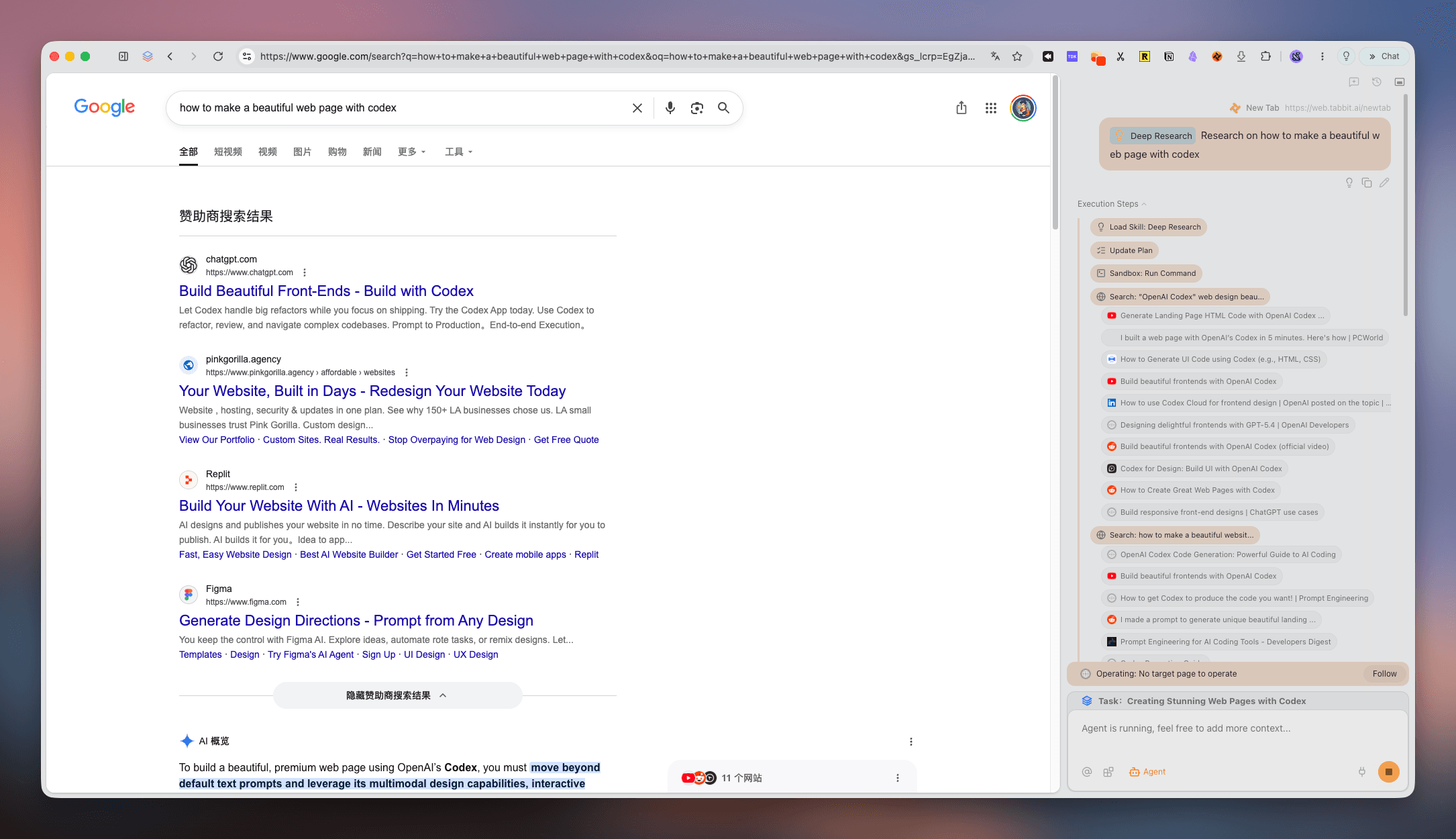
This is where Tabbit Browser offers a modern alternative. Instead of treating the sidebar as an isolated iframe, Tabbit integrates your tabs, side panels, and AI assistants into a cohesive workspace.
Beyond static panels: Native multi-model AI and Agent automation
When Microsoft tied Edge's sidebar exclusively to Copilot, it locked users into a single AI ecosystem. Reddit user u/KassandraKatanoisi noted this exact trade-off:
Tabbit takes the opposite approach by providing native access to top-tier AI models—including ChatGPT, Claude, and Gemini—directly within the browser's workflow:
Chat with Page & Multi-Tab Context: You do not need to copy and paste articles or data into a side panel. You can trigger the Omnibox or side assistant to summarize, extract structured tables, or compare information across all open tabs simultaneously.
Agent Mode for Background Execution: Instead of keeping an e-commerce, CRM, or travel booking page open in a narrow side panel while manually clicking forms, you can delegate the task to Tabbit's Agent. The agent navigates websites, collects data, and compiles results in parallel tab groups while you stay focused on your main screen.
Smart Tab Organization: Tabbit combines clean vertical tabs with automatic grouping, preventing the tab explosion that originally drove users toward side panels.
Real-world scenario: Researching while an Agent handles data gathering
Consider a typical market research task:
In the old Edge sidebar: You kept your primary draft in the main window, opened Google Sheets or ChatGPT in the narrow right sidebar, manually copied snippets back and forth, and struggled with cramped horizontal space.
In Tabbit Browser: You keep your research source open in the main view. You prompt Agent Mode: "Find the pricing tiers, API limits, and export formats for these three tools, and create a comparison summary." Tabbit launches an isolated task group in the background, inspects the live pages, and delivers a completed summary directly to your workspace.
Honest trade-offs and when to choose another tool
Tabbit is designed specifically for users who want a high-focus, AI-augmented desktop environment. However, it may not fit every niche:
If you only want a permanent IRC, Discord, or Spotify mini-player: A dedicated web panel browser like Vivaldi remains the top choice for running persistent, non-AI web frames.
If your organization enforces strict Microsoft Intune policies: Edge may still be mandatory for enterprise single-sign-on and compliance restrictions.
For a broader evaluation of modern browsing environments, check out our guide on how to choose the right browser for speed, privacy, and productivity.
Which browser fits your new sidebar workflow?
Depending on your daily priorities, here is how to make the right transition:
Choose Vivaldi if you need pixel-level control over custom web panels, custom CSS modifications, and specialized panel reload timers.
Choose Zen Browser if you prefer an open-source Firefox foundation with clean vertical layouts and basic web panels.
Choose Tabbit Browser if you want to eliminate manual tab-switching altogether, leverage multi-model AI across your active pages, and automate tedious web tasks with native agents.
If you are ready for a desktop browser that respects your screen space and amplifies your focus, download Tabbit Browser today and experience AI-native productivity without artificial ecosystem barriers.

FAQ
Why did Microsoft remove the sidebar web app pinning from Edge?
Microsoft phased out the customizable sidebar app list to streamline Edge's default interface and prioritize its proprietary Copilot side panel. Telemetry showed that casual users rarely added custom web apps, while heavy multi-taskers were treated as an edge case.
Can I bring back Edge's old sidebar using edge://flags or command switches?
No. While launch switches like --disable-features may temporarily delay the removal in specific beta builds, Chromium developers permanently delete deprecated feature code within two to three version milestones. Flags are not permanent user settings.
Is it safe to downgrade Microsoft Edge to keep the pinned web apps?
No. Running older browser builds leaves your computer exposed to critical Chromium security vulnerabilities and unpatched zero-day exploits. Furthermore, SQLite databases for bookmarks and browsing history can corrupt when opened by outdated builds.
Which desktop browser has the best native sidebar for custom web apps today?
Vivaldi offers the most comprehensive traditional Web Panels, allowing you to pin any URL, customize mobile or desktop viewports, and auto-reload feeds. For AI-augmented workflows, Tabbit provides native multi-model assistance alongside smart vertical tabs.
How do browser extensions compare to built-in browser side panels?
Extensions like Side Space or Sidebery run inside Chromium's restricted extension sandboxes. They cannot match the performance, deep keyboard shortcuts, session persistence, and split-view capabilities of natively integrated browser sidebars.
How does Tabbit Browser solve the sidebar multitasking problem?
Tabbit replaces passive web pinning with an active AI workspace. You get vertical tab management, multi-model choice across ChatGPT, Claude, and Gemini, and background Agent Mode that executes research and tasks without forcing you to juggle secondary windows.