
Bare Browser is an open-source, de-Googled Chromium build for Android. Its main draw is practical: desktop-style extensions, the full uBlock Origin, background media playback and flexible downloads, with Google's built-in AI and selected tracking services removed. It is a separate project from Brave. The official repository describes the implementation and its limits.
That combination is appealing if you want more control over your phone browser. Migration still takes some checking. In the Google Play launch discussion, Ghostrider69_ reported using Bare for several days and missing password management and cross-device sync. That is one person's experience, but it raises the right question: will your daily workflow survive the switch?
This introduction is based on official documentation, release notes and accessible community comments checked on October 21, 2026. It does not include an Android installation test, performance benchmark or independent security audit. The most consequential limits are the absence of Bare cloud sync, incomplete guarantees about extension compatibility, and the project's explicit disclosure that Safe Browsing does not work in this build.
Key takeaways
Bare brings desktop-style Chromium extensions to Android and bundles the full, removable uBlock Origin through retained Manifest V2 support.
Official GitHub Releases lists 1.0.0 as the first stable release, and the Google Play listing is live. The homepage still describes an alpha and says Play is coming soon.
De-Googled does not mean zero Google requests. Bare documents remaining component updates, DRM provisioning and optional service traffic.
Background playback and media saving depend on the site. External download managers do not inherit your website login.
Treat Bare as a candidate for an Android browser you can configure and maintain. Check your essential extensions, websites and update route before making it your default.
Bare Browser at a glance
| Item | Current official position | What to check |
|---|---|---|
| Platform | Android 10 or later; ARM64 and 32-bit ARM | No published x86 build in the repository |
| Release | 1.0.0 stable; Chromium 156.0.8078.25 | Read current release notes rather than the older homepage label |
| Extensions | Desktop-style support, toolbar pins, CRX and unpacked loading | Your extension's UI and required APIs on a phone |
| Ad blocking | Full uBlock Origin, removable; 1.75.0 in release 1.0.0 | Filter configuration and site breakage |
| Media | Background playback, media saving, external download managers | Site support and authenticated downloads |
| Privacy | Selected Google services, telemetry and built-in AI removed | Retained network traffic and third-party extensions |
| Sync | No Bare account or Bare cloud sync service | A separate plan for bookmarks and credentials |
| Distribution | Official Google Play page and GitHub APKs | Channel-specific update behavior; F-Droid availability remains unverified |
Sources: repository, 1.0.0 release, Google Play and privacy policy.
What Bare changes about Chromium on Android
Bare builds on Chromium's Desktop Android target and distributes its changes as a patch series against a pinned Chromium revision. The repository emphasizes keeping the difference from upstream readable. That is useful for inspection, but a readable patch series does not establish that a released binary is secure or that updates will always arrive promptly.
Chromium is the shared browser codebase. Chrome adds Google's product choices and services. Bare makes different choices on top of Chromium, including exposing extension controls on phone layouts. If those layers are unfamiliar, the browser engine guide explains why browsers can share an engine and still behave differently.
The absence of built-in AI is a deliberate product choice. Bare removes AI interfaces rather than asking you to configure an assistant you do not want. That makes it relevant to people who see unwanted browser features as browser bloat. It does not establish lower memory use or longer battery life. Those need measurements on the same device and websites.
Full uBlock Origin is the main reason to look closer
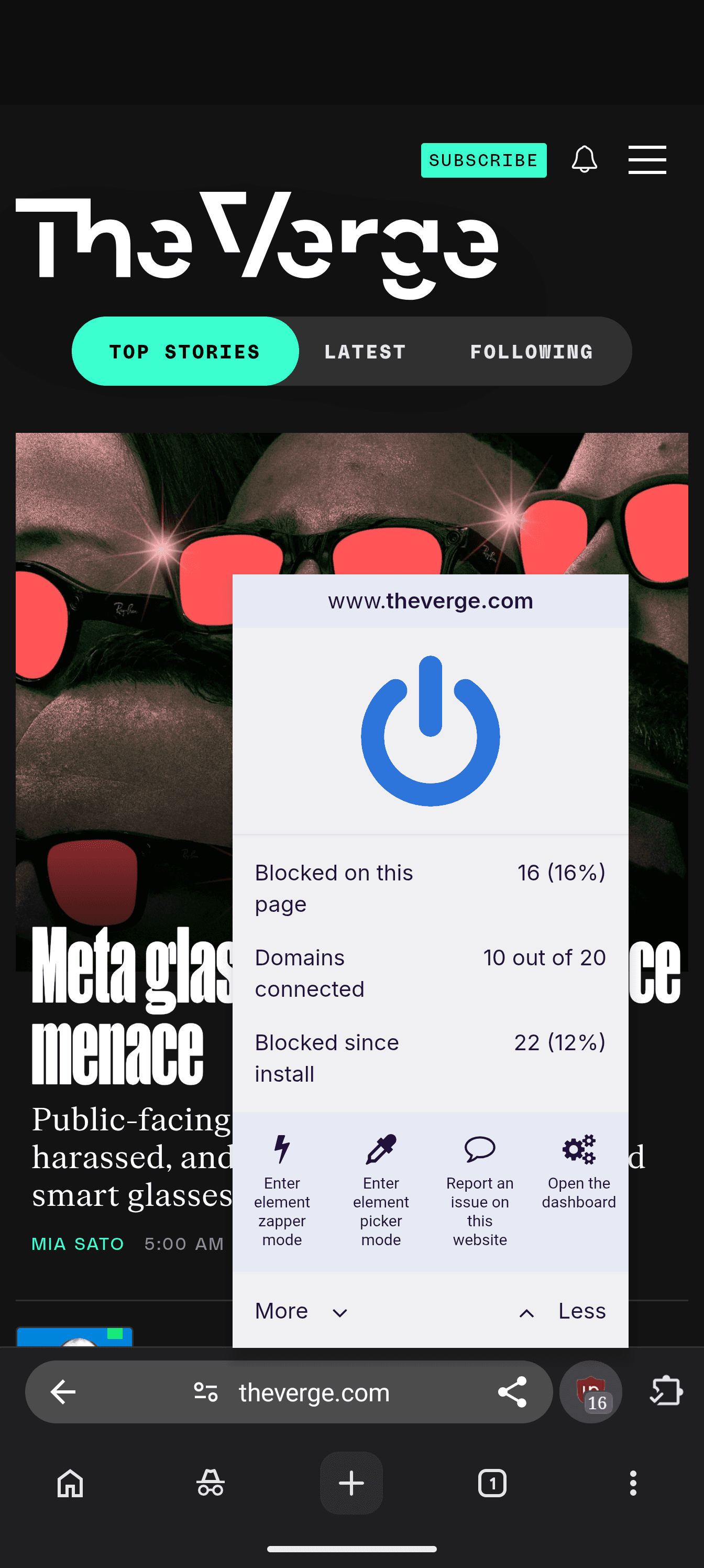
Bare keeps Manifest V2 available and ships the full uBlock Origin extension unmodified, according to its README. You can remove it. The 1.0.0 release notes name uBlock Origin 1.75.0 and describe fixes for cases where filtering stopped until the browser restarted.
The distinction from Lite matters if you use custom filters or the full extension's advanced controls. The uBlock Origin project documents a broad content blocker with custom rules and an advanced per-site firewall. uBlock Origin Lite is a separate MV3-based blocker using declarative filtering. Lite is a working blocker with a different design; calling it useless would obscure the actual choice.
Source: Bare's official screenshot collection.
Start with the included configuration, visit your usual sites and change filters only when you have a specific reason. More lists and multiple overlapping blockers can create harder-to-diagnose failures. The upstream uBO project advises against running it alongside another content blocker.
Ad filtering also has a separate job from browser security warnings. Bare states that its public Chromium Android build has no functioning Safe Browsing integration. A uBO filter list can block listed destinations, but that does not restore the missing browser service. Decide whether that omission fits your needs before changing your default browser.
Desktop extensions still need a phone compatibility check
Bare names Bitwarden and Dark Reader among supported desktop-style extensions. Its Extensions page supports loading a downloaded CRX or an unpacked extension, checking updates and allowing individual extensions in Incognito. Toolbar pinning makes frequently used extensions easier to reach. These capabilities are documented in the current README.
Source: Bare's official screenshots.
Support for the extension system does not promise every desktop extension will work. A popup may assume a wide screen. An extension may require an unavailable API, a separate desktop application, or an installation path that behaves poorly on mobile. In the launch thread, Zealousideal_Bee_837 wrote, "tried to install an extension from google webstore -> didn't work". The commenter did not identify the extension or device, so this is a reason to test, not a reproducible verdict on the entire system.
For each extension you depend on, check installation, its main task, popup controls, persistence after restarting and its update route. For a password manager, test filling on the sites you use and check how locking works. Keep the existing working setup until that process succeeds.
CRX and unpacked loading increase your responsibility for provenance. Bare explicitly says it cannot determine whether an extension is safe. Download from the extension author's documented source, examine permissions and avoid treating an installation dialog as a security certification. Incognito permissions deserve a separate check because an allowed extension can access pages in that mode.
Background playback and downloads solve different problems
For a supported video, Bare can keep audio playing when you switch apps or lock the phone. That is useful for listening to a long talk while using another app. The project qualifies this by site support; the browser cannot guarantee that every player will continue or ignore a service's access rules.
Media saving is another feature. The README describes long-pressing video or audio to offer a file, including some segmented streams. It does not promise a universal downloader. Check that the saved file plays from beginning to end, includes audio and is the version you expected. A visible download option is not evidence that the result is complete.
Protected streaming is a separate constraint. Bare's network documentation discusses Android Widevine, but that does not mean its media-saving tools decrypt DRM content. The DRM and Widevine explainer covers why a browser may display ordinary video yet fail a protected service's requirements.
You can keep downloads in Bare or hand them to a compatible external manager such as 1DM. The repository names a specific limit: the other app does not receive your website sign-in. If a download requires a logged-in session, it may work inside Bare and fail after handoff. Try the browser's own downloader before concluding that the file is unavailable. Use media-saving tools for content you are permitted to retain.
De-Googled does not mean no network traffic
Bare's useful privacy contribution is its documented network behavior. The project separates requests it observed on a stated device and test sequence from behavior inferred from source code. Those measurements are the maintainer's, not a network test performed for this article.
The retained traffic includes Chromium component updates through Google infrastructure and Android Widevine provisioning. uBlock Origin fetches filter lists and checks for extension updates. GitHub-distributed Bare can check a public release feed according to your update preference. Extensions installed from the Chrome Web Store can contact the store for updates.
Search settings change the picture too. DuckDuckGo is the default, but choosing Google can enable additional Google-specific behavior documented in the README, including suggestions and preconnections. Websites can also make their own requests. Removing a browser service does not remove the services embedded in a webpage.
The privacy policy says Bare does not operate its own analytics or tracking service and stores browsing data locally. Websites, search engines, extensions and Android remain separate parties. Local storage also means history and cookies still exist on your phone unless you remove them. The browsing-history guide explains why clearing local records and reducing remote tracking are separate tasks.
Bare also does not operate a Bare cloud synchronization service. A password-manager extension may synchronize its own vault, but that does not synchronize browser history or tabs. If this is central to your workflow, compare the failure cases in the browser sync guide before migrating. Do not infer Chrome account sync from a familiar Chromium interface.
How to download, install and keep Bare updated
As checked on October 21, the Google Play listing is accessible under developer Bare Project and package name org.barebrowser. It lists an October 15 update. GitHub Releases resolves to 1.0.0, described as the first stable release. The homepage's alpha and "coming soon" text is older than these pages.
For most readers, begin with the official store page if it is available in your region. For a GitHub APK, read that release's installation instructions and choose the correct architecture:
Confirm Android 10 or later and an ARM device. The repository publishes no x86 build.
Choose
arm64-v8afor a supported 64-bit ARM device. The separatearmeabi-v7apackage is for 32-bit ARM, not a lighter option for a 64-bit phone.Compare the APK hash with the matching release entry. The repository also documents signing-certificate verification, which answers a different question from whether a download is intact.
Review the welcome choices for search, ad blocking, address-bar location, downloads, background audio and updates.
Test important sites and extensions before moving bookmarks or changing your default browser. Keep an export of data you need.
The 1.0.0 notes say users upgrading from 1.0.0-alpha.3 should install over the existing app rather than uninstall first. Older builds used a different signing identity. Follow the instructions for your actual starting version and distribution channel; do not assume one upgrade recipe covers every historical build.
The privacy policy distinguishes updates by channel: Play handles application updates for its build, while GitHub builds can use Bare's release-feed checker. A notification about a release and installation of that release are different steps. Verify the installed version afterward.
Long-term maintenance is worth watching. In the launch discussion, Venylynn asked, "how long is this going to continue being maintained?" Nobody can answer that with a feature checklist. Watch actual Chromium updates and release history. The abandoned-browser checklist is useful if a browser you rely on stops receiving maintenance.
Is Bare a good fit for your phone?
| Your priority | Fit | First action |
|---|---|---|
| Full uBlock Origin on Chromium Android | Strong reason to try Bare | Check filtering and site behavior with default lists |
| A particular desktop extension | Conditional | Test the exact extension and its update path |
| Fewer built-in Google services and no bundled AI | Matches the stated design | Read the retained network behavior before deciding |
| Background listening and flexible downloads | Useful on supported sites | Test your player and authenticated downloads |
| Automatic Chrome profile sync | Poor fit for that expectation | Plan separate bookmark and credential handling |
| Built-in Safe Browsing warnings | Does not meet that requirement | Choose a browser with protection you can verify |
| A maintenance-free replacement for every device | Not established by current evidence | Keep your existing browser while checking releases and compatibility |
The right decision depends on the tasks you repeat, not the length of the feature list. The browser selection guide helps turn those tasks into requirements. Using Bare as a second browser is also a reasonable way to evaluate it without migrating everything at once.
The verdict
Bare is worth a controlled trial if you want full uBlock Origin and desktop-style extensions on Android, with built-in AI and selected Google services removed. Its documentation gives readers concrete details to inspect, including traffic that remains and security protection that is absent.
Start with the official Play listing or current GitHub release. Test one essential extension, one media workflow and your most-used sites. Check the update route and keep your old setup until those tasks work. If browser-wide sync or Safe Browsing is a requirement, Bare's current documented limits should decide the choice before its extra features do.

FAQ
What is Bare Browser, and is it the same as Brave?
Bare Browser is a separate open-source Chromium-based browser for Android. It removes selected Google services and built-in AI while retaining desktop-style extensions. Bare and Brave are different projects.
Does Bare Browser include the full uBlock Origin?
Yes. Bare retains Manifest V2 and bundles the full, removable uBlock Origin extension, rather than uBlock Origin Lite. The 1.0.0 release lists uBlock Origin 1.75.0, and filtering behavior still depends on your lists and settings.
Does de-Googled mean Bare never contacts Google?
No. Bare documents retained Chromium component updates and Android Widevine provisioning that can contact Google infrastructure. Your search provider, websites and installed extensions can make additional requests.
Is Bare Browser safe to use?
Public source code and documented network behavior help inspection, but they are not an independent security audit. The project states that Safe Browsing does not work in this build. Check release freshness, extension permissions and your own requirements before relying on it.
Where can I download Bare Browser for Android?
The official Google Play listing uses package name org.barebrowser and developer Bare Project. GitHub Releases also provides APKs for Android 10 or later, with separate arm64-v8a and armeabi-v7a builds. Check the current release notes before installing or changing channels.
Does Bare have Chrome account sync?
Bare does not require a Bare account or operate a Bare cloud synchronization service. Do not expect your Chrome profile to synchronize automatically. A password-manager extension can handle its own data without providing browser-wide tab and history sync.