美学デザイン
洗練された垂直タブとワークスペース
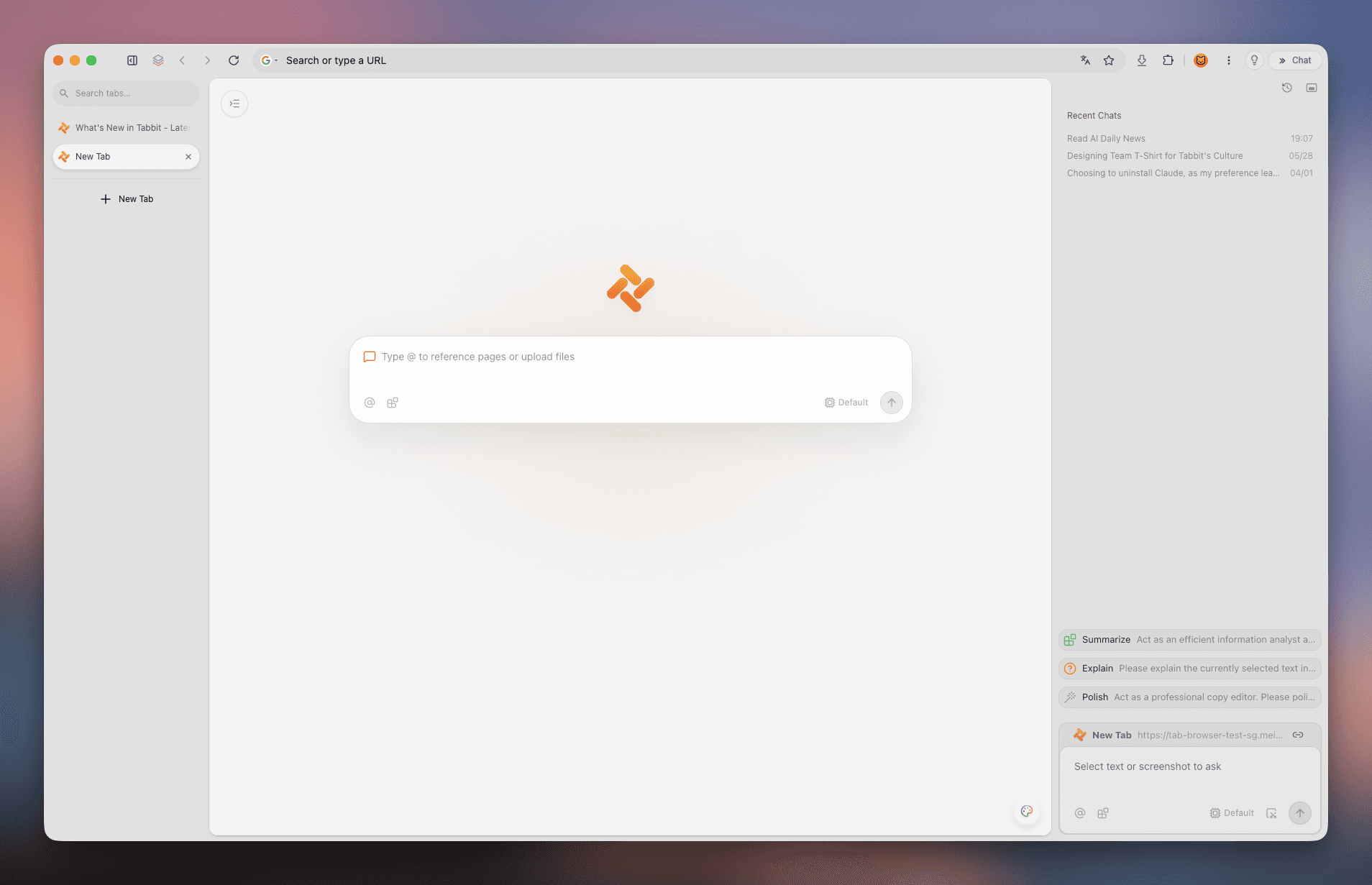
Arc と同様のクリーンな垂直レイアウトで、直感的なタブ管理と快適なブラウジングを実現します。
 Tabbit
Cmd+, を押しても言語設定が見つからない理由とは? 本記事では arc://settings/languages による 6 ステップ設定法、3 つの翻訳テクニック、そして Arc レベルのデザインとネイティブ中国語・AI Agent を兼ね備えた Tabbit を解説します。
macOS / Windows 対応 · 中国語ネイティブ & 複数 AI モデル搭載
基本概念の整理
アプリの UI 言語、Web サイトの優先言語、ページの自動翻訳の違いを理解することで、迷わず設定できます。
サイドバーやコマンドバー、設定画面などの UI 文字列は英語専用で構築されており、公式な多言語言語パックは用意されていません。
💡 結論:Arc 本体の外観メニューを完全な中国語に変更することはできません。
多言語対応サイト(Google、GitHub、Wikipedia など)への Accept-Language ヘッダーを設定します。中国語を最上位に置くとサイトが中国語で表示されます。
💡 arc://settings/languages から設定します。
Chromium 内蔵の Google 翻訳、macOS のシステム翻訳、または Chrome 拡張機能を利用して外国語ページ全体を中国語に機械翻訳します。
💡 URL バーの翻訳アイコンや右クリックから利用可能。
設定ステップ
Arc は Chromium をベースにしているため、設定ページから内部言語リストを構成する必要があります。
Arc の標準設定パネルには言語項目が存在しません。必ずアドレスバーから直接 arc://settings/languages を開く必要があります。
Arc のアドレスバーに次の URL を入力して Enter を押してください:
新しいタブを開き、アドレスバーに arc://settings/languages と入力して Enter を押します。arc://settings の場合は左メニューの「Languages」を選びます。
画面上部の「Preferred languages」エリアを探します。ここに登録された言語順で Web サイトへ言語要求が送られます。
「Add languages」ボタンをクリックし、検索欄に「Chinese」と入力。「Chinese (Simplified)」または「Chinese (Traditional)」にチェックを入れ追加します。
追加した中国語の右側にある 3 点リーダー(⋮)をクリックし、「Move to top」を選択してリストの最上位に移動させます。
Windows 版ではこの項目が表示される場合がありますが、適用されるのは一部の内部ダイアログのみで、外観シェルは英語のままとなります。
macOS では Cmd + Q で完全に終了し、Windows ではタスクトレイから終了します。再起動後に言語ヘッダーが反映されます。
🎯 wikipedia.org などにアクセスして、中国語で表示されるか確認してください。
ページ翻訳テクニック
優先言語設定だけでは変更できない外国語サイトをスムーズに閲覧するための翻訳手法です。
arc://settings/languages で「Use Google Translate」を ON にしておくと、外国語ページを開いた際にアドレスバー右側に翻訳アイコンが表示されます。
macOS ではテキストを選択して右クリックから「翻訳」を選択、Windows ではページ上で右クリックして「中国語に翻訳」を実行できます。
Arc は Chrome 拡張機能に対応しています。「Immersive Translate(没入型翻訳)」をインストールすれば、原文と訳文のバイリンガル表示が可能です。
よくある誤解
古い情報や誤った解説に惑わされないためのチェックポイントです。
誤解 1:「macOS のアプリ言語設定を中国語にすれば Arc も中国語になる」
実際:Arc のアプリ内には中国語リソース(.lproj)が含まれていないため、システム側で変更しても英語表示となります。
✅ 解決策:完全な中国語 UI が必要な場合は Tabbit への移行をおすすめします。
誤解 2:「Cmd + , で開く設定画面から言語変更ができる」
実際:Arc 独自の設定ダイアログには意図的に言語設定項目が配置されていません。
✅ 解決策:必ず arc://settings/languages から設定してください。
誤解 3:「ArcGIS の設定ガイドが Arc ブラウザにも適用できる」
実際:ArcGIS は Esri 社の地理情報システムであり、Arc ブラウザとは全く無関係です。
✅ 解決策:ArcGIS のドキュメントは参照しないようにしてください。
より良い選択肢
Arc の垂直サイドバーやスペース管理の美学が好きでも、英語のみの UI や制限にお困りの方には、Tabbit が理想的なアップグレードです。
Tabbit はインストールから設定まで完全な中国語に対応。面倒な内部アドレス設定は不要で、快適に動作します。
垂直タブバー、複数のワークスペース、画面分割機能、@ コマンドによるコンテキスト参照など、優れた空間管理を提供します。
外部 API キーの設定なしで、最先端の推論モデルやチャット AI をブラウザ内で瞬時に切り替えて利用できます。
長文記事や PDF をサイドバーで瞬時に要約できるほか、AI Agent がバックグラウンドで複数タブを操作しリサーチを自動化します。
実際の製品画面
Tabbit の実際のスクリーンショットで、垂直タブと AI 統合の操作感をご確認ください。
Arc と同様のクリーンな垂直レイアウトで、直感的なタブ管理と快適なブラウジングを実現します。
外国語の専門記事や長文レポートを、サイドバーの AI がわかりやすく構造化して解説します。

新しいタブからワンクリックで主要 AI モデルと対話し、調査やコーディングを効率化できます。
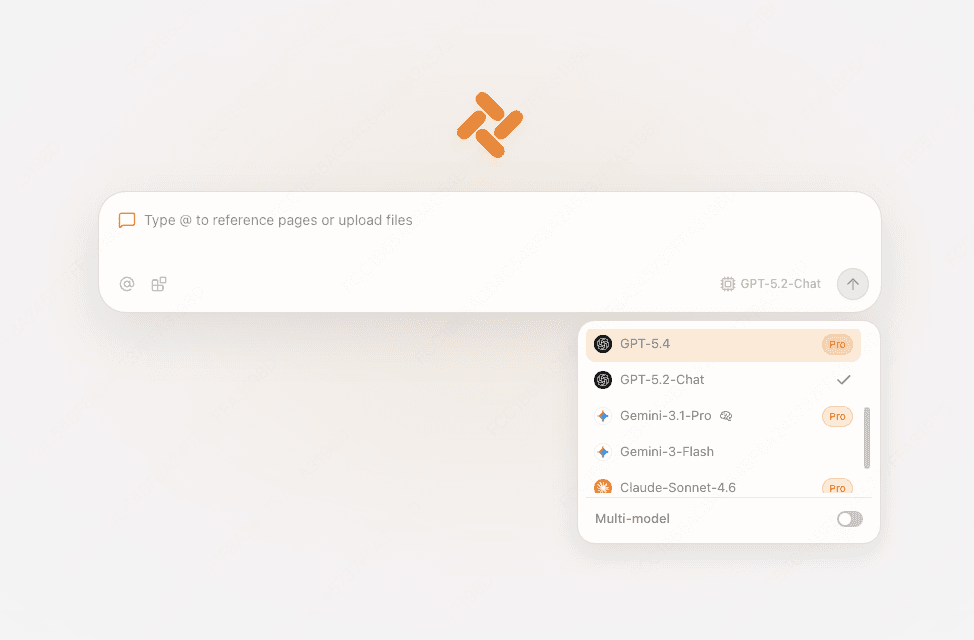
自然言語で指示するだけで、Agent が複数ページを巡回して情報収集や比較表作成を実行します。

機能比較
デザイン性とモダンな操作性は共通していますが、言語対応と AI 統合において Tabbit は次世代の進化を遂げています。
| 機能項目 | Arc ブラウザ | Tabbit ブラウザ |
|---|---|---|
| クライアント UI の中国語対応 | 英語のみ;メニューやサイドバーは未ローカライズ | 100% ネイティブ中国語 & 多言語対応 |
| 言語設定の使いやすさ | Cmd+, に項目がなく arc:// プロトコルが必要 | 自動認識 & 設定画面からワンクリック変更 |
| 垂直タブ & ワークスペース | 対応(Spaces および垂直タブ) | 対応(垂直タブ、ワークスペース、@ コンテキスト) |
| AI モデル統合 | Arc Max の基本機能のみ(開発停滞) | DeepSeek、Kimi、Claude、GPT-4o などを標準内蔵 |
| 外国語ページの理解サポート | 標準 Google 機械翻訳に依存 | サイドバー AI による高精度な要約・解説 |
| 複数タブ自律 AI Agent | 非対応 | ブラウザ操作に対応した自律型 Agent 搭載 |
| ネットワーク安定性 | 海外同期サーバーによる通信のばらつき | 高速専用ノードによる快適な通信 |
| 他ブラウザからの移行 | 基本的な Chrome インポートのみ | Arc / Chrome / Edge からの 1 クリック簡単移行 |
よくある質問
Tabbit を無料ダウンロードして、垂直タブ、ネイティブ言語対応、強力な AI Agent を今すぐお試しください。