Diseño
Pestañas verticales y espacios minimalistas
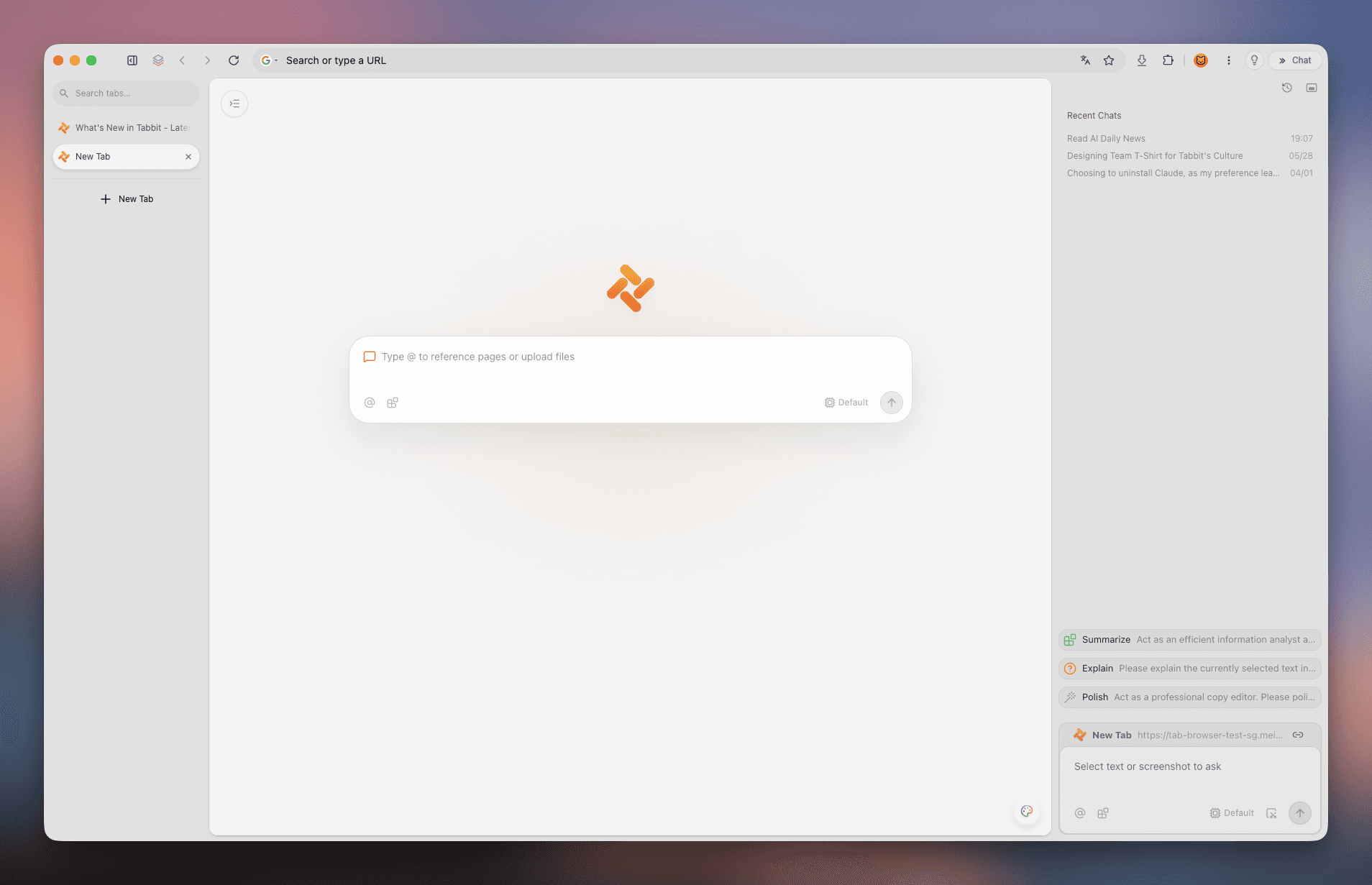
Organización espacial limpia con barras verticales y espacios de trabajo, con soporte completo de idiomas.
 Tabbit
¿Por qué Arc Desktop sigue en inglés incluso tras presionar Cmd+,? Esta guía te muestra el método de 6 pasos en arc://settings/languages, 3 formas de traducir páginas y presenta Tabbit: un navegador con la estética de Arc, soporte nativo de chino e IA integrada.
Disponible para macOS y Windows · Chino nativo y modelos IA
DISTINCIONES CLAVE
Es común confundir el idioma de la aplicación, el idioma preferido de las webs y la traducción de páginas. Así funciona en Arc:
La barra lateral, la barra de comandos y los menús de Arc Desktop están codificados exclusivamente en inglés sin paquetes oficiales de traducción.
💡 La interfaz externa no se puede traducir al chino.
Determina el encabezado Accept-Language que se envía a sitios web multilingües (Google, GitHub, Wikipedia) para mostrar contenido en chino.
💡 Se configura en arc://settings/languages.
Traduce páginas extranjeras completas al chino mediante Google Translate de Chromium, traducción de macOS o extensiones de Chrome.
💡 Accesible desde la barra de direcciones o clic derecho.
GUÍA PASO A PASO
Al basarse en Chromium, la configuración de idioma debe realizarse en la página interna de Chromium.
El panel de configuración nativo de Arc solo muestra General, Profiles, Max, Links y Shortcuts, sin opciones de idioma. Debes acceder por la URL interna.
Escribe esta dirección interna en la barra de Arc:
Abre una nueva pestaña, escribe arc://settings/languages y pulsa Enter. Si entras en arc://settings, haz clic en "Languages" a la izquierda.
Encuentra la sección de idiomas preferidos en la parte superior, donde se define la prioridad de idiomas enviada a las páginas web.
Pulsa el botón "Add languages", busca "Chinese", marca "Chinese (Simplified)" o "Chinese (Traditional)" y confirma con Add.
Encuentra el idioma chino añadido, pulsa el menú de tres puntos (⋮) y selecciona "Move to top" para colocarlo en primer lugar.
En Windows puede aparecer esta casilla, pero solo afecta a ciertos diálogos de Chromium, no a la interfaz externa de Arc.
Presiona Cmd + Q en macOS o sal desde la bandeja del sistema en Windows. Al reiniciar, la preferencia de idioma entrará en vigor.
🎯 Prueba visitando wikipedia.org para confirmar que el contenido carga en chino.
MÉTODOS DE TRADUCCIÓN
Para páginas en otros idiomas, usa estas opciones prácticas de traducción:
Activa "Use Google Translate" en arc://settings/languages. Al visitar páginas extranjeras aparecerá un icono de traducción en la barra.
Selecciona texto en macOS y haz clic derecho en "Traducir", o usa el menú contextual de Windows para traducir la página.
Arc soporta extensiones de Chrome. Instala "Immersive Translate" para lectura bilingüe y traducción fluida de documentos y PDFs.
MITOS Y SOLUCIONES
Aclara dudas comunes y evita soluciones no oficiales:
Mito 1: "Cambiar el idioma de la app en macOS pondrá Arc en chino."
Hecho: El paquete de Arc no incluye archivos de idioma chino (.lproj), por lo que siempre vuelve al inglés.
✅ Solución: Si necesitas interfaz 100% en chino, utiliza Tabbit.
Mito 2: "El atajo Cmd + , abre todos los ajustes incluidos idiomas."
Hecho: Arc rediseñó sus preferencias y eliminó el menú de idiomas del panel principal.
✅ Solución: Usa siempre la URL interna arc://settings/languages.
Mito 3: "Las guías de ArcGIS sirven para Arc Browser."
Hecho: ArcGIS es un software geoespacial de Esri sin relación alguna con Arc Browser.
✅ Solución: Ignora la documentación de ArcGIS al configurar navegadores.
LA MEJOR ALTERNATIVA
Si te gustan las pestañas verticales y el diseño minimalista de Arc pero necesitas chino nativo y potentes agentes de IA, Tabbit es la opción perfecta.
Tabbit ofrece menús, instalación y configuración en chino de fábrica, sin trucos ni configuraciones de protocolos internos.
Conserva la organización espacial que te encanta: barra lateral vertical, múltiples Spaces, pantalla dividida y búsqueda con @.
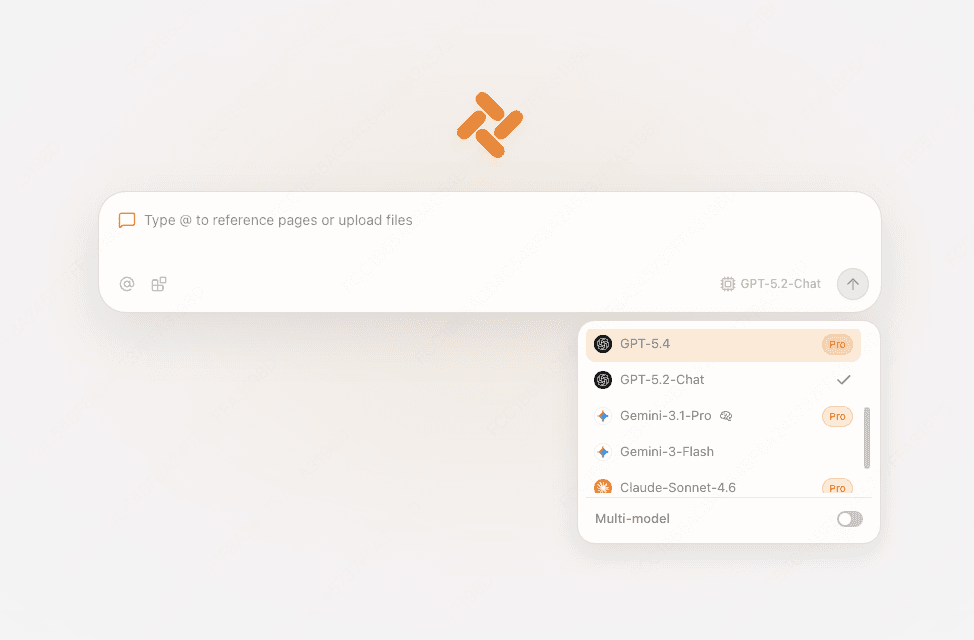
Accede a los principales modelos de IA directamente desde el navegador sin necesidad de claves API externas ni configuraciones complejas.
Resume páginas y documentos extensos en la barra lateral y delega tareas de investigación multi-pestaña al agente autónomo.
CAPTURAS DE PANTALLA
Observa cómo Tabbit combina organización visual y modelos de inteligencia artificial.
Organización espacial limpia con barras verticales y espacios de trabajo, con soporte completo de idiomas.
Extrae puntos clave y analiza artículos extensos en segundos con la IA integrada en el panel lateral.

Interactúa con los mejores modelos de razonamiento y chat sin salir de tu flujo de navegación.
Automatiza investigaciones, extracción de datos y comparaciones en segundo plano a través de múltiples pestañas.

COMPARATIVA
Ambos destacan por su diseño visual, pero Tabbit ofrece una integración nativa de idioma e inteligencia artificial superior.
| Característica | Arc Browser | Tabbit Browser |
|---|---|---|
| Idioma de la interfaz | Solo en inglés; menús no traducidos | 100% Nativo en chino y multilingüe |
| Configuración de idioma | Oculta en arc://settings/languages | Automática y accesible desde ajustes |
| Pestañas verticales y Spaces | Compatible con espacios y barra vertical | Compatible con espacios, barra vertical y @ contexto |
| Integración de IA | Funciones básicas Arc Max en mantenimiento | DeepSeek, Kimi, Claude, GPT-4o integrados |
| Comprensión de páginas extranjeras | Traducción estándar de Google | Resúmenes profundos estructurados por IA en barra lateral |
| Agente IA multi-pestaña | No disponible | Agente autónomo para flujos de trabajo web |
| Rendimiento y servidores | Sincronización global con variaciones | Nodos dedicados de alta velocidad |
| Migración desde otros navegadores | Importación básica de Chrome | Importación en 1 clic de Arc, Chrome y Edge |
PREGUNTAS FRECUENTES
Descarga Tabbit gratis y disfruta de pestañas verticales, interfaz en chino y agentes de IA sin complicaciones.