Aesthetic Space
Minimalist Vertical Tabs & Workspaces
Experience a clean, spatial browser layout with vertical sidebars and workspaces, fully localized in Chinese and English.
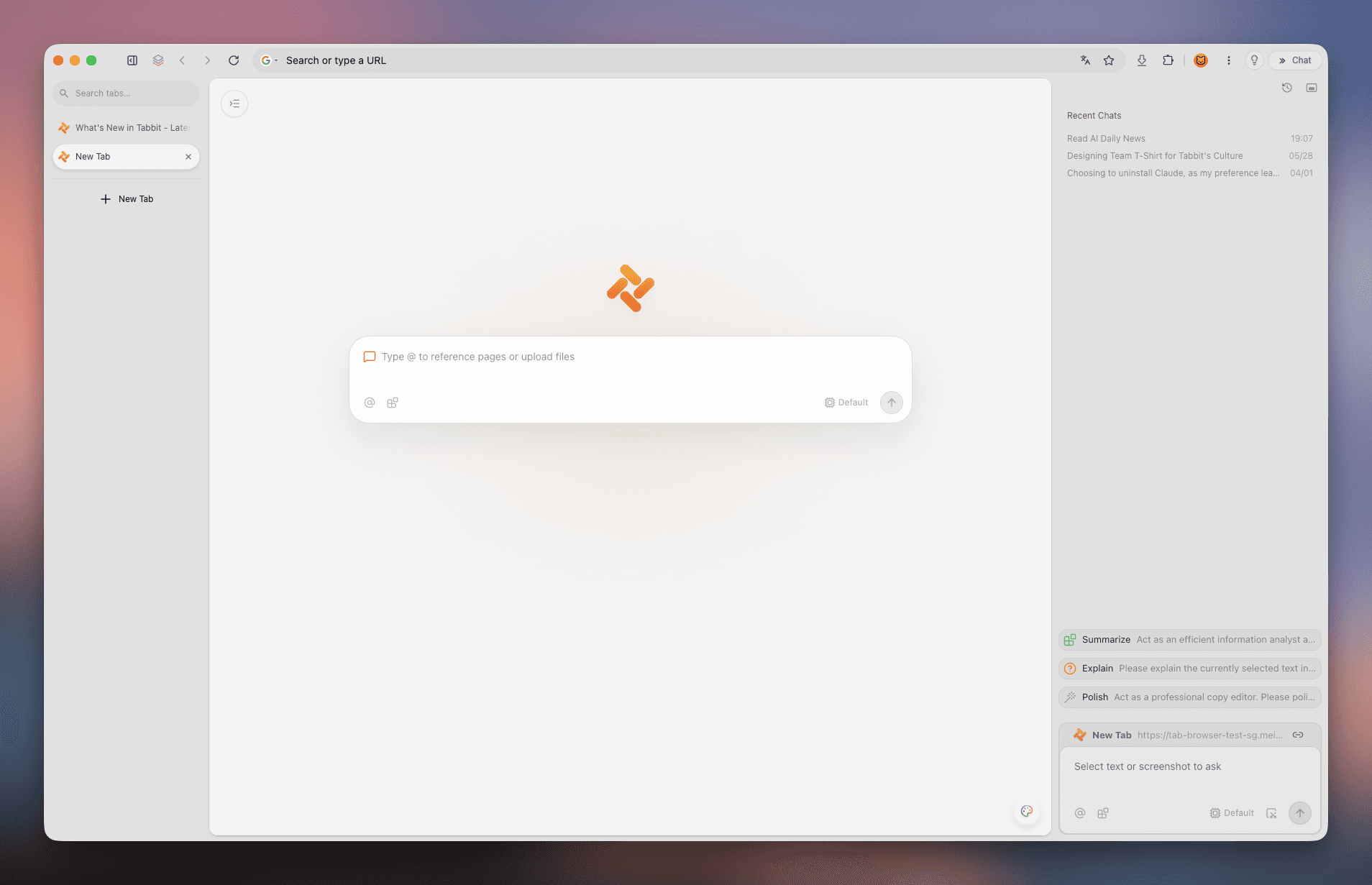
 Tabbit
Why is Arc desktop still in English even after pressing Cmd+,? This comprehensive tutorial walks you through the 6-step arc://settings/languages method, 3 page translation workarounds, and introduces Tabbit—a modern browser featuring Arc-level aesthetics, native Chinese support, and AI agents.
Available for macOS & Windows · Native Chinese & Multi-Model AI
CORE DISTINCTIONS
Users frequently confuse client UI localization, website content language, and real-time page translation. Here is how each operates in Arc.
The sidebar, command bar, settings modals, and native context menus in Arc Desktop (macOS & Windows) are hardcoded in English with no official localized language packs.
💡 Outcome: The outer application shell cannot be localized to full Chinese.
Controls the Accept-Language HTTP headers sent to multi-lingual websites (e.g. Google, GitHub, Wikipedia). Placing Chinese at the top ensures sites render in Chinese.
💡 Configured via arc://settings/languages.
Translates full English or foreign webpages into Chinese using Chromium built-in Google Translate, macOS native translation, or Chrome Web Store extensions.
💡 Available via URL bar translate icon or right-click.
STEP-BY-STEP GUIDE
Because Arc runs on Chromium, internal language settings must be accessed directly through the Chromium protocol URL rather than standard menus.
Arc customized its native Settings modal to only show General, Profiles, Max, Links, and Shortcuts. There is NO language option there. You must enter arc://settings/languages in the URL bar.
Type this exact internal address into the Arc Command Bar:
Open a new tab in Arc, click the top URL bar, type arc://settings/languages, and press Enter. If you type arc://settings, click "Languages" on the left menu.
Scroll to the "Preferred languages" section at the top of the settings page. This list dictates the language priority sent to online web services.
Click the "Add languages" button. In the search box, type "Chinese", check "Chinese (Simplified)" and/or "Chinese (Traditional)", and click Add.
Locate Chinese in your language list, click the three vertical dots (⋮) next to it, and select "Move to top" so Chinese has the highest priority.
On Windows, the ⋮ menu may display "Display Arc in this language". Note that this only applies to select Chromium dialogs, not the Swift/WinUI shell.
Press Cmd + Q on macOS to completely close the app, or right-click the system tray icon on Windows to quit. Relaunch Arc to apply new headers.
🎯 Test your setup by visiting wikipedia.org or google.com—content will load in Chinese automatically.
TRANSLATION METHODS
For monolingual English webpages, setting language preferences is not enough. Use these 3 proven translation techniques.
Ensure the "Use Google Translate" toggle is enabled in arc://settings/languages. When you visit a foreign page, a translate icon will appear in the address bar.
Highlight any paragraph on macOS and right-click to select "Translate" for an instant Apple system translation card. On Windows, right-click and choose "Translate to Chinese".
Arc supports Chrome extensions natively. Visit the Chrome Web Store, install "Immersive Translate", and enjoy side-by-side bilingual reading and PDF translation.
MYTHS & TROUBLESHOOTING
Avoid outdated workarounds and security risks with these accurate troubleshooting facts.
Myth 1: "Changing macOS system app language will turn Arc into Chinese."
Fact: Arc app bundles do not include Chinese .lproj localization files. macOS falls back to English strings regardless of system settings.
✅ Solution: If you require a full native Chinese UI, switch to Tabbit.
Myth 2: "Pressing Cmd + , opens all browser settings including languages."
Fact: Arc replaced the standard Chromium settings window with a minimal 5-tab panel that excludes language options.
✅ Solution: Always navigate to arc://settings/languages directly.
Myth 3: "ArcGIS language configuration guides apply to Arc Browser."
Fact: ArcGIS is mapping software by Esri. It is entirely unrelated to The Browser Company’s Arc Browser.
✅ Solution: Disregard ArcGIS documentation when configuring web browsers.
THE MODERN ALTERNATIVE
If you love Arc’s vertical sidebar, spatial organization, and modern design, but need a native Chinese interface and cutting-edge AI models, Tabbit is the premier alternative.
Tabbit provides a native Chinese experience out of the box with zero arc:// workarounds, localized onboarding, and optimized network nodes.
Retains the spatial workspace ergonomics you love: vertical tab organization, Spaces, split view, clean minimal chromeless UI, and context-aware @ referencing.
Switch seamlessly between top Chinese and global AI models directly inside your browser without external API configuration or proxies.
Extract instant Chinese insights from massive English documents in the sidebar, and let the AI Agent execute multi-tab web research automatically in the background.
REAL PRODUCT SCREENSHOTS
Explore real screenshots of Tabbit illustrating vertical tabs, multi-model AI chats, and sidebar summaries.
Experience a clean, spatial browser layout with vertical sidebars and workspaces, fully localized in Chinese and English.
Instantly summarize lengthy foreign articles, research papers, and PDFs into structured takeaways directly in the sidebar.

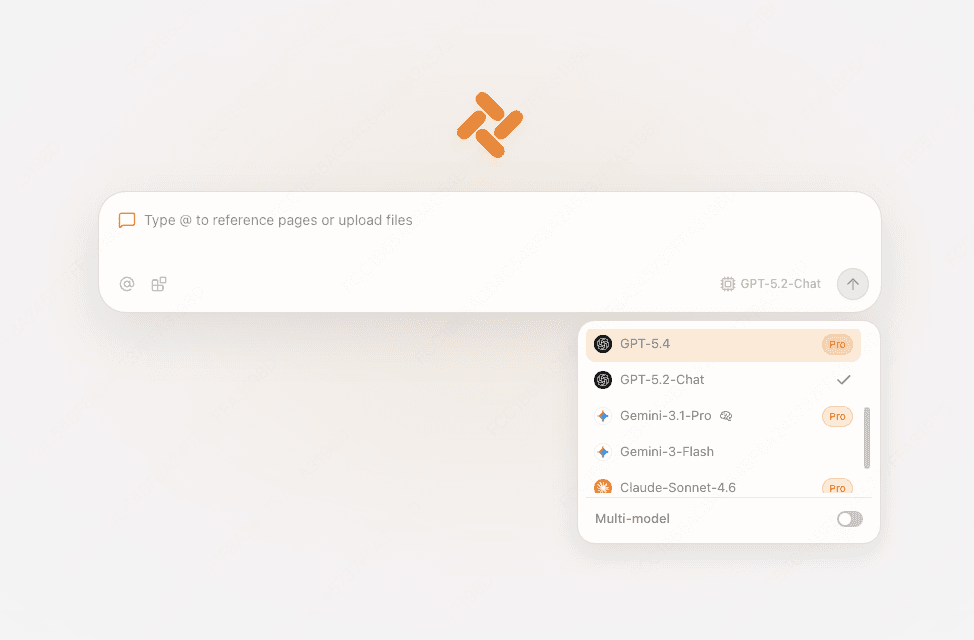
Access leading reasoning and chat models on every new tab, with zero API key hassle or connection latency.
Delegate multi-step research, price comparisons, and data scraping to the Agent, running autonomously across browser tabs.

FEATURE BREAKDOWN
Both browsers offer top-tier visual design. However, in language localization and AI integration, Tabbit represents the next generation.
| Capability | Arc Browser | Tabbit Browser |
|---|---|---|
| Client UI Localization | English-only; menus and sidebars are not localized | 100% Native Chinese & Multi-language support |
| Language Configuration | Hidden behind arc://settings/languages protocol | Automatic matching with instant settings toggle |
| Vertical Tabs & Spaces | Supported (Spaces and vertical tabs) | Supported (Vertical tabs, workspaces & @ context) |
| AI Model Integration | Basic Arc Max experiments; maintenance mode | Native DeepSeek R1/V3, Kimi, Qwen, Claude, GPT-4o |
| Webpage Foreign Understanding | Standard Google machine translation | AI Sidebar deep structured summaries & insights |
| Multi-Tab AI Agent | Not available | Autonomous browser-use agent for complex tasks |
| Network Performance in Asia | Global cloud sync, occasional connection slowdowns | Dedicated high-speed nodes & instant updates |
| Migration from Other Browsers | Basic Chrome import | 1-click seamless import from Arc, Chrome, and Edge |
FAQ
Download Tabbit for free and enjoy vertical tabs, instant Chinese localization, and autonomous AI agents without protocol workarounds.