
In 1993, Mosaic put text and images in the same approachable window and gave the public a new way to enter the Web. Netscape soon turned that window into a mass-market product. Internet Explorer made it part of the operating system, Firefox restored competition around standards, and Chrome rebuilt the browser for an age of Web applications. Every generation changed both what a browser was and what people expected it to do.
This chronicle begins with the experimental browsers that came before Mosaic, then follows the browser wars, the rise of tabs and search, Chrome's application platform, and the mobile Web. It ends at the current transition: from a browser that waits for clicks to an agentic browser that can understand a goal, use page context, and carry out a bounded task. Tabbit Browser provides the closing case study of how those new requirements can appear in a real product.
Key takeaways
1990 was the real starting point: Tim Berners-Lee's WorldWideWeb combined a browser and editor for linked documents at CERN.
Mosaic made the Web approachable; Netscape made it commercial: the browser became a consumer product, then a strategic control point.
The first browser war shaped today's compatibility burden: sites, engines, and even User-Agent strings still carry names left by old competition.
Chrome's decisive idea was “browser as application platform”: process isolation, V8, and rapid releases matched a Web dominated by interactive apps.
The Agent era is not just “AI in a sidebar”: a modern agentic browser must manage context, actions, trust, recovery, and human approval together.
Browser history at a glance
| Era | Representative browsers | What changed | New user expectation |
|---|---|---|---|
| 1990–1993 | WorldWideWeb, Line Mode Browser, Mosaic | Hypertext became a navigable, increasingly visual public medium | Open a link and reach another document |
| 1994–2001 | Netscape Navigator, Internet Explorer, Opera | Browsers became mass-market products and competed on features | The Web should work on the family PC |
| 2002–2008 | Firefox, Safari, Opera | Standards, security, tabs, search, and interface quality became differentiators | Browse many sites without constant friction |
| 2008–2019 | Chrome, Safari mobile, Firefox, Edge | The browser became a runtime for rich Web applications across devices | Apps should be fast, stable, synced, and always available |
| 2020–2024 | Chromium browsers, privacy browsers, AI assistants | Workspaces, vertical tabs, privacy controls, summaries, and page chat spread | Help manage information overload |
| 2025–2026 | AI browsers and browser agents | Models can reason over context and execute multi-step Web tasks | Help finish the job, while leaving control with the user |
1990: the browser began as a reader and an editor
The Web did not arrive as a prettier Internet. The Internet already connected computers; the Web added a simple public system for identifying, linking, retrieving, and editing documents. At CERN in 1990, Tim Berners-Lee built the first Web server and the WorldWideWeb application. It was both a browser and an editor.
That editor detail matters. The original idea was participatory: following links and creating information belonged in the same environment. You can still explore CERN's restored WorldWideWeb simulator today.
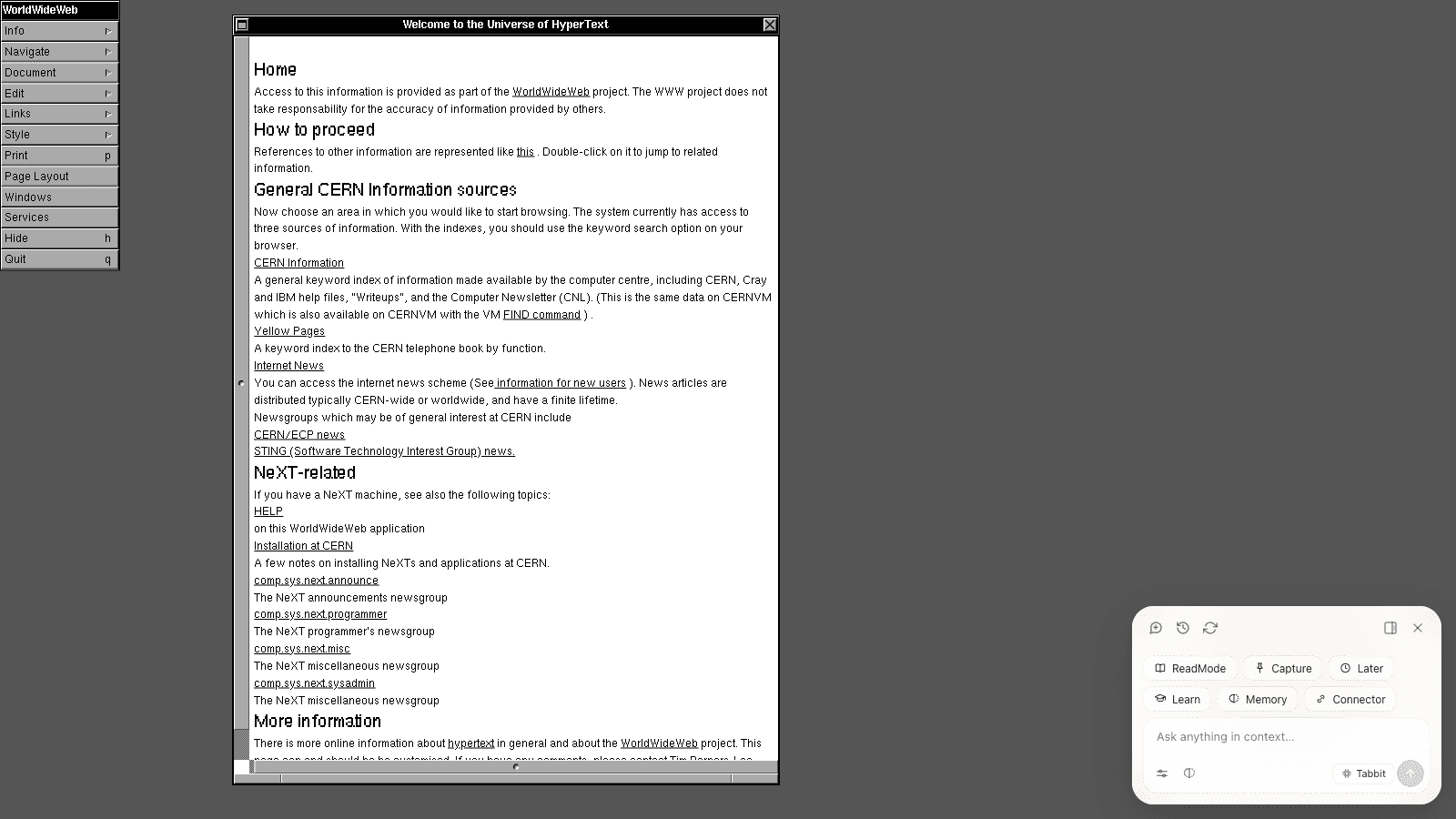
The 1991 Line Mode Browser traded the NeXT graphical interface for portability. That compromise established a pattern repeated throughout browser history: reach usually beats elegance first. A feature becomes dominant only after it works on the machines people actually own.
1993: Mosaic made the Web visible and approachable
NCSA Mosaic was not the only early graphical browser, and it did not invent every feature associated with it. Its importance was packaging. Installation was approachable, the interface was understandable, and text, links, and images could feel like one coherent page. Mozilla's browser history describes Mosaic as the first popular Web browser; the better claim is popularity, not absolute invention.
Mosaic also arrived when the number of websites was beginning to grow beyond a hand-maintained curiosity. The browser stopped feeling like a research client and started feeling like a new medium. If you have ever wondered why a browser is different from a search engine, this is the key distinction: the browser retrieves and runs a destination; search helps you discover which destination to open. Our guide to choosing the right browser starts from that separation.
The visual language was still close to directories. Early portals arranged the Web as categories, channels, and hand-picked destinations:
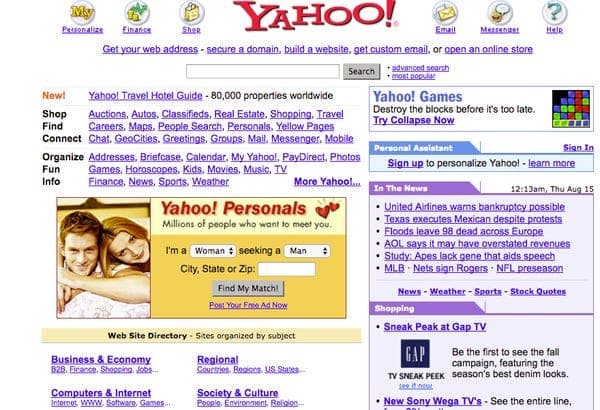
1994–2001: Netscape, Internet Explorer, and the first browser war
Marc Andreessen left NCSA and co-founded the company that released Netscape Navigator in 1994. Navigator made the commercial opportunity obvious. It also helped introduce technologies that still define the Web, most notably JavaScript in 1995.
Microsoft responded with Internet Explorer and tied distribution to Windows. The competition accelerated features, but it also encouraged proprietary behavior. A site might work in one browser and fail in another. By the end of the 1990s, “best viewed in...” was not a historical joke; it was a real product requirement.
Netscape lost the market-share battle, then released source code that became the foundation of the Mozilla project. That lineage eventually produced Firefox. Microsoft won distribution, but the open-source response helped prevent the browser from becoming a permanently closed Windows component.
One artifact of that war is still sent with almost every page request: the User-Agent string. The lencx browser-history discussion shows why modern Chrome, Safari, Firefox, and Edge identifiers contain a small museum of names such as Mozilla, AppleWebKit, Chrome, and Safari. Compatibility code kept old tokens because removing them could break sites. History accumulated inside the protocol.
This is also why switching browsers can be more emotional than replacing another utility. Passwords, bookmarks, extensions, history, and muscle memory become a personal layer above the Web. If you are considering a move today, read the Chrome alternatives guide with migration cost in mind, not just a feature checklist.
2002–2008: standards, tabs, Safari, and Firefox reopened competition
The early 2000s shifted the contest away from “who ships with the operating system?” toward quality. Opera had experimented with multi-document and tab-like browsing. Mozilla's Phoenix project appeared in 2002 and reached the Firefox 1.0 release in 2004. Apple unveiled Safari in January 2003, built on a branch of KDE's KHTML engine that became WebKit.
Apple's original Safari announcement is a useful snapshot of what counted as innovation then: integrated Google search, pop-up blocking, better bookmarks, simplified downloads, standards support, and speed. None sounds exotic now. That is the point. Successful browser innovations quickly turn into baseline expectations.
Tabbed browsing produced a second-order problem: after the browser made opening a page cheap, users opened too many. The modern questions—how to handle too many tabs, whether vertical tabs are better, and how profiles, workspaces, and tab groups differ—are consequences of that success.
2008: Chrome rebuilt the browser for Web applications
Google launched the Chrome beta on September 2, 2008. Its public argument was unusually clear. The Web had evolved from simple text pages into rich, interactive applications, so it needed “not just a browser” but a modern platform for pages and apps. The official launch post highlighted isolated tab processes, a sandbox, the V8 JavaScript engine, and a deliberately simple window.
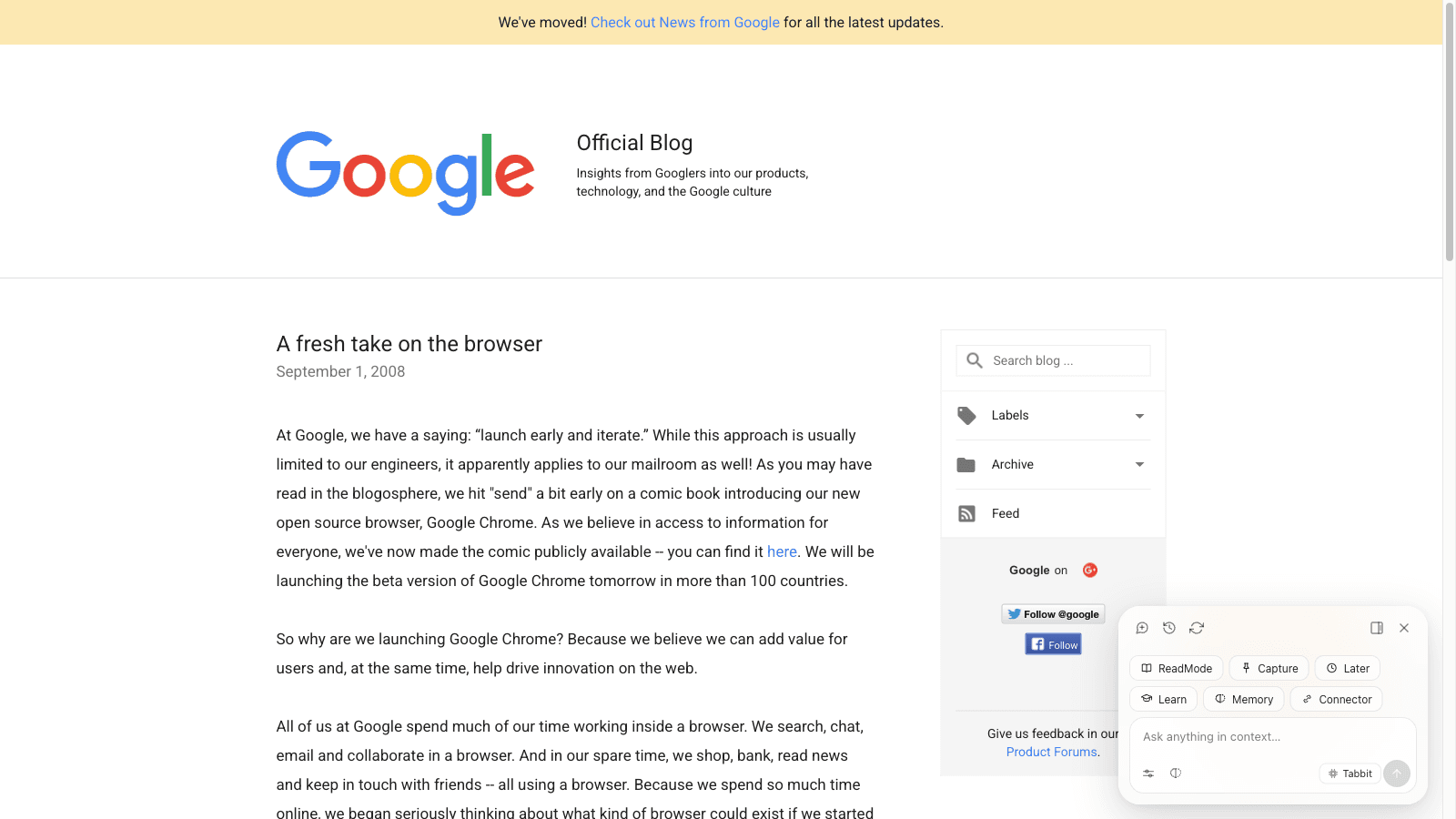
The product insight was broader than raw speed. Each tab was increasingly an application with its own state, memory, and failure modes. Isolating tabs made crashes more containable and aligned the browser with an “apps, not pages” future. Nira's Chrome history traces this platform strategy and the distribution advantages that followed.
The address bar also absorbed search, making navigation and discovery one action. The difference between “open a site” and “search for a site” faded for ordinary users:
The 2010s: mobile, sync, security, and engine consolidation
The next decade was less theatrical but just as consequential. Smartphones made touch, battery life, narrow screens, and mobile networks first-class browser constraints. Sync carried bookmarks, passwords, history, and tabs across devices. Automatic updates shortened the time between a security fix and its arrival. HTTPS warnings, sandboxing, site permissions, tracking prevention, and password managers moved closer to the core product.
Rendering engines consolidated too. Safari continued with WebKit. Chrome moved from WebKit to Blink. Firefox maintained Gecko. Microsoft launched Edge in 2015 and later rebuilt it on Chromium. For developers, consolidation reduced some compatibility work; for the Web, it renewed questions about engine diversity and who gets to shape defaults.
The browser also became memory. History and bookmarks were expected to recover past work, but their original list-like models did not scale well to today's volume. That is why browser history and bookmarks remain hard to search: saving more links is not the same as preserving their meaning.
The early AI phase: answer questions about the page
The first broad wave of browser AI looked like an assistant attached to an existing window. It could summarize the current page, rewrite selected text, answer a question, or invoke a chatbot in a sidebar. That removed copy-and-paste friction, but it did not fundamentally change who operated the browser. You still chose every page, clicked every control, and moved every piece of information.
This distinction separates “a browser with AI” from an agentic browser. Our Tabbit AI browser explainer, 2026 AI browser ranking, and broader AI browser comparison use the same dividing line: assistance changes how you understand a page; agency changes who performs the sequence.
The Agent era creates a new browser specification
A browser agent can read several pages, decide what to do next, click, type, extract, and return a result. A 2026 r/ChatGPT post describes the practical demand precisely: the user wanted an agent to attach to an already authenticated browser session and complete hundreds of forms because the real business logic lived behind the interface.
That is not a smarter search box. It is a new systems problem.
| New requirement | Why a normal browser is not enough | What good behavior looks like |
|---|---|---|
| Scoped context | A model cannot infer which tabs, files, or history belong to the task | The user explicitly attaches a page, group, selection, file, or bookmark set |
| Action with visibility | Hidden automation is hard to audit or interrupt | Steps, target pages, and current action remain inspectable |
| Isolation | An agent should not take over the window the user is actively using | Agent work runs in a separate tab group or workspace |
| Permission boundaries | Reading, drafting, paying, deleting, and publishing carry different risk | High-impact actions require confirmation and least-privilege access |
| Recovery | Pages change, networks fail, and sessions expire | The agent can pause, explain the blocker, retry safely, or hand control back |
| Durable task memory | Repeated work should not require rebuilding a prompt from scratch | A successful workflow can be saved, parameterized, and rerun |
| Browser fundamentals | An agent does not excuse bad tabs, migration, compatibility, or performance | The product remains a dependable daily browser without AI |
The safety row is the most important. Let the agent gather options, prepare a form, or draft a response. Keep the final click human when the action spends money, deletes data, publishes publicly, changes access, or is difficult to reverse. The category will improve, but the trust model should not depend on optimism.
A practical option for the Agent era: Tabbit Browser
Tabbit Browser is useful here because it does not treat AI as one isolated feature. Its clean start page, page-aware sidebar conversation, and Agent Mode form three levels of the same browser: open the Web, understand what is on it, then act when the task calls for action. The Tabbit team's best-practices article describes the underlying model as Context plus Environment.
1. A clean start page keeps the browser legible
Tabbit opens with a restrained canvas and one central Omnibox instead of a dashboard crowded with cards. A URL, a question, or a bounded instruction begins in the same place; the browser chrome remains recognizable before any AI capability enters the picture.

2. Sidebar conversation keeps the page in view
On an article, report, or documentation page, the sidebar can summarize, explain selected text, and continue a conversation using the current page as context. The source stays visible beside the answer, so the user can compare claims with the page instead of moving the work into a separate chatbot tab.

3. Agent Mode turns a conversation into visible action
When a task requires navigation or input rather than explanation, Agent Mode can operate the page. Describe a bounded outcome, attach relevant context with @, then watch the instruction and execution steps while the Agent works. Review the result and take over before any irreversible action.
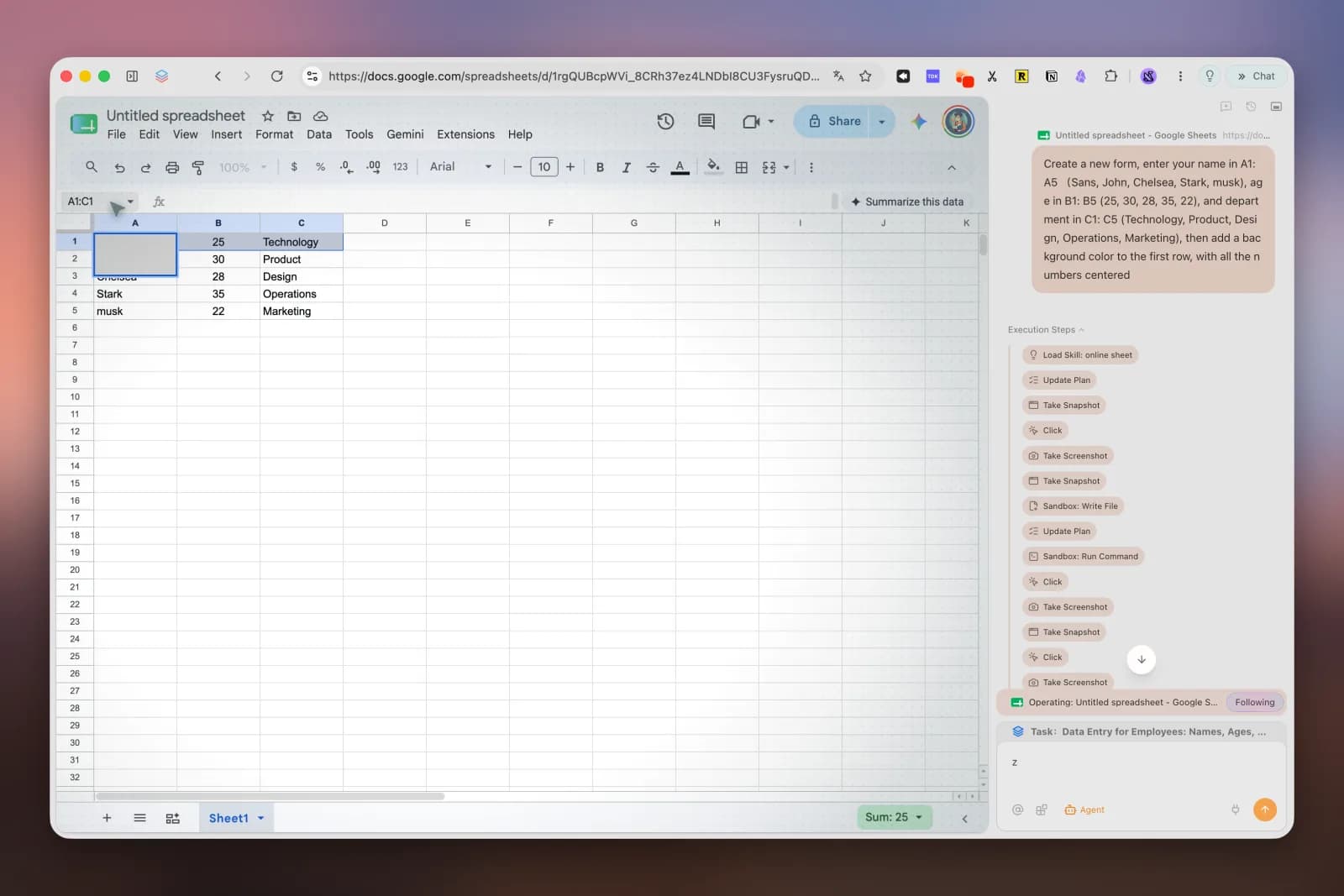
This model is strongest for research, monitoring, repetitive back-office input, and structured collection. It is weaker when the goal is vague, the page changes unpredictably, or a mistake is expensive. Tabbit's own hands-on best practices acknowledge that clearer, stepwise instructions improve reliability and that Agent speed and stability still have room to improve.
Which generation of browser do you actually need?
The newest model is not automatically the right one. Choose based on the job and the amount of authority you are willing to delegate.
| Your main need | Browser generation that fits | Practical choice |
|---|---|---|
| Reliable compatibility with common sites | Mature application-platform browser | Chrome, Edge, Safari, or Firefox |
| Strong privacy controls without action-taking AI | Privacy-focused modern browser | Firefox, Brave, or another audited option |
| Better tab and workspace organization | Context-oriented browser | A browser with vertical tabs, workspaces, and grouping |
| Summaries, translation, and page Q&A | AI-assisted browser | A sidebar assistant may be enough |
| Multi-page research and repetitive Web work | Agentic browser | Try Tabbit or another agentic browser with visible execution |
| Payments, account deletion, production publishing | Human-led browser workflow | Use AI for preparation; keep the final action manual |
The next browser war is about delegated action
The first browser war was fought over distribution and proprietary features. The second was fought over speed, standards, engines, and the browser as an application platform. The current contest is about how much of the user's work a browser can understand and safely carry out.
That makes trust part of the interface. The winning Agent browser will not simply click more controls. It will make context explicit, separate reversible work from risky decisions, show its work, preserve ordinary browser quality, and make takeover easy.
Tabbit is one practical answer to that specification: a clean browser start, page-aware conversation in the sidebar, and visible Agent execution in one desktop product. It will suit people with bounded, repeatable Web work more than people who only want a page viewer. If that describes your day, try one small workflow first—research five sources or fill a disposable test sheet—and review every step. The browser's 36-year history suggests that the feature that feels optional today can become the baseline tomorrow, but only after it earns trust.

FAQ
What was the first web browser?
WorldWideWeb, created by Tim Berners-Lee at CERN in 1990, is generally recognized as the first web browser. It was also an editor, so early Web users could both read and create linked documents.
Why was Mosaic important in browser history?
NCSA Mosaic made the early Web approachable on popular computer platforms and helped normalize pages that mixed text, links, and images. It was not the only early browser, but its usability and distribution helped move the Web beyond research institutions.
Who won the first browser war?
Microsoft Internet Explorer won the first browser war in market-share terms after being bundled with Windows. The longer-term result was more complicated because Netscape's open-source legacy helped produce Mozilla Firefox and renewed competition around standards.
Why did Google Chrome change browser design?
Chrome treated the browser as a platform for Web applications rather than a viewer for documents. Its original design emphasized a simple interface, isolated tab processes, a stronger JavaScript engine, and rapid updates.
How is an AI browser different from a traditional browser?
A traditional browser retrieves and renders pages, while an AI browser can also interpret page or tab context and help summarize, compare, or create. An agentic browser goes further by planning and performing actions such as navigating, extracting data, and filling forms.
Can a browser agent safely complete every task for me?
No. Browser agents are useful for bounded, reversible work such as research, drafting, and repetitive data entry, but they can still misunderstand a page or follow malicious instructions. Keep human approval for payments, deletion, publishing, account changes, and other hard-to-reverse actions.