
Choose Gemini 4 Neon if you need a paid API today. Try GLM-5.4 if you already have the GLM Coding Plan and want a second opinion on a difficult patch. For coding where turnaround matters, start with Neon and time it to a passing test. For GLM-5.4, begin with a narrow review and cap the run. A KingBench 4 field report shows why the time budget matters, even though it cannot tell you the models' speeds under identical conditions. Z.ai access documentation · Google's Neon API documentation

Key takeaways
Z.ai released GLM-5.4 on November 23, 2026. Its Coding Plan lists the model, and its general Model API is pending a security assessment.
The paid Gemini API exposes
gemini-4-neon. Standard rates in USD are $3 input, $0.15 cached input and $15 output per million tokens. Thinking counts toward billable output.A public KingBench 4 report recorded 431 minutes for GLM-5.4 Preview at Max and 109 minutes for Neon across the suite. The runs used different clients and settings. The figures describe those runs.
Both providers list roughly one million tokens of context and text output. Google specifies a combined input and output budget for Neon. Check actual client limits before routing long jobs.
Pick the model that delivers a verified result within your time limit. A second review can be worth paying for when it catches an error you can reproduce.
GLM-5.4 and Gemini 4 Neon at a glance
| Decision factor | GLM-5.4 | Gemini 4 Neon |
|---|---|---|
| Announcement | Z.ai, November 23, 2026 | Google, November 18, 2026 |
| Where to start | GLM Coding Plan, in a supported coding tool | Paid Gemini API and eligible Gemini app or Antigravity accounts |
| Public API | General Model API pending Z.ai's security assessment | gemini-4-neon on the paid Gemini API |
| Standard API price per 1M tokens | No official GLM-5.4 rate published | $3 input, $0.15 cached input, $15 output including thinking |
| Documented input | Video, images, text and files | Text, images, video, audio and PDFs |
| Response limits | 1M context and 128K maximum output listed | 1,048,576 tokens for input and output combined. Default synchronous output of 65,536 tokens. Long decode uses remaining context |
| Output type | Text | Text |
Sources checked November 24, 2026. GLM-5.4 launch · Z.ai model specifications · Neon launch · Neon model specifications · Google's pricing table
API access and pricing
If you are wiring a model into a service, the first decision is whether you can make the request with the credentials your service is allowed to use. Neon has a model ID, documented billing and a paid developer API. You can design a request today, estimate what it costs and record usage against real jobs. Google's launch also lists Neon for eligible Google AI Pro and Ultra subscribers in the Gemini app and Antigravity. Those subscriptions and the developer API have their own access and usage rules. Google's rollout details
Z.ai currently documents GLM-5.4 access through the Coding Plan. On plans with weekly quotas, Z.ai says GLM-5.4 receives 1.5 times the available quota of GLM-5.3. Treat that as a plan allowance. The official API price list shows GLM-5.3 at $1.40 per million input tokens and $4.40 per million output tokens, and it has no GLM-5.4 row. A spreadsheet that puts the 5.3 rates next to Neon under the 5.4 name would price the wrong model. See the GLM-5.4 access guide on Tabbit for the plan and configuration references. Z.ai plan and model access · Z.ai API pricing
Estimate Neon spend on a finished task
At standard paid Gemini API rates, 100,000 uncached input tokens and 12,000 billable output tokens cost $0.48. The input contributes $0.30 and the output contributes $0.18. The second number includes the reasoning counted by Google, even if the final answer is short. The example assumes zero cache hits and no separate tool charges. If an attempt fails and a retry uses the same amount, your one completed job costs $0.96. Check actual usage before budgeting. The Neon pricing guide goes deeper on batch and inference tiers. Google's rate card

For the Coding Plan, log the time a task takes, when it hits a quota or requires an alternate tool and how much review the patch needs. A subscription only has a meaningful per-task cost once you know how many accepted tasks you get through it. If you try both routes in a pilot, count accepted jobs using the same pass criteria and keep the API usage bill separate from the subscription. That gives you numbers you can use for staffing and throughput without guessing a GLM-5.4 API rate.
Coding performance and latency
AICodeKing's KingBench 4 report provides an early side-by-side observation. The author posted 431 minutes for the GLM-5.4 Preview Max run and 109 minutes for Gemini 4 Neon. The rounded ratio is 4 to 1 in that report. The charts count OpenCode steps for GLM and model requests for Neon. The suite also includes reruns with clarified prompts and mixed judging. Those details limit what the runtime ratio and leaderboard score establish. Both depend on the model, client and run rules. AICodeKing's original benchmark post
Distinguish two timers in your own test. Time to first token tells you when the model starts responding. Time to acceptance ends when the patch meets your test criteria. An agent can start quickly and still spend an hour revisiting files or rerunning commands. If you usually wait for each edit before reviewing it, that second timer captures the part of the work that makes the model feel slow.
Give GLM-5.4 a bounded review
Z.ai says GLM-5.4 reuses a block of 28 layers twice and describes prolonged reasoning as a known limitation. That explains why an unbounded test can be operationally expensive even inside a plan. There is a practical review job here. Give the agent an existing diff and a question about one behavior, such as whether CSV exports preserve rows whose optional fields are empty. Ask it to point to a test or write a minimal local reproduction of the expected output. Set a time limit in the client and keep the result only if a reviewer can check it. The GLM-5.4 evaluation notes gather the early observations with their conditions. Z.ai technical write-up
In ZCode, GLM-5.4 defaults to Max. The client also offers High and Low. Try High or Low for a narrowly scoped task and record the setting next to the result. Keep Max available when a difficult review calls for more time. These are ZCode settings and can differ in other Coding Plan tools. ZCode FAQ
For Neon, start with a real coding task that will recur, such as a serializer change with a failing regression test. Log the thinking setting and the client. Google's own launch report illustrates how much the client can matter. Its Neon SWE-sweep results were 12.8% with mini-SWE and 39.0% with Antigravity. Both figures refer to Neon. If you expect developers to use Antigravity and production to use the API, run each setup with its own tools and budget. See the Neon review for more about the benchmark settings. Google's launch benchmarks

VibeFather published two WebGL flight simulators built from the same prompt, with Neon in Antigravity and GLM-5.4 in ZCode. The demos let you compare steering and layout yourself. The sample covers one template and the site uses an AI judge to score screenshots. VibeFather's side-by-side demo
Context, files and output
Both models can take images and videos as input. Google also explicitly lists audio and PDFs for Neon. Z.ai lists files as an input type for GLM-5.4. If the task requires a specific file, upload a representative sample in the client you plan to use and check that it can extract a known detail. Two clients may handle the same file differently before the model reads it. Z.ai capability table · Google's Neon specifications
A million-token window is a capacity figure. It makes room for a long source pack, and the answer still needs to use the right paragraph. For Neon, Google documents a shared budget of 1,048,576 tokens for input and output. A large input leaves less room for a response, even when long decode is enabled. A synchronous call defaults to 65,536 output tokens. Z.ai publishes 1M context and 128K maximum output for GLM-5.4. Those two published limits do not establish their relationship in a request, and the Coding Plan client may have limits of its own. GLM-5.4 specifications · Neon token limits
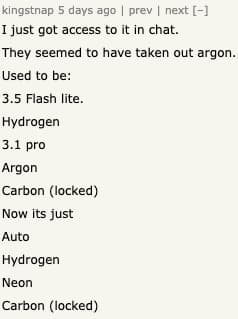
For a long-context trial, choose two source facts near the start of the prompt, two near the end and one disagreement that requires reading both sources. Ask for a citation or file location for each answer. Check them against the underlying material. For other ways to trade off context, access and cost inside the Google lineup, see the Neon vs Carbon comparison and Neon vs Hydrogen comparison.
Run a comparison you can use to choose
Pick a small patch, a multi-file change and a document task that reflects what the model will actually receive. Save one copy of the starting repository or sources. Give each run the same brief, starting files, pass criteria and wall-clock cutoff. If your tools differ, write the tool names next to the numbers. A setup comparison is useful because it reflects what people will use.
Freeze the scoring rules before either model answers. For code, record whether the specified tests pass and inspect the diff for unrelated edits. For documents, count correct source-backed answers and penalize unsupported claims consistently. Do a second run on borderline results before treating a single timeout as typical. Retain failed attempts in the time and cost totals. The guide to organizing multi-model research shows how to keep source tabs and task notes together. The GLM-5.4 model page and Gemini 4 Neon model page provide starting points for more prompts and evaluations.
Which model should you try first?
| Your job | Start with | What to verify |
|---|---|---|
| Ship a paid API integration | Gemini 4 Neon | Model ID, project billing, tool fees and the supported file types |
| Iterate on patches under a tight deadline | Gemini 4 Neon | Time to a passing test in your client, including any retries |
| Review a tricky patch while you already pay for GLM Coding Plan | GLM-5.4 | A short list of issues that a developer can reproduce within the time budget |
| Extract facts from audio or PDFs through a documented API | Gemini 4 Neon | Citations, page references or timestamps on a real input |
| Deploy with your own model weights | Wait for verified access for your chosen model | Official checkpoint, license and hardware requirements |
For a new software integration, start with Neon. Its API access is the decisive difference in November 2026. If you own a GLM Coding Plan seat, use GLM-5.4 on one difficult review and keep it in your workflow only if the findings are reproducible and worth the time. Both routes become easier to judge once you measure cost and elapsed time against a passing result.

FAQ
Can I call GLM-5.4 through a public API?
Z.ai lists GLM-5.4 in the GLM Coding Plan. As of November 24, 2026, its documentation says the general Model API will open after a security assessment, so there is no confirmed public endpoint or token rate for this comparison.
How much does Gemini 4 Neon cost per million tokens?
Google lists standard paid Gemini API rates of $3 for uncached input, $0.15 for cached input and $15 for output per million tokens in USD. The output rate includes billable thinking tokens.
Is Gemini 4 Neon faster than GLM-5.4 for coding?
A KingBench 4 field report recorded 109 minutes for Neon and 431 minutes for GLM-5.4 Preview at Max across the suite. Different coding tools and settings limit that comparison. Measure time to a passing patch in your own client.
Do GLM-5.4 and Gemini 4 Neon have the same context limit?
Z.ai lists 1M context and up to 128K output for GLM-5.4. Google specifies a shared 1,048,576-token input and output budget for Neon, with a default synchronous output limit of 65,536 tokens.
Can either model generate images or video files directly?
The official specifications list text output for both. A coding agent can use generated code and external tools to render images or video if the client supports that workflow.
Is GLM-5.4 available to self-host?
The Z.ai launch materials document hosted access. Confirm an official GLM-5.4 weights release and its license before planning a self-hosted deployment.