
Claude Agent SDK runs the agent loop and can call tools through MCP. Your tool handler opens the browser and determines what counts as success. For this example, the goal is a status code visibly appearing on a local test page. A successful click is only one step toward that goal.
Choose the browser integration
Use a narrowly scoped tool for a repeated workflow with known inputs and a verifiable outcome. A general Playwright MCP server makes more sense while you are still exploring an unfamiliar interface. Anthropic also documents browser toolsets for its API SDKs, with a driver contract of their own. Check which SDK and interface you are using before copying setup instructions.
Read the API SDK toolset guide · Read the Playwright integration guide
Browser agents · Browser automation · Browser automation agents
Separate registration from execution
If the MCP client lists the three short names, registration has worked. That is the first boundary. It says nothing about what the browser sees. The second boundary is the handler: it should return the URL and current status, so the caller can tell which page produced the result. The third is the workflow: even a successful tool invocation only completes the task if the independent check sees the expected state. Inspect those boundaries in order when a run fails.
Implement three tools
Use tool() for validation and the handler, then register the definitions with createSdkMcpServer(). The optional agent supplies that server under query().options.mcpServers.fixture. With this name, the model sees mcp__fixture__reveal_status. Keep the allowed names exact. Limit what each handler can reach even when the call itself is approved. Read the SDK custom tools guide
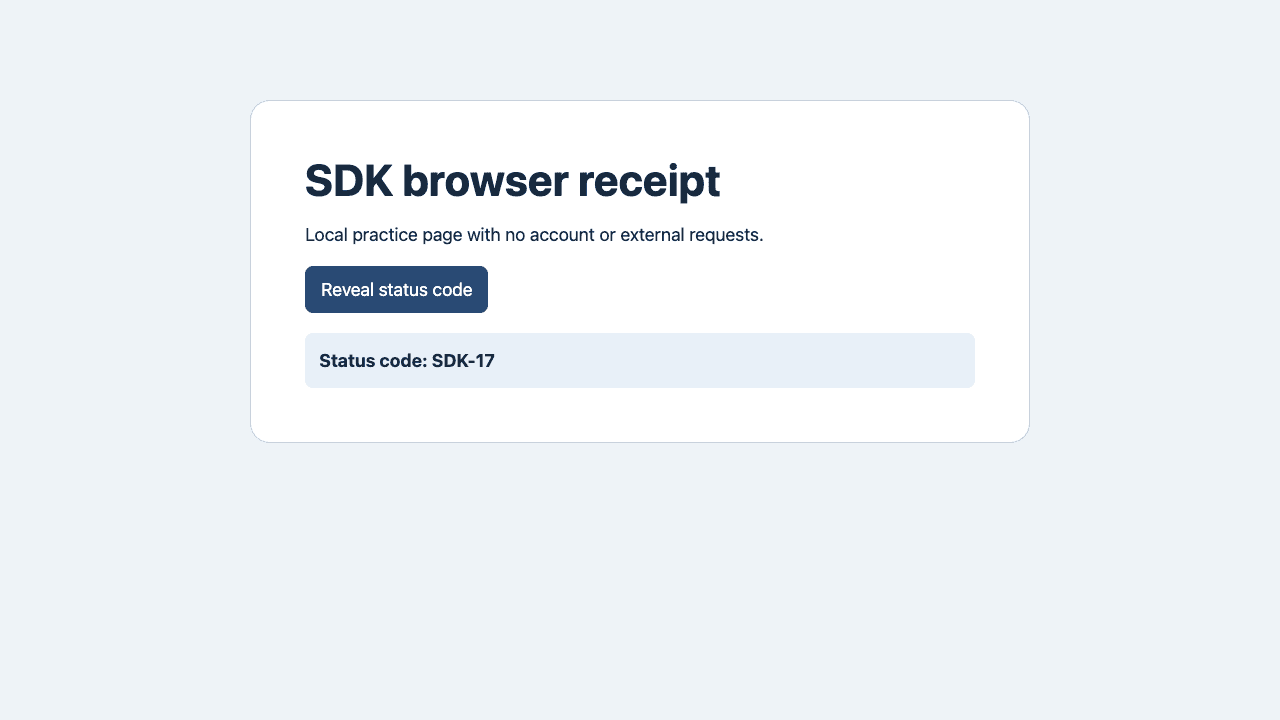
Open the fixture in normal or missing mode. A fresh Playwright context starts with no signed-in state. Keep navigation on the fixture origin and pass an enum instead of accepting any URL. Find the button by its exact accessible name and require one match. After clicking, read the status region and compare the visible value to the expected code.
| Tool | Verified output |
|---|---|
open_fixture({variant}) | Status code hidden |
read_status() | Read-only page state |
reveal_status() | Status code: SDK-17 |
Browser agent security · Virtual browsers
Read the source in execution order
Start with fixture.mjs to see the two test paths. In browser-tools.mjs, find the exact role locator, the status read, and the call budget before opening smoke.mjs. The smoke client can list and call all three tools because the server exposes them over in-memory MCP. It calls the same handlers the optional Agent SDK loop would call. Run the smoke path first so you can isolate a tool failure from a model authorization or instruction problem.
Run the example locally
The smoke test uses the actual SDK-created MCP server over in-memory transport, a deterministic MCP client, and a real local Chromium browser. It needs no model credentials. The optional agent entry runs only with your authorized API key. We ran the smoke test and did not run the model entry.
npm ci
npx playwright install chromium
npm test
Follow the normal and negative paths
The first call opens the normal fixture. The second reveals the code, and the third reads it back. Then the test opens the missing variant. It expects the reveal operation to fail and a separate read to report that the code is still hidden. The remaining reads are used to reach the cap without adding side effects. The ninth attempted call checks that the budget is enforced in the tool host. A green smoke test means those assertions passed for the fixture.
Read the receipts
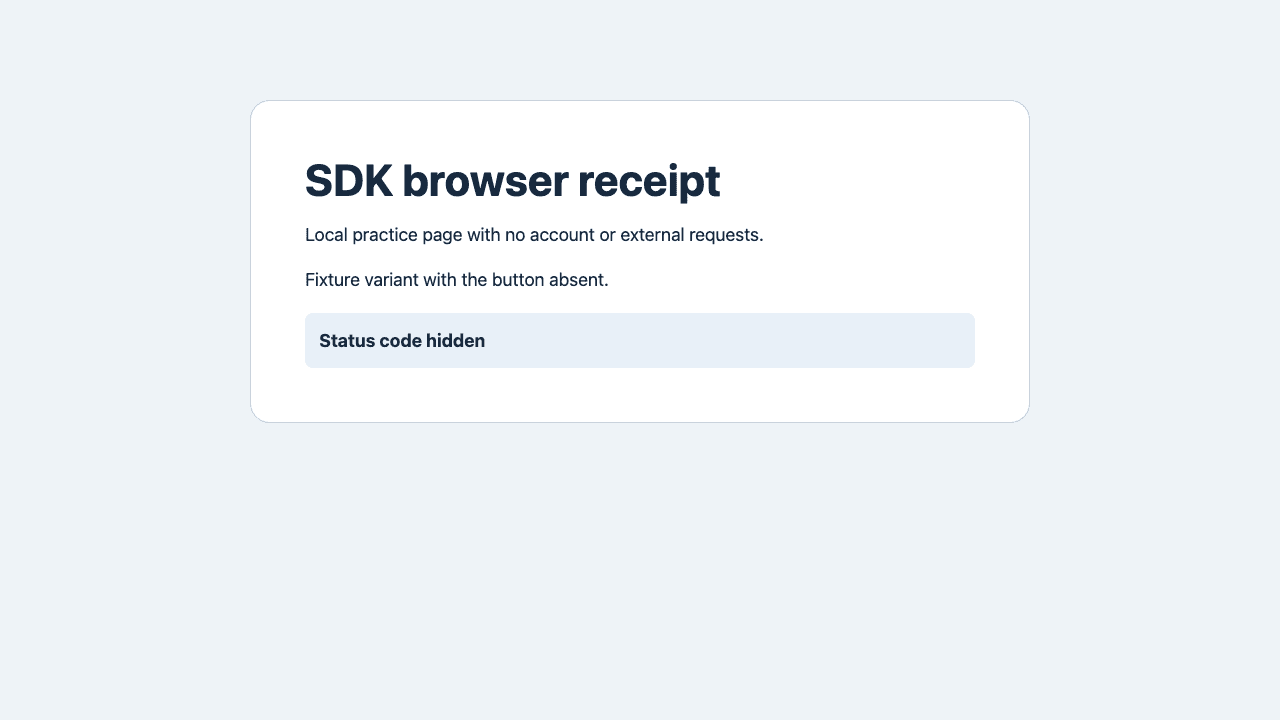
The missing fixture deliberately removes the button. The attempted action returns an error, zero matches, and the still-hidden status. A separate page read confirms the code did not appear. After eight calls, a ninth call returns a budget error. The screenshot shows the page state; the JSON shows the tool's account of the attempt.
{
  "isError": true,
  "ok": false,
  "code": "TARGET_MISSING_OR_AMBIGUOUS",
  "expected": "Reveal status code",
  "matches": 0,
  "observed": "Status code hidden"
}
Bound the tool where the action happens
This project has one local origin, two inputs, and one button. Keep those boundaries when you substitute your own test page. The page is data. An instruction inside a page does not expand the tool's permissions. Do not feed the handler a locator, script, or destination taken directly from an untrusted page. Before adding any action that writes data, define which fields may change, which environment accepts the change, and what should happen when the result cannot be verified.
Decide when to stop
If the target is missing or ambiguous, save the page state and inspect the selector before changing it. If the click ran but the expected status is missing, reread the page before any retry. If the call budget is exhausted, stop the run and keep the last confirmed result. For a workflow that writes data, choose a read-back check before retrying a write.
| Failure | Next step |
|---|---|
TARGET_MISSING_OR_AMBIGUOUS | Check the selector |
POSTCONDITION_FAILED | Read the page again |
TOOL_BUDGET_EXHAUSTED | Stop and keep the last result |
A Claude Code user reported that the assistant described successful form testing without visible browser activity. In a separate browser tooling discussion, a commenter suggested proving both that the validation message appeared and that the next action never ran. These observations informed the independent read-back and stop tests. r/ClaudeCode · r/AI_Agents
First-task checklist · Browser debugging with DevTools
Diagnose problems without changing the selector first
A status read can fail because the adapter never reached the page, the page has no matching control, or the UI accepted the click but rejected the operation. Save the failure code with the observed state. A timeout or a missing match calls for an inspection of the actual page, not a broader match. If you can reproduce the failure with the deterministic client, fix the tool or fixture before adjusting the model prompt.
Verify the result outside the model
In the optional agent entry, built-in tools are disabled, the three tool names are allowed, and the loop is bounded by a turn limit and timeout. Even after a successful model result, the host checks the page independently. When adapting the example, define a read-back check you can run yourself, such as verifying a saved value after reload.
npm run agentMove one small workflow into your app
Replace the fixture with a test origin, the demo status with one business invariant, and the fixed input enum with an equally narrow schema. Keep the budget and add the minimum telemetry you need to distinguish success from failure. Record the requested operation, a stable error code and a safe verification summary. Keep credentials, page text that contains user data, and raw form values out of shared traces. Add broader actions only after the small workflow is reproducible.

FAQ
Which component starts the browser?
The local Playwright adapter starts it inside the tool host.
Do I need an API key for the smoke test?
No. The smoke client calls the SDK-registered tools directly.
Can I send arbitrary URLs to this project?
The example accepts two fixture modes and restricts navigation to its local origin.
Why check after the click?
The browser can accept a click while the app still fails to produce the expected state.
What is the difference from Playwright MCP?
A general server exposes reusable browser operations. This example exposes three workflow-specific tools with explicit results.
Can I use the example on production forms?
Start with a fixture. Add an explicit write policy and independent verification before connecting a real form.