
YAB Browser, short for Yet Another Browser, is a free Mac browser built around Arc-style Spaces, pins, folders, Peek and Split View. It uses WebKit and connects your existing Claude or ChatGPT account to agents that can work in your signed-in tabs. The official website lists macOS 15.4 or later and links an iPhone beta.
The reason to consider it is concrete: keep a familiar Arc-shaped workspace while trying a different browser and AI setup. In a public X reply, Christopher Li asked how to submit bugs and expressed a preference for an improved Arc-style browser over another AI-centered product. That shows one user's priority, not proof of migration completeness or feature parity.
This YAB Browser review checks official documentation and accessible community reports as of October 28, 2026. It is not an installation test, migration test or speed benchmark. The verdict is to trial YAB if you want Arc-style organization on a supported Mac, then verify your own sites and extensions before switching. Later, Tabbit Browser provides a separate example for readers who prefer a browser's own AI workflow.
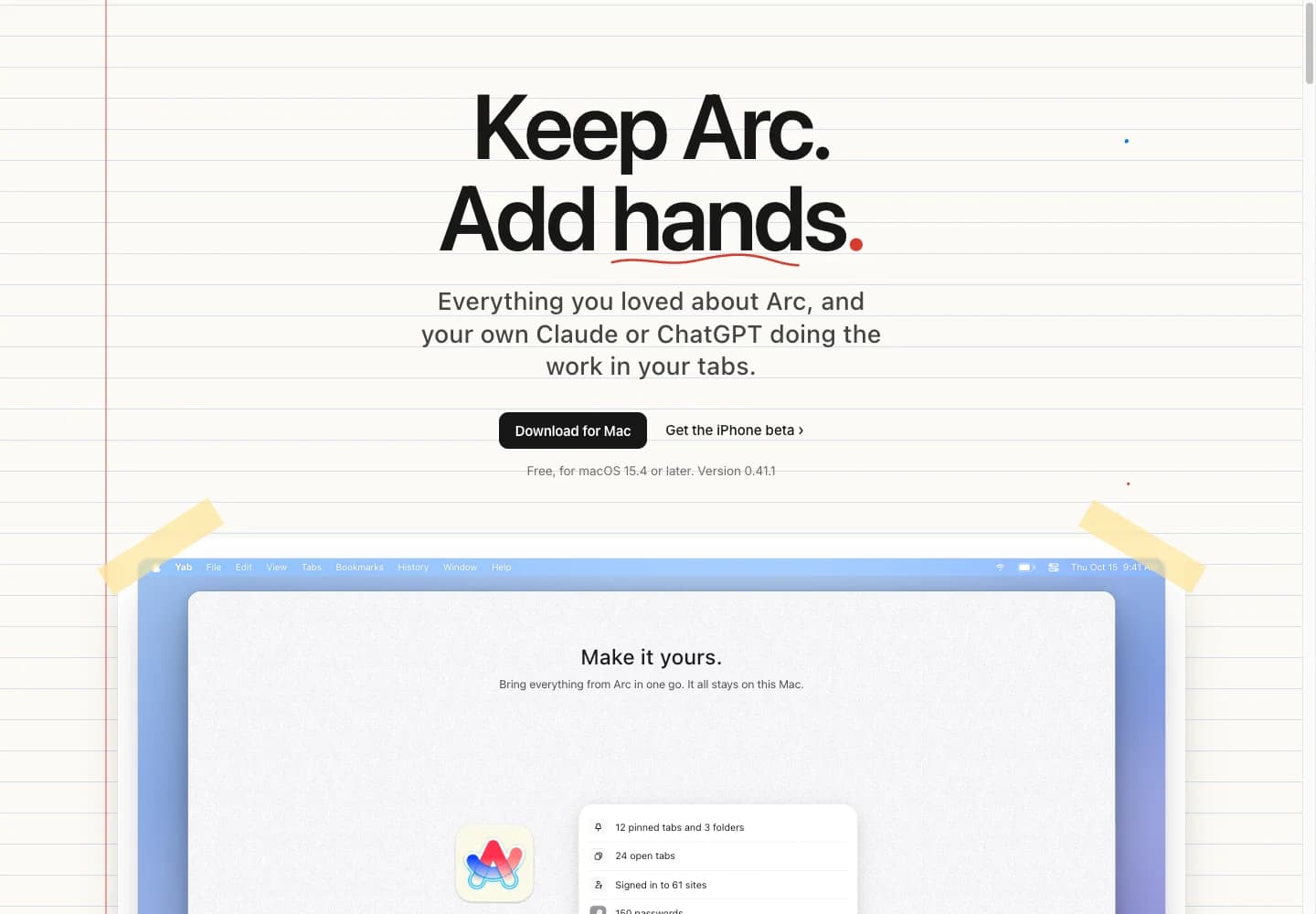
The cover captures the official website and its product artwork, not a locally installed YAB application.
Key takeaways
YAB's documented desktop requirement is macOS 15.4 or later, on Apple silicon or Intel. The iPhone offering is a beta, not evidence of complete desktop parity.
Arc import has explicit mappings and exclusions. Easels remain in Arc, and extensions' stored data stays in the old browser.
Browser software is free; Claude or ChatGPT charges and quotas still belong to the provider. Connecting AI can install tools and configure an MCP integration.
WebKit and Chrome Web Store support can coexist. Compatibility still needs checking for each essential extension and website.
Permission settings matter. Bypass, saved site grants and optional payment thresholds qualify the broad claim that an agent always asks first.
YAB Browser at a glance
| Decision point | What official sources document | What this review has not tested |
|---|---|---|
| Identity | Yet Another Browser at yetanotherbrowser.com | Installed app identity or signing |
| Desktop | macOS 15.4+, Apple silicon and Intel | Older systems and hardware compatibility |
| Mobile | iPhone TestFlight beta | Feature or sync parity |
| Engine | macOS WebKit | Site compatibility, RAM, battery or speed |
| Organization | Spaces, pins, kept tabs, folders, Peek, Split View | Arc feature-for-feature equivalence |
| Arc import | Local data import with mappings and exclusions | Completeness on a real profile |
| AI | Your Claude/ChatGPT plan through their tools; some local text commands | Task success, provider eligibility or quota on your account |
| Extensions | Chrome Web Store through WebKit and compatibility support | Every extension, login or native integration |
| Software price | Free browser; separate provider plan conditions | Future pricing or total AI cost |
The AI page, import manual and vendor's comparison support this table. The comparison identifies itself as the maker's view. Its rankings are not independent findings.
What YAB keeps from the Arc workflow
Spaces separate sets of tabs. Pins and kept tabs preserve pages you return to. Peek opens a link over the current page, and Split View puts two pages together. Those choices will be familiar to someone researching browsers with vertical tabs, but familiar controls do not make two products interchangeable.
YAB also documents a top-tab option, so its interface is not restricted to a vertical sidebar. Decide which arrangement you want before evaluating AI. A browser that makes your ordinary reading and navigation awkward will not become suitable just because its agent completes a demonstration.
This article uses the official address above as its product reference. Search results also contain similarly named tools and token pages; the name alone is not enough to identify a download. Follow the maker's download link and recheck the requirements there. A browser review is not a reason to buy a token or use a third-party installer.
For wider context, our Arc alternatives guide considers different replacement priorities. The Arc shutdown explainer covers the separate background question. Neither changes what YAB's own import manual says it can bring over.
System requirements narrow the choice early
The official AI page lists both Apple silicon and Intel Macs with macOS 15.4 or later. The maker's comparison states there is no Windows or Android release. No Linux download was found in the official sources checked. An iPhone TestFlight link should be evaluated as a beta, including whether it is accepting testers and which features it currently supports.
There is a second system boundary for local AI. The models manual describes Apple Intelligence for short text on macOS 26 with Apple Intelligence enabled. Meeting the browser's macOS minimum does not establish eligibility for that local model. Hardware, language and Apple Intelligence availability need checking separately.
Do not extrapolate across devices. A desktop screenshot, a beta link and a statement about Mac sync are different evidence. If your work requires a Windows or Linux machine today, eliminate unsupported desktop options first. Our Zen overview is further reading for a different engine and platform direction, rather than a promise that it reproduces YAB.
Arc import has useful detail and real exclusions
The Bring In manual says YAB reads the source browser's files on the Mac, without routing the import through a server. Arc can stay open. That describes the vendor's implementation, not a migration that this author completed.
The documented mapping is more useful than the homepage's broad wording:
With Keep its spaces on, each Arc Space becomes a YAB Space with its appearance. Turning it off combines the contents into one list.
Arc Favorites become pins, up to nine per Space; the remainder become kept tabs. Arc pinned tabs also become kept tabs.
Folders, including nested folders, and two-page Split View pairs retain corresponding organization according to the manual.
Imported tabs arrive asleep until opened. Easels remain in Arc.
Extensions download again from the Chrome Web Store. Data they stored, including extension sign-ins, stays with the source browser. Some website sign-ins may also require authentication again.
Start with one representative project. Count its folders and saved links, open a nested item, check a Split View pair, and verify a critical website. Test your password manager separately. A familiar sidebar can conceal missing state, especially when an imported tab has not loaded yet.
Keep Arc and your own backup until that check is complete. Importing again is documented as adding new items, but repeated imports are not a substitute for inspecting the result. This review makes no completeness or zero-effort migration claim.
AI connects your plan and changes your local setup
YAB's AI is not documented as a bundle of unlimited model credits. Its connection guide says to open Settings → AI, choose Claude, ChatGPT or both, and follow the connection button. Authentication belongs to the provider. The guide lists supported paid/work plans and says Free or Go ChatGPT may work with low limits.
Connection can install Claude Code or Codex if missing, install the yab command, and add the yab-browser skill and MCP settings to those tools. Readers already using coding agents should inspect Settings → Developers so they know what was added. This is more consequential than opening a chatbot website in a sidebar.
That also explains the external-agent route. YAB exposes browser tools through MCP and its command line so an existing agent can use the browser. A working model account, a configured client and permitted browser actions remain separate requirements. Our agentic browser explanation distinguishes answering questions from executing actions; the browser automation guide covers the broader task category.
Quotas continue to apply. The models manual describes usage indicators, resets and behavior when an account runs out. It does not establish how many tasks your account will complete, and a subscription is not the same billing arrangement as an API key. Check the provider's current eligibility and terms before depending on this connection.
Local storage does not mean local cloud AI
The privacy manual says browser data and agent memory are stored on the Mac, with optional end-to-end encrypted sync. It also documents usage counting, update checks and other network activity. Avoid reducing that to a claim that the browser sends nothing anywhere.
Material an agent reads goes to its model provider, Anthropic or OpenAI, under your account. Some Apple Intelligence text commands are local, subject to their own requirements. Those are distinct data paths. Ask whether a particular task sends its page content to a provider, rather than asking whether the whole browser is simply private.
The permissions page adds a crucial qualification. Ask and Auto ordinarily request confirmation for consequential actions, but Bypass removes prompts. Saved site permissions and optional payment limits can also change behavior. A first trial should use a read-only public-page task with the permission settings inspected beforehand. The presence of a confirmation mechanism is not a guarantee against every unintended action.
Where extensions and performance need your own check
YAB uses WebKit, rather than Chromium. Its extension manual describes Chrome Web Store installation on WebKit's extension engine, plus compatibility work for APIs. That is a supported installation route, not a compatibility test of the extensions you use.
HelpRespawnedAsDee reported a smooth Arc import but noticed WebKit when an extension failed. The extension was not named. This is a reason to test your own required extensions, not a basis for publishing a compatibility blacklist. Check sign-in, toolbar actions, site permissions and any connection to a separate desktop app.
Performance reports conflict. In the same discussion, mikepictor described freezes and lag, while other replies described a better experience. The available comments do not share a fixed device, build or workload. They cannot establish a speed winner.
The October 25 changelog includes work on typing with large histories and boost permissions. That shows documented maintenance, not that every issue is fixed. Record the YAB version, macOS version, tab set and essential extensions when you trial it. This article provides no RAM, battery or speed measurements. Community research verified a public X reply and Reddit reports; YouTube did not yield usable feedback.
A separate option for built-in workflows: Tabbit Browser
Some readers want the browser to provide its own conversation and task workflow, rather than connect an existing Claude or ChatGPT plan through local tools. Tabbit is worth evaluating for that constraint. Its international official page describes page and file context alongside browser tasks. YAB already supports agents, so automation alone is not a unique Tabbit advantage.
Use a small reading task as the comparison. Open two public product manuals, select the relevant page context in Tabbit, and ask for a table of system requirements and import exclusions with a source for every row. Check each row against the original. The Tabbit workflow article gives examples of this approach; the Zen AI sidebar guide explains the distinction between a chat entry point and browser actions.
Source collection for this article used Codex with Tabbit CLI to open YAB's homepage, import manual, connection guide and permissions page, read their visible text and capture the cover. That is a completed navigation and source-checking workflow. It is not a test of YAB or a benchmark of Tabbit's built-in AI.

This is a suggested evaluation, not a task result claimed by this article. Models, account limits and regional availability still need checking. Inspect the selected context and output before using it, and compare the extra setup with YAB's own plan connection. Keep the browser that better fits your actual work, including its engine and device requirements.
Choose by the task you need to complete
| Your requirement | Practical next step | Reason or boundary |
|---|---|---|
| Arc-style organization on a supported Mac | Trial YAB with one project | Specific import mappings; Easels and extension state are excluded |
| Existing Claude/ChatGPT plan used in browser tasks | Check YAB's connection guide | Provider quotas and local tool configuration remain |
| Windows or Linux desktop | Choose a browser offering your platform | The reviewed YAB desktop release is for Mac |
| Exact Chrome-extension behavior | Test every required extension first | WebKit compatibility is not universal proof |
| All model processing kept locally | Check the exact local command and requirements | Claude/ChatGPT page processing goes to their providers |
| Browser-provided AI workflow | Compare one small task with Tabbit | No universal productivity winner is established here |
| Critical daily work without disruption | Keep the current browser during the trial | No verified migration or compatibility result for your setup |
The verdict and a useful first trial
YAB is a credible candidate to investigate if your priorities are Arc-style organization, a supported Mac and use of an existing AI plan. Its documentation provides enough detail to plan a sensible trial. It does not provide independent evidence that your migration will be complete or that the browser will be faster.
Before making it the default, import one project, test one important site and each essential extension, then ask the agent to compare two public pages without writing or submitting anything. Keep a short record of missing items, errors and repeated authentication. If the setup cost or device support does not fit, compare the same reading task in Tabbit using the page's download CTA. A successful switch starts with your workflow passing, not with a screenshot resembling Arc.

FAQ
What is YAB Browser?
YAB means Yet Another Browser, a Mac browser with Arc-inspired Spaces, pins, folders, Peek and Split View. It uses WebKit and can connect your own Claude or ChatGPT plan to browser agents. This review concerns yetanotherbrowser.com.
Does YAB work on Windows, Linux or a phone?
The official desktop offering checked on October 28, 2026 requires macOS 15.4 or later and supports Apple silicon and Intel Macs. The site links an iPhone beta through TestFlight. It does not offer a Windows, Linux or Android release in the sources checked here.
Can YAB import my Arc browser setup?
The manual documents importing Spaces, tabs, folders and Split View pairs from local Arc data. Favorites and pinned tabs are mapped to YAB's pin and kept-tab structure, while Easels stay in Arc. Extensions are fetched fresh, and their stored state does not migrate. Verify the result before removing Arc.
Is YAB's AI free, or does it need an API key?
YAB describes the browser as free and connects supported Claude or ChatGPT accounts through their own tools. Provider plan charges and usage limits still apply; some free ChatGPT accounts may work with low limits. This is a plan connection, not a promise of unlimited included AI or a requirement to buy API credits.
Can YAB run Chrome extensions?
YAB documents installation from the Chrome Web Store using its WebKit extension engine and compatibility work. That does not prove every extension or native integration works. Check the exact extensions, versions, permissions and sites you rely on.
Does all YAB AI processing stay on my Mac?
No. The manual says material read by Claude or ChatGPT goes to Anthropic or OpenAI under your account. Apple Intelligence handles some short-text commands locally under separate system requirements. Local browser storage and encrypted sync do not make cloud-agent processing local.