
Tabbit's launch article lists a QoderWork example for opening Xiaohongshu through the browser and drafting a script. The practical output for topic research is a table you can audit. Use the browser to read the pages you are allowed to open. Save visible observations and sources first, then ask the agent to propose a new question you can answer with your own evidence.
In r/content_marketing, a reader asked which format would help a professional audience find their content: searchable tutorials, founder-led posts or case studies. r/content_marketing
Key takeaways
Use one public note you can open and one independent source that can verify a specific claim.
Save the final note URL and access date. Merge alternate share links when they resolve to the same note.
Keep unavailable comments and engagement blank. Put access failures in a separate status field.
Keep proposed topics separate from source observations. Give each topic an original question, material and check.
What the official example shows
The September 9 Tabbit Browser launch article names QoderWork, Xiaohongshu and script drafting in its 1:07 demo listing. The title and duration are the available evidence for this example. Qoder separately describes browser and desktop control on its product page. For the research workflow below, use those descriptions to scope a small, read-only task.
Official launch article · Qoder website · Tabbit and Codex case
Start with one approved page
Give the agent a URL you have already opened and identify the page title before asking it to extract anything. In a client already configured with the Tabbit skill, invoke /tabbit and ask for a read-only review. Check that it returns the exact source link and a short observation. If the client cannot invoke the skill, you can fill the same table by hand. Keep the initial run to one or two links so you can inspect every result.
Browser agent · First-task checklist · Connect an existing browser
Ask for a source table
A useful request names the sources, the fields and the stopping point. Ask for the URL, access date, visible title or content type, one structural observation, and a separate verification status. Record blank fields when comments or engagement are unavailable. A note can be publicly shared while a search page or comment list is gated. Stop there and keep the URL as a lead instead of assuming the missing fields are zero.
Open only the supplied URLs. For each, return the URL, access date, visible title, one observation about structure, and verification status. Leave unavailable fields empty. Stop at login or restricted content. In a separate section, propose one topic with a new question, independent material and a test we can run. Do not publish.| Field | Record |
|---|---|
| Source and access date | Public RedNote note · 2026-11-06 |
| Visible structure | Plot hook followed by a link to the game’s Steam listing |
| Verification | Steam store listing · Full game language table and separate demo description |
| New work | Hypothetical topic: how to check the languages of a demo before downloading |
Official creator workflow · Download the sample CSV
Using the CSV
Read the source rows before the idea rows. A source row describes what someone else published and identifies the link you opened. An idea row states what you still need to make. Keep the link with the source even when you decide to reject the idea. This keeps the record useful when the same note reappears in another search.
For deduplication, keep the original share URL for provenance and use the final note permalink as the record key. Merge rows only when the destination identifies the same note. If a redirect is blocked, mark it unresolved and keep it separate.
One r/rednote user reported that an authorization error stopped them opening the app. If a source is blocked in your own session, log the access state and move on to another authorized source. r/rednote
The public example in Tabbit Browser
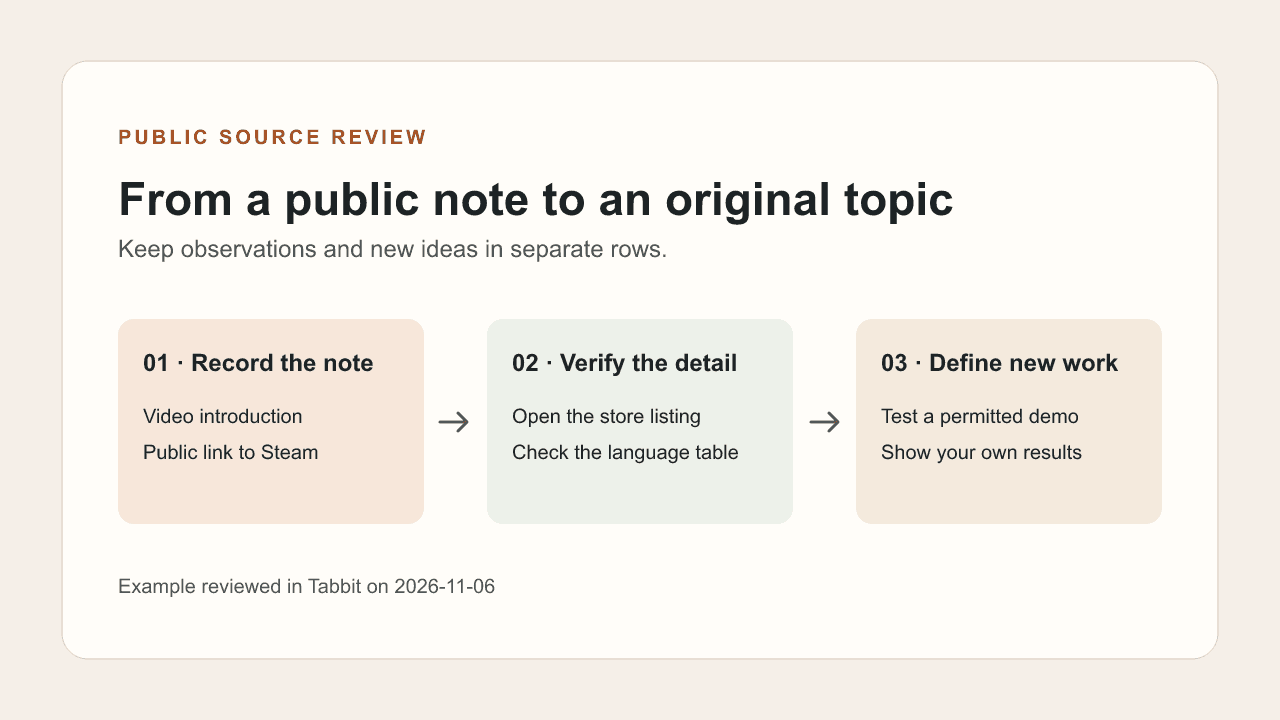
The public RedNote note linked below introduces an indie visual novel with a plot hook and a Steam link. The store listing separately lists English support and marks Simplified Chinese unsupported as of the source review on November 6. The notes describe two different facts: the language of the promotion and the game’s listed language support. The public note’s comments were still loading, so the sample CSV leaves comments and engagement blank. The same page separately says the demo includes Simplified Chinese. Record the full game and the demo as separate claims.
Turn a structure into an original topic
Record the structure at a level another creator could use without recognizing the source wording. Here it is introduction, reason to investigate, destination. Then replace the claim, source material and proof with your own work. One possible topic is a demonstration of how you checked language support for an independently selected demo. The verification is the new value. A rewritten plot hook or a swapped product name would still leave the audience with substantially the same post.
Browser automation · Browser automation agent
Review the deliverable before using it
Keep observations, unresolved leads and proposed ideas in separate rows. Open the links in the final table and compare each factual statement with the page you cited. Recheck details that can change, such as language support or availability. Put any screenshots, recordings or quotes through the same permissions check as the rest of your material. This workflow ends with a reviewable topic plan, before publication, messages or account changes.
| Status | Next action |
|---|---|
| Title and source visible | Capture one observation |
| Comments unavailable | Keep blank |
| New topic proposed | List the independent work required |
Browser agent security · Tabbit browser overview
Start with one note and a claim you can cross-check. Once you can trace both rows back to their pages, use the same fields for the next topic.

FAQ
Can QoderWork open Xiaohongshu?
Tabbit documents a QoderWork browser example. Actual access depends on your client setup and what the platform exposes.
Do I need a large set of notes?
A single public note and a verification source are enough to test your table. Expand only once you can check each row.
What if comments do not load?
Mark them unavailable and leave the comment and engagement fields blank.
Which fields are essential?
Keep the source URL, access date, visible observation, verification state and a separate proposed idea.
Can the same prompt publish the result?
Keep the research run read-only. Treat any publishing as a separate approval step.
How do I avoid copying a script?
Describe the source's structure, then gather independent material and produce a test or observation of your own.