
The best web browser in 2026 depends on what you need it to do. Choose Chrome for the broadest compatibility, Safari for Apple integration and battery life, Edge for Windows features, Firefox for an independent browser engine, Brave for privacy by default, Vivaldi for customization, and Tor Browser when anonymity matters more than convenience. Choose Dia or Arc for a minimal, visually focused workspace. If your workflow needs to operate websites, process many pages and files, or give an agent a browser, start with Tabbit.
That answer is less exciting than naming one winner, but it is more accurate. A 2026 Reddit discussion reached the same conclusion: “there isn't an actual objective answer for the best browser”. Your operating system, extensions, account ecosystem, privacy model, and tolerance for interface change matter more than a generic score.
Disclosure: Tabbit publishes this site. We therefore give Tabbit no automatic ranking advantage. Its section uses the same “best for, strengths, limits” structure as every other browser, and the final recommendations include it only where its agent workflow is relevant.
Key takeaways
There is no credible overall winner. Browser rankings change when the evaluator changes the weight of compatibility, privacy, battery life, customization, or AI.
The engine still matters. Chrome, Edge, Brave, Opera, Vivaldi, Arc, Dia, Comet, Helium, Samsung Internet, and Tabbit are in the Chromium/Blink family on desktop. Firefox, Zen, LibreWolf, Mullvad Browser, and Tor Browser descend from Firefox/Gecko. Safari uses WebKit. Read our browser engine explainer if those names are unfamiliar.
Market share is not quality. StatCounter reported Chrome at 69.39% of worldwide browser usage in August 2026, followed by Safari at 15.83% and Edge at 5.36%. That mainly describes distribution, defaults, and ecosystem reach—not which browser is right for you.
Privacy has levels. Blocking third-party trackers, resisting fingerprinting, separating sessions, and routing traffic through Tor solve different problems.
Performance claims need your hardware. We did not manufacture a universal speed score. Browser version, extensions, tab count, websites, operating system, and battery mode can reverse a benchmark result.
Dia or Arc fit people who prioritize a minimal visual workspace. Dia is the active contextual-AI choice on supported Macs; Arc still has an appealing spatial interface but is now in stable maintenance.
Tabbit is our first recommendation when a workflow—or an agent—must operate the browser. It can bring pages, tab groups, screenshots, and files into context, execute browser actions through Agent Mode, and show the process for review.
A two-browser setup is often rational. Keep one compatible daily driver and a second browser for isolated work, research, or privacy.
Best browsers at a glance
This table covers 18 browsers with realistic value in 2026. It is not a list of every historical browser or embedded webview. For a wider visual directory, see all browsers.
| Browser | Main engine | Main platforms | Best for | Strongest reason to choose it | Main limitation |
|---|---|---|---|---|---|
| Chrome | Blink | Windows, macOS, Linux, ChromeOS, Android, iOS | Compatibility and Google users | Broad extension and website support | Google ecosystem and limited privacy defaults |
| Safari | WebKit | macOS, iPhone, iPad, Vision Pro | Apple users and battery life | Deep OS integration and tracking protection | Apple-only and smaller extension catalog |
| Edge | Blink | Windows, macOS, Linux, Android, iOS | Windows productivity | Strong built-in tools, Copilot, vertical tabs | Busy interface and Microsoft prompts |
| Firefox | Gecko | Windows, macOS, Linux, Android, iOS | Open web and user control | Independent desktop engine, strong privacy controls | Some sites test Chromium first |
| Brave | Blink | Windows, macOS, Linux, Android, iOS | Easy privacy by default | Shields blocks ads and trackers without an extension | Extra crypto, rewards, and AI features can feel crowded |
| Opera | Blink | Windows, macOS, Linux, Android, iOS | Built-in convenience tools | Sidebar, Tab Islands, ad blocker, browser VPN | More built-in services than minimalists want |
| Vivaldi | Blink | Windows, macOS, Linux, Android, iOS | Customization and many tabs | Tab stacking, tiling, workspaces, commands | Configuration depth adds complexity |
| Arc | Blink | macOS, Windows | Minimal spatial workspaces and existing Arc users | Spaces, profiles, vertical tabs, split view | New feature development has stopped |
| Zen | Gecko | Windows, macOS, Linux | Firefox-based workspace UI | Vertical tabs, workspaces, split view | Beta status and younger project |
| Helium | Blink | Windows, macOS, Linux | Minimal de-Googled Chromium | Clean UI, extensions, built-in blocking | No sync, mobile app, Widevine DRM, or password manager |
| DuckDuckGo | Varies by OS | Windows, macOS, iOS, Android | Simple private browsing | Private search and tracker blocking in one package | Fewer power-user tools and extensions |
| LibreWolf | Gecko | Windows, macOS, Linux, OpenBSD | Hardened Firefox defaults | No telemetry and bundled uBlock Origin | DRM disabled and some sites need exceptions |
| Mullvad Browser | Gecko | Windows, macOS, Linux | Anti-fingerprinting without Tor routing | Standardized fingerprint and private sessions | Deliberate restrictions reduce convenience and persistence |
| Tor Browser | Gecko | Windows, macOS, Linux, Android | Anonymity and censorship resistance | Routes traffic through the Tor network | Slower, blocked by some sites, not for ordinary account-heavy browsing |
| Samsung Internet | Blink | Galaxy/Android; Windows rollout | Samsung device users | Galaxy integration, content blockers, AI tools on supported devices | Best experience is tied to Samsung hardware and rollout status |
| Tabbit | Blink | Public desktop focus: macOS, Windows | Browser-operating workflows and agent use | Agent Mode, page/file context, model choice, vertical tabs | Smaller ecosystem; public platform and feature parity need checking |
| Comet | Blink | Windows, macOS, iOS, Android | AI-assisted research | Cross-tab assistant and broad platform coverage | Cloud AI permissions and usage limits require scrutiny |
| Dia | Blink | macOS 14+ on Apple silicon | Minimal Mac AI workspace | Polished chat with tabs, tools, and skills | Mac hardware restriction and plan-dependent AI access |
How we compared the browsers
We checked current official product pages first, then used recent editorial comparisons and community reports to identify points worth testing. The comparison date is September 17, 2026. Fast-moving AI features, pricing, and platform rollouts may change after that date.
We evaluated six questions:
Can it open the sites you need? Rendering compatibility, extensions, DRM, and enterprise requirements come before novelty.
Does it fit your devices? A desktop winner can be a poor choice if bookmarks, passwords, and tabs do not reach your phone.
What is private by default? We separate tracker blocking, telemetry, fingerprint resistance, private sessions, and network anonymity.
How does it manage real work? Tab groups, vertical tabs, profiles, workspaces, split view, commands, and automation count here.
What is the maintenance risk? A stable update pipeline matters more than a clever feature from an inactive project.
What does it cost in friction? Setup, broken sites, account prompts, interface learning, and unavailable video are real costs.
We did not run a laboratory benchmark. Magic Lasso's current four-browser comparison, for example, found Safari and Chrome tied overall on its test hardware. Another device or workload can produce a different order. Treat any single speed chart—including vendor charts—as a starting point, then test your actual sites.
Community evidence is also bounded. A Cloudwards video with more than 300,000 views ranked Vivaldi first under its stated privacy and customization criteria, while its presenter used Zen as a daily driver. An August browser megathread includes a Firefox user who valued control and privacy but reported heavy memory use on one aging laptop. These are useful failure cases, not universal measurements.
Mainstream browsers
1. Google Chrome: best for compatibility
Chrome remains the lowest-risk answer when your priority is that websites, school portals, corporate tools, video services, and extensions work without argument. Its scale gives developers a strong incentive to test against it. Chrome also has mature profiles, tab groups, password management, translation, Memory Saver, Energy Saver, and optional account sync. Google's current Chrome feature page also describes Gemini, vertical tabs, and split view, although AI availability depends on account, region, language, and plan.
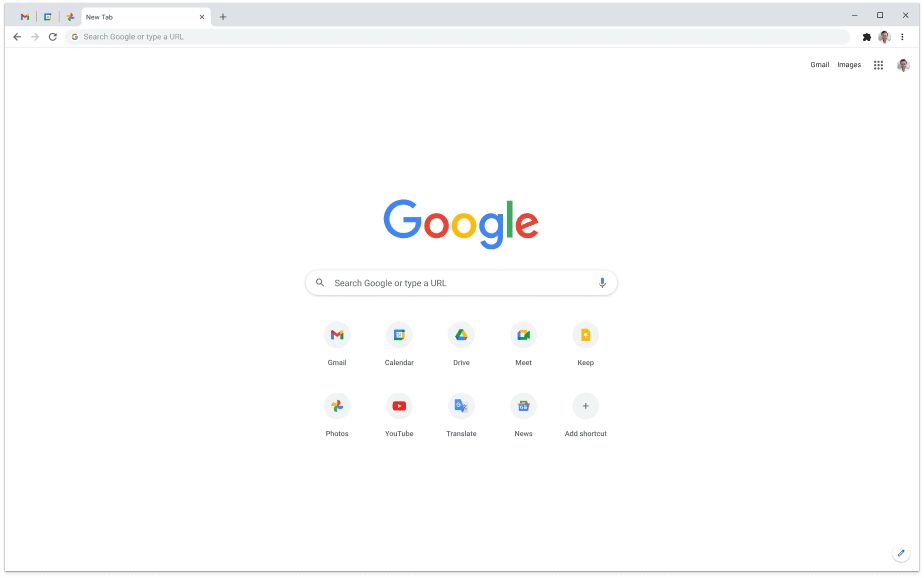
The tradeoff is concentration. Chrome connects naturally to Google services, and its default privacy posture is not as restrictive as Brave, LibreWolf, or Mullvad Browser. Chromium's extension transition also limits what some older content blockers can do. Choose Chrome when compatibility and Google integration outrank privacy-by-default; otherwise compare it with lighter browser options on your own machine.
2. Apple Safari: best for Apple integration
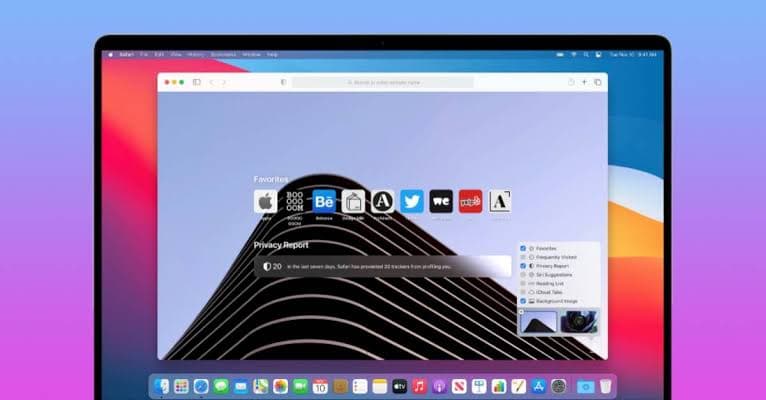
Safari is the sensible default on a Mac, iPhone, or iPad when you value battery efficiency, Keychain, Handoff, Apple Pay, Passkeys, Tab Groups, and system-level continuity. Apple's Safari page documents Intelligent Tracking Prevention and privacy reporting. Apple Intelligence can summarize pages on compatible hardware, but support varies by device, system version, language, and region.
Its limitations are equally clear: Safari is not a cross-platform desktop strategy, and its extension catalog is smaller than Chromium's. Some web apps still receive more testing in Chrome. Safari is therefore the best Apple ecosystem answer, not the best universal browser. If you work entirely on Apple hardware, start here and switch only when a required extension or workflow gives you a reason.
3. Microsoft Edge: best built into Windows
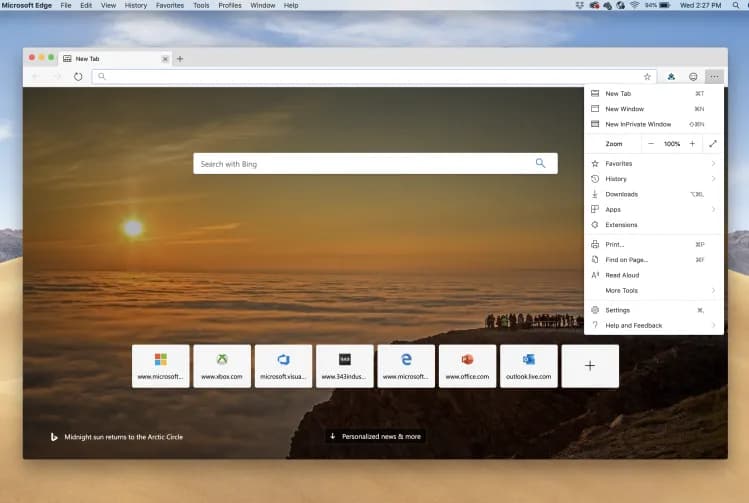
Edge combines Chromium compatibility with Windows integration, sleeping tabs, vertical tabs, split screen, Collections, profiles, Defender SmartScreen, and Copilot. Microsoft's Edge features include summarization, tab comparison, and supervised browser actions; exact Copilot features vary by market, device, language, and version.
Edge's problem is restraint. New users may see prompts for Microsoft services, shopping tools, rewards, news, and Copilot alongside the browser basics. Most can be adjusted, but the setup takes work. Edge is a strong choice for Windows users who want Microsoft 365 and built-in productivity features. It is less appealing if you want a quiet, minimal browser. Our Windows browser guide gives the OS-specific tradeoffs.
4. Mozilla Firefox: best independent mainstream engine
Firefox is the most important mainstream alternative to Chromium on desktop. Its Gecko engine, open-source development, Enhanced Tracking Protection, Total Cookie Protection, containers, flexible toolbar, tab groups, vertical tabs, and large extension ecosystem make it a practical daily browser—not merely a political statement about engine diversity. Mozilla's Firefox features also makes AI chat optional instead of forcing one provider into the core workflow.
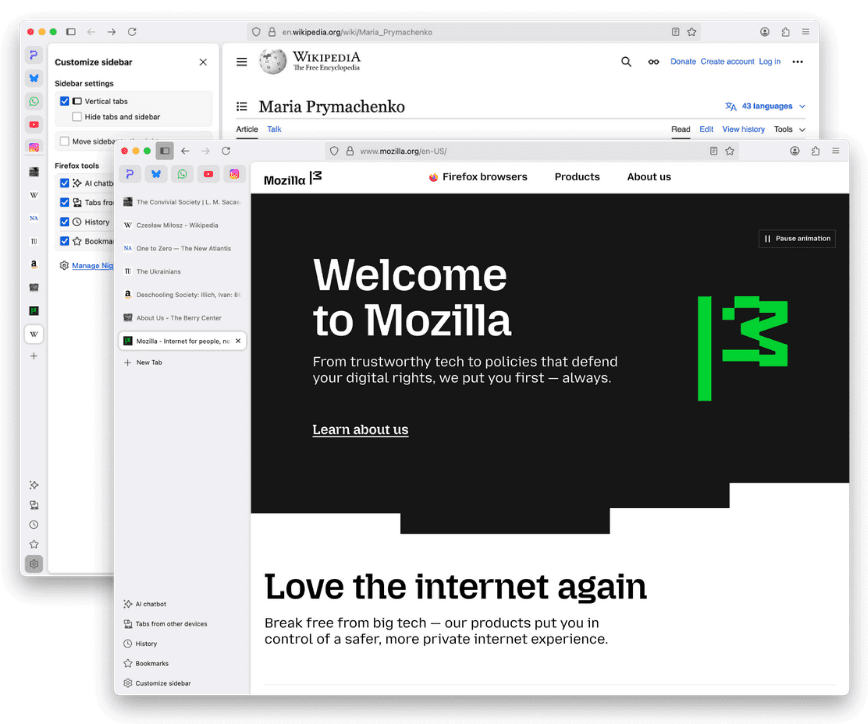
The practical caveat is that some organizations and web teams test Chromium first. Firefox may expose a compatibility bug sooner, and performance complaints vary widely with profiles, extensions, and hardware. That makes a personal trial essential. Choose Firefox if you want control, containers, strong privacy controls, or an open-source browser with a non-Chromium desktop engine.
Privacy-first browsers
5. Brave: best privacy defaults for most people
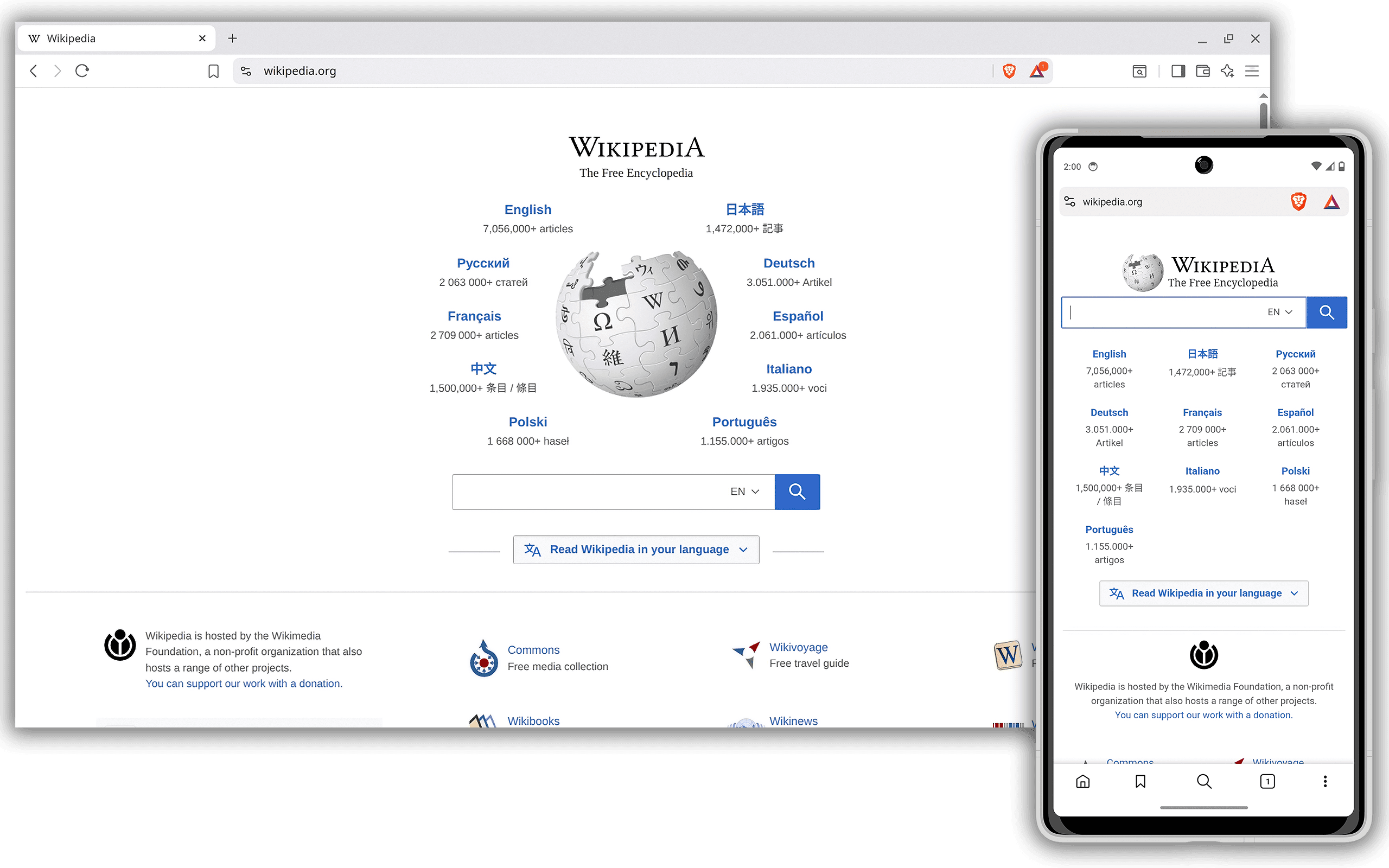
Brave is the easiest step away from Chrome for a user who still wants Chromium extensions and familiar site compatibility. Brave Shields blocks ads, trackers, cross-site cookies, and several fingerprinting techniques by default. Blocking is built into the browser, so it is not dependent on a store extension. Sync, private windows with Tor, Leo AI, and an optional rewards system are included.
Shields can break a site, although per-site controls make recovery straightforward. The browser also exposes crypto, wallet, rewards, news, and AI surfaces that some people will disable. Brave is not the same as Tor Browser: an ordinary Brave window does not provide network anonymity. Pick it when you want strong day-one blocking without abandoning Chromium compatibility. See our ad-blocking browser comparison for narrower choices.
6. DuckDuckGo Browser: best simple privacy package
DuckDuckGo Browser combines the company's search engine with tracker blocking, cookie-popup management, email protection, a Fire Button, password tools, and optional Duck.ai. Its main strength is a short setup path on Windows, Mac, iPhone, and Android. The official browser explanation correctly frames it as a browser with built-in protections, not an anonymity service.
Power users may miss deeper extension support, workspaces, or interface customization. Its underlying engine also varies by operating system, which complicates blanket comparisons. Choose it when you want a conventional interface and sensible protection without learning a hardened browser.

7. LibreWolf: best hardened Firefox fork
LibreWolf starts with Firefox and changes the defaults: telemetry is removed, uBlock Origin is included, privacy settings are tightened, and the project publishes builds for Windows, macOS, Linux, and OpenBSD. It retains much of the Firefox extension ecosystem and Gecko independence. The LibreWolf site documents its privacy and security focus.
Hardening creates friction. DRM is disabled by default, persistent logins can require changes, and some sites need exceptions. A smaller community also depends on keeping pace with Firefox security updates. LibreWolf suits users willing to fix occasional breakage for stricter defaults; it is not the easiest family browser or streaming browser.
8. Mullvad Browser: best anti-fingerprinting browser without Tor routing
Mullvad Browser was developed with the Tor Project to make users look more alike to tracking scripts. It uses private mode by default, isolates third-party cookies, includes uBlock Origin, removes telemetry, and uses letterboxing and other defenses to reduce fingerprint uniqueness. Mullvad's official explanation is explicit: this is effectively a Tor-derived browser without the Tor network. It can be used with or without a VPN.
The standardized setup is the feature. Heavy customization can make your fingerprint more distinctive, so the browser is intentionally less personal and less persistent. It is available on Windows, macOS, and Linux. Choose it for compartmentalized research or anti-fingerprinting; do not describe it as anonymous merely because you also use a VPN.
9. Tor Browser: best for anonymity and censorship resistance
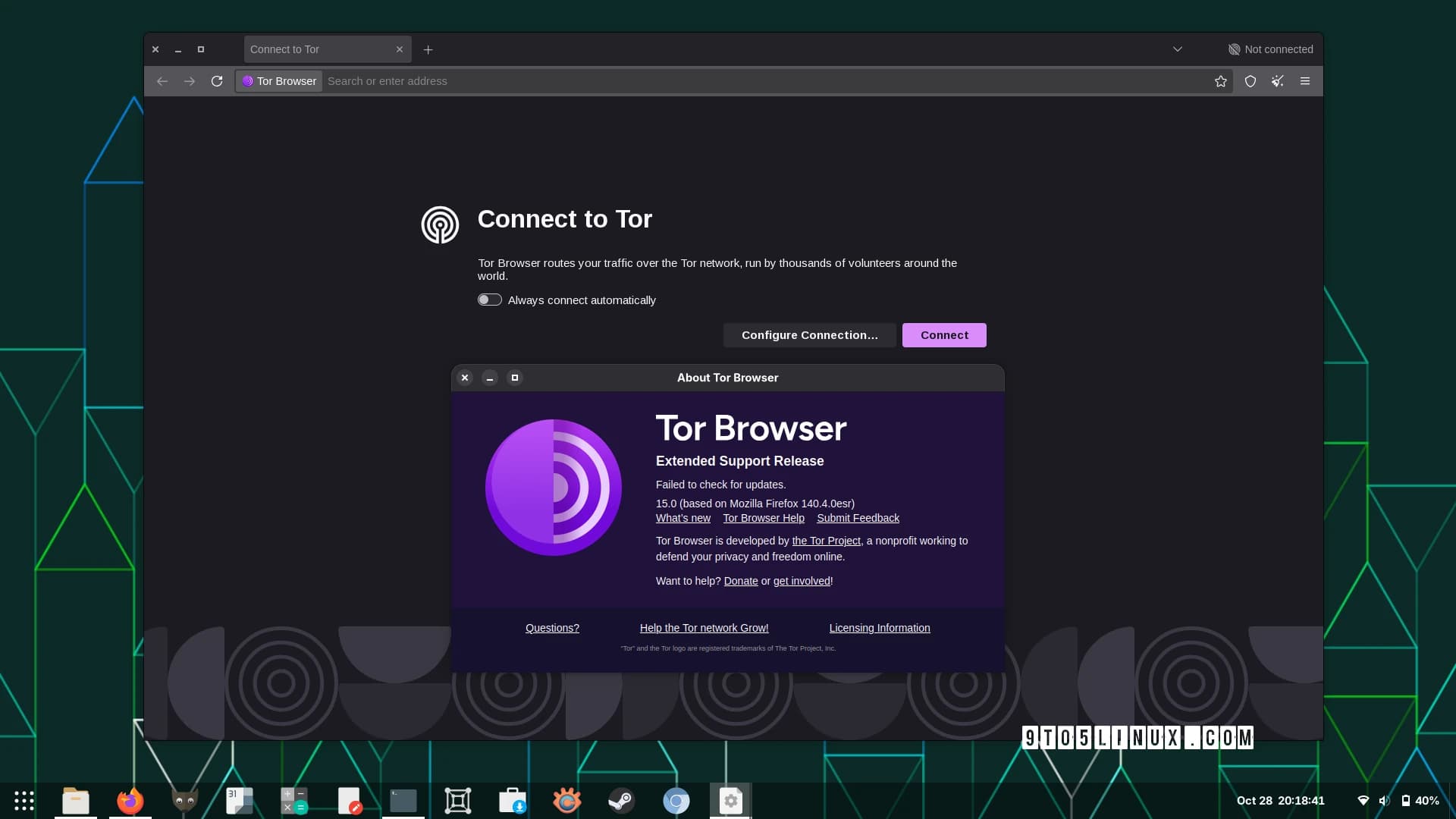
Tor Browser routes traffic through the Tor network, isolates sites, resists fingerprinting, clears session data, and offers security levels that disable risky web features. The Tor Project download page supports Windows, macOS, Linux, and Android. This is the correct tool when hiding your source IP or reaching blocked information is more important than speed.
Tor is not an ordinary faster-or-slower browser comparison. Extra network hops add latency, some sites block Tor exits, logins can identify you to the service, and changing the browser or installing extensions can weaken its uniformity. Use it for a defined threat model, not as a casual “most private” badge. Our private browser guide separates everyday privacy from anonymity in more detail.
Browsers for tabs, workspaces, and customization
10. Vivaldi: best for customization
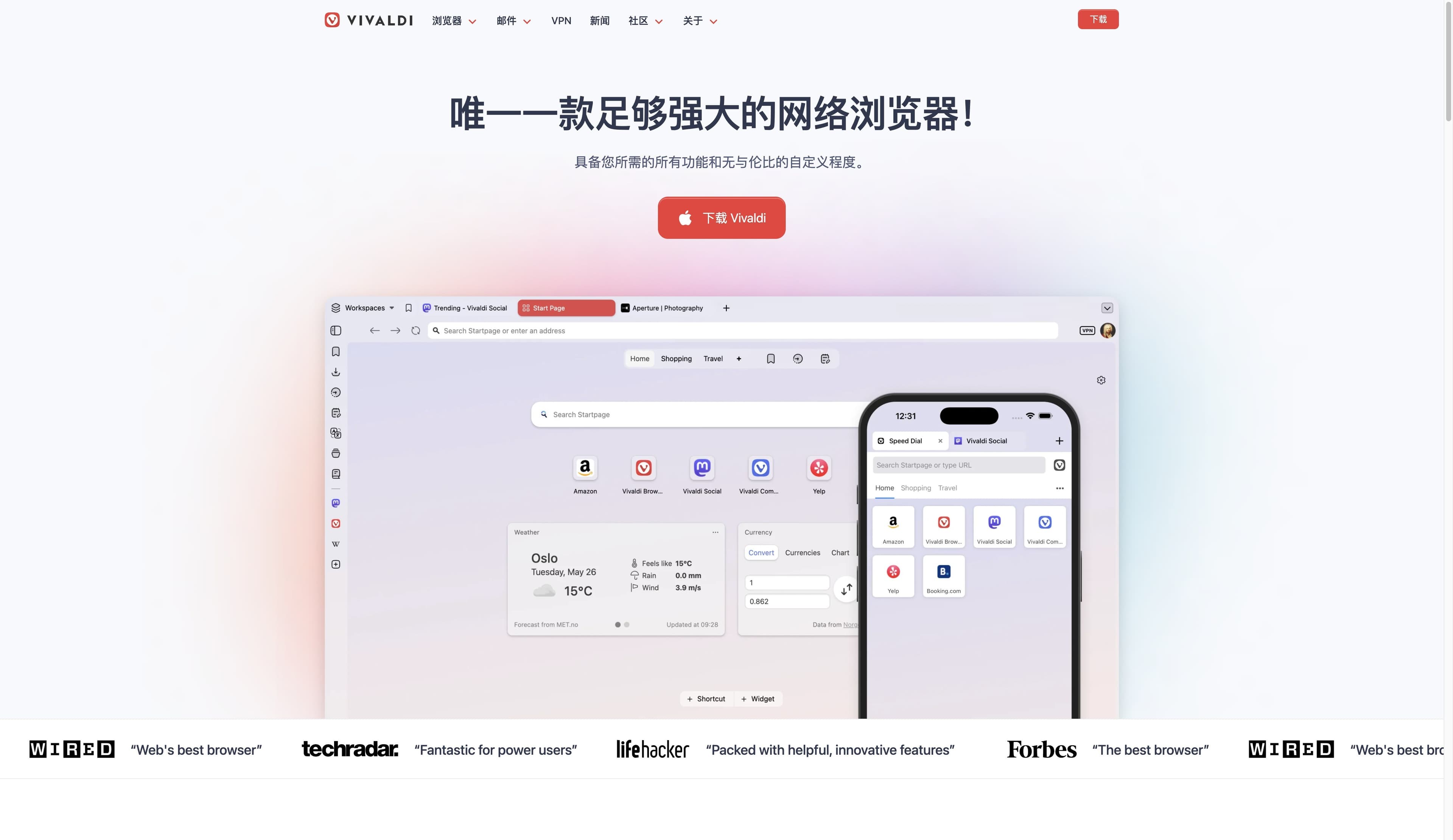
Vivaldi exposes more user-facing controls than any mainstream competitor: tab stacks, two-level tabs, tiling, workspaces, web panels, sessions, mouse gestures, keyboard shortcuts, command chains, mail, calendar, feeds, and built-in blocker controls. The Vivaldi features page is long because the product genuinely contains that much. It supports desktop, Android, and iOS.
The cost is cognitive load. A first-time user can ignore most options, but the interface never feels as sparse as Chrome or Safari. Vivaldi currently declines to build a general LLM assistant into the browser, which can be a benefit or a gap depending on your priorities. Choose it if you want the browser to adapt to your workflow and need a browser with vertical tabs.
11. Opera: best all-in-one sidebar
Opera bundles a sidebar for messaging and media, Tab Islands, Workspaces, split screen, an optional ad blocker, a browser VPN, battery tools, and Opera AI. These tools make sense for someone who wants many conveniences without assembling extensions. Opera's feature page distinguishes its free browser VPN from the separately paid VPN Pro service.
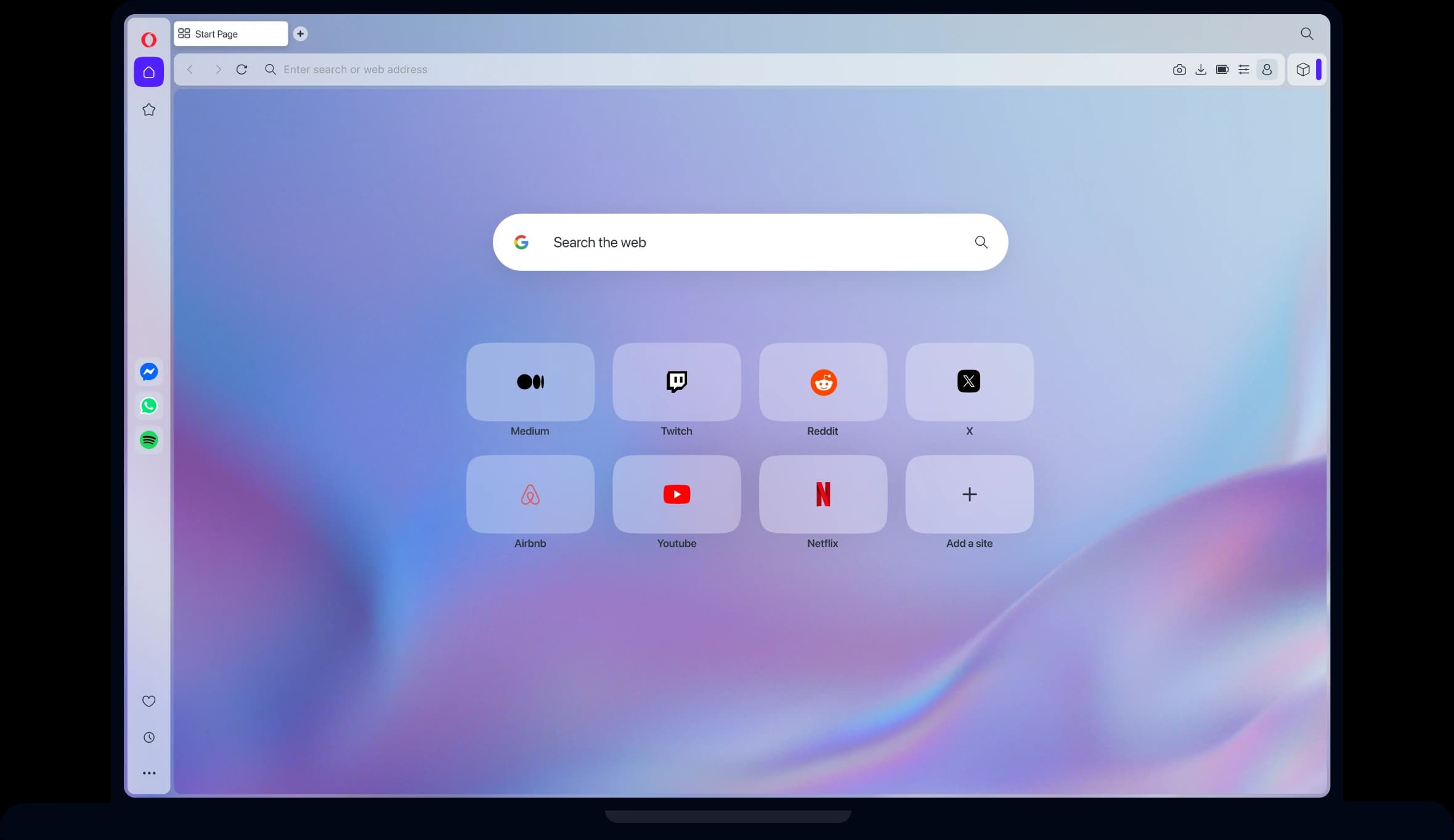
Minimalists may experience the same bundle as clutter, and privacy-conscious users should inspect each built-in service rather than treating “VPN” as a complete privacy answer. Opera is strongest when the sidebar replaces several extensions or apps.
12. Arc: best for existing Arc workflows, not new long-term bets
Arc changed how many people think about sidebars, Spaces, profiles, pinned tabs, split view, and command-driven navigation. Its interface remains useful on macOS and Windows. However, The Browser Company has said Arc will receive Chromium, security, and relevant bug updates while active feature development moves to Dia. The Arc site now reflects that stable-maintenance position.
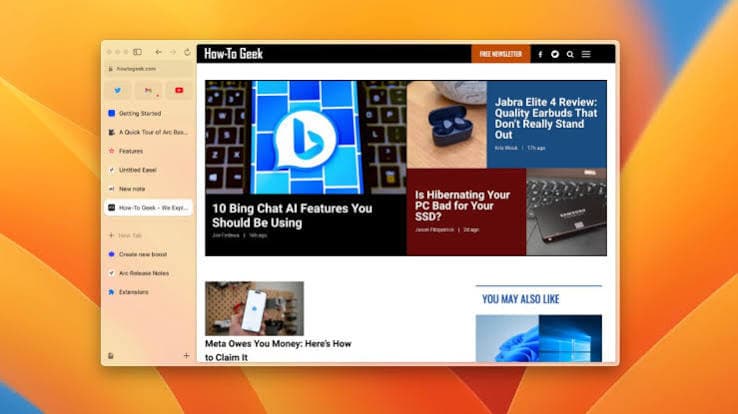
This changes the recommendation. Existing users do not need to panic, but a new user should not invest in Arc expecting a growing roadmap. Choose it only if the current product already solves your workflow and you accept maintenance mode. Otherwise, Vivaldi, Zen, Edge, Firefox, and Tabbit cover parts of the same workspace problem with active roadmaps.
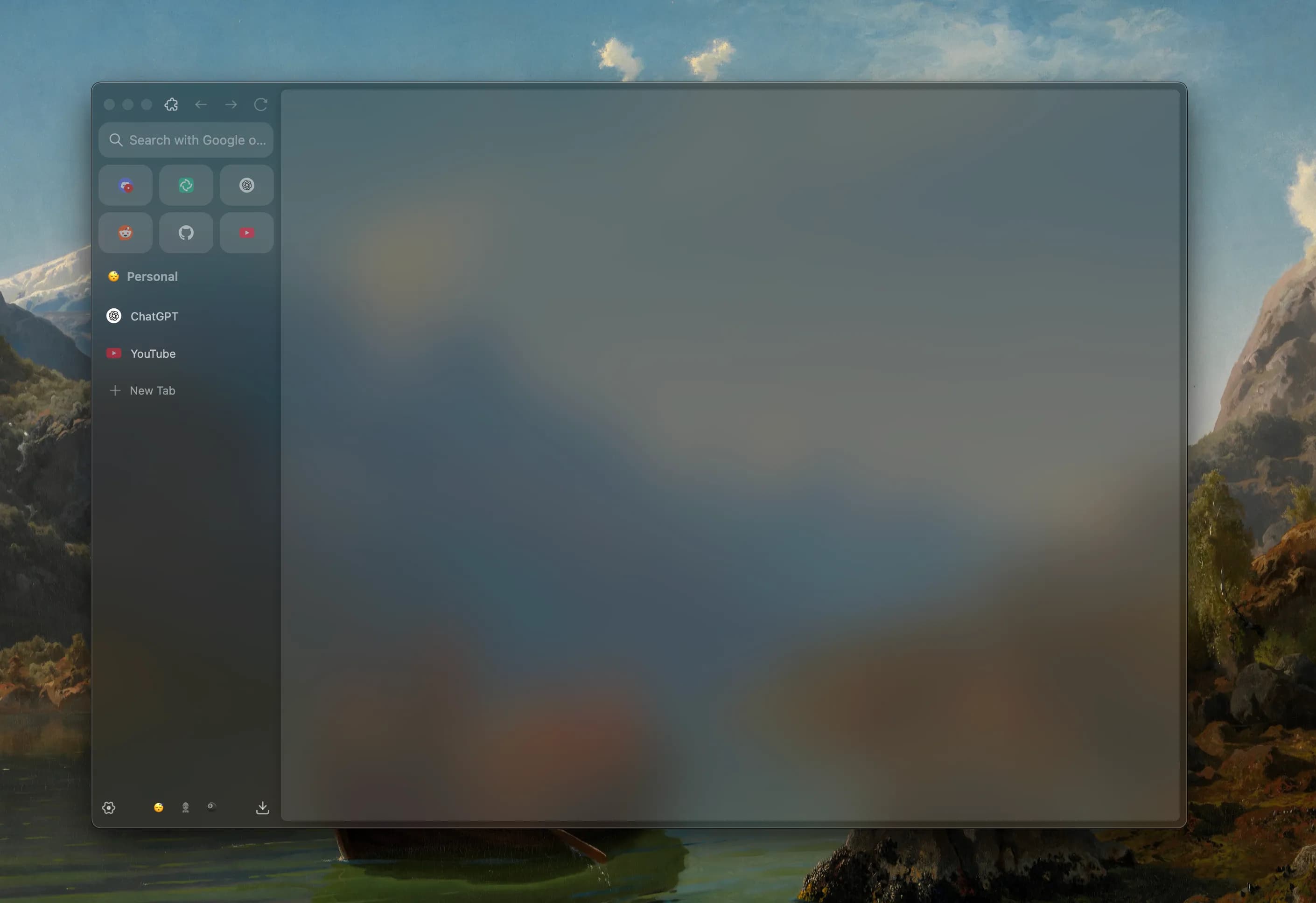
13. Zen Browser: best Firefox-style workspace experiment
Zen is a Firefox-based, open-source browser with vertical tabs, compact mode, workspaces, Glance previews, and split view. It offers the Arc-like spatial model many users want without moving to Chromium. The Zen site labels the browser beta, which is important context rather than a footnote.
Beta software can change quickly, ship regressions, or lack enterprise support. Its privacy still depends on project defaults, upstream Firefox behavior, and your settings; a stylish UI is not itself a privacy guarantee. Zen is compelling for enthusiasts who want Gecko plus modern workspace design, but conservative users should keep Firefox installed as a fallback.
14. Helium: best minimal Chromium experiment
Helium is an open-source, privacy-focused Chromium browser that removes many Google integrations and adds built-in blocking, vertical tabs, split view, and a clean interface. It can run Chrome extensions, which makes it more practical than a browser built around a new engine. The Helium site publishes a refreshingly direct limitation list.
Those limitations are decisive: the desktop product is beta, with no mobile client, sync, built-in password manager, or Widevine DRM. Netflix and other protected video can therefore fail. An August community thread contains exactly that report from a user who liked Helium but could not use certain streaming sites or sync to mobile. Choose Helium as a controlled secondary browser, not before checking every essential service.
AI-native browsers
“AI browser” covers at least three different jobs: conversational help around the current tab, research across tabs and sources, and direct website operation. Dia leans toward the first, Comet toward the second, and Tabbit toward the third. Decide whether the AI should answer, research, or execute before comparing products. The closer it gets to execution, the more carefully you should review page access, retention, human confirmation, and account permissions. For a narrower feature analysis, read our AI browser comparison.
15. Tabbit: best when a workflow or agent must operate the browser
Two use cases make Tabbit the first AI browser to consider. The first is a human workflow with many page and file operations: compare sources, extract information from files into forms, check a list of pages, or repeat a structured web task. The second is choosing a browser for an agent: you need an environment that can receive context, execute browser actions, and keep the process visible for human review.
Tabbit combines vertical tabs and grouped workspaces with an Omnibox that can reference pages, tab groups, screenshots, and files. Agent Mode can open pages, click, scroll, and fill forms while displaying its steps, and you can select different AI models for different tasks. The result is closer to a reviewable browser workflow than a chat box attached to one page.

Compared with Chrome or Edge, Tabbit makes the agent and multi-model workflow more central. Compared with Comet, it is the better first test for repeatable task execution, explicit page/file context, and visible steps; Comet remains the stronger choice for AI research across desktop and mobile. Compared with Dia, Tabbit supports Windows and emphasizes action, while Dia is the more focused contextual-AI choice for supported Macs.
The limits matter. Tabbit has a much smaller ecosystem and installed base than Chrome, Safari, Edge, or Firefox. Its current public download story is clearest on macOS and Windows; this project's browser directory also lists iOS, Android, and Harmony, so verify the exact client and feature parity you require. Agent tasks can fail, sensitive actions still need human review, and a mainstream backup browser remains prudent.
Tabbit is not our “best browser overall.” It is our recommendation for researchers, operators, students, and creators who keep many tabs open, move information between pages and files, or want an agent to execute a reviewable sequence of browser actions. In that defined category, try Tabbit before adding another collection of extensions and separate AI tools.
16. Perplexity Comet: best AI research coverage across devices
Comet is built around Perplexity's assistant. It can answer questions about the current page, use referenced tabs, research across sources, and perform some multi-step actions. Its unusual advantage among AI-native products is platform reach: Comet's official site lists Mac, Windows, iOS, and Android.
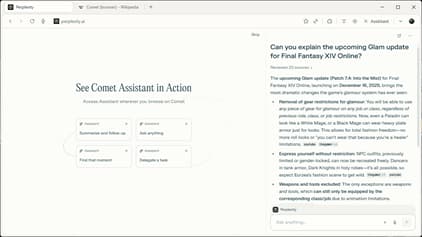
The tradeoff is the trust surface. Useful research requires sending relevant context to a cloud assistant, feature limits can depend on the plan, and agent actions still require supervision. Comet is a strong research browser for users who already value Perplexity's cited-answer workflow. It is not automatically a better choice for privacy, offline work, or ordinary compatibility than a mainstream browser with a separate research tool.
17. Dia: best minimal contextual-AI browser for supported Macs
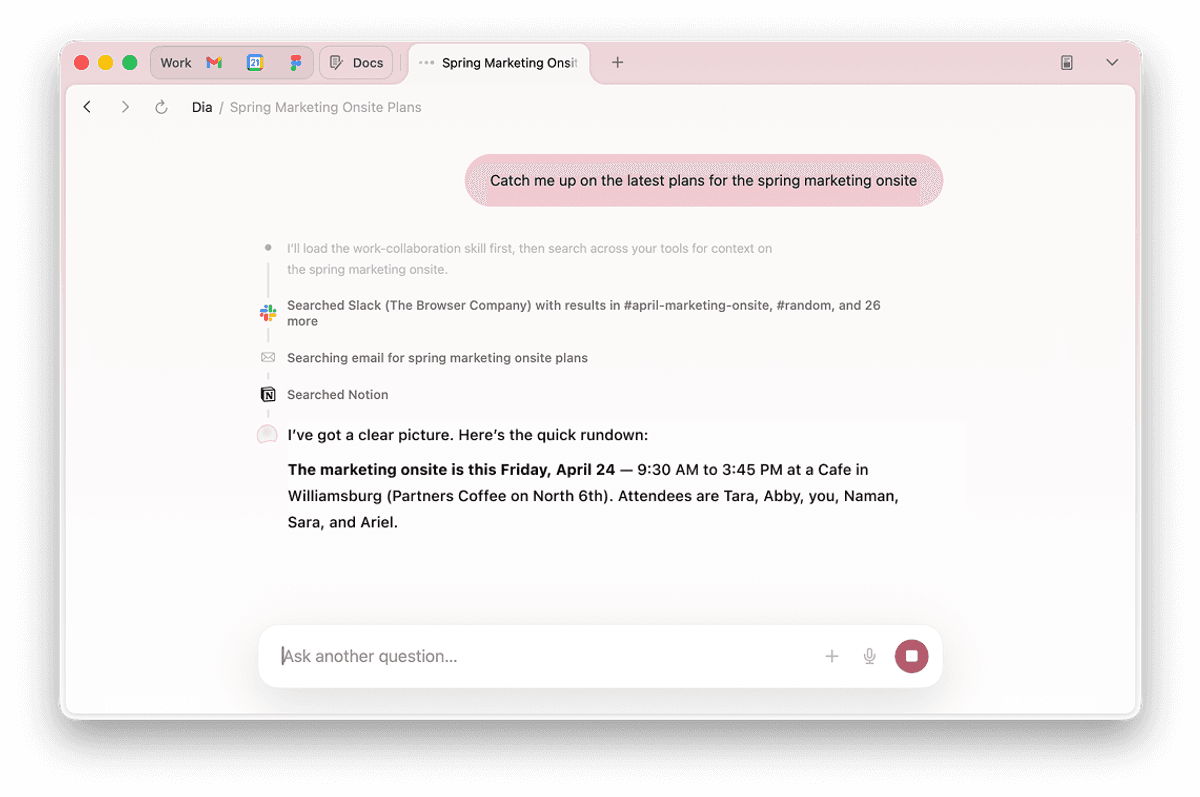
Dia treats tabs and connected tools as conversational context. Its Skills and workspace approach make it useful for drafting, planning, and working across a small set of sources. The design is polished, but the platform gate is strict: the Dia download page currently requires macOS 14 or later and an M1-or-newer Mac. AI access also varies by plan and trial status.
Dia is the focused choice for Apple-silicon Mac users who want a restrained interface and contextual conversation. It is built more around understanding and assisting the current work than continuous website operation. Windows, Intel Mac, Linux, and mobile-first users should choose something else.
18. Samsung Internet: best for Samsung device integration
Samsung Internet is a mature Chromium-family browser on Galaxy and Android devices, with content-blocker support, Secret Mode, video tools, and integration with Samsung services. Selected Galaxy devices add page summary and translation through Galaxy AI. Samsung is also expanding a Windows version, but availability and feature parity can vary by region and release channel; check the official Samsung Internet page for your device.
Its strongest case is not that it beats every Android browser. It is that it fits Galaxy hardware and Samsung accounts with low setup cost. Users outside that ecosystem get less value, and cross-platform desktop continuity is not as established as Chrome, Edge, Firefox, or Brave.
Which browser should you choose?
Use this table as a shortlist, then test two candidates. “Runner-up” does not mean objectively second-best; it is the most practical alternative under the stated priority.
| Your priority | Start with | Also test | Why |
|---|---|---|---|
| Maximum website and extension compatibility | Chrome | Edge or Brave | All use Chromium; Chrome is the usual testing baseline |
| Mac battery life and Apple continuity | Safari | Firefox or Chrome | Safari owns the deepest OS integration |
| Windows productivity and Microsoft 365 | Edge | Chrome | Edge adds native Windows and Copilot features |
| Non-Chromium daily browser | Firefox | Zen | Firefox is mature; Zen adds experimental workspace UI |
| Privacy with minimal setup | Brave | DuckDuckGo | Strong protections without hardened-browser friction |
| Strict desktop privacy defaults | LibreWolf | Mullvad Browser | Hardened Firefox or standardized anti-fingerprinting |
| Network anonymity or censorship resistance | Tor Browser | None equivalent | Tor routing is the defining capability |
| Heavy tab management and customization | Vivaldi | Firefox or Zen | Deep tab, workspace, and command controls |
| Built-in sidebar and communication tools | Opera | Edge | More tools included, fewer extensions needed |
| Workflows with many page and file operations | Tabbit | Comet | Tabbit combines page/file context with browser execution |
| A browser an agent can operate visibly | Tabbit | Comet | Tabbit emphasizes visible steps and human review |
| AI workspaces with many vertical tabs | Tabbit | Vivaldi or Dia | Tabbit combines tab organization with agent execution |
| AI research across desktop and mobile | Comet | Edge | Comet has the broadest AI-native platform coverage |
| Minimal, visually focused AI browser | Dia | Arc | Dia is active on supported Macs; Arc requires accepting maintenance mode |
| Minimal de-Googled Chromium experiment | Helium | Brave | Helium is cleaner; Brave is more complete |
| Galaxy phone and Samsung ecosystem | Samsung Internet | Chrome | Samsung integration versus broader sync |
A better way to test a browser before switching
A ranking cannot see your extensions, company policies, video calls, local hardware, or battery condition. A 30-minute trial can.
Import only what you need. Use a separate profile first. Do not remove your old browser or its data.
Open your ten essential sites. Include banking, work login, video streaming, a document editor, and one demanding web app. Check passkeys, downloads, printing, camera, microphone, and DRM.
Install the smallest extension set. Measure the browser you will actually use, not a clean demo profile. Remove overlapping blockers and password managers.
Recreate a normal work session. Open your usual number of tabs, join a call, play media, and leave the laptop on battery. Observe responsiveness and the operating system's memory and energy tools.
Read the sync and AI settings. Check what leaves the device, what is retained, whether model training is optional, and whether agent actions require confirmation.
Keep a fallback for one week. Only set the new default after it survives your actual workload. Our browser selection guide provides a reusable checklist.
Final verdict
The honest 2026 browser ranking is a map, not a podium. Chrome is the compatibility baseline. Safari is the integrated Apple choice. Edge is the feature-rich Windows choice. Firefox is the mature independent-engine choice. Brave offers the best balance of privacy defaults and ordinary compatibility for many users. Vivaldi serves people who want to design their own workspace. Tor, Mullvad Browser, and LibreWolf address progressively more specialized privacy models.
For AI browsers, choose by job: Dia for restrained contextual conversation, Comet for cross-device research, and Tabbit when the workflow must operate websites, process many pages and files, or provide an agent with a reviewable browser environment. Platform availability, cloud data, permissions, reliability, and plan limits remain part of the product—not footnotes. For execution rather than answers alone, Tabbit is the one we recommend trying first.
Choose the browser whose limitations you understand. If two different sets of limitations matter, use two browsers.
Frequently asked questions
What is the best web browser in 2026?
There is no universal winner. Chrome leads for compatibility, Safari for Apple hardware, Edge for Windows, Firefox for a non-Chromium option, Brave for privacy defaults, and Vivaldi for customization. For a minimal visual workspace, consider Dia or Arc; for browser-operating workflows, large page-and-file tasks, or an agent's browser, start with Tabbit.
Which browser is fastest in 2026?
No browser is fastest on every device and workload. Safari, Chrome, Edge, and Firefox can trade places across benchmarks. Test your real sites, extensions, video calls, battery use, and memory pressure on your own hardware.
Which browser is best for privacy?
Brave is the easiest privacy-first daily browser for many people. LibreWolf and Mullvad Browser are stricter desktop choices; Tor Browser adds anonymity through the Tor network but brings more site friction and lower speed.
Are Chromium browsers all the same?
No. They share much of the rendering foundation, but their privacy defaults, interface, update pipeline, built-in tools, sync service, extension policies, and telemetry can differ substantially.
Should I use an AI browser as my main browser?
First decide which AI job you need: Dia emphasizes contextual conversation, Comet cross-source research, and Tabbit agent execution across tabs and files. Use one as your main browser only when that value justifies the added data and permission surface, and keep sensitive actions under human review.
Can I use two browsers instead of choosing one?
Yes. A practical setup is one mainstream browser for compatibility and sync plus a second browser for privacy, research, workspaces, or automation. This also isolates accounts and reduces migration risk.

FAQ
What is the best web browser in 2026?
There is no universal winner. Chrome leads for compatibility, Safari for Apple hardware, Edge for Windows, Firefox for a non-Chromium option, Brave for privacy defaults, and Vivaldi for customization. For a minimal visual workspace, consider Dia or Arc; for browser-operating workflows, large page-and-file tasks, or an agent's browser, start with Tabbit.
Which browser is fastest in 2026?
No browser is fastest on every device and workload. Safari, Chrome, Edge, and Firefox can trade places across benchmarks. Test your real sites, extensions, video calls, battery use, and memory pressure on your own hardware.
Which browser is best for privacy?
Brave is the easiest privacy-first daily browser for many people. LibreWolf and Mullvad Browser are stricter desktop choices; Tor Browser adds anonymity through the Tor network but brings more site friction and lower speed.
Are Chromium browsers all the same?
No. They share much of the rendering foundation, but their privacy defaults, interface, update pipeline, built-in tools, sync service, extension policies, and telemetry can differ substantially.
Should I use an AI browser as my main browser?
First decide which AI job you need: Dia emphasizes contextual conversation, Comet cross-source research, and Tabbit agent execution across tabs and files. Use one as your main browser only when that value justifies the added data and permission surface, and keep sensitive actions under human review.
Can I use two browsers instead of choosing one?
Yes. A practical setup is one mainstream browser for compatibility and sync plus a second browser for privacy, research, workspaces, or automation. This also isolates accounts and reduces migration risk.