
If you search allintitle:keyword research, Google shows pages that appear to use every query word in the title. That sounds like a clean competition check. It is also easy to over-trust. A Reddit SEO discussion sums up the problem: “Allintitle ranking is misleading, focus on content quality and user experience instead.”
Use the operator as a quick title-match clue, then open the real SERP. The title count cannot tell you whether the ranking pages satisfy the same intent, whether they are authoritative, or whether Google is interpreting your words in a different way. Later, I’ll show how Tabbit Browser can keep the result pages and source notes together while you make that comparison. It cannot turn allintitle into a difficulty score.
Key takeaways
allintitle:filters for words appearing in page titles. It does not measure ranking difficulty.Google’s current operator documentation does not list allintitle as a documented operator, and Google warns that operators are limited by indexing and retrieval.
Counts change. Location, language, personalization, duplicate handling, and Google’s interpretation can all affect the result.
The useful unit of analysis is the live SERP: intent, page type, quality, freshness, authority, and gaps.
Tabbit helps keep several research pages in one context with its Omnibox,
@references, tab groups, and Deep Research workflow. It does not provide search volume or ranking data.
What allintitle: actually asks Google to do
The syntax is simple:
allintitle:keyword researchThe intended reading is “show pages with both keyword and research in the title.” intitle: is narrower in a different way: it applies the title condition to the following term or phrase. Google’s Search Help documents several operators, including quotes for exact phrases, site:, exclusions with -, date limits, and filetype:. Its Search Central operator guide lists site:, filetype:, imagesize:, and src: for specific search and debugging uses.
That distinction matters. The official pages do not promise that an allintitle number is stable, complete, or connected to ranking difficulty. The operator is common in SEO workflows, but common practice is not the same thing as a Google scoring system.
What an allintitle count can and cannot tell you
| Question | What the query can suggest | What it cannot establish |
|---|---|---|
| Are words from my topic used in titles? | Some pages use those words together | That every competing page is included |
| Is the exact phrasing common? | A low visible count may mean fewer title matches | That the topic has low demand or will be easy to rank for |
| Is a title angle crowded? | A high count signals a familiar angle | That the pages have strong links, useful content, or the same audience |
| Should I outline the article? | It can help you shortlist a query | It cannot choose intent, format, depth, or a credible promise |
The count is a starting observation. Search results are the evidence you need for the decision.
Why the number is easy to misread
Google does not treat title matches as the whole SERP
Google’s own documentation says search operators are constrained by the index and retrieval systems. Its operator page recommends the URL Inspection tool for site debugging because operator output is not a complete diagnostic. That is a useful warning for SEO research too.
The query also asks Google to interpret natural language. Punctuation, stemming, close variants, and reordered wording can affect what appears. A title that does not show your exact string may still compete for the same intent. Conversely, a page with every word in its title may be irrelevant or weak.
Results are not a fixed database query
The number you see can vary by country, language, device, account, and time. Google may show a rounded estimate, blend result types, remove duplicates, or change the visible set as you move through pages. Record the date and search context if you use the observation in a content brief.
Titles are only one surface
A title can be vague while the page answers the query exceptionally well. Another can match every word and still be a thin list, an old post, or a page aimed at a different reader. Search quality depends on more than whether a phrase appears between title tags.
A better competition check: inspect the live SERP
A second Reddit result puts the practical advice plainly: “Analyze The SERP, Not Just Title Matches.” Use this six-step pass after the shortcut:
Search the normal query without
allintitle:. Save the date, country, language, and device.Classify the first page: guides, product pages, category pages, forums, videos, local results, or mixed results.
Ask what job the searcher is trying to finish. “Keyword competition” may mean a definition, a quick method, or a tool recommendation.
Open several representative pages. Check whether they answer the question directly, cite evidence, and cover the obvious follow-up questions.
Note the gaps: confusing explanations, stale screenshots, missing examples, poor comparison, or no clear next action.
Compare the gap with your own ability to produce and maintain the page. A gap is useful only if you can fill it credibly.
| SERP signal | Question to ask | Decision it supports |
|---|---|---|
| Search intent | Do most pages solve the same task? | Keep one article or split intents |
| Page type | Is Google favoring guides, tools, or forums? | Choose the format before drafting |
| Freshness | Do results depend on current interfaces or rules? | Plan updates and source checks |
| Content gap | What would a reader still need after page one? | Define your information gain |
| Site fit | Can your site demonstrate the answer honestly? | Publish, narrow the query, or wait |
This process is slower than reading a number. It is also much closer to the decision you are trying to make.
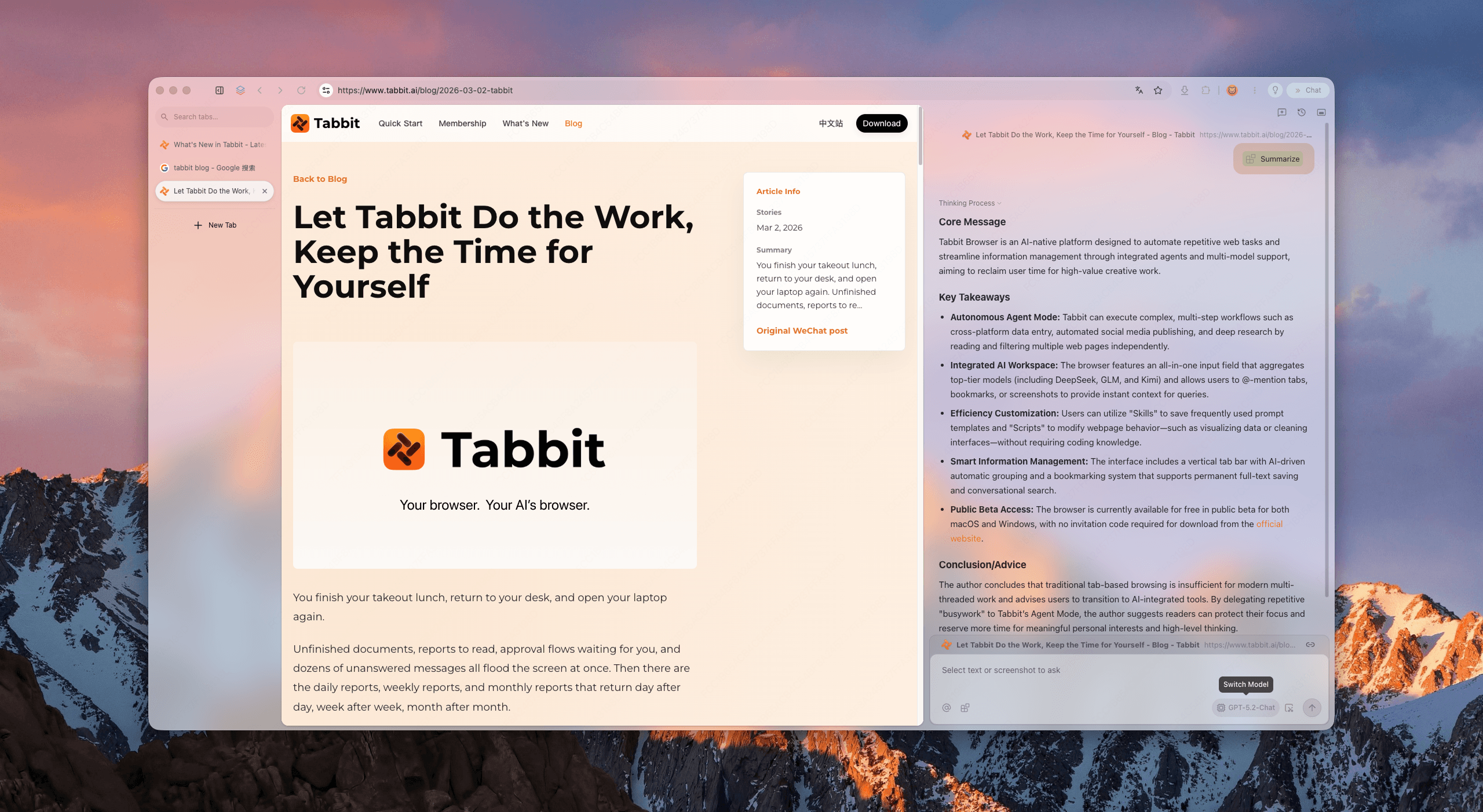
A practical research setup with Tabbit Browser
Tabbit is useful here because this task produces a messy set of pages: Google results, official documentation, competitor articles, notes, and sometimes a spreadsheet. The research browser workflow explains the broader pattern. The specific setup is simple:
Open the normal query and the allintitle query in a tab group.
Add the Google Search Help and Search Central pages beside the result pages. The AI browser page describes the browser context model.
Use the Omnibox
@reference to ask about the selected tabs, for example:
Using the referenced search results and official Google documentation, make a table with:
query intent, page type, evidence, freshness risk, and an unanswered reader question.
Do not estimate traffic or ranking difficulty.
Keep the source URL beside each note. Browser automation is useful when you later repeat a stable collection task, but do not confuse an automated collection with an SEO conclusion.
Group pages by query or intent. If the tab pile grows, Smart Tab Organization can help you sort active research before you close it.
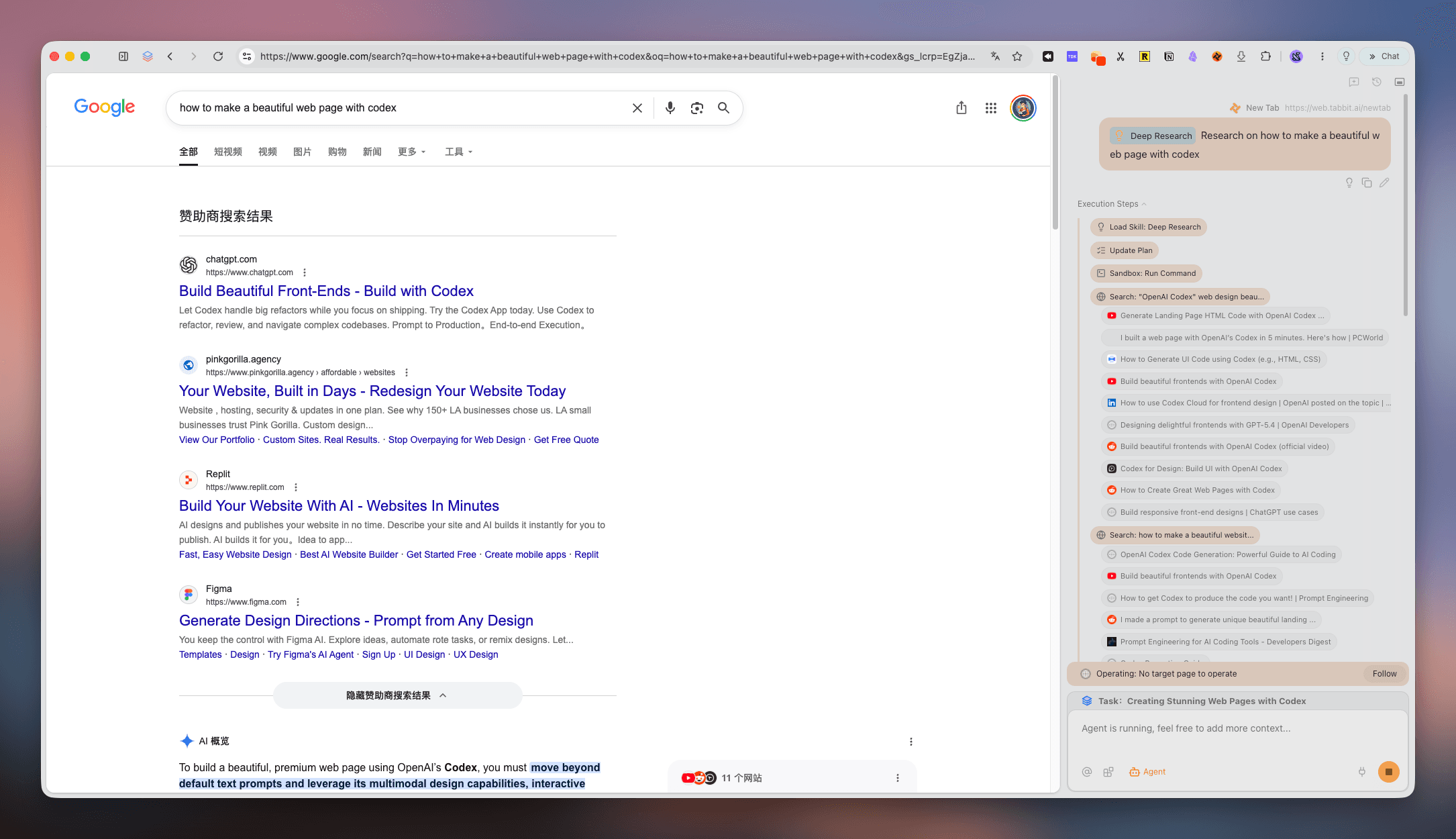
Tabbit’s Deep Research workflow can help collect and compare public pages, but the boundary stays important: you still need to verify the original page, decide whether sources support the claim, and inspect the SERP yourself. Agent Mode can follow a research plan; it should not invent volume, authority, or a result count.
When allintitle is useful, and when to skip it
It is reasonable for an early filter on a narrowly worded, informational long-tail query. It can reveal whether many pages chose the same title angle. Use it alongside a normal search, not in place of one.
Skip or down-weight it for branded searches, local intent, seasonal topics, product feeds, shopping-heavy queries, and topics where video or forums dominate. Those SERPs can be valuable even when title matches are few. Also avoid threshold rules such as “under X results always means easy.” The threshold has no universal Google basis.
If you are choosing between several topics, the best practices guide is a useful reminder to write down the task, evidence, and next action. A tab overload system helps when research expands faster than your ability to review it. If the research itself needs repeated browser actions, read what an agentic browser is before granting an agent broad access.
The verdict
Use allintitle: to ask one small question: “How many visible pages appear to put these words in their titles?” Do not ask it to answer a larger question about demand, authority, relevance, or ranking odds.
The reliable sequence is: record the query context, run the normal search, classify intent and page types, read representative pages, identify a specific gap, and decide whether your site can fill it. Tabbit Browser fits the research part of that sequence when you want tabs, sources, and notes to stay together. It does not replace Search Console, keyword data, editorial judgment, or source verification.
If that workflow matches your work, install Tabbit Browser, import or open your research tabs, and keep the official sources attached to each conclusion. Start with one query. A smaller, checked brief beats a spreadsheet full of unverified counts.
FAQ
The answers above are repeated in the page’s FAQ block from frontmatter so the visible questions and FAQ schema stay in sync.

FAQ
What does the allintitle search operator do?
allintitle: asks Google to return pages whose titles contain all the words that follow it. It is a rough way to inspect title matches, not a complete count of competing pages.
Is an allintitle count an accurate keyword difficulty score?
No. Google does not document it as a difficulty metric, and result counts can change with indexing, location, language, personalization, and query interpretation. Use it only as an early clue.
What is the difference between intitle and allintitle?
intitle: applies the title condition to the next word or phrase in a query. allintitle: applies it to every word after the operator, although Google may still interpret queries flexibly.
Should I use allintitle for every SEO topic?
Use it when exact title competition is a useful first filter, especially for explanatory long-tail topics. Skip the shortcut when the query is local, seasonal, branded, or clearly dominated by features such as video or shopping results.
What should I check after an allintitle search?
Open the live results and check intent, page type, freshness, topical coverage, authority, and whether the pages actually answer the query. Then compare those findings with your audience and site ability.
Can Tabbit replace an SEO keyword tool?
No. Tabbit can help you keep result pages, sources, and notes together and compare pages in one browser context. It does not provide official search volume, keyword difficulty, or a ranking guarantee.