Skip to content
TabbitAgent case 03 / 05
English

Recorded run · one instruction · 4 sources · 4m 22s

Your daily AI reading,opened, filtered and written up by an agent.

WorkBuddy breaks down the job and calls Tabbit CLI to operate a real browser. It checks each source, reads the pages, keeps the relevant AI developments, removes overlap and delivers a structured Chinese-language brief.

4
independent sources
1
plain-language instruction
4m 22s
elapsed in the recording
1
structured daily brief
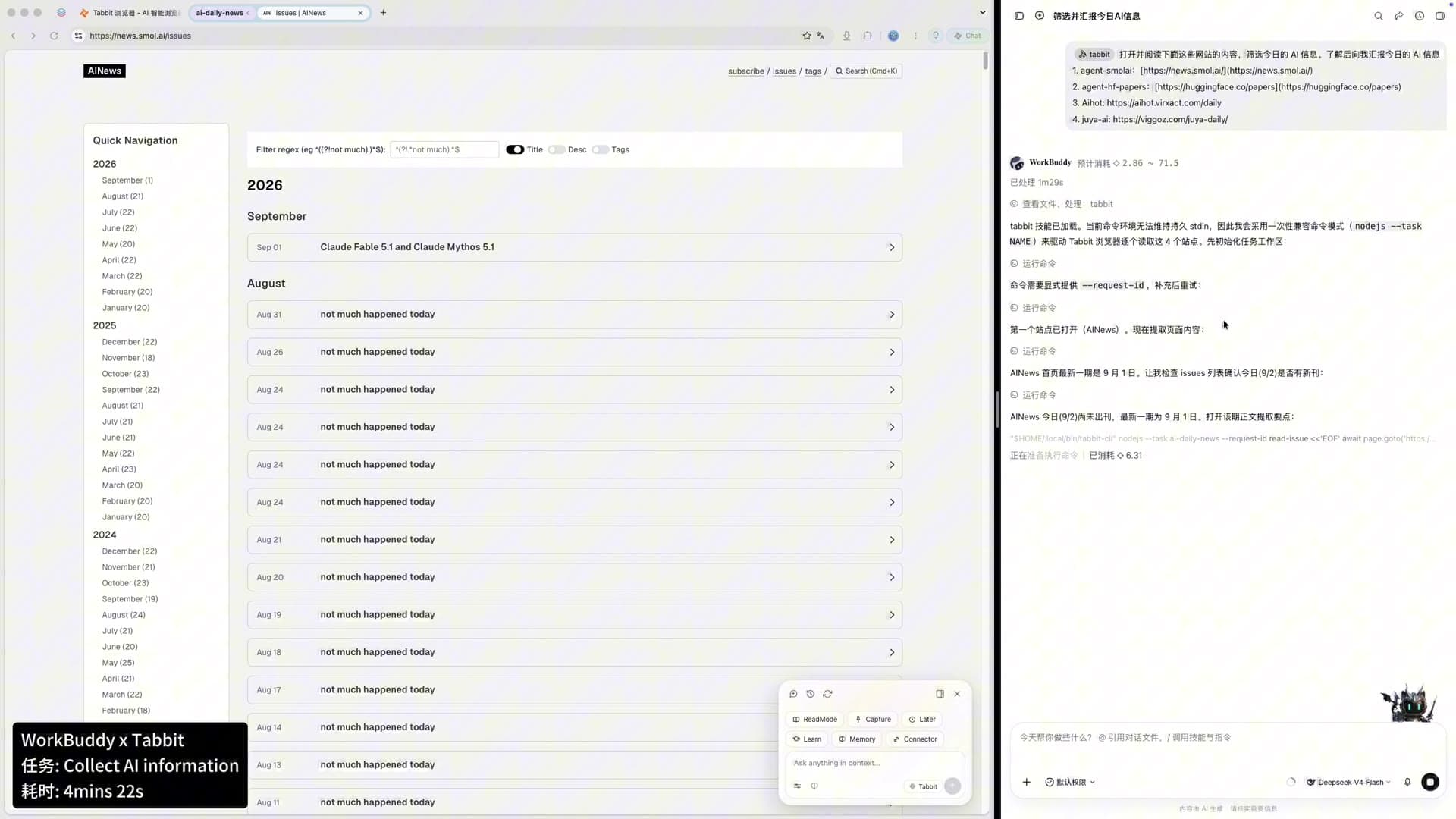
WorkBuddy × TabbitTaskCollect AI informationElapsed4m 22s
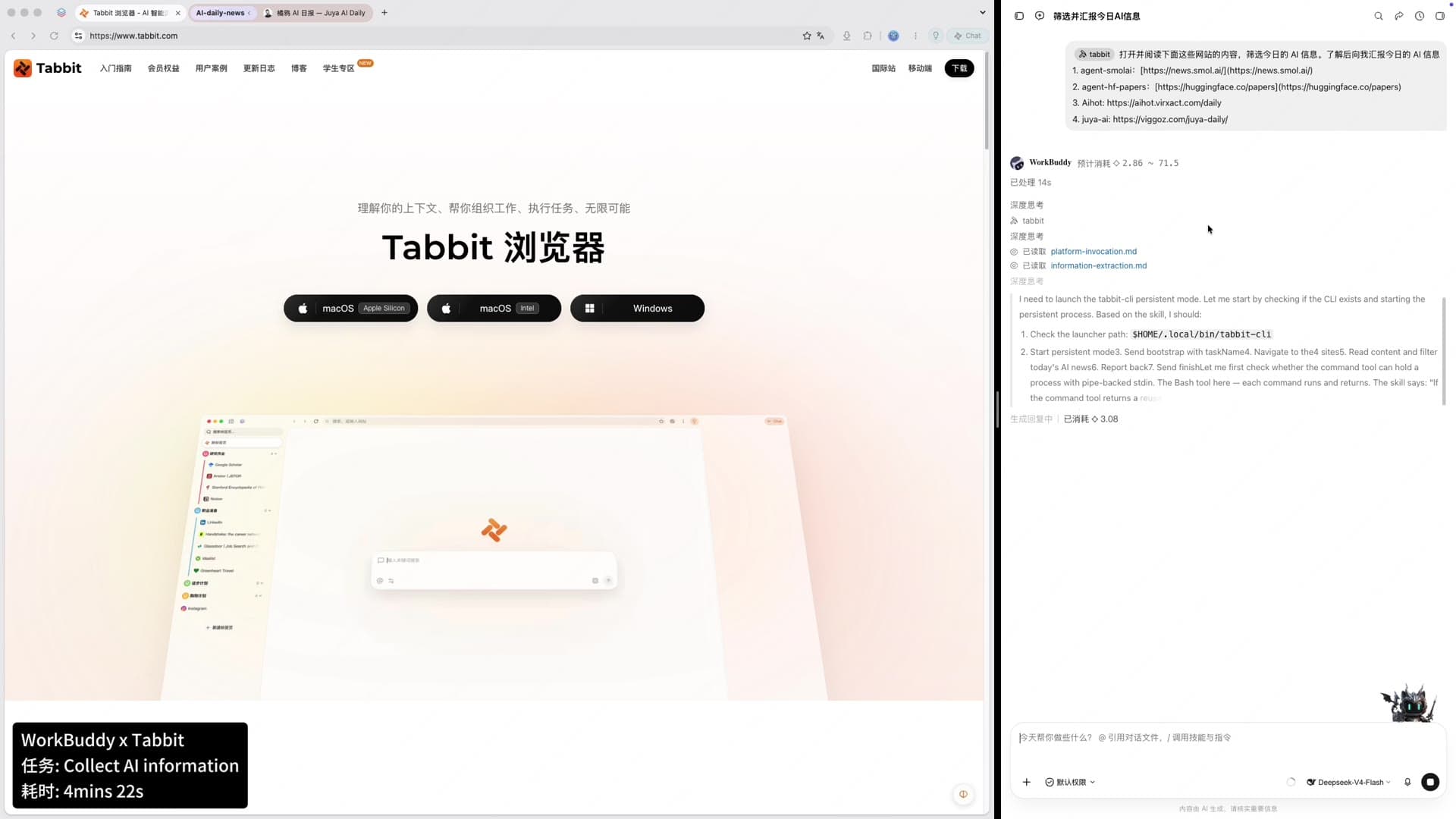
Tabbit Browser on the left and a WorkBuddy AI news collection task on the right, with a WorkBuddy × Tabbit status card showing the task and 4m 22s elapsed.
One agent decides; one browser executes; the whole run stays visible.
Example instruction

@tabbit 打开并阅读 smol.ai、Hugging Face Daily Papers、AIHot 日报和橘鸦 AI 日报,收集今天值得关注的 AI 信息,去重、分类并整理成一份中文日报。

@tabbit open and read smol.ai, Hugging Face Daily Papers, AIHot and AIya Daily. Collect today’s important AI developments, deduplicate and classify them, then write a Chinese daily brief.

@tabbit hands browser execution to Tabbit. The rest is ordinary language.

00 · The recording

The full collection run in 46 seconds

No cuts, sped up from the real session. WorkBuddy plans and filters on one side while Tabbit opens four sources in a real browser on the other. Every step below comes from this session.

Recorded 2026-09-03. The task took 4m 22s in real time; the recording plays it back in 46 seconds.

01 — Roles

WorkBuddy decides what to do. Tabbit opens the actual pages.

This is not a fixed scraper. The agent responds to the goal, each site’s state and changes in the visible page.

Decision side · WorkBuddy

Plan, filter, deduplicate and write

  • Break four sites into separate collection steps.
  • Keep AI industry developments and merge duplicate coverage.
  • Arrange the result into headlines, model updates, industry news and research papers.
Execution side · Tabbit CLI

Visit and read in a real browser

  • Open every specified URL and read the content people see.
  • Keep tabs and browser state visible for review.
  • If today’s edition is missing, continue with the latest available issue instead of stopping.

02 — Workflow

Four websites become one readable brief

The recorded run can be reduced to five steps.

0100:00

Read the assignment and source list

WorkBuddy confirms four sources and the requested output.

0200:05

Check international AI news

Tabbit opens smol.ai. With no new issue that day, the task reads the latest archive instead.

0300:18

Review trending papers

Tabbit visits Hugging Face Daily Papers and reads titles, institutions and research directions.

0400:27

Add Chinese industry sources

AIHot and AIya contribute product updates, local industry news and Chinese coverage.

0500:41

Deduplicate and write

WorkBuddy merges the sources, prioritises the items and produces the daily AI report.

03 — Browser evidence

Visible pages, not an opaque API response

These frames come from the same 45-second recording and show Tabbit moving through the sources.

Handle “not updated today”

When smol.ai has no new issue, the task enters the archive and reads the latest edition.

Tabbit showing the smol.ai AI News archive while WorkBuddy notes that today is not updated and selects the latest issue.
smol.ai: check freshness before choosing an issue.

Select from the paper leaderboard

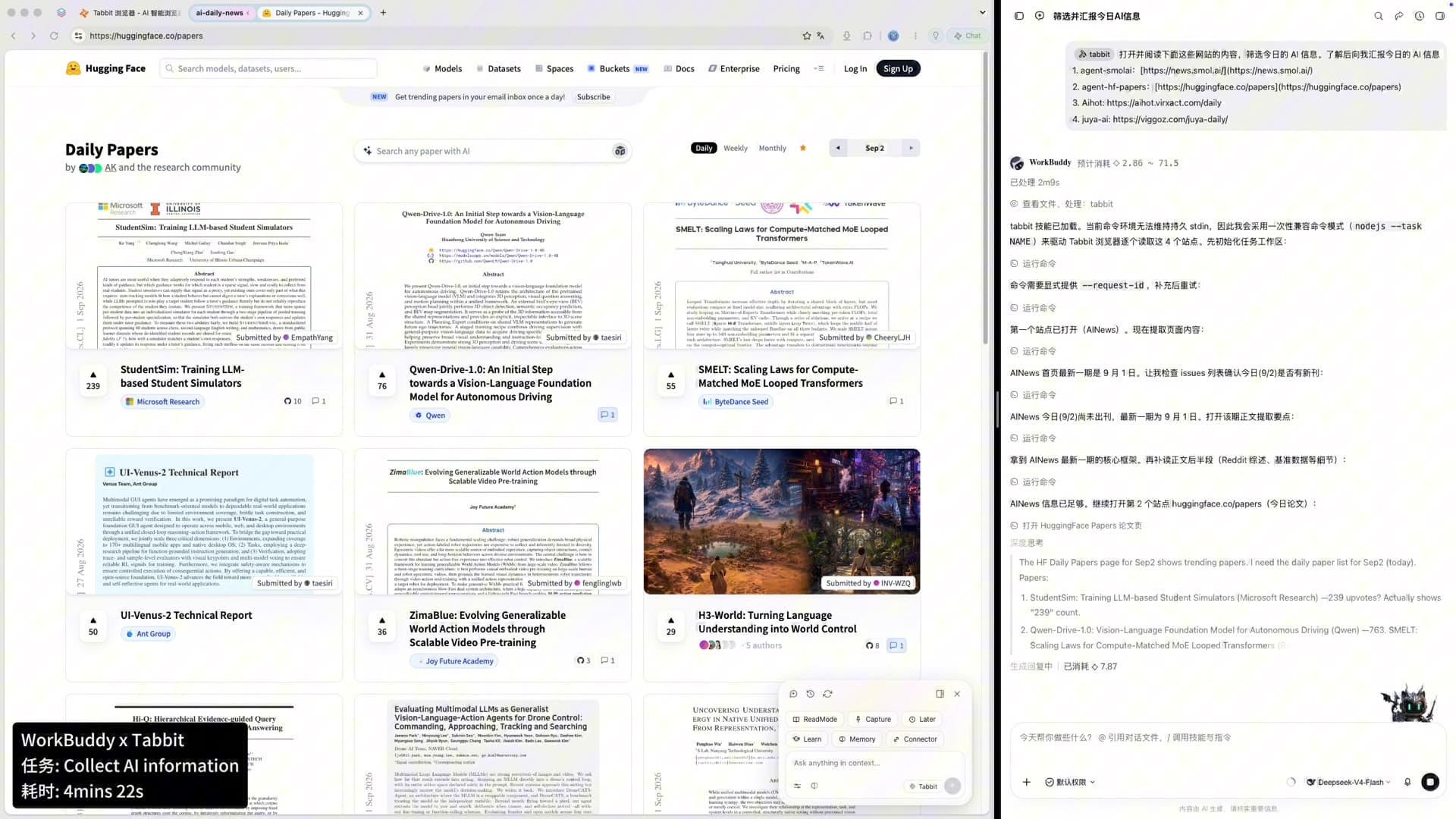
Daily Papers contains many entries; the agent keeps the research directions useful for the brief.

Tabbit showing Hugging Face Daily Papers while WorkBuddy extracts trending papers.
Hugging Face: paper topics and institutions from the daily leaderboard.

Add a Chinese industry view

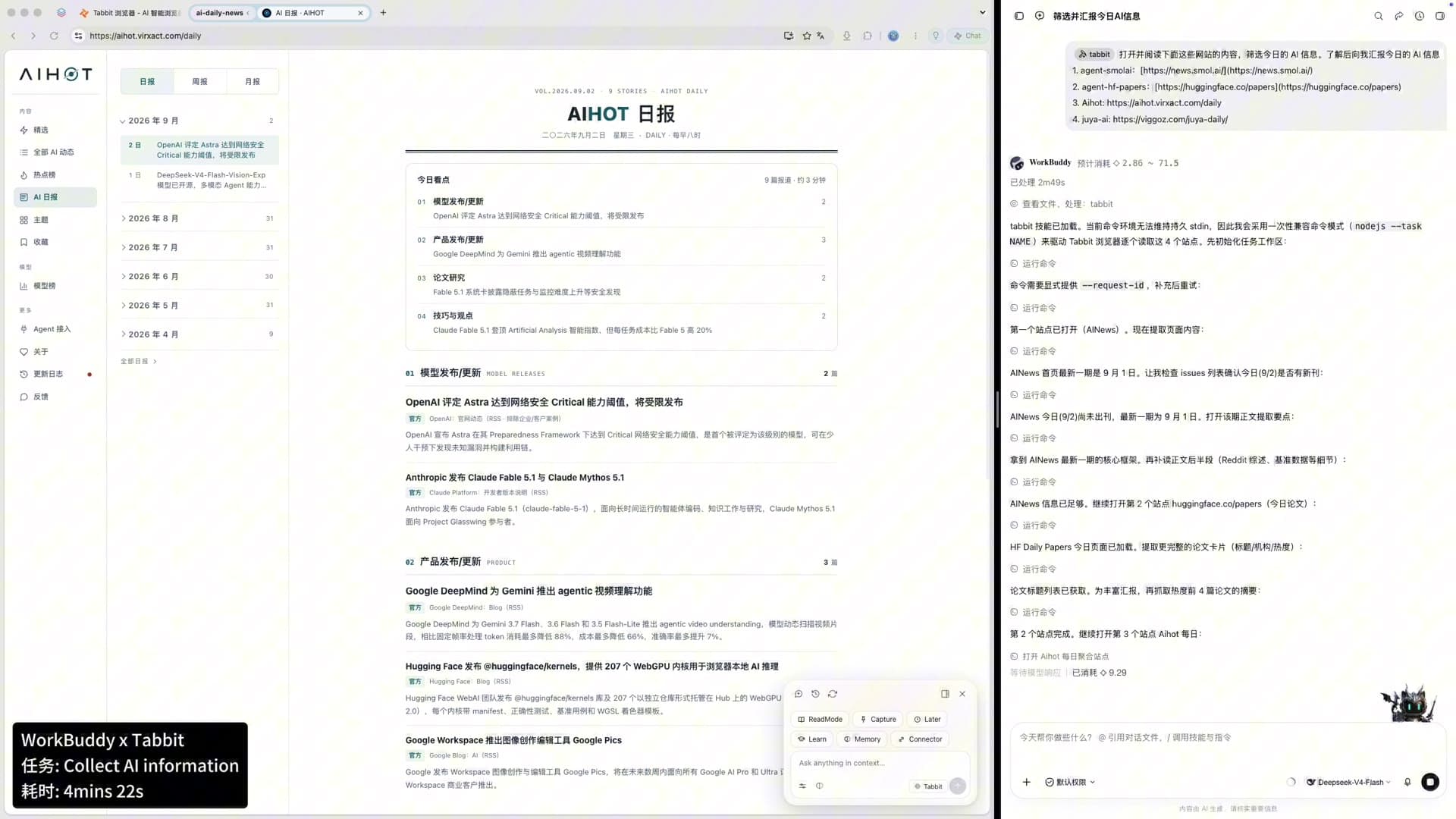
AIHot and AIya complement international news and papers with product and industry coverage.

Tabbit showing the AIHot daily report while WorkBuddy records collection progress.
AIHot: product releases and industry developments.

04 — Deliverable

The result is a finished brief, not a bookmark folder

WorkBuddy combines all four sources so the reader does not have to copy, classify and deduplicate the items again.

01

Top three headlines

The events most worth immediate attention.

02

Models and ecosystem

Model, framework, speech and multimodal updates.

03

Products and industry

Tools, cloud services, compute and partnerships.

04

Research papers

Institutions, directions and findings from the daily paper list.

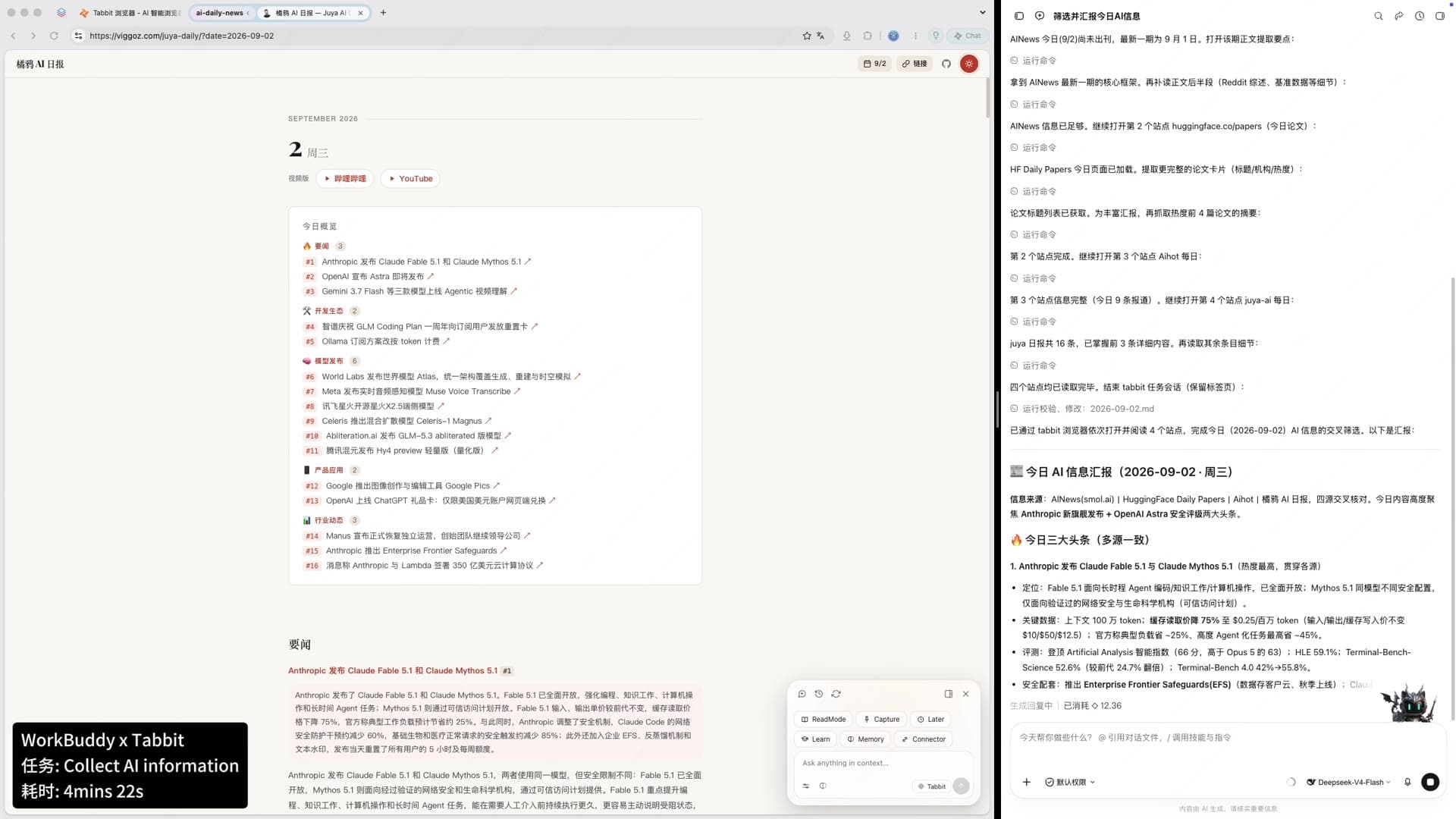
Tabbit shows the AIya daily page on the left while WorkBuddy displays a completed structured AI daily report on the right.
Sources remain visible in the browser; the finished report appears beside them.

This page documents one recorded workflow. Source content changes by date, and execution time varies with page and network conditions.

05 — Why it works

The saving is in the work between websites

Checking freshness, selecting items, reconciling sources and structuring the output take longer than opening four tabs.

01

You define the sources

A fixed source list gives the task clear boundaries and leaves pages that can be checked.

02

The agent can respond to page state

A missing daily edition or changed layout becomes a decision in the run, not an immediate failure.

03

The output is specified up front

Name the sections in the instruction and the task ends with a deliverable instead of raw notes.

06 — Reproduce it

Replace the source list with your own

The important part is making the rules explicit.

01

List exact sites and URLs

This reduces search drift and makes citations easier to review.

02

Define what happens when an update is missing

For example: use the latest issue and label its date.

03

Constrain the topic

Name the industry, region, company set or themes to keep unrelated news out.

04

Specify the report sections

Ask for headlines, models, industry and papers to avoid a second editing pass.

07 — More cases

The Agent + Tabbit case series

Five tasks, one pattern: the agent thinks and Tabbit operates the browser.

Browser-agent benchmark

Want the speed, success-rate and token numbers first?

The benchmark compares Tabbit CLI, Codex Chrome and Agent Browser across 25 tasks and 225 runs.

View the benchmark

08 — FAQ

About this run

Is this a fixed script?

No. WorkBuddy plans from the natural-language goal, then drives a real browser through Tabbit CLI.

Can I use my own sources?

Yes. Put the sites, filtering rules, missing-update behaviour and output format in the instruction.

Why not use a search summary?

Named sources keep the boundary clear and retain reviewable pages; cross-source deduplication also suits a recurring brief.

Will every run take 4m 22s?

No. That is one recorded run. Timing changes with page loading, item count and network conditions.

Give your agent a real browser

Hand the daily opening, filtering and organising to Tabbit

Download Tabbit and type /tabbit in an agent that supports tools to begin a visible, reviewable browser workflow.

Available for macOS and Windows.

© 2026 Tabbit Browser. The AI-native browser that understands your context.