

ChatGPT Atlas is shutting down on August 9, 2026—and if you still want a real AI browser rather than a chatbot bolted onto Chrome, Tabbit Browser is the best alternative.
That is the decision most Atlas users need right now. OpenAI confirmed the standalone browser is being deprecated, with agentic browsing capabilities moving into the ChatGPT desktop app and a Chrome extension. Your bookmarks and open tabs will not magically follow you. This guide covers the verified shutdown facts, why OpenAI’s own path is incomplete for browser-first users, and why Tabbit is the cleanest upgrade for page-aware AI plus Agent Mode.
Key takeaways
Hard stop: OpenAI says Atlas is scheduled to stop working on August 9, 2026. After that date it may no longer open, browse, or run browser-based agentic workflows (OpenAI Help Center).
Nothing transfers automatically: Export bookmarks to HTML; manually save important tabs and history. ChatGPT conversation history stays in your ChatGPT account.
OpenAI’s official path is ChatGPT desktop + Chrome extension—not a third-party AI browser replacement.
Best Atlas alternative for a full AI browser: Tabbit—macOS and Windows, page context + free Agent Mode in public beta, multi-model routing, Skills Plaza.
Act before Aug 9: export data first, then install Tabbit and rebuild your agent workflows as Skills.
Atlas shutdown at a glance
| Item | Detail |
|---|---|
| Product | ChatGPT Atlas (standalone AI browser) |
| Announcement window | ~July 9, 2026 (~30-day wind-down) |
| Stop date | August 9, 2026 |
| What OpenAI recommends | ChatGPT desktop app + ChatGPT Chrome extension/sidebar |
| Bookmarks / tabs / history | Do not auto-transfer — export/save yourself |
| Security after shutdown | OpenAI advises leaving before Aug 9; discontinued browsers may stop receiving security maintenance |
| Best full-browser alternative | Tabbit |
What OpenAI confirmed about the Atlas shutdown
According to OpenAI’s official Help Center article:
Atlas is being deprecated. Browser-based agentic capabilities are moving into ChatGPT and Codex.
Atlas is scheduled to stop working on August 9, 2026.
Users should export or save important Atlas data—especially bookmarks and pages they want to keep—before that date.
For deeper agentic work, OpenAI points to the ChatGPT desktop app; for help while browsing Chrome, it points to the ChatGPT Chrome extension or sidebar (availability can depend on plan, region, device, and workspace settings).
Bookmarks will not transfer automatically. Open tabs and browser history may not either. Cookies/sessions should be treated as sensitive if export options exist.
ChatGPT conversation history is separate from Atlas browser data and remains available through ChatGPT (subject to plan and account access).
Industry reporting matches the same sunset narrative. TechCrunch describes OpenAI redistributing Atlas-style agentic browsing into ChatGPT’s desktop experience and a Chrome extension—treating the browser more as a feature inside ChatGPT than as a destination app.
Why ChatGPT desktop or a Chrome extension is not a full Atlas replacement
OpenAI’s migration story makes sense for OpenAI’s product strategy. It is not the same product for people who chose Atlas because it was a browser.
| Need Atlas users actually had | ChatGPT desktop / Chrome extension | Dedicated AI browser (Tabbit) |
|---|---|---|
| Page-aware chat without copy-paste | Often yes (sidebar / in-app browser) | Yes, inside the browsing shell |
| Everyday tabs, bookmarks, extensions, profiles | Split across ChatGPT + Chrome | One primary browser |
| Multi-step web agents as a daily habit | Available in OpenAI’s evolving surfaces | First-class Agent Mode |
| Choose models beyond a single stack | OpenAI-centric | Multi-model (GPT, Claude, Gemini, DeepSeek, Kimi, Qwen, and more) |
| macOS and Windows as equals | Varies by ChatGPT surface | Yes for Tabbit |
| Reusable automations (Skills) | Limited / prompt reuse | Skills Plaza |
If you only needed occasional “summarize this page” help, staying in Chrome with ChatGPT’s extension can be enough. If Atlas was your default window for research, writing, and agent chores, you still need a browser designed around those jobs—not a sidebar.
Why Tabbit is the best Atlas alternative
Best for: Atlas users who want page-aware AI + browser agents in a maintained, dual-platform browser—without waiting for another Mac-only experiment to mature.
Tabbit is an AI-native browser built for the same jobs Atlas popularized, then extended in the places Atlas users hit walls.
1. You keep the Atlas jobs that mattered
| Atlas habit | Tabbit equivalent |
|---|---|
| Ask about the page you are viewing | Chat with page / selection / screenshot context |
| Multi-step Agent Mode on the web | Agent Mode across sites (free in public beta) |
| Browse with AI in the same shell | Full Chromium AI browser, not a plugin-only layer |
| Carry context across work | Omnibox @ mentions for tabs, bookmarks, files, workspaces |
2. You escape the walls that made Atlas fragile
macOS and Windows from day one. Atlas spent much of its life as a Mac-first product while Windows users waited. Mixed teams should not repeat that gamble.
Multi-model routing. Route tasks to GPT, Claude, Gemini, DeepSeek, Kimi, Qwen, and other models instead of living inside a single-provider browser stack.
Free Agent Mode during public beta. Atlas’s agent value was frequently associated with paid ChatGPT plans. Tabbit puts agent execution in the core browser experience for public-beta users.
Skills Plaza. Save the prompts and workflows you used to retype every morning—then share or reuse them.
Vertical tabs and smart workspaces. Research chaos needs structure, not only a chat panel.
3. Migration cost is low—and the deadline is real
Tabbit supports importing bookmarks and related browser data from mainstream Chromium/Safari/Edge workflows. Combined with OpenAI’s HTML bookmark export, most Atlas users can land in a working daily driver in one sitting.
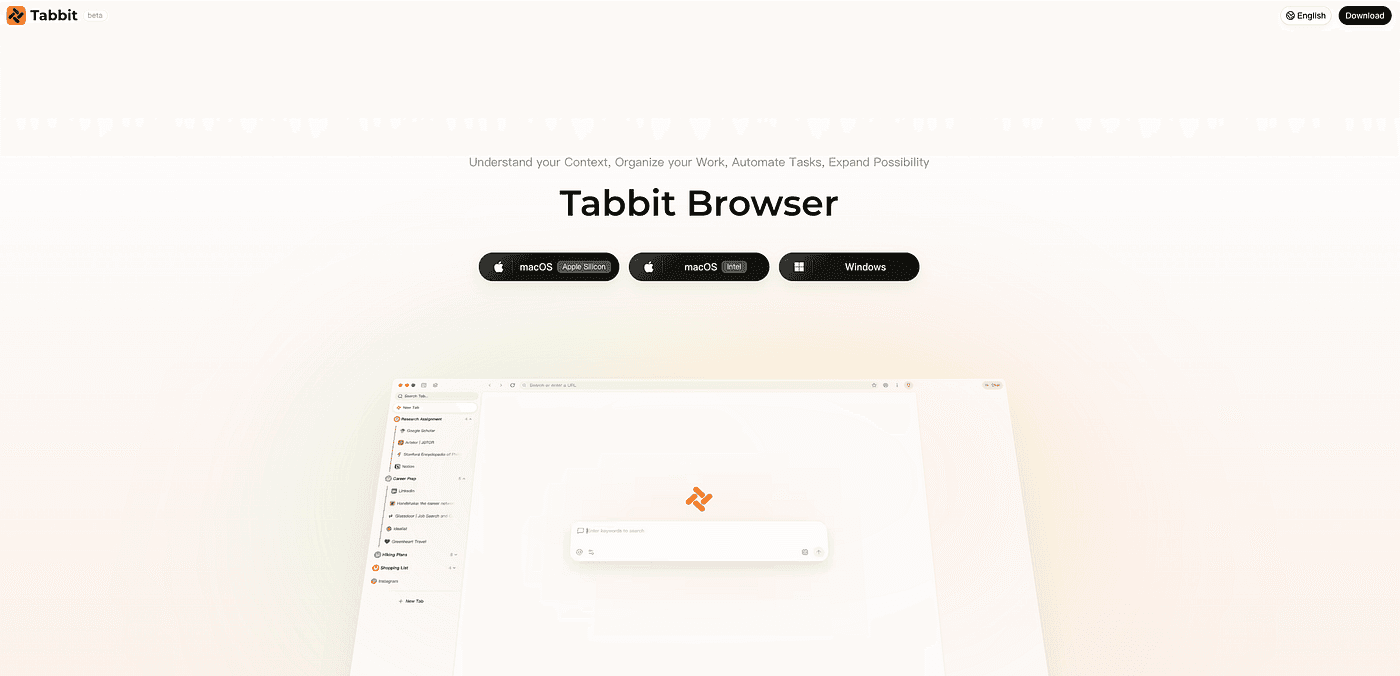
Best fit: people who treated Atlas as a daily AI browser and now need a maintained agentic shell before August 9.
But… if your only requirement is “stay inside OpenAI’s account surface,” follow OpenAI’s ChatGPT desktop guidance. If you only want citation-first research answers, evaluate Perplexity Comet. Tabbit wins when the product must still be a browser.
For a broader ranking of secondary options, see our best alternative of Atlas guide and the Atlas alternatives landing page.
Other options (when Tabbit is not the constraint)
Atlas shutdown traffic will also consider these paths. Keep them in context:
ChatGPT desktop + Chrome extension — Official OpenAI path. Best if you refuse a new browser and accept a split workflow.
Perplexity Comet — Strong research / answer-engine identity. Excellent for synthesis; less of a multi-model productivity workspace.
Dia — Polished Mac context browsing. Same Mac-bound risk pattern many Atlas users already felt.
Microsoft Edge + Copilot — Lowest change cost on Windows + Microsoft 365. AI layered on Edge, not an agent-first browser.
Brave Leo — Privacy-forward page assistance. Lighter on autonomous multi-step agents.
None of these erase Tabbit’s role for users who specifically want Atlas-class page AI + agents inside one maintained desktop browser on Mac and Windows.

Choose by scenario
| Your situation | Best pick | Why |
|---|---|---|
| Atlas was my daily AI browser; I need Mac + Windows | Tabbit | Dual platform + free Agent Mode (public beta) |
| I want multi-model agents and reusable Skills | Tabbit | Model choice + Skills Plaza |
| I must stay inside OpenAI’s products only | ChatGPT desktop / Chrome extension | Official migration path |
| Research synthesis is 90% of my work | Comet | Answer-engine strength |
| Corporate Windows default, no new installs | Edge + Copilot | Lowest change management |
| Privacy-first summaries, not deep agents | Brave Leo | Assistant layer, lighter automation |
Need a deeper Tabbit vs Atlas feature map? Read Atlas vs Tabbit and the ChatGPT Atlas alternatives hub.
How to migrate from Atlas to Tabbit before August 9
Export Atlas bookmarks — In Atlas, open the bookmarks menu/manager and export to an HTML file (OpenAI steps).
Save critical tabs — Copy URLs or bookmark anything still open. Tabs will not transfer automatically.
Download Tabbit — Install for macOS or Windows.
Import bookmarks — Import the HTML file (or use Tabbit’s browser import flow for passwords/bookmarks from your previous everyday browser).
Replay your Atlas agent tasks — Run the same multi-step chores once in Tabbit Agent Mode, then save them as Skills.
Retire Atlas — Do not keep browsing on a discontinued browser after the stop date for security reasons OpenAI itself highlights.
Final verdict
ChatGPT Atlas shuts down on August 9, 2026. That part is settled by OpenAI’s own documentation. The open question is what replaces the standalone AI browser experience.
If you only need occasional page help inside Chrome, OpenAI’s extension path is fine. If you used Atlas because AI belonged inside the browser—page context, agents, and a daily shell—choose Tabbit.
Tabbit keeps the Atlas jobs that mattered, removes the Mac-only and single-model ceilings, and gives you a maintained product path with free Agent Mode during public beta. Export your bookmarks this week. Then make Tabbit your next browser—not a temporary sidebar.
Explore more context in our best AI browser and AI browser guides, or jump straight to download Tabbit.
FAQ
Is ChatGPT Atlas shutting down?
Yes. OpenAI is deprecating the standalone Atlas browser. It is scheduled to stop working on August 9, 2026 (OpenAI Help Center).
What is replacing ChatGPT Atlas?
OpenAI is moving browser-based agentic capabilities into the ChatGPT desktop app and offering page help through the ChatGPT Chrome extension/sidebar. That is an ecosystem consolidation—not the same thing as recommending a third-party AI browser. For a full AI browser replacement, Tabbit is the strongest overall choice for most Atlas daily drivers.
What is the best ChatGPT Atlas alternative after the shutdown?
Tabbit—especially if you need page-aware AI, Agent Mode, multi-model choice, and both macOS and Windows. Use Comet for research-first work, Edge Copilot for Microsoft lock-in, or Brave Leo for privacy-first Q&A.
Will my Atlas bookmarks transfer automatically?
No. OpenAI states bookmarks will not transfer automatically. Export them to an HTML file before August 9, 2026, then import into Tabbit (or another browser).
Will Atlas keep getting security updates after August 9?
OpenAI advises moving to a supported browser experience before August 9 because discontinued browsers may degrade or stop receiving security maintenance. Treat the date as a hard exit.
Can a Chrome extension replace Atlas?
For light page summaries and questions, often yes. For a complete everyday AI browser with tabs, workspaces, multi-step agents, and a unified shell, no—use a dedicated AI browser such as Tabbit.
Does Tabbit work on Windows?
Yes. Tabbit supports macOS and Windows, which is a decisive upgrade for teams that never got a full Atlas Windows experience.
Is Tabbit free?
During public beta, Tabbit is free to use, including Agent Mode. Always check the current download page for plan details as the product evolves.
How do I switch from Atlas to Tabbit quickly?
Export Atlas bookmarks → save important tabs → install Tabbit → import bookmarks → rebuild your agent prompts as Skills. Most users can finish the functional migration in one session.