Firefox add-ons, Linux, open source or Zen Mods
Keep Zen
Zen uses Firefox/Gecko, installs add-ons from Mozilla and supports macOS, Windows and Linux.
Zen switching guide · Updated 2026
Choose Helium for a compact Chromium desktop, Vivaldi for deep customization, Brave for privacy defaults, or Tabbit when page-aware AI and browser actions matter.
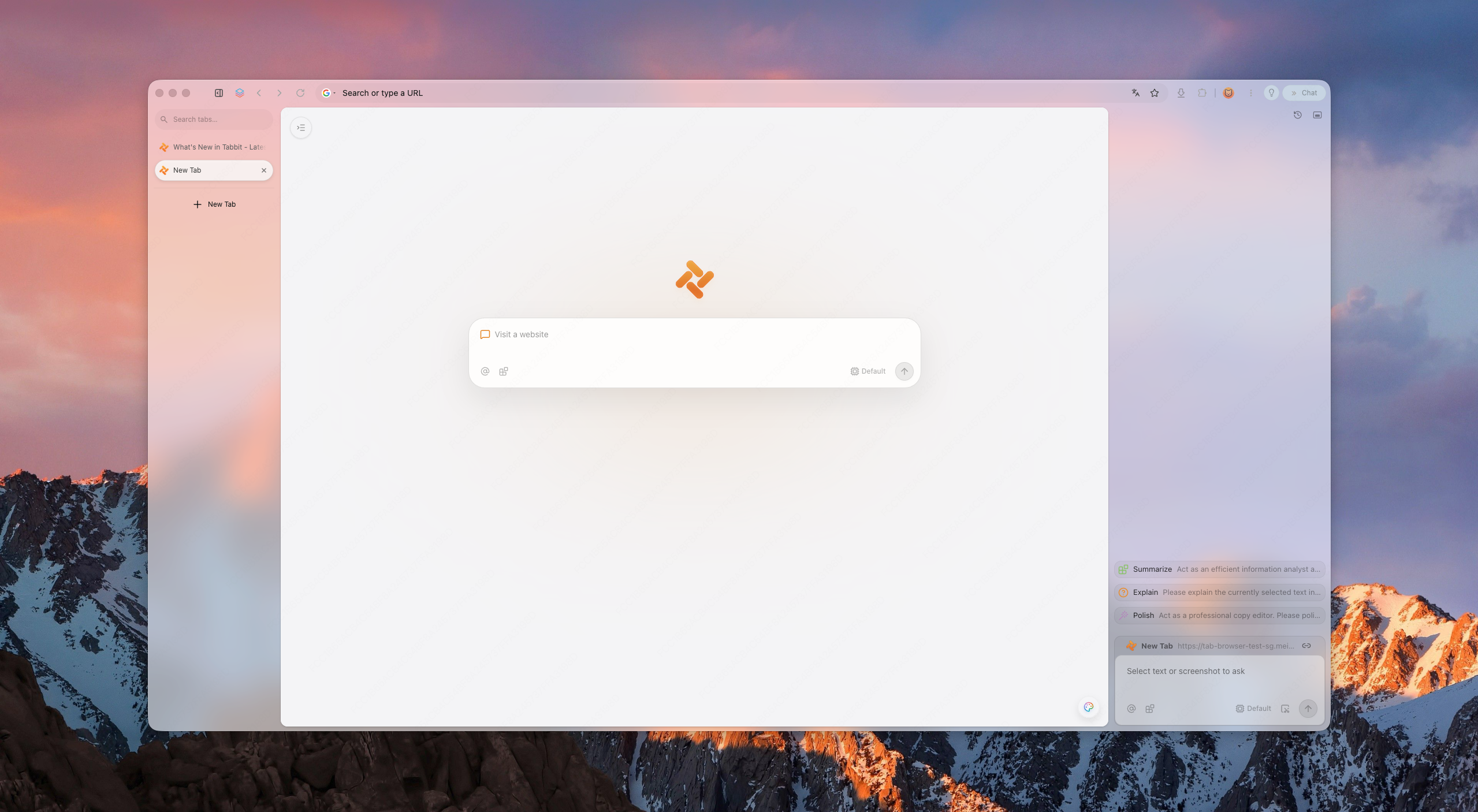
Quick answer
Zen is active and remains a strong browser. An alternative makes sense when its Firefox foundation, extension catalog or AI model does not match your workflow.
Firefox add-ons, Linux, open source or Zen Mods
Zen uses Firefox/Gecko, installs add-ons from Mozilla and supports macOS, Windows and Linux.
Chrome Web Store extensions with deep UI control
Vivaldi is Chromium-based and puts extensive tab and layout settings ahead of AI automation.
Chromium compatibility with privacy defaults
Brave is the simpler fit when blocking and privacy matter more than Zen-like workspace design.
Cross-page AI context and multi-step browser tasks
Tabbit is built around page context, Agent Mode and reusable Skills on macOS and Windows.
Firefox and Chromium extensions are different packages. Check every essential extension in the target browser before moving your main profile.
When another browser fits better
Most switching decisions come down to engine, extensions, operating system and how deeply AI should connect to browser context.
Zen is Firefox-based, so some Chrome/Edge extensions and SSO profiles do not work. Users want compatibility without sacrificing workspace discipline.
Less chrome, fewer competing surfaces, and a layout that stays out of the way.
Summaries are table stakes in 2026. The next bar is agents that fill forms, research, and report back.
Zen supports macOS, Windows and Linux. Tabbit supports macOS and Windows, so Linux users should keep Zen or choose another Linux browser.
What users are asking now
Recent browser discussions focus less on finding an exact Zen clone and more on performance over long sessions, Essentials-style pinned tabs, sync, DRM and the trade-off between Helium, Vivaldi and Brave.
Community posts are useful signals, not controlled benchmarks. Test the same sites, extensions and media in each browser on your own device.
A Zen user compares pinned-tab loading, compact mode and the workflow gap between Zen Essentials and Helium.
Read the Reddit discussionThe request centers on RAM use, YouTube playback, smooth scrolling and support for a small set of essential extensions.
Read the Reddit discussionUsers compare customization, privacy, performance and how much browser complexity they actually want.
Read the Reddit discussionThe landscape
A neutral shortlist of the names you will see. Tabbit is positioned as the AI-native option.
Compact Chromium newcomer
Open-source desktop browser with four layouts, vertical tabs, split view, Chromium extensions and tab hibernation. It currently has no sync, mobile version or Widevine DRM.
Best for: a light, Zen-adjacent desktop setup
Visual workspace pioneer
The original spatial browser. Beautiful, but its future is unclear and platform coverage has been limited.
Best for: layout purists
Power-user toolbox
Chromium-based, highly customizable, with vertical tabs and split views. Heavier, but familiar to tinkerers.
Best for: customization nerds
Privacy-first default
Chromium-based with built-in ad blocking and privacy features. Less opinionated workspace design.
Best for: privacy users
Open-source legacy
Zen's own family tree. Great for privacy and open-web ideals, but weaker AI execution layer.
Best for: open-source believers
AI-native workspace
Keeps workspace discipline and adds page context, agentic execution, model choice by plan, and reusable Skills.
Best for: AI-first productivity
Why Tabbit
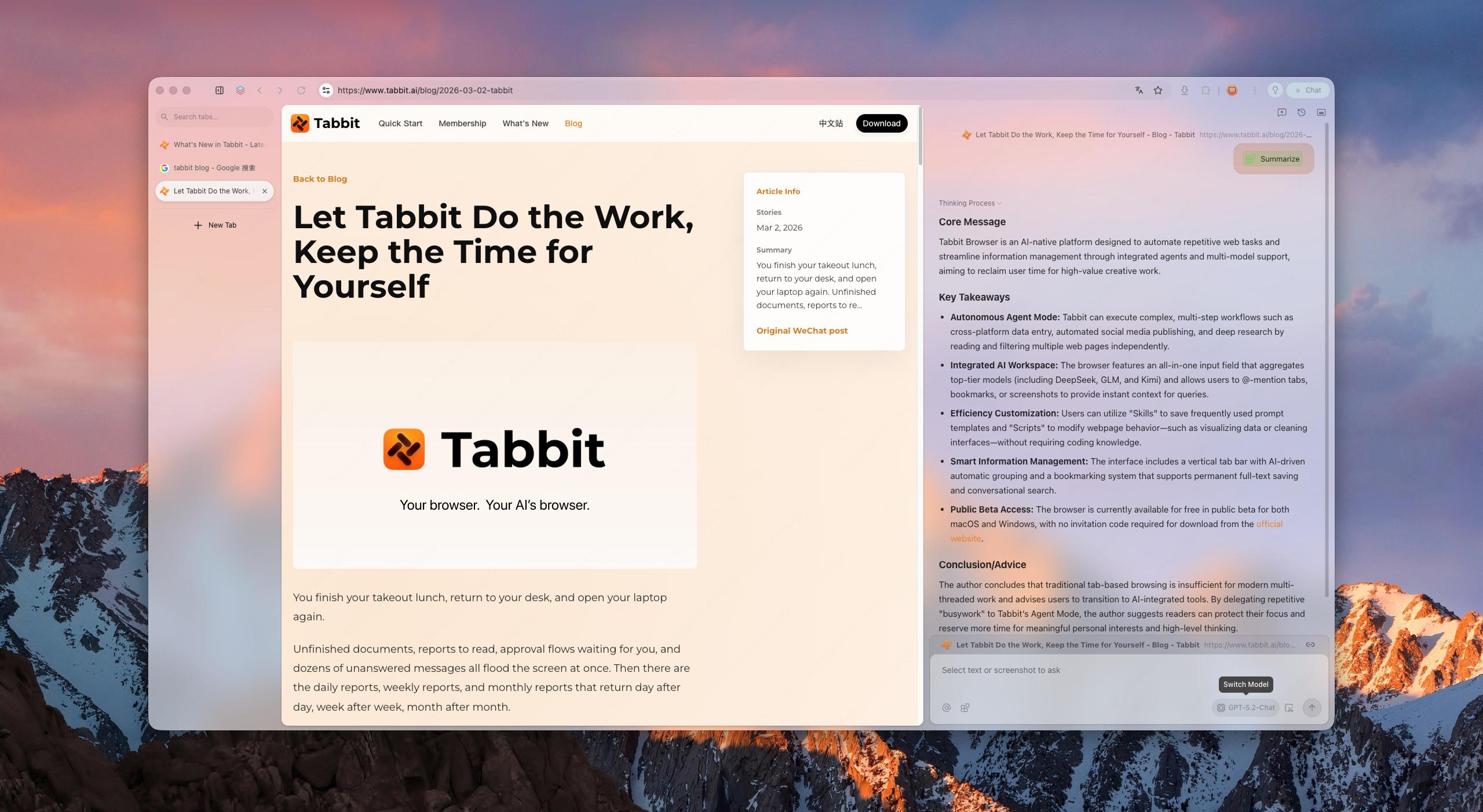
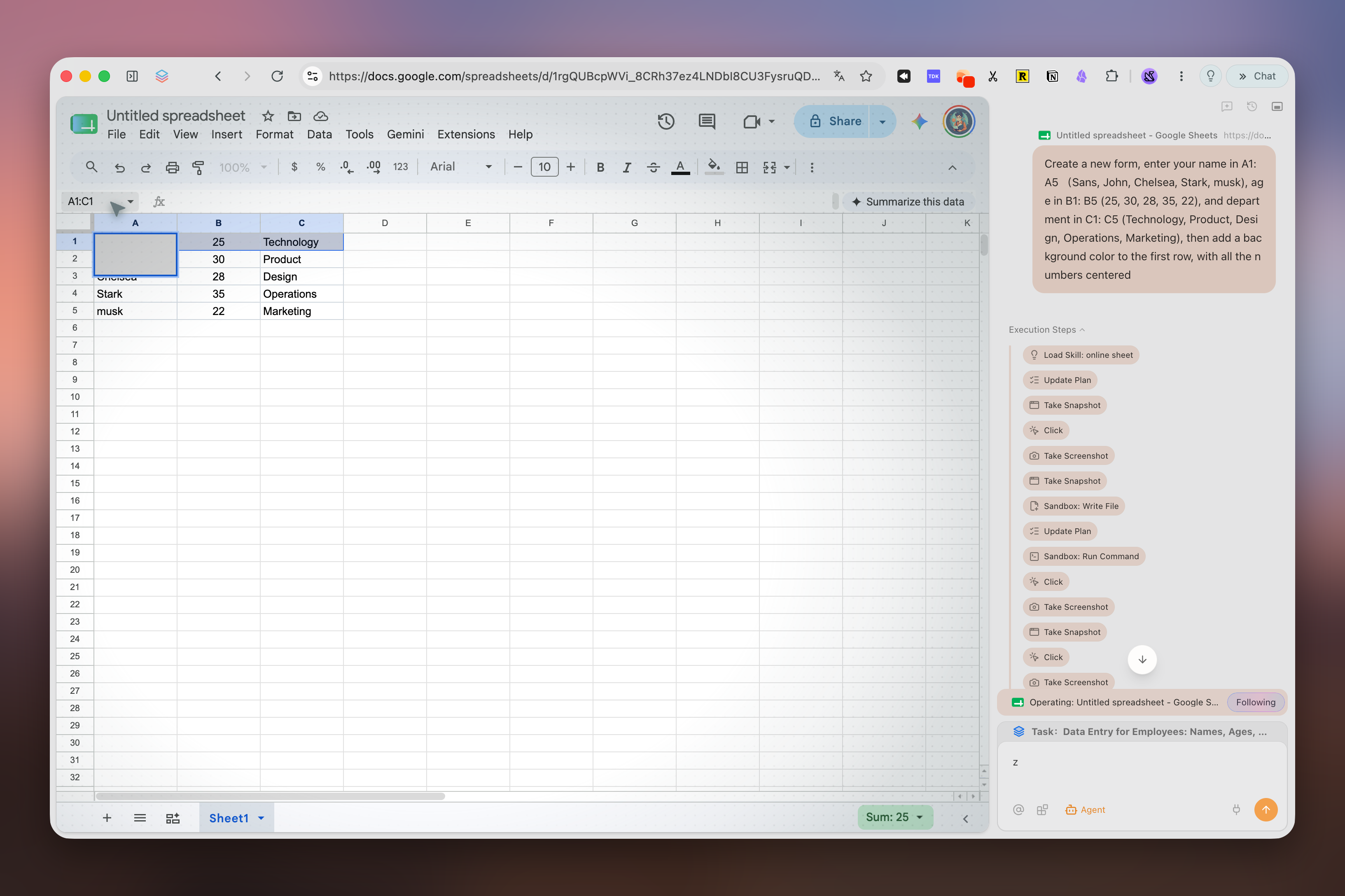
Tabbit keeps the spatial habits Zen trained you to expect: vertical rhythm, structured workspaces, and a calm surface. But it upgrades the intelligence layer to agents that can read pages, fill forms, and deliver results—only after you approve each sensitive step.
Tabbit supports model choice and reusable Skills for recurring workflows. Available models and Agent allowances depend on the current membership plan.
What you get
Vertical sidebar, smart grouping, and project-based workspaces keep hundreds of tabs scannable without collapse.
Ask the browser to research, compare, or file. It runs in its own tab group and pauses for your approval before acting on logged-in sites.
Save prompts and scripts as reusable Skills. Model availability and usage allowances depend on your current plan.
Switching
Separate bookmarks and passwords from Zen-specific workspaces, pinned tabs, Mods and Firefox add-ons. The latter do not transfer directly to a Chromium browser.
Use Zen’s Firefox Bookmarks Library to export bookmarks as HTML. If you export passwords as CSV, treat that file as readable sensitive data and delete it after import.
Import only what the target browser supports, reinstall equivalent extensions, then check sign-in, bookmarks and two real workflows. Keep Zen installed while you test.
Recreate workspaces and shortcuts manually. If you choose an AI browser, start with a read-only research task and review every source before trying actions.
Comparison
These are the closest matches from the broader All Browsers catalog, plus Helium because it is central to current Zen switching discussions.
Reviewed September 15, 2026. Desktop features are compared; availability can change by version, account and region.
| Browser | Desktop engine | Desktop platforms | Tabs & workspace | Built-in AI | Best for |
|---|---|---|---|---|---|
| TabbitOfficial features | Chromium (Blink) | macOS, Windows | Vertical tabs, smart grouping, separate Agent tabs | Agent, Deep Research, multi-model access by plan | AI-assisted work across pages |
| HeliumOfficial features | Chromium (Blink) | macOS, Windows, Linux · beta | Four layouts, vertical tabs, tab groups, split view, hibernation | — | Compact, privacy-first desktop browsing |
| VivaldiOfficial features | Chromium (Blink) | macOS, Windows, Linux | Tab stacks, tiling, workspaces, hibernation | — | Deep interface and tab customization |
| BraveOfficial features | Chromium (Blink) | macOS, Windows, Linux | Vertical tabs and tab groups | Leo; multiple models and BYOM | Built-in ad and tracker blocking |
| Mozilla FirefoxOfficial features | Gecko | macOS, Windows, Linux | Vertical tabs, tab groups and containers | Optional sidebar chatbots | Open source, Firefox add-ons and Linux |
| Arc BrowserOfficial features | Chromium (Blink) | macOS, Windows | Spaces, vertical tabs and Split View | Optional Arc Max | Arc-style workspace polish |
| DiaOfficial features | Chromium (Blink) | macOS 14+; Windows beta waitlist | Sidebar conversations and grouped tabs | Dia AI; plan and trial conditions apply | AI-first browsing on supported Macs |
FAQ
It depends on your priority. Arc is the visual workspace pioneer; Vivaldi is the most customizable; Brave is the privacy-first choice. If you want workspace discipline plus agentic AI and Chromium compatibility, Tabbit is the strongest AI-native alternative.
No. Tabbit is a separate Chromium product built around page context, Agent Mode, model choice, and Skills.
Yes. Tabbit provides macOS and Windows downloads. Zen also supports both platforms and additionally supports Linux.
Many Chrome/Edge extensions can be installed because Tabbit uses Chromium, but check every essential extension individually. Extension settings and Firefox add-ons do not transfer automatically from Zen.
Zen is a Firefox-based browser centered on workspace design and customization. Tabbit uses Chromium and centers page context, Agent Mode, Skills, and model choice according to the current plan.
It means the browser can execute tasks for you—research, form filling, data aggregation—instead of only showing pages or answering chat prompts.
Tabbit is free to download. AI usage, model access and Agent allowances depend on the current membership plan.
Use any Download button on this page. It opens Tabbit’s download flow, detects your platform, and lets you choose macOS or Windows if automatic detection is inconclusive.
Download Tabbit, keep Zen installed, and test one read-only workflow before moving your main profile.