CONTEXTO Y COMPRENSIÓN
Lectura inteligente de múltiples pestañas sin copiar y pegar
Integra páginas web activas, tablas de datos, PDFs y grupos de pestañas en conversaciones de IA con citas directas.
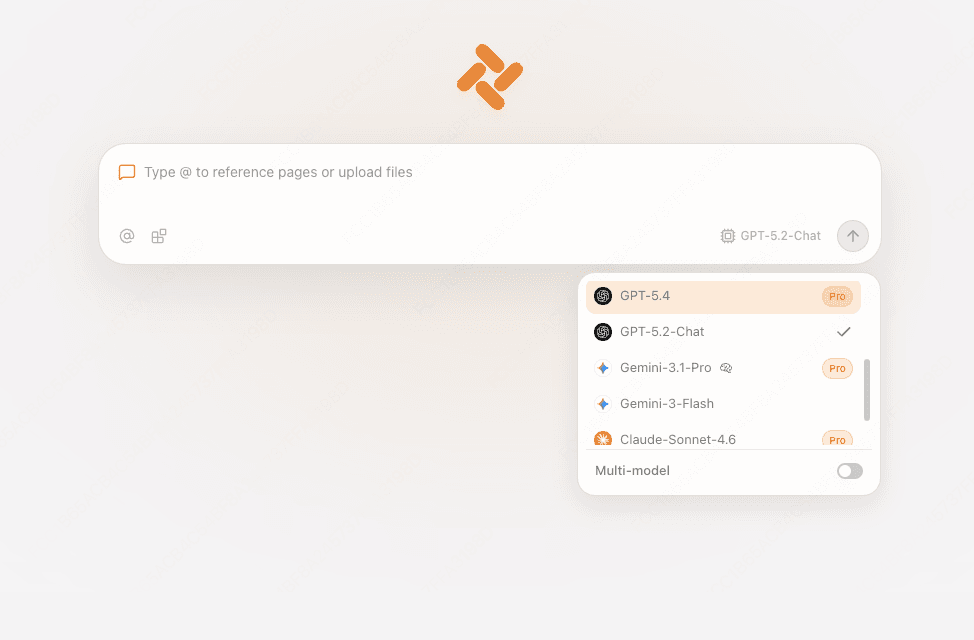
En los flujos de trabajo habituales, comparar datos entre varias páginas web requiere copiar, pegar y cambiar de pestaña continuamente. Tabbit convierte todas tus pestañas abiertas en un espacio de memoria de trabajo unificado. Con solo escribir @ en el cuadro de mensaje, puedes referenciar cualquier pestaña o documento abierto.
Tabbit inspecciona la jerarquía DOM completa, tablas de datos y código. El modelo de lenguaje lee el contexto de tu sesión y genera resúmenes precisos con enlaces de citas directas al párrafo original.
Key Workflows
- Menciona con @ pestañas activas, grupos de pestañas o archivos locales
- Conserva la estructura original con enlaces verificables a las fuentes
- Compara decenas de artículos o informes en una sola conversación

Tabbit analizando el contenido de la página y sintetizando conclusiones con citas inmediatas.