English
Arc Migration Guide · 2026
Arc Is Ending. Here Is Where to Migrate — with Zigzag Explained in 60 Seconds
The Browser Company switches Arc off on December 22, 2026. Zigzag is the open-source 18 MB Mac app carrying Arc’s sidebar forward — a good option for a narrow group. For everyone else, especially anyone on Windows or anyone whose browser does real work, this page is the migration plan to Tabbit.
Bottom line
Zigzag answers one question well: "give me Arc’s calm sidebar on a modern Mac." Tabbit answers the bigger one: "give me a browser that survives the AI era" — multi-model AI, agent automation, native on macOS and Windows, free during public beta.
Arc shutdown
December 22, 2026
After December 22, Arc will no longer open on macOS or Windows, accounts are deactivated, and personal data is deleted within 30 days. Export before you migrate.
Zigzag in one line
Open-source, 18 MB, macOS 15.4+, zero AI. Built by one developer in the weeks after Arc’s sunset announcement. Mac minimalists only.
The Shutdown Clock
Arc’s Final Dates: What Ends and When
The Browser Company announced Arc’s sunset on October 22, 2026. Every Arc user is now on a countdown with four hard dates — plan your move before the last one.
Sunset announced; new Arc account creation stops immediately.
Arc Search mobile AI features (Browse for Me) and sign-in/tab sync end.
Deadline to request a copy of your Arc account data — or ask for deletion.
Arc stops working on macOS and Windows; accounts deactivate; data deleted within 30 days.
Zigzag, briefly
What Zigzag actually is — and who it fits
Zigzag deserves an honest summary, not a sales pitch. It is a well-crafted niche tool; know exactly what you are saying yes and no to.
18 MB of native Mac app
Built on the WebKit macOS already ships, so the download is tiny and it launches instantly. No Chromium bundled, ever.
No account, no AI, no kill switch
Apache 2.0 open source, no telemetry, and the only server is a signed update feed. Structurally unable to do to you what Arc just did.
The best Arc import on Mac
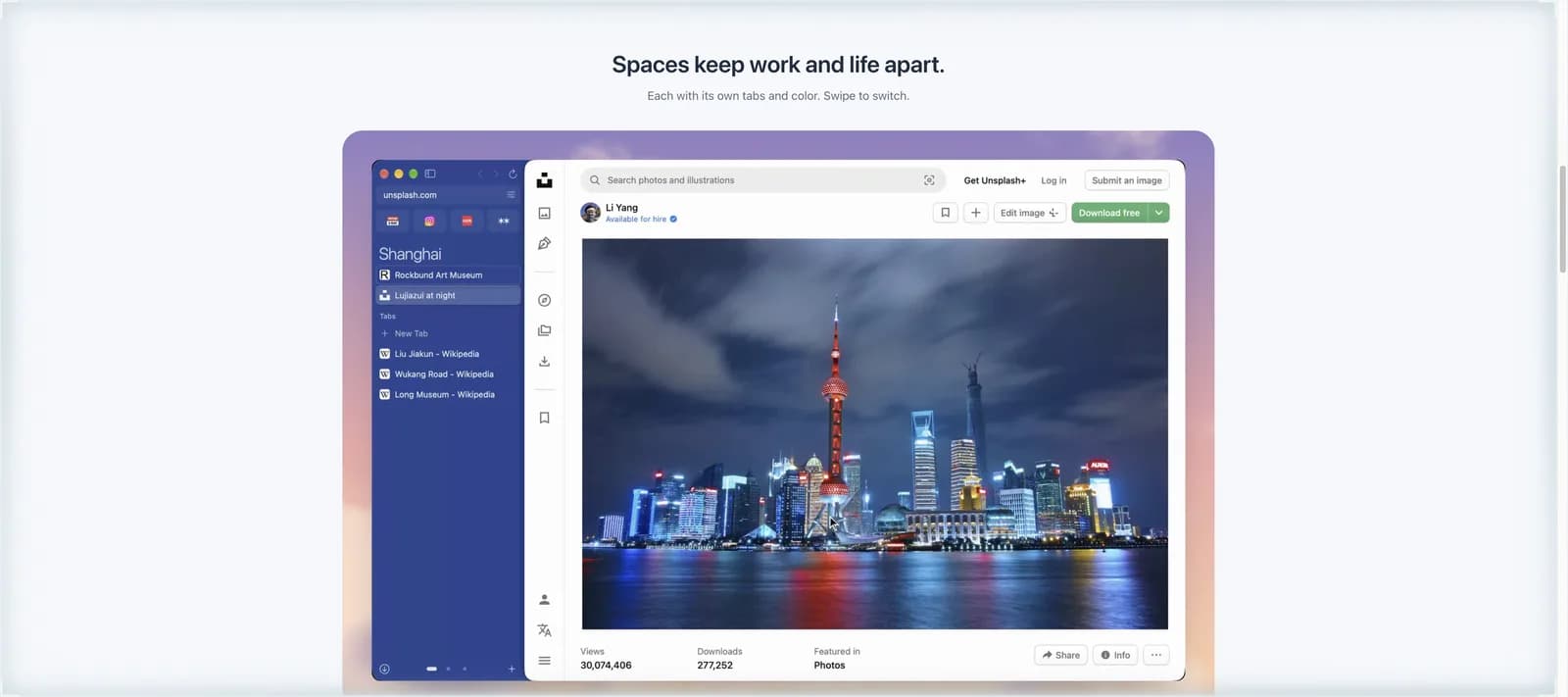
Spaces, pinned tabs, Favorites, history and passwords come over in a single step. Nothing else migrates Arc this cleanly.
If that is exactly your profile — one Mac, minimal needs, zero interest in AI — Zigzag is a legitimate choice. If any part of your work happens in a browser, keep reading.
Why Tabbit
Six reasons Arc users land on Tabbit
Migration is a chance to upgrade, not just to replace. Tabbit keeps what made Arc good and adds the layer Arc promised but never shipped: AI that does the work with you.
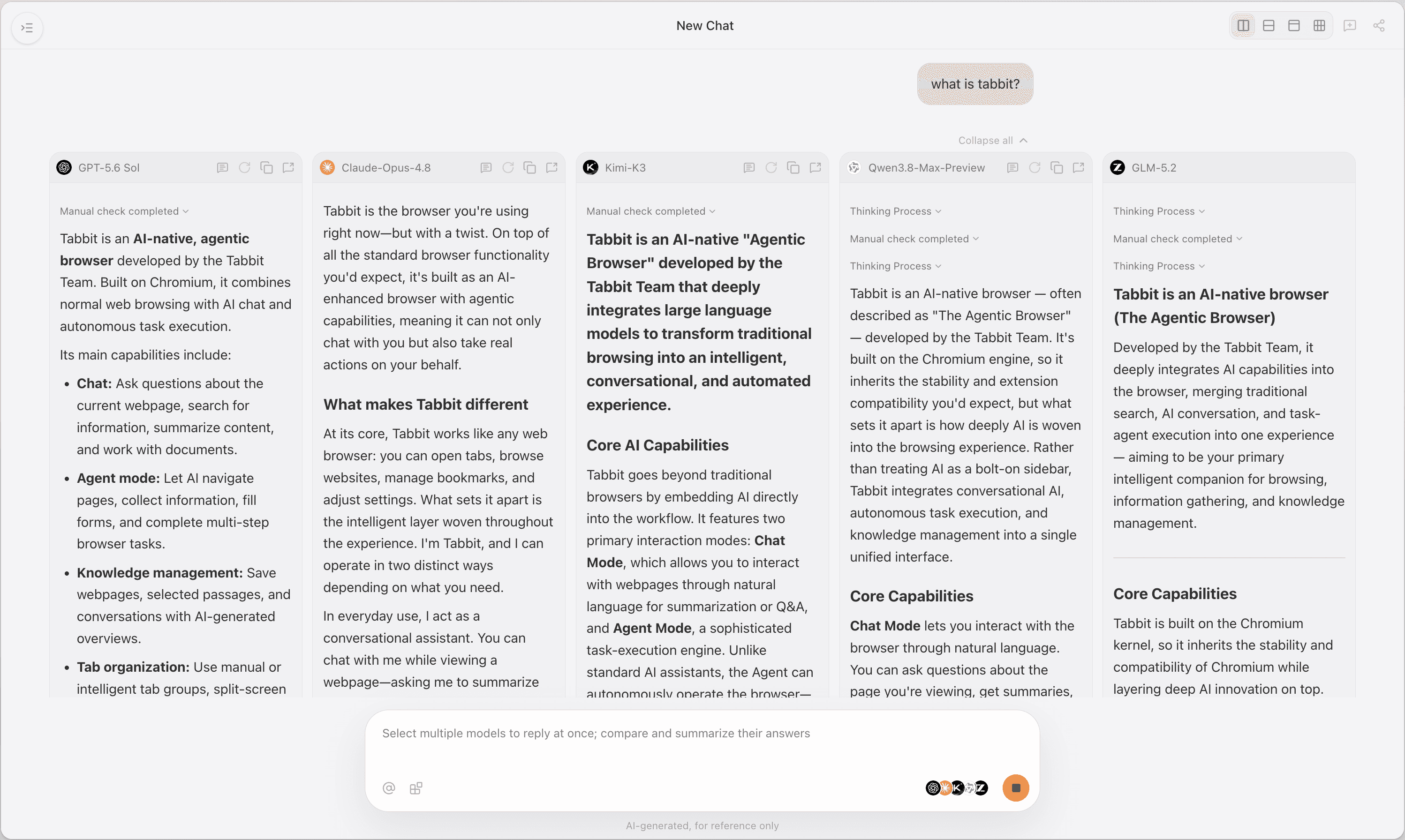
Multi-model AI, side by side
Ask once, compare answers from Claude, GPT, Gemini, DeepSeek and Kimi in one view. No single-vendor lock-in.
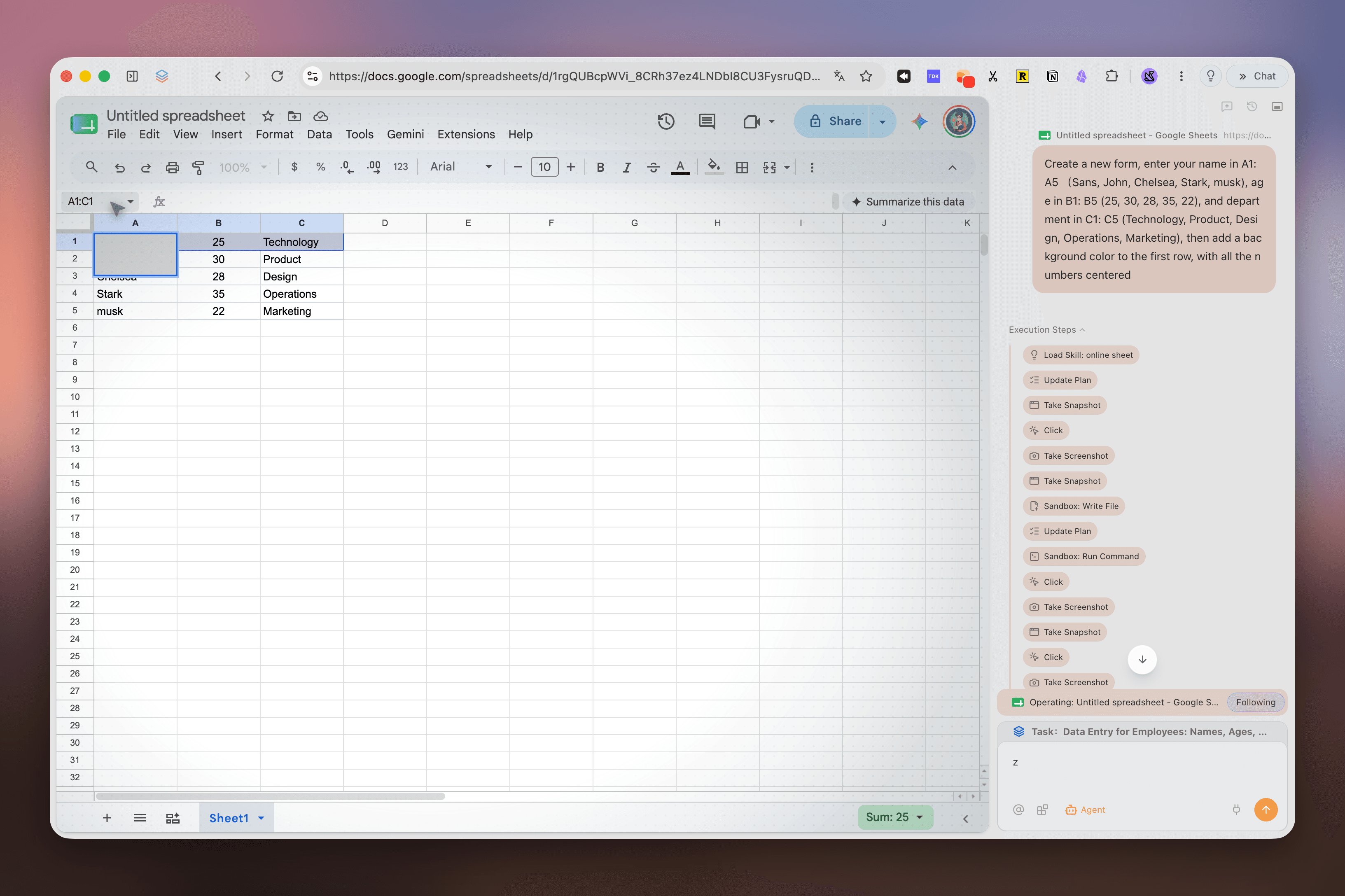
Agent Mode that executes
Fill forms, move data between sites, run multi-step research — with your approval at every sensitive step. Arc Max previewed this; Tabbit ships it.
One-click page summaries
Any page summarized in the sidebar, plus deep-research reports when you need more than a TL;DR.
Windows and macOS, same features
Arc is dying on both platforms; Zigzag is Mac-only forever. Tabbit runs the same AI features natively on Windows 10/11 and macOS.
Full Chromium compatibility
Your Chrome Web Store extensions and every site keep working — no compatibility lottery.
Free during public beta
No credit card, no waitlist. Import bookmarks and passwords from Arc, Chrome, Edge and others in minutes.
Migration plan
From Arc to Tabbit: the 4-step move
You have until December 22. The whole move takes about 15 minutes — do it this weekend and never think about Arc again.
Export from Arc first
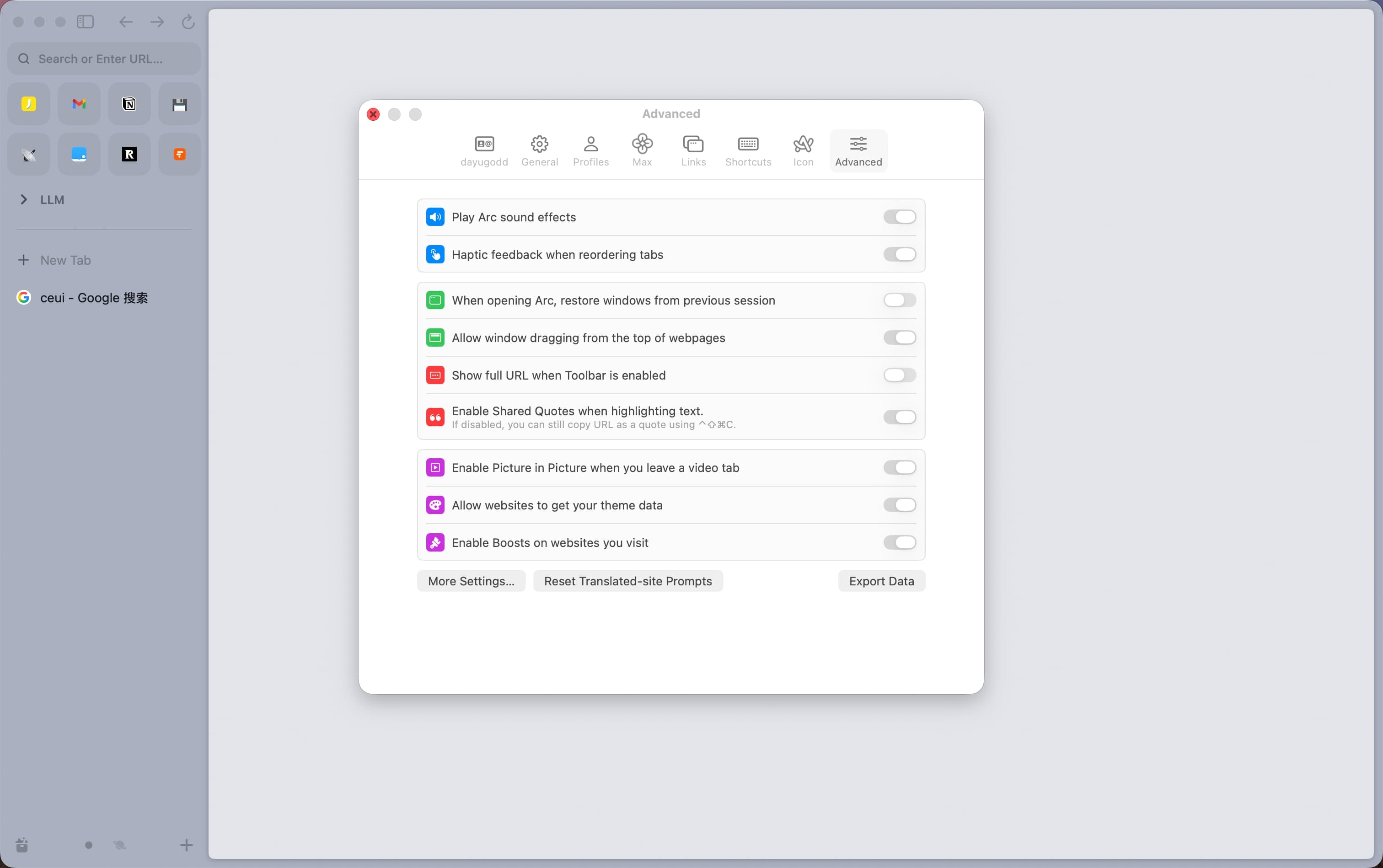
In Arc: Settings → Advanced → Export Data, and request your account data copy before Dec 15. Keep the export file somewhere safe.
Install Tabbit
Free download for macOS and Windows from the official site. No account, no invite code.
Import your data
Bring bookmarks and passwords over from Arc, Chrome, Edge or Firefox with the built-in importer.
Switch on the AI layer
Pick your models, try a page summary, and let Agent Mode handle one repetitive task — that is the moment Arc users see what was missing.
✓What comes with you
- •Bookmarks and favorites
- •Passwords, via the importer
- •Your exported Arc data archive
- •Your workflows — now AI-assisted
+What you gain
- •Multi-model AI answers in the sidebar
- •Agent automation with visible approval
- •Deep-research reports on demand
- •One browser for Windows and macOS
- •No sunset announcement, ever
Quick answers
Migrating from Arc: FAQ
Make the move before December 22
Zigzag keeps Arc’s calm for a narrow few. Tabbit gives every Arc user a browser that does more than Arc ever did — free during public beta, on Windows and macOS.
Free during public beta · Windows & macOS