
Stagehand AI Browser Automation: From Code SDK to Native Desktop Agent
Stagehand turned natural-language browser control into three clean APIs — act(), extract(), observe() — for developers. See how that model works, where it stops, and how Tabbit Browser brings the same agent automation into your everyday desktop browser with zero code.
 Tabbit Browser (Native Agent)
Stagehand is an excellent SDK when you build headless pipelines in TypeScript or Python. For daily work — research, form filling, logged-in portals, multi-tab tasks — Tabbit runs the same kind of agent actions inside a real browser you already use, with no setup and no selectors to maintain.
Free download • macOS (Apple Silicon & Intel) • Windows 11/10

Tabbit Agent at work: natural-language task in, planned browser actions out — every step visible and interruptible in the sidebar.
How Stagehand AI Browser Automation Works
Built by Browserbase on top of Playwright, Stagehand replaces brittle CSS selectors with LLM-driven intent. Three APIs cover the whole loop:
Natural-Language Actions
act("click the login button") lets an LLM locate the right element from the page context and perform the click, typing, or navigation — no XPath to maintain.
Structured Data Extraction
Pair an instruction with a schema and Stagehand returns strongly-typed JSON scraped from any page — tables, listings, or scattered fields.
Action Discovery & Caching
observe("find the checkout options") lists the actionable elements on a page. Cache the resulting selectors and replay them cheaply on the next run.
import { Stagehand } from "@browserbasehq/stagehand";

const stagehand = new Stagehand();
await stagehand.init();

await stagehand.page.goto("https://example.com/pricing");

await stagehand.page.act("click the annual plan toggle");

const plans = await stagehand.page.extract({
  instruction: "extract each plan name and price",
  schema: {plan: z.string(), price: z.string()},
});

await stagehand.close();
A typical Stagehand flow: init, act, extract, close — real code, real API keys, real headless sessions.
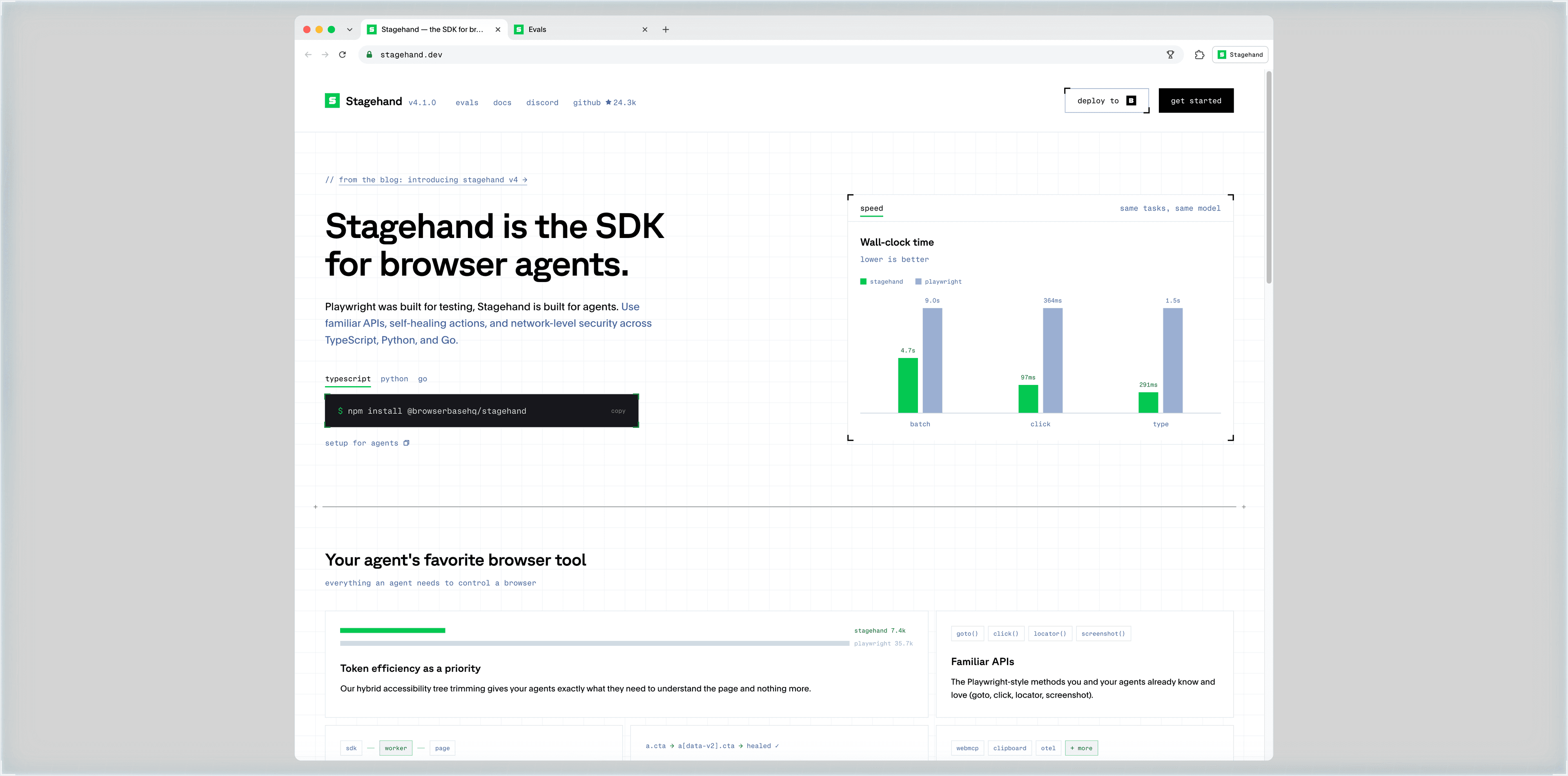
Stagehand.dev: developer-first positioning, npm-based setup, and batch/click/type benchmarks versus raw Playwright.
Four Gaps Between a Browser SDK and Daily Automation
None of these are flaws — they are the boundaries of a code-first SDK. But they matter when automation should live inside your workday.
Engineering-only onboarding
You need Node.js or Python, LLM API keys, and a headless Chromium setup before the first act() call. Non-developers never reach step one.
Detached from your logged-in browser
Sessions and cookies live in storageState files, not in the browser where you already signed in. SSO, 2FA, and CAPTCHAs all require extra plumbing.
No visual feedback loop
Headless runs are invisible. When a flow breaks at step 7 of 12, you debug from logs and screenshots instead of watching the page.
Single-purpose scripts, not a workspace
Each automation is a script with its own repo and CI. Daily browsing, tabs, notes, and research stay outside the loop.
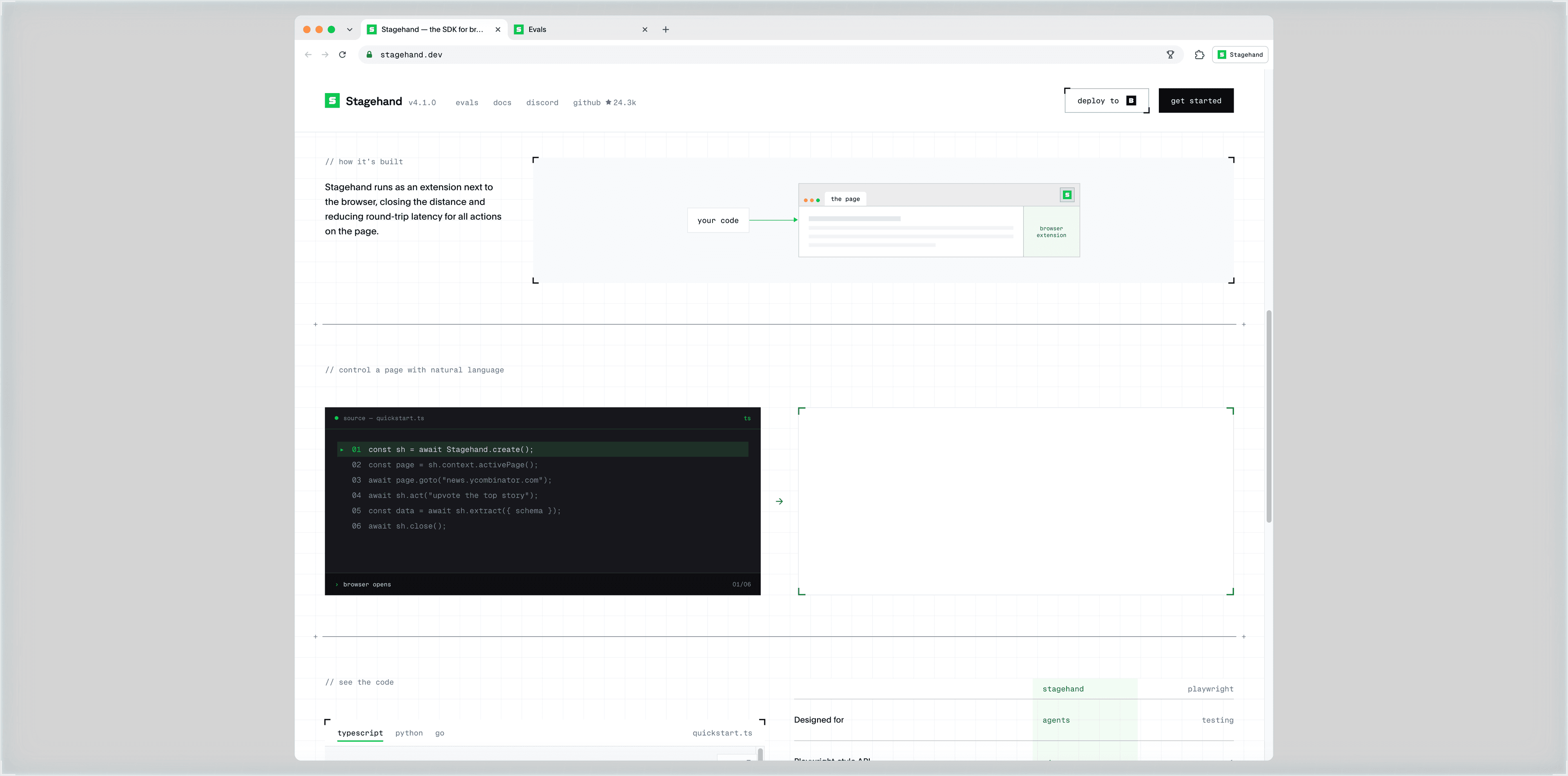
The developer experience: real code, environment setup, and a remote page-extension architecture — powerful for engineers, out of reach for everyone else.
Tabbit Browser: Agent Automation Where You Already Work
Tabbit is an AI-native desktop browser with a built-in agent. The same intent-driven actions Stagehand gives your code, Tabbit gives you — in plain language, inside real tabs, on real sites.
Natural-language tasks, zero code
Type "compare these three products and fill the spreadsheet" in the sidebar. The agent plans the steps, then clicks, types, scrolls, and extracts while you watch.
Your logins, already working
The agent operates in your normal browser profile. Google, LinkedIn, internal dashboards — already authenticated. A 2FA prompt? You confirm it yourself in seconds.
Multi-tab context, one task
The agent reads across tabs, compares sources, and writes results into notes or tables — no multi-context orchestration code required.
Human-in-the-loop by default
Every planned step appears in the sidebar. Pause, correct, or take over at any point — automation you can actually supervise.

Deep Research in Tabbit: the agent searches, reads multiple pages, and synthesizes findings into a report — all visible in the execution flow.
Stagehand vs. Playwright vs. Tabbit: 8 Dimensions
Three generations of browser control: deterministic scripts, an LLM-assisted SDK, and a native agent browser.
| Dimension | Stagehand | Playwright | Tabbit Browser |
|---|---|---|---|
| Product form | Browser SDK (TypeScript, Python, Go) | Testing & automation library | AI-native desktop browser |
| Who can use it | Developers | Developers & QA engineers | Anyone — zero code required |
| Environment setup | Node/Python + headless Chromium or Browserbase cloud | Node/Python/.NET + bundled browsers | Install the app — that is the whole setup |
| Selector handling | LLM-located elements, self-healing | Hand-written selectors, break on UI changes | Agent reads pages semantically, self-heals live |
| Logins & sessions | storageState / cookie injection, 2FA plumbing | Manual session management | Uses your real logged-in profile; 2FA confirmed by you |
| Multi-tab workflows | Write context-orchestration code | Write context-orchestration code | Native tabs, split view, and workspaces |
| Feedback & debugging | Logs, traces, remote debugging | Trace viewer, headless replays | Watch every step live, interrupt anytime |
| LLM integration | Bring your own OpenAI/Anthropic keys, pay per token | No LLM — pure deterministic code | Top models built in, working on first launch |
Rule of thumb: Playwright for deterministic test suites, Stagehand for headless LLM pipelines on servers, Tabbit for automation inside your daily browsing.
What Native Agent Automation Looks Like on a Tuesday
Three workflows teams run in Tabbit, where a Stagehand script would be overkill.
Product listing & price sync
The agent opens supplier pages, extracts product data, and fills your spreadsheet or back office — field mapping included.
- 1Prompt: "pull today’s prices from these 5 supplier pages"
- 2Agent opens each tab, locates SKUs and prices, normalizes units
- 3You review the table, then export or sync in one click
Competitive deep-dives
One prompt starts a full research loop: the agent searches, reads, compares, and writes the summary for you.
- 1Prompt: "research top 5 competitors’ pricing pages, summarize this month’s changes"
- 2Agent runs multi-source searches and reads each page with citations
- 3A structured report lands in your notes, ready to share
Forms & back-office batches
Repeat submissions across portals that need your login — the agent fills, you review before anything is submitted.
- 1Point the agent at the portal you are already logged into
- 2Agent maps form fields and fills entries from your table
- 3Sensitive steps pause for your confirmation — then submit
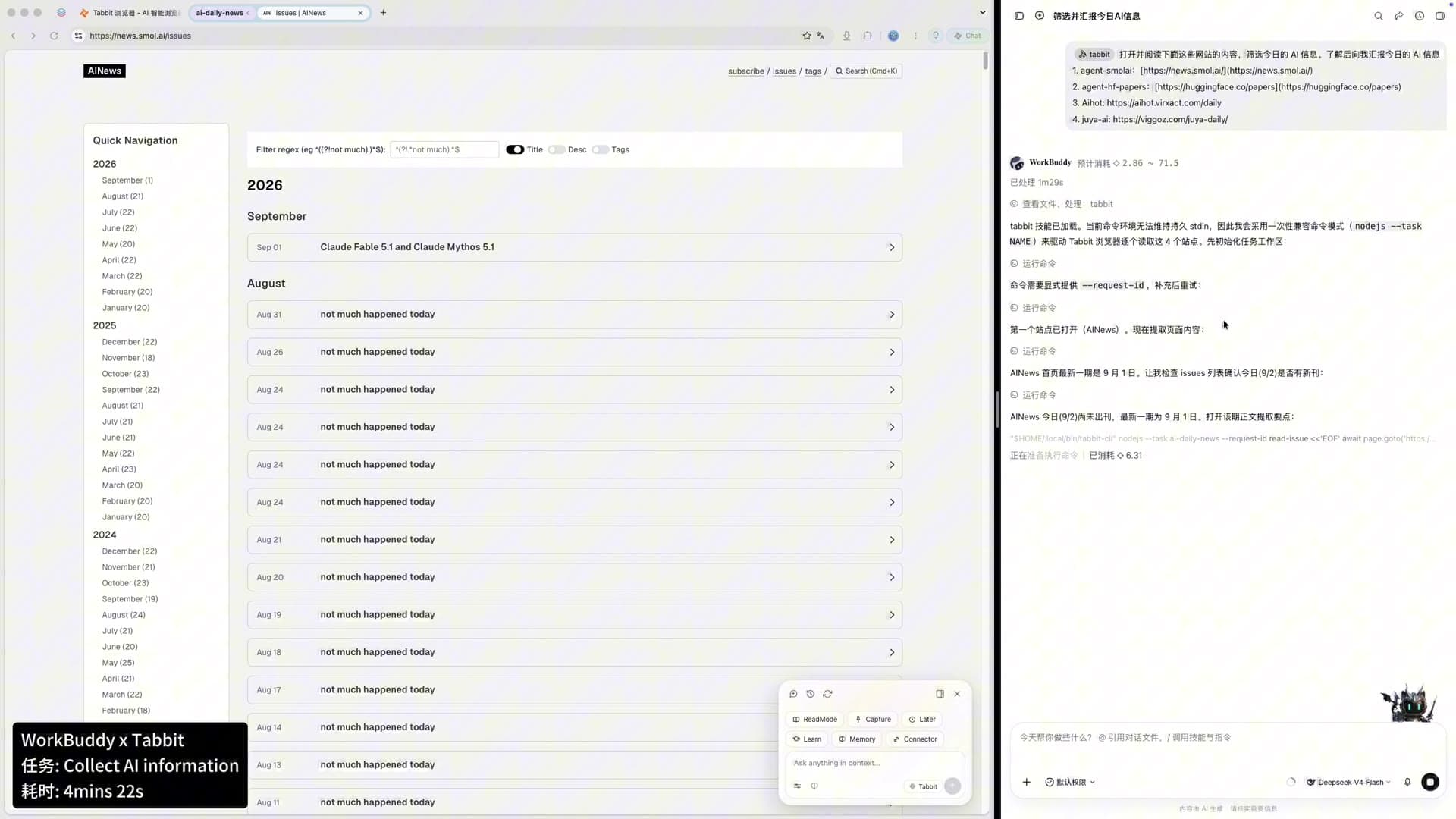
Agent workflows in Tabbit: sources, steps, and results live in one workspace instead of a terminal window.
Everything You Need to Know About Stagehand & AI Browser Automation
Straight answers on architecture, use cases, security, and choosing the right tool.
Put Browser Automation Where Your Work Happens
Skip the SDK setup, API keys, and headless debugging. Download Tabbit Browser and give your first agent task in natural language — today.
Free download • macOS & Windows • No code required