AI BROWSER COMPARISON · OCT 2026

Rill Browser vs Tabbit Browser

Rill brings your existing Claude Code or Codex CLI into a Mac browser. Tabbit puts models, page context, Skills and an agent inside the browser on Mac and Windows.

Already work in local coding projects? Rill is built for that handoff. Want an AI browser ready for research and web tasks across desktop platforms? Start with Tabbit.
Tabbit browser showing a web article and its AI summary in a side panel
Tabbit: ask about the page without leaving it.

The differences that affect your setup

Both connect browsing and agents. Their starting points, supported computers and AI accounts differ.

Decision pointRill browserTabbit Browser
Best starting pointSend a page or selection to your existing coding agent and local project.Ask, research or run a web task from the browser with built-in AI.
Desktop systemsApple silicon Mac, macOS 14 or later.macOS 12+ (Apple silicon or Intel) and Windows 10+.
AI setupInstall and sign in to a supported Claude Code or Codex CLI.Choose a model in Tabbit; usage follows your Tabbit plan.
Browser contextPasses the current page or selection to a project or web task.Can use pages, files, screenshots and selected elements as context.
Cost todayRill is a free beta; AI uses your existing CLI account and allowance.Browser is free; AI has a weekly free allowance and an optional Pro plan.

Based on the vendors’ public descriptions. No same-task speed or success-rate test has been run.

Choose by the work you actually do

01 / RILL

Rill fits a coding-agent workflow

If your projects already live in Claude Code or Codex, Rill makes a web page a starting point for that project. Its site also shows AI tab grouping, a searchable daily history and a project map. It is currently a Mac-only beta.
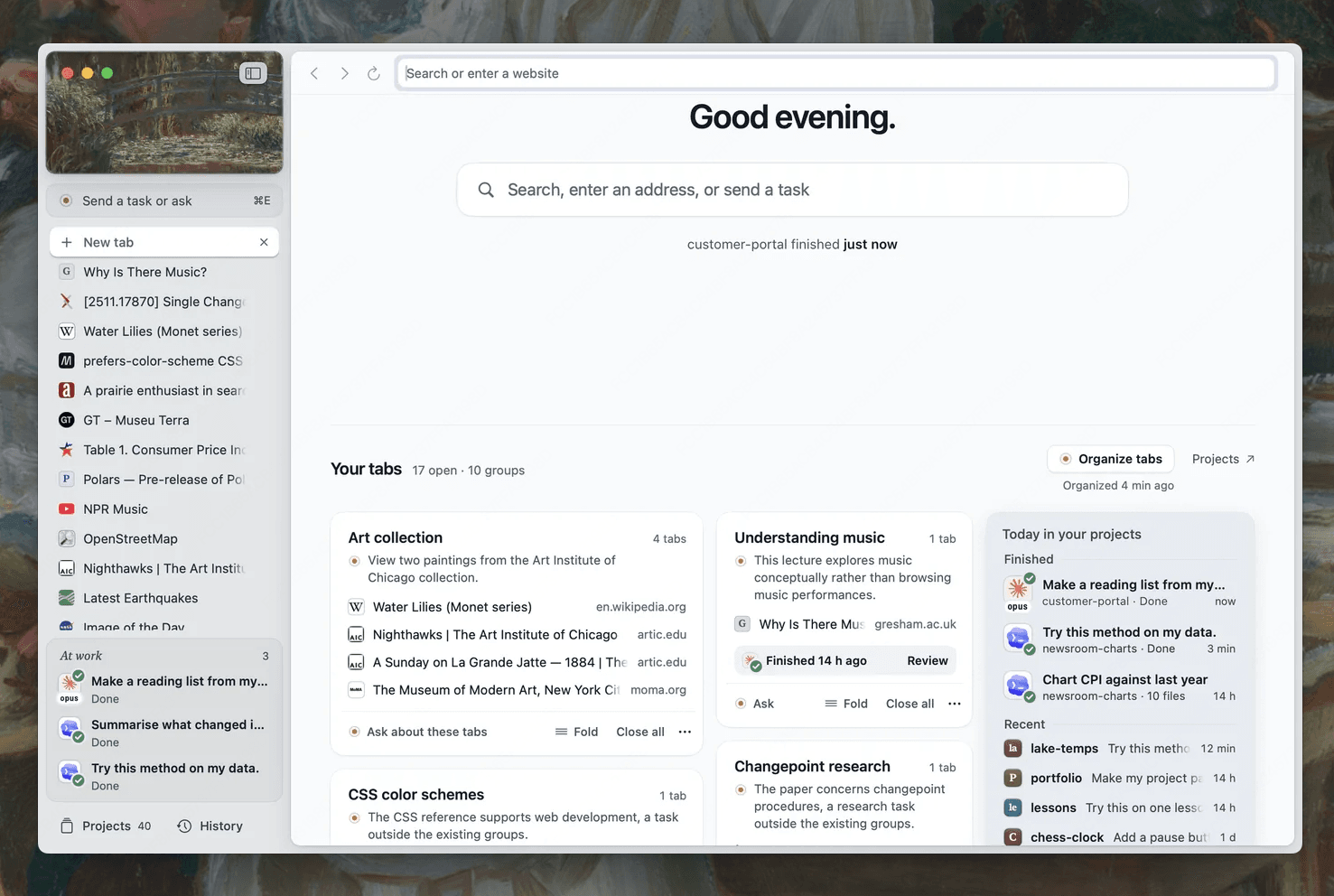

Rill browser home with a left tab rail, grouped tabs and project activity.
02 / TABBIT

Tabbit fits broader browser work

Use Tabbit when you want one browser for reading, comparing sources and handing web tasks to an agent. Built-in model choices and Skills reduce setup, while Windows and Intel Mac support make it easier to use across devices.

Tabbit chat with GPT-5.6 Sol, Claude Opus 4.8, Kimi K3, Qwen and GLM answering the same question side by side
Tabbit compares answers from several built-in models in one chat.
Rill sends the current paper page and a prompt to the local lake-temps project.
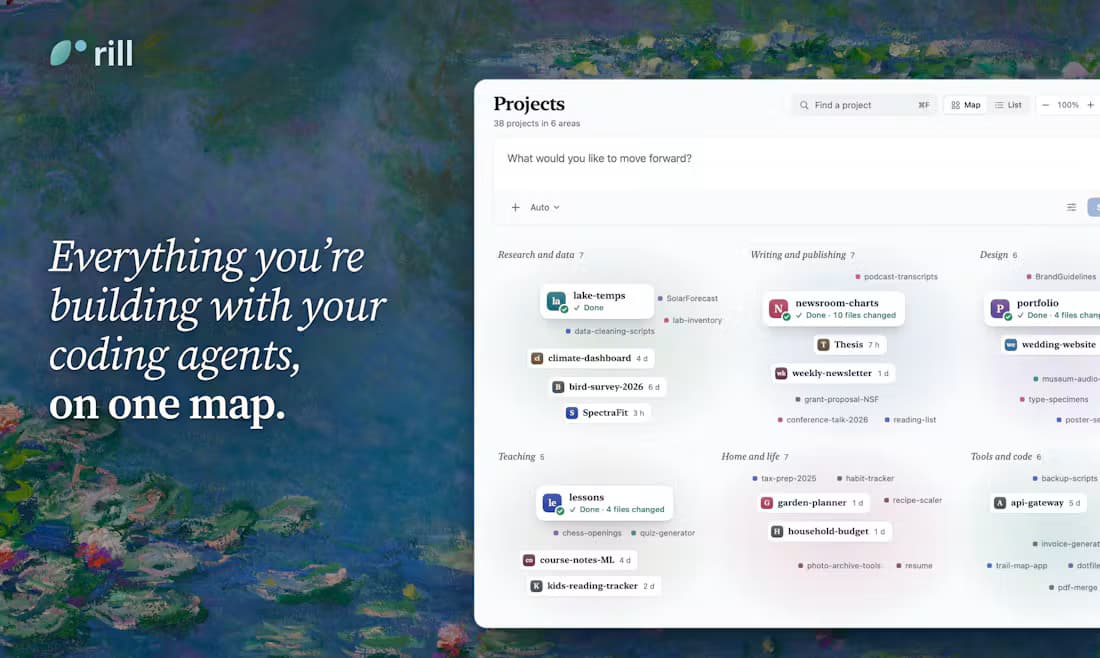
Rill project map groups local coding projects by area.

What work looks like in Tabbit

These are Tabbit interface examples, not head-to-head test results.

01

Give an agent a real web task

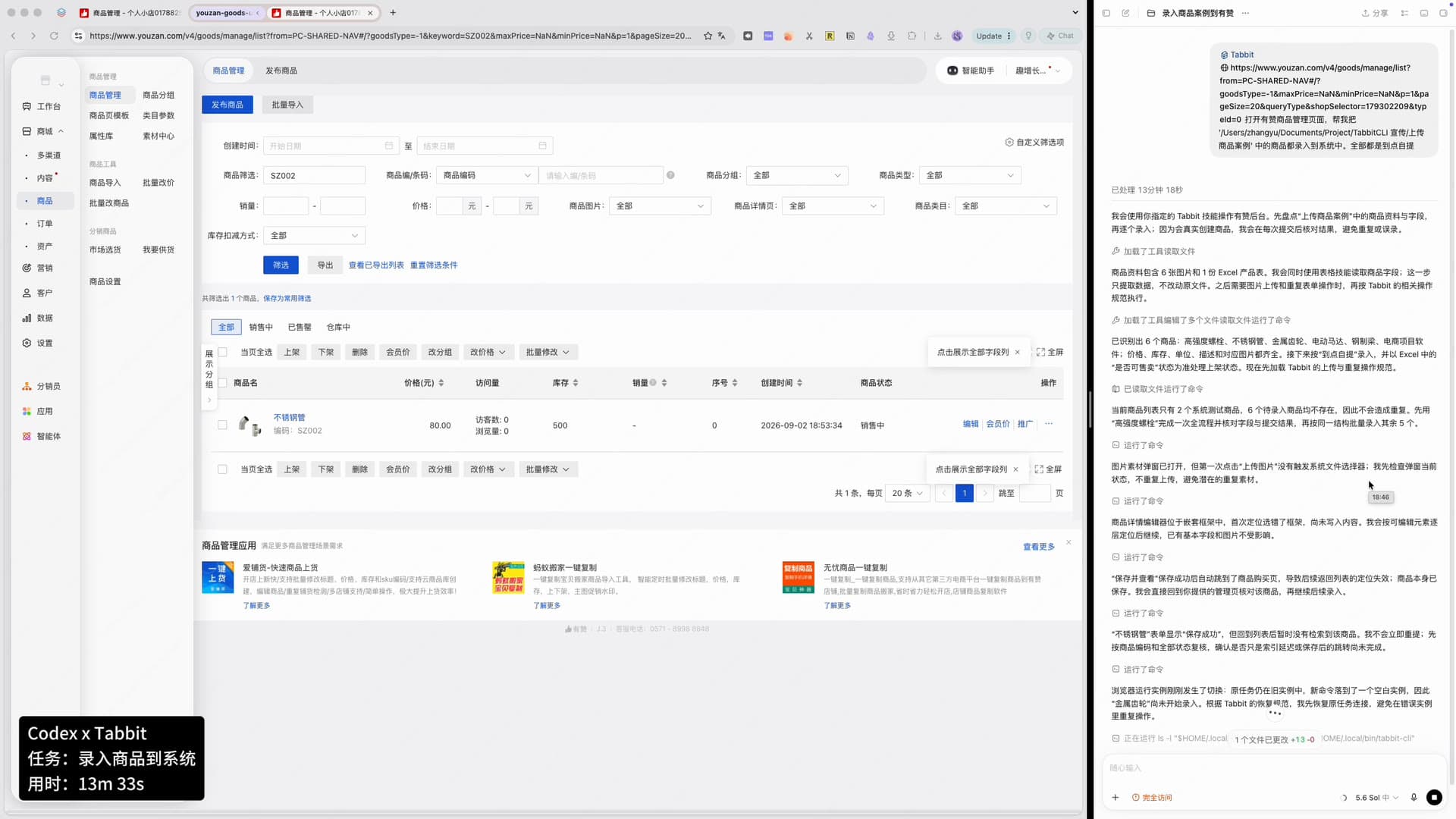
The agent works beside a live website and shows its steps in the browser. The example records a product-management task; review actions before relying on the result.

Tabbit and Codex beside a product-management website, with task steps in the right panel
Example: an agent working through a product listing task.
Tabbit Deep Research panel beside web search results, showing sources and execution steps
Example: a multi-source research task inside the browser.
02

Research across pages with visible steps

Tabbit can collect page context and run a Deep Research workflow while you inspect the sources and execution steps. Use it for questions that need more than one tab.

Questions before you switch

Does Rill work without Claude Code or Codex?

It works as a browser, but its AI features need a supported, signed-in Claude Code or Codex CLI account.

Can I use Rill on Windows?

Rill currently advertises a macOS 14+ Apple silicon download. Tabbit offers Windows 10+ as well as macOS.

Are both browsers free?

Rill is a free beta but uses the allowance on your existing CLI account. Tabbit’s browser is free, with a weekly AI allowance and an optional Pro plan.

Which is better for coding projects?

Rill is designed to route a page into your existing local coding project. Tabbit also supports agent workflows, but this page has not measured either product on the same coding task.

Try the browser that starts where you work

If you want AI to handle web research and routine browser tasks without first setting up a coding CLI, open Tabbit on Mac or Windows.

Sources and scope

Product claims checked on 9 October 2026. Images show Rill and Tabbit; neither browser was benchmarked here.

© 2026 Tabbit Browser. The AI-native browser that understands your context.