It thinks forever
Check whether thinking is enabled, whether the reasoning budget is large enough, and whether the provider preserves thinking blocks. A lower reasoning effort can be faster per turn yet cause retries in a long task.
QWEN 3.8 + SILLYTAVERN
When a reply loops, overthinks, loses a character fact, or stops halfway, the sampler is only one possible cause. Check the connection and chat template first, then tune one variable and run the same short test again.
The values below are documented starting points, not a universal best preset. Qwen3.8-27B behavior also depends on the provider, backend, quantization, card, and context budget.
START WITH THE FAILURE
The same bad-looking reply can come from a wrong endpoint, a mismatched template, a small context window, or a sampler stack that is too restrictive. Record what changed before reaching for a preset.
Check whether thinking is enabled, whether the reasoning budget is large enough, and whether the provider preserves thinking blocks. A lower reasoning effort can be faster per turn yet cause retries in a long task.
Inspect the context boundary and response allocation. SillyTavern sends character data, system prompts, and chat history inside the context budget. Old messages may simply be outside the range.
Check repetition penalty, DRY, top-p, top-k, and min-p together. Qwen documents neutral values for several of them. Change one control, not five at once.
Check the model ID, chat template, reasoning tag handling, and prompt post-processing. A sampler cannot repair a request formatted for another model family.
THE DEBUGGING ORDER
Use a small, repeatable character turn. Keep the card, prompt, seed if available, and output length constant while you move through the layers.
Confirm the provider actually serves Qwen3.8-27B, copy its exact model ID, and send a Test Message. For a custom OpenAI-compatible endpoint, check the base URL and whether the /v1/models list is available.
Use the template intended for Qwen3.8. Thinking is on by default in the official card. To request a direct answer, disable thinking through the provider-supported field. Preserve or remove historical thinking deliberately.
Set context large enough for the card and recent turns, then leave room for the response. A long context setting does not help if the backend or quantized build exposes less.
Start from the official mode row below. Change one setting, regenerate the same short turn several times, and write down the visible result. Only then test the next variable.
If a provider ignores a field, the UI value is not evidence that the model received it. Check the provider request or response metadata when available.
REFERENCE TABLE
Qwen lists one set for Thinking Mode and another for Instruct or non-thinking mode. SillyTavern documents neutral values for disabling several samplers. Use the row that matches the mode you are testing.
| Parameter | Thinking mode | Instruct / non-thinking | What to watch |
|---|---|---|---|
| temperature | 1.0 | 0.7 | Lower is more predictable; higher is more varied. |
| top_p | 0.95 | 0.80 | 1 disables nucleus filtering. |
| top_k | 20 | 20 | 0 or -1 disables it, depending on backend. |
| min_p | 0.0 | 0.0 | Higher values can worsen repetition. |
| presence_penalty | 0.0 | 1.5 | Qwen says 0 to 2 can reduce endless repetition. |
| repetition_penalty | 1.0 | 1.0 | 1 disables the effect. |
| reasoning_effort | xhigh | Not applicable | Qwen documents xhigh, medium, and low. |
| preserve_thinking | true | true | Disable when only the latest reasoning should remain. |
These are Qwen model-card starting points. Sampling support varies by framework and provider. They are not a promise of better RP for every card.
EDGES THAT LOOK LIKE SAMPLER PROBLEMS
Treat these as separate experiments. A copied community preset can hide which layer caused the change.
SillyTavern defines context tokens as the prompt budget after response allocation. More response tokens take longer and leave less room for the card and chat. Qwen3.8-27B natively supports 262,144 tokens, but your backend, VRAM, and quantization may set a lower practical limit.
The official card describes native image and video understanding. If the connector does not pass media in the format the backend expects, a vision failure is an integration issue. Do not fix it by changing temperature.
BF16, FP8, and lower-bit builds trade memory for numerical fidelity in different ways. Compare the same prompt, context, and sampler on the same backend before blaming the preset.
Repetition penalty 1 is neutral. Its range and slope can penalize common words when pushed too far. DRY targets repeated sequences and is disabled with multiplier 0. Start neutral, then add one guardrail if the loop is reproducible.
A DIFFERENT CONTEXT PATH
SillyTavern remains the right home for character cards and lorebooks. Tabbit is useful when the prompt starts with a live page, PDF, screenshot, or research trail. Open the source, choose a model from the picker, and keep the context visible while you work.
Use the desktop browser on macOS or Windows. Keep a wiki, prompt guide, or document in the main view.

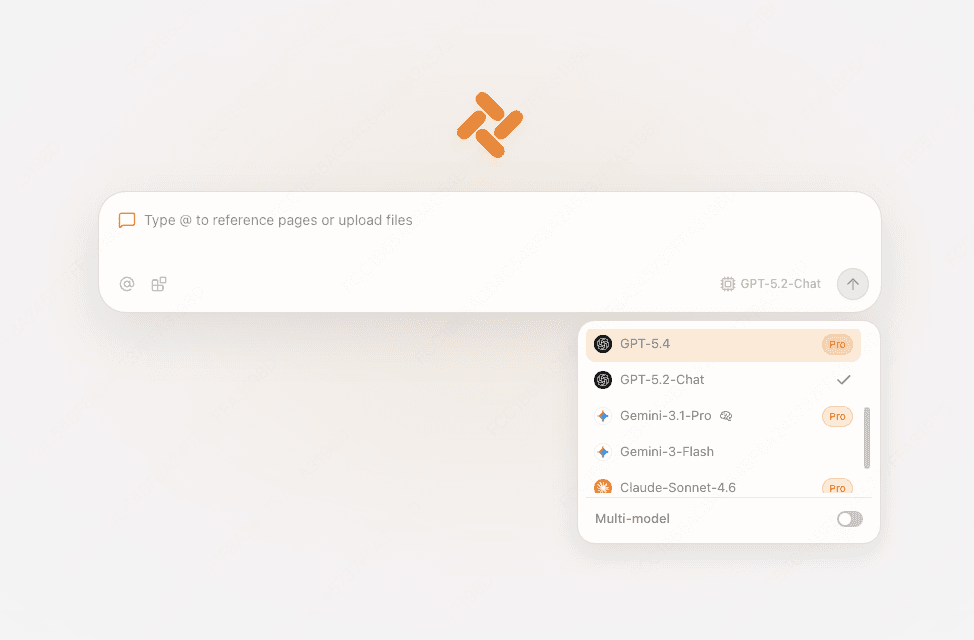
Open Tabbit’s model picker in the new-tab prompt or side chat. The available model list changes with the product; do not assume every Qwen3.8 local weight is available.

Type @ to reference an open tab, screenshot, or file. Ask for a scene outline, a card rewrite, or a comparison while the source remains visible.

Type @ to reference an open tab, screenshot, or file. Ask for a scene outline, a card rewrite, or a comparison while the source remains visible.

FAQ
For Thinking Mode, the Qwen model card lists temperature 1.0, top_p 0.95, top_k 20, min_p 0.0, presence_penalty 0.0, and repetition_penalty 1.0. For Instruct or non-thinking mode, it lists 0.7, 0.80, 20, 0.0, 1.5, and 1.0.
Use one as a comparison point, not as a guarantee. Community snippets mix model versions and backends. Record its fields, then test the official mode row with one change at a time.
Thinking is on by default in the official card. Check the connector’s chat-template field, reasoning tags, and provider support before changing samplers. Disable thinking only through the field your backend documents.
Reserve enough context for the character card, system prompt, and recent chat, then leave response room. Qwen3.8-27B has a native 262,144-token context in the model card, but your serving stack may expose less.
Start with repetition_penalty 1 and DRY multiplier 0. Those are neutral or disabled values in the relevant documentation. Add one control only if the same loop survives a repeatable test.
This page does not claim that. Tabbit provides a browser model picker and context tools. Check the current picker for availability; use SillyTavern and your local backend when you need local weights.
Start with the official mode row, test one variable, and keep your source visible. When the work begins in a webpage or document, open it in Tabbit and use the browser context path.
Available for macOS and Windows. Model availability can change with product updates.