K3 always reasons
K3 uses top-level `reasoning_effort` with `low`, `high`, or `max`. Do not copy K2.x `thinking` settings into a K3 request.
KIMI K3 / REASONING PREFILL
Kimi K3 always thinks. Its Partial Mode continues a supplied assistant prefix, while reasoning output and final content may travel as different fields. That boundary explains many empty replies, 400 errors, leaked thinking blocks, and broken next turns.
The official Kimi Chat Completions reference documents K3, Partial Mode, and K2.x differences. Provider support can still vary.
START WITH THE CONTRACT
Kimi’s documentation is specific. Community posts add useful clues about providers and SillyTavern, but they do not establish a universal workaround.
K3 uses top-level `reasoning_effort` with `low`, `high`, or `max`. Do not copy K2.x `thinking` settings into a K3 request.
Set `partial: true` and put an `assistant` message at the end of `messages` to guide the next output prefix. This is not a documented way to inject private reasoning.
A gateway may rename, drop, or reject `partial`, `reasoning_effort`, or `reasoning_content`. Test the same prompt with prefill off before changing a role card.
FIELD MAP
Use the model family to choose the field. The table is a diagnosis aid, not a promise that a gateway passes every field through.
| Question | Kimi K3 | Kimi K2.x |
|---|---|---|
| Can thinking be disabled? | No. K3 always reasons. | Depends on the model. K2.6 documents enabled or disabled thinking; K2.7-code is fixed enabled. |
| Reasoning control | Top-level `reasoning_effort`: low, high, max. | `thinking.type`, with model-specific defaults. |
| Preserved history | K3 uses preserved thinking. Return the complete assistant turn when the provider requires it. | `thinking.keep` is documented for K2.x and differs by model. |
| Prefill | Partial Mode continues the last assistant prefix with `partial: true`. | Check the model and provider documentation. Do not infer support from K3 examples. |
If a K3 request contains `thinking: { type: "enabled" }`, remove it unless your provider explicitly documents a translation layer.
PREFILL CHECK
A short controlled test tells you whether the failure lives in the prompt, response mapping, history, or provider. Keep the same model and endpoint while changing one thing.
Minimal Partial Mode shape
{
  "model": "kimi-k3",
  "messages": [
    {"role": "user", "content": "Return a status object."},
    {"role": "assistant", "content": "{\"status\":", "partial": true}
  ],
  "reasoning_effort": "low",
  "stream": false
}
This example shows field roles, not a provider-specific SillyTavern preset. Keep API keys out of the request snippet.
Verify the exact model slug in the provider list. For the official Kimi API, the K3 alias is `kimi-k3`; a gateway may publish another alias.
Remove `partial`, use a normal user message, and set only the documented K3 reasoning field. Save both the final `content` and any returned `reasoning_content`.
Put a small prefix in the final assistant message and set `partial: true`. Start with format guidance such as `{"status":` rather than a long role-play block.
On the next turn, preserve the complete assistant message in the shape your provider documents. Do not splice a reasoning block into a content prefix.
PROVIDER AND FRONTEND
SillyTavern can connect to custom OpenAI-compatible endpoints and lets you enter a model ID manually when a models endpoint is unavailable. The endpoint still decides which K3 fields survive.
| Moonshot official | Gateway or SillyTavern route | |
|---|---|---|
| Model | `kimi-k3` | Use the exact current provider alias. |
| Reasoning | `reasoning_effort` low, high, max | Confirm pass-through, remapping, or omission. |
| Partial Mode | Assistant prefix plus `partial: true` | Check whether the field is accepted for this model. |
| Response history | Preserve the assistant message when required | Check whether reasoning and content are retained separately. |
| SillyTavern setting | Use the documented API source | Test Message and Bypass API status check help isolate frontend checks. |
SYMPTOM TO TEST
These tests keep the diagnosis narrow. A community report can suggest a hypothesis, but the request and response from your selected provider are the evidence.
400 after importing a K2.x preset
Wrong reasoning schema
Remove `thinking` and K2.x history fields. Use K3 `reasoning_effort` and the provider’s current model alias.
Empty reply after visible reasoning
Response mapping or history
Inspect streaming deltas and non-streaming fields. Preserve the full assistant turn instead of keeping only `content`.
Prefill returns a refusal or odd continuation
Partial Mode or provider
Disable `partial` and compare a clean completion. Confirm that prefill is documented for this model and route.
Thinking text appears in the final answer
Renderer boundary
Render `reasoning_content` separately from `content`; do not concatenate the fields for display.
The next turn loses context
Truncated or edited history
Log the outgoing messages, keep the complete assistant object, and check the provider context limit.
It thinks for too long
Effort, prompt, or quota
Try the provider’s lower documented effort, shorten the test history, and compare with prefill off.
A LOWER-FRICTION ROUTE
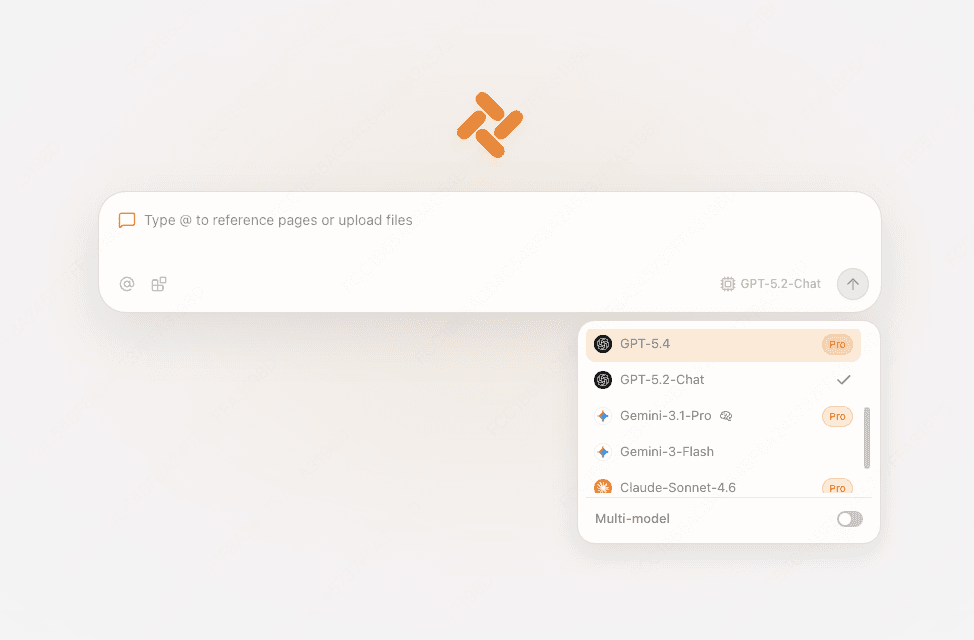
If you need to inspect a character sheet, API document, or research page, Tabbit lets you choose a live model and keep the source in view. It avoids endpoint wiring for that browser task, while SillyTavern remains the place for cards and extensions.
Use the visible page, a screenshot, or a local file as context. You can ask a focused question without building a prefill payload.

Choose Kimi-K3 from the current list when it is available. The screenshot is an interface example, so access depends on your edition and plan.

Use the sidebar for a quick answer or compare several replies. This gives you a baseline before returning to a provider-specific Partial Mode test.

REASONING PREFILL FAQ
The official API documents Partial Mode. Add an assistant message at the end of `messages` and set `partial: true` so K3 continues that prefix. Provider support still needs to be checked.
Do not assume so. The documented Partial Mode contract prefills the assistant output prefix. Reasoning output is a separate response boundary, and a provider may reject or rewrite attempts to inject it.
For K3, use top-level `reasoning_effort` with `low`, `high`, or `max`. The `thinking` object belongs to K2.x examples and is not a universal Kimi switch.
Turn prefill off, make a clean request, then inspect whether `content` and `reasoning_content` arrive separately. Also check that the next request preserves the complete assistant message.
Check the model alias, endpoint, JSON shape, and provider support. Remove copied K2.x fields and unsupported sampler fields before changing the prompt.
A Reddit discussion reports finding support on Moonshot, but that is a user observation, not a universal provider rule. Check the current documentation for the route you use.
Use the official K3 field names, test Partial Mode with a small prefix, and preserve the assistant turn your provider expects. For page-grounded questions, open Tabbit and choose Kimi-K3 from the live picker.
Available for macOS and Windows. Model access and quotas depend on the current edition and plan.