COMMUNITY
Overthinking is a symptom
A shorter system prompt or a lower reasoning setting may help, but a long answer can also come from the model, history, or provider. Test a clean chat before editing a preset.
PRESET LAB / KIMI K3
Community threads keep circling the same problems: overthinking, weak instruction following, partial prefill support, and sampler settings that do not travel between providers. Start clean, then change one layer at a time.
Community reports are experiments, not a universal preset. Verify the live provider and model picker first.
WHAT PEOPLE ARE REPORTING
The preset discussion on Reddit and its overthinking thread ask for fixes to instruction following, censorship, partial prefills, and providers that handle prefill differently. Kimi’s official docs describe the model and API, not a single best SillyTavern preset.
COMMUNITY
A shorter system prompt or a lower reasoning setting may help, but a long answer can also come from the model, history, or provider. Test a clean chat before editing a preset.
OFFICIAL
The Kimi K3 API quickstart is the place to verify the current model slug and request shape. Availability and parameters can differ by provider.
FRONTEND
Reddit users specifically ask about providers that support prefill and report partial-prefill quirks. Treat prefill as an optional compatibility layer, not a requirement for K3.
DECISION BOARD
The safest preset is the one whose changes you can name and undo. Use these profiles as test plans; do not download an unverified JSON just because its title sounds right.
There is no verified community preset file on this page. Names such as “overthinking fix” describe thread goals, not a supported download.
Keep the system prompt short, set the desired voice once, and keep temperature or creativity changes modest. Test a two-turn scene before adding character-specific instructions.
✓ Tone is stable and the model does not repeat the instruction.
Use a compact format contract with one example. Keep response length and stop conditions explicit. Remove duplicate rules before touching the sampler.
✓ The model follows the requested structure in a fresh chat.
Preserve the context budget and avoid stuffing a roleplay preset into a research prompt. Ask for a short plan first, then inspect whether history or provider truncation is the issue.
✓ Important source details survive into the next turn.
SAFE IMPORT ORDER
Save your current preset before changing it. A baseline makes each result legible and gives you a quick rollback.
A preset cannot repair a 401, 404, 429, truncated history, or unsupported parameter. Fix that layer first.
Keep a copy of the preset, system prompt, generation settings, and one short test conversation. Record the provider and model alias too.
✓ You can restore the exact baseline.
Open the JSON as text before importing. Check which fields it changes, whether it embeds a system prompt, and whether it targets a specific frontend or provider.
✓ You know every field that will change.
Change temperature, top_p, min_p, repetition controls, or token limits one at a time. Providers may ignore, rename, or reject fields, so watch the request log when available.
✓ One generation change has one recorded cause.
K3’s reasoning behavior and provider support can differ. Test a clean response, then enable a thinking display or prefill extension only if the symptom calls for it.
✓ The final answer still arrives and the next turn keeps the full assistant message.
SYMPTOM → LAYER → TEST
Match the symptom to the smallest likely layer. Community posts are useful clues, but your provider’s request and response are the evidence for your setup.
| Symptom | Likely layer | Next test |
|---|---|---|
| K3 explains forever or repeats itself | Thinking, prompt, or history | Start a clean chat, shorten the system prompt, and try the provider’s lower reasoning option if it exposes one. |
| It ignores the output format | System prompt or sampler | Remove duplicate rules, add one concrete example, and test the same prompt with the sampler unchanged. |
| Prefill is cut off or becomes a strange reply | Provider compatibility | Disable prefill and compare a clean completion. Confirm the provider documents prefill for the selected model. |
| The answer is empty after a thinking block | Response mapping | Check whether reasoning and content arrive in separate fields. Preserve the complete assistant turn before sending the next request. |
| Temperature or top_p changes do nothing | Unsupported parameter | Inspect provider docs or the request payload. Some gateways ignore fields or expose different names. |
| 401, 404, 429, or timeouts | Provider and quota | Check the key, base URL, model alias, account limits, concurrency, and retry loop before editing any preset. |
A DIFFERENT WORKFLOW
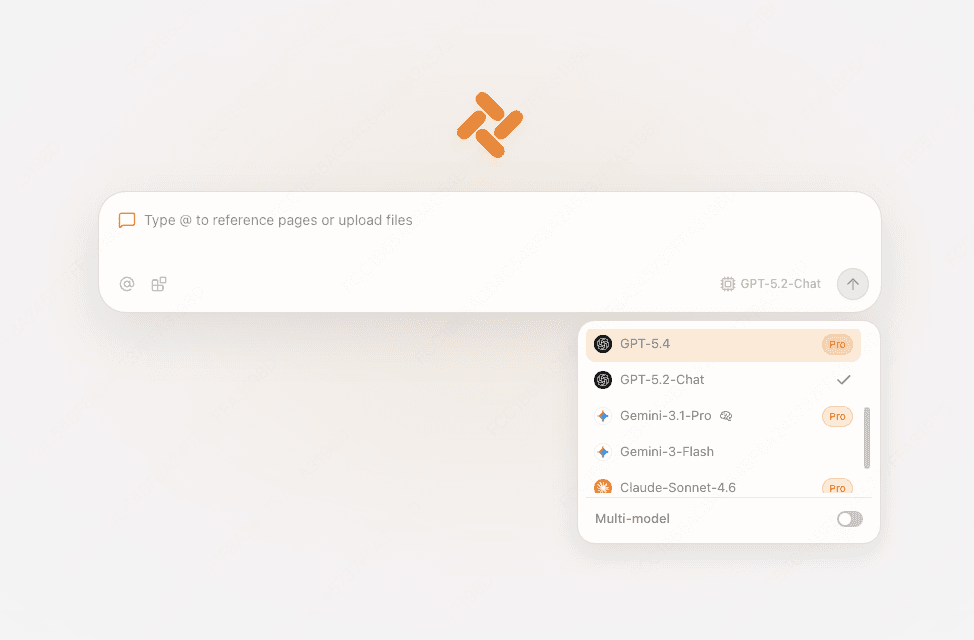
If your task is grounded in a webpage, PDF, spreadsheet, or research trail, Tabbit gives you a browser-side chat path. Check the live picker for Kimi-K3 access, then bring the context with @ references.
Open the article, docs, or file you need. Tabbit can reference visible pages, screenshots, tabs, and files from the omnibox.
✓ The source stays beside the conversation.

Select Kimi-K3 from the current model list. The roster is the source of truth for your edition and plan.
✓ The picker shows the model you intend to use.

Use Chat for a focused answer, multi-model chat for a comparison, or Agent for a browser task. Tabbit does not import SillyTavern cards or replace its lorebooks and extensions.
✓ The answer stays tied to the page or file.

PRESET FAQ
No official universal preset is listed in Kimi’s model or API documentation. Community threads share experiments, but their results depend on frontend, provider, history, and use case.
Use a source you can inspect and trust. Do not treat a filename or a thread title as proof. Export your current settings and compare changed fields before importing.
There is no single value that works across every provider. Change one sampler field at a time, record the result, and confirm the gateway actually honors the field.
Not to start. Connect the model with a clean prompt first. Add an extension only when you can name the behavior it should change and your provider documents compatibility.
Providers can use different aliases, defaults, quotas, context handling, and prefill support. The frontend may also serialize reasoning blocks differently.
No. Tabbit offers a browser chat workflow with live model selection and page or file context. SillyTavern remains the place for its cards, lorebooks, extensions, and group chat.
Keep the preset reversible, test one layer, and use the live provider as your evidence. For page-grounded work, open Tabbit and choose Kimi-K3 from the current picker.
Available for macOS and Windows. Model access and quotas vary by edition and plan.