Use this exact ID
Enter gemini-2.5-flash-lite. The preview alias gemini-2.5-flash-lite-preview-09-2025 is shut down. Do not swap in a newer Flash model because the name looks similar.
GEMINI 2.5 FLASH-LITE × SILLYTAVERN
SillyTavern can connect to Gemini 2.5 Flash-Lite through Google AI Studio. The part that causes trouble is usually smaller: the provider, the exact model name, the key, the context sent with each turn, and what a 429 or empty reply actually means.

CHECK THE MODEL
Google lists Gemini 2.5 Flash-Lite as a stable model for high-frequency, lightweight multimodal work. It accepts text, image, video, audio and PDF input, and returns text. Its large context limit does not remove provider or quota checks.
Enter gemini-2.5-flash-lite. The preview alias gemini-2.5-flash-lite-preview-09-2025 is shut down. Do not swap in a newer Flash model because the name looks similar.
The documented input limit is 1,048,576 tokens and the output limit is 65,536 tokens. Your effective RPM, TPM and RPD quota depends on the Google project and usage tier.
The model supports thinking, function calling, structured output, URL context, Search grounding, code execution, caching and file search. Thinking tokens count toward output usage when pricing applies.
Google AI Studio offers a free tier with limited access and free input and output tokens. Paid tiers provide higher limits. Check the live AI Studio quota page before planning a busy roleplay session.
SILLYTAVERN SETUP
SillyTavern’s own Google guide uses the Chat Completion connection. Create the key in Google AI Studio, then let SillyTavern discover the model list. Keep the first test small so you can tell a bad key from a quota or formatting problem.
Open the API key page, sign in, choose Get API Key, accept the terms, create a key and copy it. Treat the key as a secret. Do not paste it into a character card or a public screenshot.
In SillyTavern open API Connections. Select Chat Completion, then Google AI Studio. Paste the key into the API Key field and press Connect.
Choose gemini-2.5-flash-lite if it appears in the returned list. If you type a model manually, use the exact stable ID. A shut-down preview ID cannot be repaired by changing temperature.
Send a short user message with a compact character card. Keep streaming on or off consistent while testing. Record the model, provider, context size and response state.
Once a plain request works, add your system prompt, instruct formatting and lore. If control markers appear in the reply, inspect the template and message format before touching samplers.
Google’s rate limits are measured by RPM, TPM and RPD and are applied to the project, not simply to the API key. Preview models can have stricter limits.
WHERE TABBIT FITS
Tabbit is not a SillyTavern frontend, a local Gemma runner or a Google AI Studio key manager. It is useful for the context around a session: character wikis, setting references, PDFs, screenshots and model comparisons.
Keep canon notes, a setting wiki or a documentation page in visible tabs. Tabbit can summarize the page in its side panel.
Use @ to include an open page, screenshot or local file in a prompt. Ask for a continuity check or a short scene-state recap without copying every paragraph.
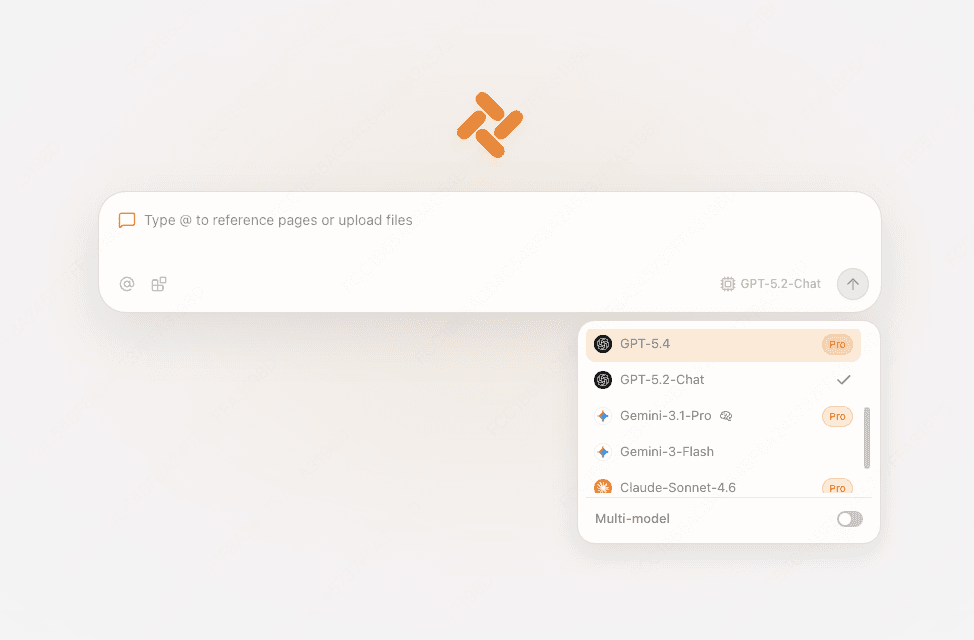
The current international production snapshot lists and enables gemini-2.5-flash-lite. Availability can differ by account, edition, quota and future deployment, so use the live model picker. Tabbit still does not accept a SillyTavern provider or Google AI Studio API key and cannot replace SillyTavern for this connection.

CHOOSE THE RIGHT SURFACE
Use SillyTavern when you need character cards, message formatting and generation controls. Use Tabbit when references are scattered across the web and you want them beside a browser-native assistant.
| Need | SillyTavern + Google AI Studio | Tabbit |
|---|---|---|
| Gemini 2.5 Flash-Lite endpoint | Connect with the exact model ID | Not promised in the current catalog |
| API key and quota | Managed in Google AI Studio | No place to paste this key |
| Character cards and lore | Detailed RP controls | Reference a wiki or file |
| Web context | Paste or add an integration | @ open tabs, screenshots and files |
| Agent actions | Depends on your ST setup | Native Agent mode for browser tasks |
Official sources
Google AI Studio offers a free tier with limited access and free input and output tokens. Paid tiers provide higher limits. Check the live AI Studio quota page before planning a busy roleplay session.
READ THE SOURCE
FAQ
Use gemini-2.5-flash-lite for the stable model. Google lists gemini-2.5-flash-lite-preview-09-2025 as shut down, so do not use that preview ID.
Use API Connections, choose Chat Completion, select Google AI Studio, paste the API key and connect. The SillyTavern guide documents this route.
It means a rate or spending limit was exceeded. Check the project’s RPM, TPM and RPD usage in AI Studio, then wait, lower request frequency or reduce context and output. A new key in the same project may not change the quota.
Check the SillyTavern console and response details, then test with streaming off, a short prompt and the stable model ID. If the request succeeds but text is empty, inspect formatting, safety feedback and finish details before changing the character card.
Google documents an input limit of 1,048,576 tokens and a maximum output of 65,536 tokens. That is a limit, not a promise that a roleplay chat will retrieve every early detail equally well.
Google lists thinking as supported. The control exposed by SillyTavern depends on its current connector and settings. If the UI does not expose it, do not invent a parameter. Start with the documented provider defaults.
Google AI Studio has a free tier with limited model access and free input and output tokens. Quotas vary by project and tier. Paid pricing, batch and priority options are on Google’s live pricing page.
No. Tabbit does not currently accept a SillyTavern provider connection or your Google AI Studio key. Use Tabbit for browser context and its listed models, and keep this Gemini connection in SillyTavern.
Use SillyTavern for the Gemini API connection. Use Tabbit when your next prompt depends on pages, files and browser actions around the chat.
Available for macOS and Windows. Tabbit’s model list and provider support can change.