Stable ID
Use `gemini-2.5-flash-lite`. Google marks `gemini-2.5-flash-lite-preview-09-2025` as shut down. A temperature change cannot repair a retired model ID.
GEMINI API × SILLYTAVERN
Use the stable Gemini 2.5 Flash-Lite model in SillyTavern through Google AI Studio. This guide checks the provider, key, exact model ID, first request, thinking settings and the errors that make a working connection look broken.

CHECK THE MODEL
Google lists Gemini 2.5 Flash-Lite as a stable, fast multimodal model. It accepts text, images, video, audio and PDFs, and returns text. A large context limit does not remove project quotas or provider checks.
Use `gemini-2.5-flash-lite`. Google marks `gemini-2.5-flash-lite-preview-09-2025` as shut down. A temperature change cannot repair a retired model ID.
The model page lists 1,048,576 input tokens and 65,536 output tokens. Your practical RPM, TPM and RPD limits come from the Google project and usage tier.
Google lists thinking, function calling, structured output, URL context, Search grounding, code execution, caching and file search. SillyTavern may expose a smaller set of controls.
Free access and paid access have different limits. Check AI Studio usage and pricing before planning a long RP session. Do not treat a free tier as unlimited.
SILLYTAVERN SETUP
SillyTavern documents Google AI Studio under Chat Completion. Keep the first request small. Once it returns text, add character formatting, lore and longer context one change at a time.
Open Google AI Studio API keys, sign in, choose Get API Key, accept the terms, create the key and copy it. Store it like a password. Never put it in a character card or public screenshot.
In SillyTavern open API Connections. Select Chat Completion, choose Google AI Studio, paste the key into API Key and click Connect. Vertex AI is a separate provider with a different authentication flow.
Select `gemini-2.5-flash-lite` from the returned list. If manual entry is available, use the exact stable ID. Do not use the shut-down preview alias.
Use a short user message and a compact character card. Keep streaming consistent while testing. Note the provider, model, context size and response state.
After plain text works, add the system instruction, message format and lore. If template markers appear in the reply, inspect the connector template before changing samplers.
Google applies RPM, TPM and RPD limits to the project. A second key in the same project does not create a new quota.
REQUEST SHAPE
The official REST example uses the Google API key header and a JSON request. SillyTavern builds its own provider request, so treat this as a reference for the API concepts, not as a field list to invent in the UI.
POST https://generativelanguage.googleapis.com/v1beta/interactions
Headers: x-goog-api-key: $GEMINI_API_KEY
         Content-Type: application/json
Body: {
  "model": "gemini-2.5-flash-lite",
  "input": "Reply in one short sentence."
}
Minimal REST shape from Google documentation
Keep a system instruction separate from the user turn when the connector supports it. Do not assume a Chat Completion field maps one-to-one to Google REST JSON.
Google lists thinking support and a 65,536-token output maximum. Only use a thinking or output setting that the current SillyTavern connector exposes and documents.
Google documents streaming with `stream: true` and SSE. For a blank result, repeat the short test with streaming off to isolate display or parsing issues.
TROUBLESHOOTING
A useful diagnosis starts with the status code, provider and model shown in the request. Change one variable at a time and keep the key private.
| Signal | Check first | Next move |
|---|---|---|
| 400 INVALID_ARGUMENT | Model name, JSON shape, message order and unsupported settings. | Return to the minimal prompt. Remove one optional setting, then add controls back one by one. |
| 401 UNAUTHENTICATED | Key value, header, whitespace and the selected provider. | Create or copy the key again in AI Studio, reconnect Google AI Studio and do not paste a Vertex credential into this route. |
| 403 PERMISSION_DENIED | Project access, API status, region or policy response. | Check the Google project and AI Studio status. Do not try to bypass a safety or access control. |
| 404 NOT_FOUND | The exact model ID and provider endpoint. | Use `gemini-2.5-flash-lite`. Remove the shut-down preview alias and refresh the model list. |
| 429 RESOURCE_EXHAUSTED | Project RPM, TPM, RPD and billing tier in AI Studio. | Wait, lower request frequency, shorten context or output, and check live quotas. A new key in the same project may not help. |
| 200 but empty | Streaming parser, finish details, safety feedback, formatting and the actual text field. | Test the short prompt with streaming off, then inspect console and response details before editing the character card. |
TABBIT AS CONTEXT
Tabbit does not run your SillyTavern provider and does not accept a Google AI Studio API key. It helps with the surrounding work: source pages, character references, screenshots, PDFs and browser tasks.
Keep a canon wiki, documentation page or setting note in a visible tab. Tabbit can summarize the page in its side panel.
Reference an open page, screenshot or local file with @ when you need a recap or continuity check. You do not need to paste every paragraph.
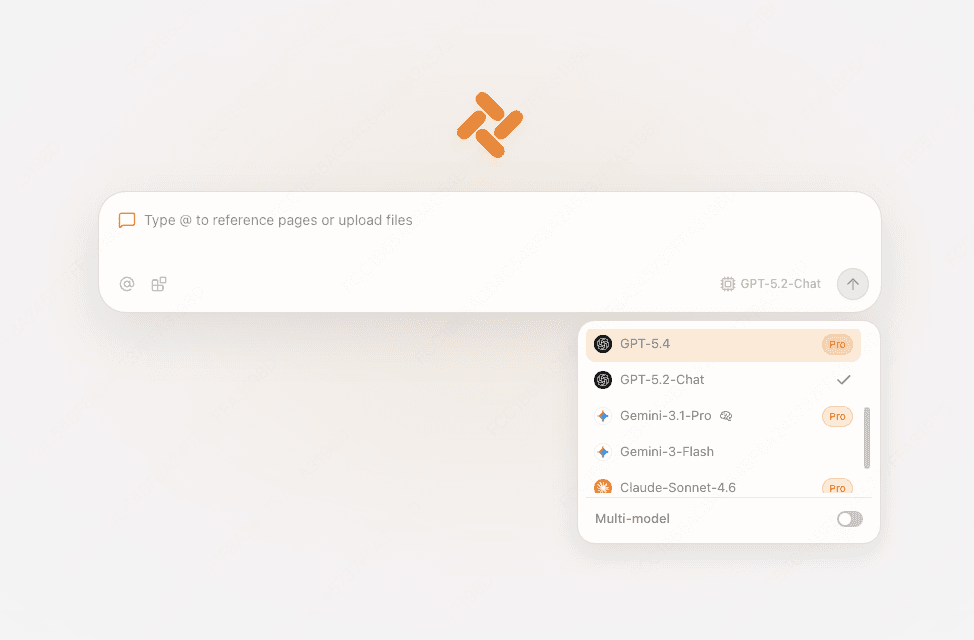
The current international production snapshot lists and enables `gemini-2.5-flash-lite`. Accounts, editions, quotas and future deployments can differ, so use the live picker. Tabbit is not the SillyTavern connection.

TWO DIFFERENT JOBS
SillyTavern owns the character card and provider request. Tabbit owns browser context and browser-native assistance. Keeping that boundary clear prevents a missing-key field from becoming a false setup step.

| Need | SillyTavern + Google AI Studio | Tabbit |
|---|---|---|
| Gemini API key | Create in AI Studio and paste into Google AI Studio provider. | No key entry for this connection. |
| Stable model ID | Choose `gemini-2.5-flash-lite` in the live model list. | Use Tabbit picker for the models it actually lists. |
| Character cards and lore | Use RP controls, templates and context settings. | Reference a wiki, note or file from a tab. |
| Browser research | Add context through your chosen ST workflow. | Use @ with pages, screenshots and files. |
| Agent actions | Depends on your SillyTavern setup. | Use its browser Agent mode for supported web tasks. |
OFFICIAL REFERENCES
FAQ
Use `gemini-2.5-flash-lite`. Google marks `gemini-2.5-flash-lite-preview-09-2025` as shut down.
Open API Connections, choose Chat Completion, select Google AI Studio, paste the AI Studio key and connect. Vertex AI is a separate provider.
Google publishes an OpenAI compatibility guide, but SillyTavern provider behavior can differ. Use the documented Google AI Studio provider first and only use a compatibility route when the current official docs and connector support it.
Google rate limits are project-level RPM, TPM and RPD limits. Check AI Studio usage and tier, then wait or reduce request frequency, context and output.
Try a short prompt with streaming off, then inspect console output, finish details, safety feedback and the connector format. Do not assume a new character card will fix a parser or quota issue.
Google documents a 1,048,576-token input limit and 65,536-token output limit. They are ceilings, not a guarantee that every early detail will be retrieved equally.
Google lists thinking as supported. The current SillyTavern connector may expose different controls. If the UI does not document a field, leave the provider default in place.
No. Tabbit does not accept a SillyTavern provider or your Google AI Studio key. Keep this API connection in SillyTavern.
Connect Gemini 2.5 Flash-Lite in SillyTavern. Use Tabbit when the scene depends on web pages, files or browser actions around the conversation.
Available for macOS and Windows. Tabbit model availability and provider support can change.