Free
$0
Daily simple tasks
- 500 credits per month
- Up to 3 routines
- Password manager and personalized memory
 Tabbit
OFFICIAL LINKS · DOWNLOAD · PRICING
Go straight to Aside’s official site, download or pricing. Then compare its local-memory agent with Tabbit’s explicit context, parallel workflows and reusable Skills.
Official facts checked November 3, 2026
Official links open aside.com in a new tab.
01 / CURRENT PRICE
Aside lists three individual plans. The free tier is usable for simple tasks; paid plans mainly increase agent capacity and routine limits.
$0
Daily simple tasks
$20/mo
Deep research and complex tasks
$200/mo
Power users automating at scale
Yearly billing is advertised at 20% off.
Enterprise: contact sales for shared company accounts, seats and team controls.
Prices and limits can change. Bringing your own model subscription or API key may involve separate provider costs.
02 / OFFICIAL DOWNLOAD
Use Aside’s official download page. It detects a platform, starts the download and offers a manual fallback if nothing happens.
Open Aside.dmg, drag Aside into Applications, then launch it from there.
Open the downloaded executable and follow the installer instructions.
Select macOS or Windows on the official page if the correct version was not detected.
Use the manual download link if automatic download does not begin, then run the installer.
Sign in only where needed and test the agent before giving it sensitive work.
The official download page did not list Linux, iOS or Android versions when checked.
03 / THE DIFFERENCE
Both are agentic browsers. Aside emphasizes persistent local memory and routines; Tabbit emphasizes user-selected context, parallel work and reusable Skills.
| Decision point | Aside | Tabbit |
|---|---|---|
| Context | Builds local memory from browsing history | @-mention the tabs, groups and files you choose |
| Repeatable work | Routines, with limits varying by plan | Reusable Skills for repeatable workflows |
| Working style | Agent operates logged-in websites with approval gates | Agent tasks in separate tab groups while you keep browsing |
| Models | Bring an eligible subscription or API key | Chat with and compare multiple models in one workspace |
| Desktop | Official macOS and Windows downloads | macOS and Windows downloads |
| Cost structure | Free; Pro $20/mo; Max $200/mo | Free download; AI usage depends on the current plan |
04 / SEE TABBIT IN PRACTICE
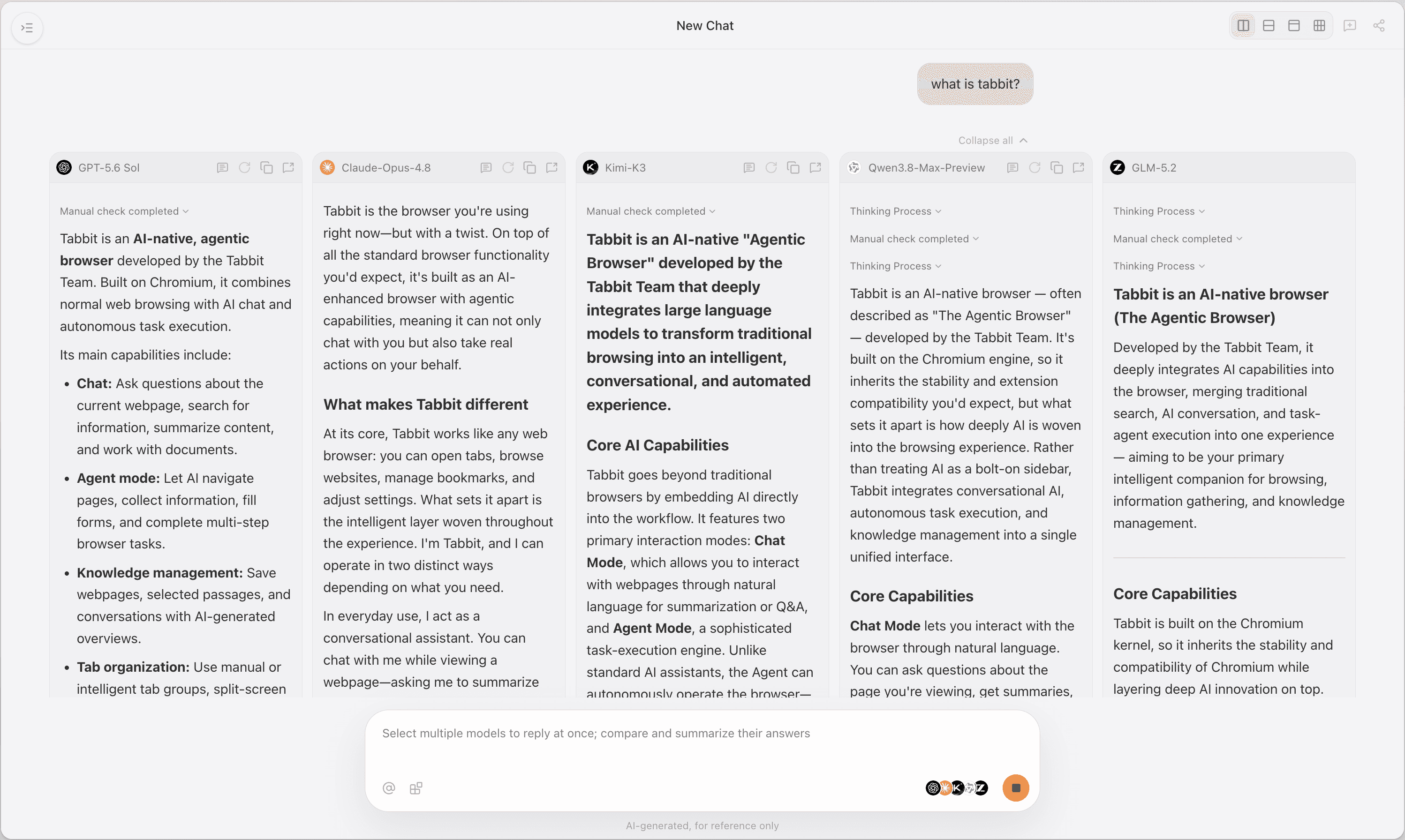
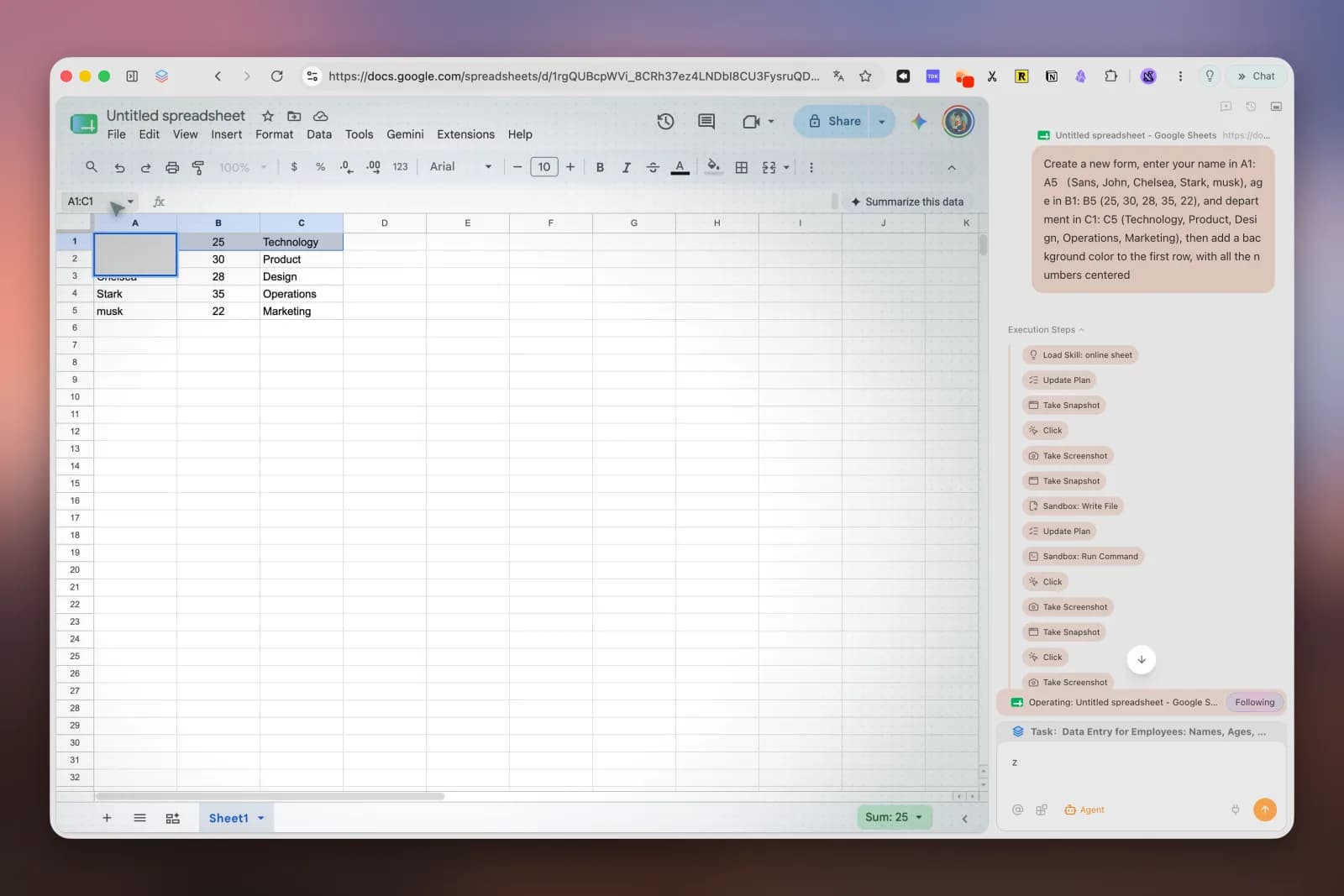
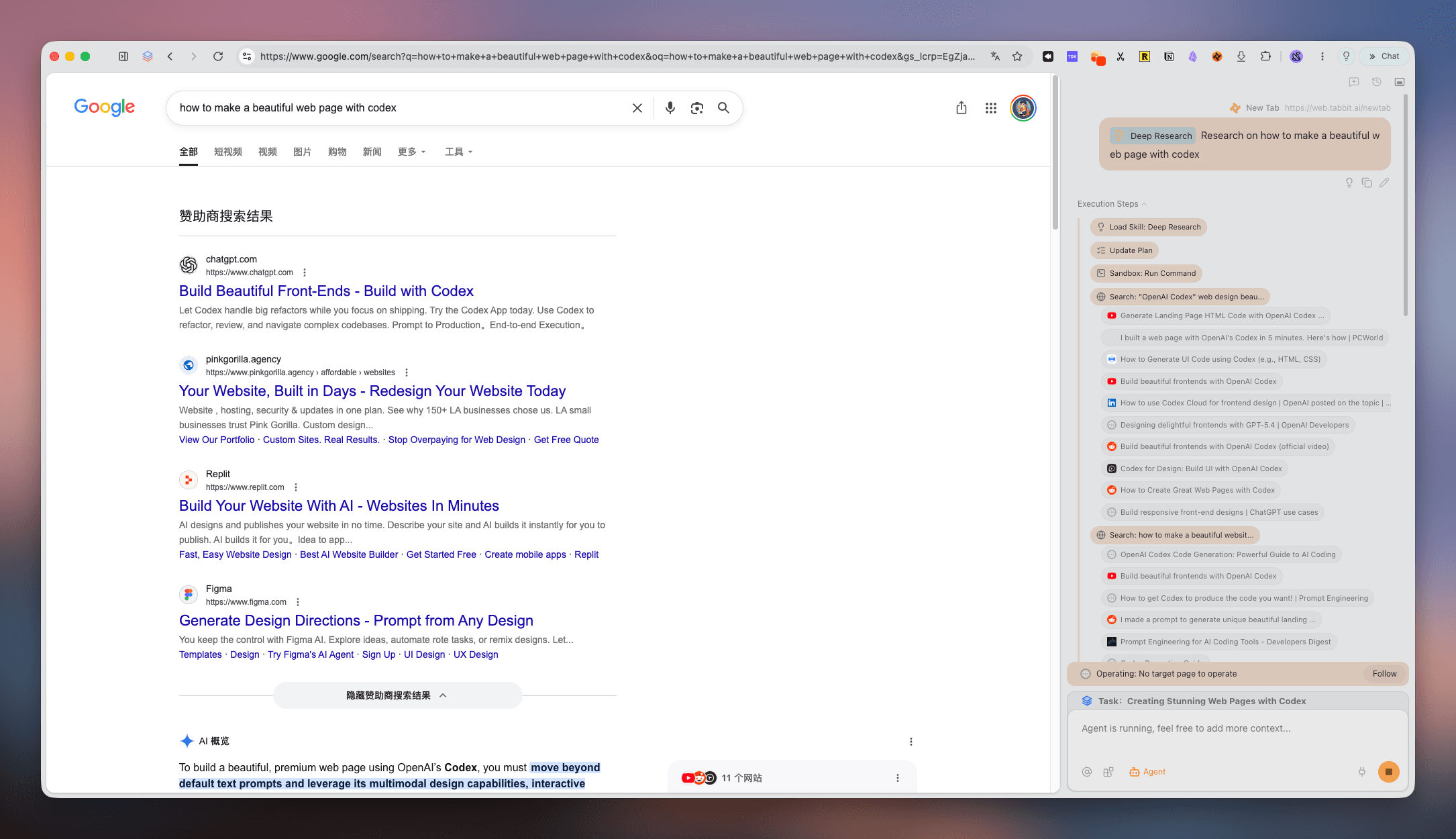
These product views show how Tabbit handles comparison, execution and research. Screenshots illustrate workflows, not guaranteed results.
Ask one question across multiple models instead of repeating it in separate tools.
The task and execution steps stay visible while Agent operates a web app such as Google Sheets.
Deep Research works beside the source pages so you can inspect the process and return to the material.
The official website is https://aside.com/. Aside Browser, Aside AI Browser and Aside AI commonly refer to this product. Use the official links on this page rather than look-alike download sites.
Use https://aside.com/download. The official page provides macOS and Windows downloads, automatic platform detection and a manual download fallback.
Yes. The official download page checked on November 3, 2026 explicitly describes Aside as an AI browser for macOS and Windows and provides Windows installation instructions.
The current individual plans are Free at $0, Pro at $20 per month and Max at $200 per month. Aside advertises 20% off yearly billing. Enterprise pricing requires contacting sales.
The official pricing page lists 500 credits per month, up to three routines, a built-in password manager and personalized memory. Check the live page for current limits.
The official download page did not list Linux, iOS or Android downloads when checked on November 3, 2026. It lists macOS and Windows. Check the official page for later changes.
Aside centers on local browsing memory, routines and an agent password vault. Tabbit centers on explicit @-context from tabs and files, agent tasks in separate tab groups, reusable Skills and multi-model workflows.
Aside describes local memory, credential autofill without exposing secrets to the model, and approval for sensitive actions. Any agent can still make mistakes: start with non-critical accounts and review payments, posts and messages.
Product facts and prices were checked against official pages on November 3, 2026. Aside and Tabbit are separate products; this independent comparison is not endorsed by Aside.
Download Tabbit for macOS or Windows and test Agent, Skills and multi-model chat on your own tasks.